Security cameras work by capturing video with an image sensor, processing the footage, transmitting or storing it, and using software or hardware to provide live viewing, motion detection, alerts, or recorded video.
For homeowners in the United States, a security camera is essentially a small computer with a lens and image sensor that watches a selected area and turns what it sees into digital video. Depending on the camera and system, that video can stay on a local memory card or recorder, travel across your home network, or be uploaded to cloud storage so you can view it from a phone.
Modern home security cameras can do much more than simply record. Many models can detect movement, identify people or vehicles, provide infrared night vision, send smartphone notifications, support two-way audio, and automatically record events. The exact features depend on the camera, its power source, network connection, storage method, and software.
The basic process remains straightforward: the lens gathers light, the image sensor converts that light into electronic data, the camera processes and compresses the video, and the resulting footage is either stored locally or transmitted to another device or service. Understanding this process makes it easier to choose camera placement, storage, connectivity, and features that actually fit your home.
Source: oursafetysecurity.com
What Is a Security Camera?
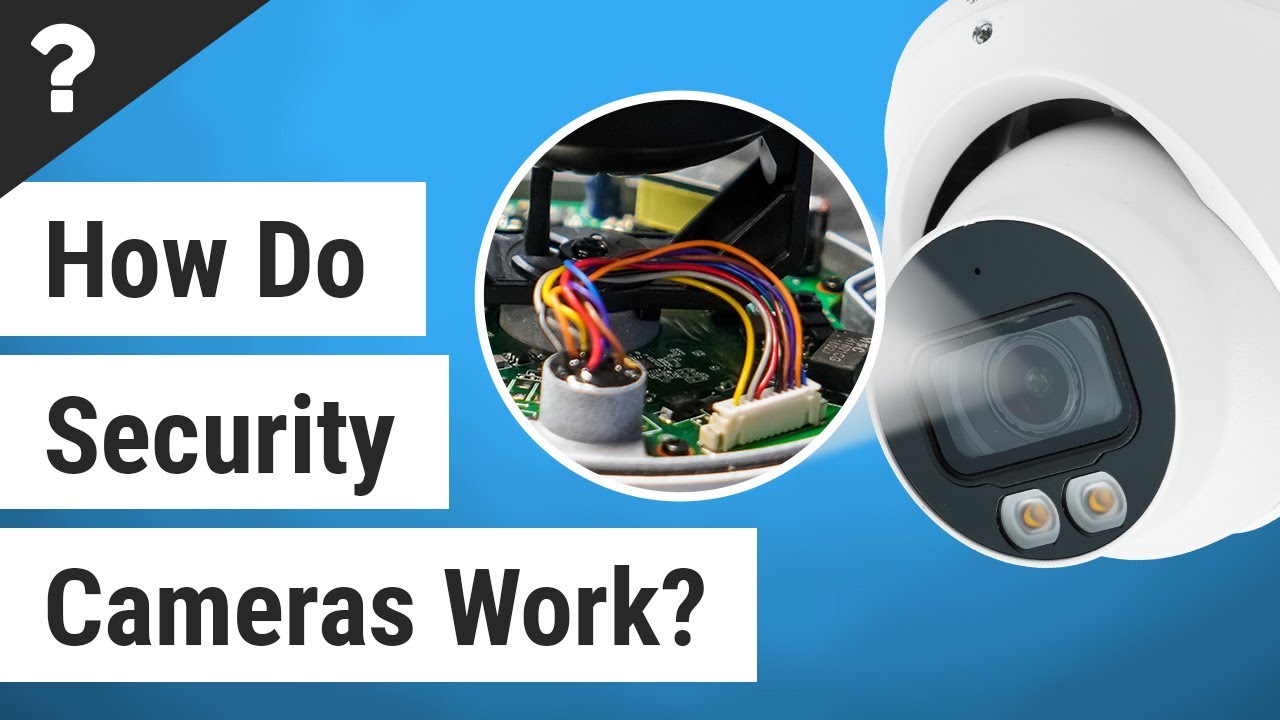
A security camera is a device designed to capture video of an area for monitoring, recording, or both. A typical camera contains a lens, image sensor, processor, communications hardware, power system, and software. Some models also include microphones, speakers, infrared LEDs, spotlights, motion sensors, and local storage.
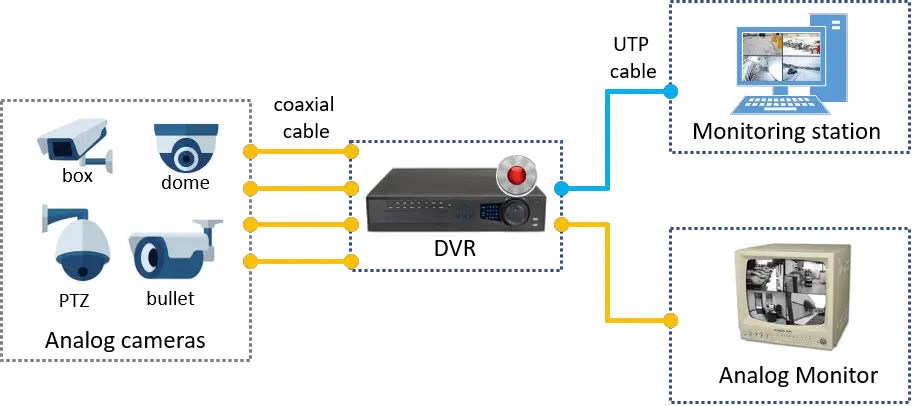
Security cameras are available in several configurations. Traditional CCTV systems can send video through dedicated cables to a recorder or monitor. IP cameras send digital video over a network. Wi-Fi cameras use a wireless network connection, while cellular cameras can communicate through a mobile network where supported.
The word wireless can be confusing because it does not necessarily mean wire-free. A Wi-Fi camera may send video wirelessly while still requiring a power cable. A battery-powered camera can eliminate the power cable as well, but battery operation can affect how continuously the camera records.
Source: learncctv.com
Lens
The lens focuses incoming light onto the image sensor and determines characteristics such as viewing angle and how much of the scene is visible.
Image sensor
The sensor converts incoming light into electronic information that the camera can process into an image.
Processor
The camera processor handles image processing, compression, motion analysis, and other functions depending on the model.
Network connection
The camera may use Ethernet, Wi-Fi, cellular connectivity, or another supported connection to send video and receive instructions.
Storage
Recordings can be saved locally or remotely depending on the camera and system configuration.
Security Camera vs. CCTV Camera
CCTV means closed-circuit television and traditionally describes a system in which video is transmitted to a limited set of monitors or recording equipment. Modern IP security cameras can also be used in surveillance systems, but they typically send digital video through a computer network.
In everyday American home-security discussions, the terms security camera, surveillance camera, IP camera, and CCTV camera are sometimes used interchangeably. Technically, however, they can describe different system architectures.
How Do Security Cameras Work Step by Step?
A security camera follows a basic chain of events: capture, processing, compression, transmission or storage, and viewing or analysis. Each stage affects what you eventually see on your phone, monitor, or recorded footage.
Although camera designs vary considerably, the underlying process is similar whether you are using a wired outdoor camera, a Wi-Fi indoor camera, or a professional IP surveillance system.
Source: safetylegacy.com
1. The lens captures light
Light reflected from objects in the scene enters the camera through the lens. The lens focuses that light onto the image sensor.
2. The image sensor creates image data
The image sensor converts the incoming light into electronic information representing the scene.
3. The processor improves and prepares the image
The camera can adjust exposure, color, contrast, noise, and other image characteristics before producing the video stream.
4. Video is compressed
Digital video contains a large amount of information, so cameras generally compress it before transmission or storage. The exact compression technology depends on the camera and recorder.
5. Video is transmitted or stored
The camera can send video to a recorder, computer, network storage device, cloud service, or mobile application, depending on its architecture.
6. Software analyzes the footage
Motion detection and other smart features can analyze the video and determine whether an event should trigger recording, an alert, or another action.
7. You view or retrieve the footage
You can watch live video or review recorded footage through a monitor, web interface, mobile application, recorder, or another compatible device.
Why Video Compression Matters
Uncompressed video requires substantial storage and network bandwidth. Compression reduces the amount of data that needs to be transmitted and stored, which makes network cameras practical for home and business use.
Compression is a trade-off. More aggressive compression can reduce file size but may remove some visual information. Resolution, frame rate, scene movement, compression settings, and available storage all influence how much footage a system can retain.
What Happens When You Open Live View?
When you open a camera application and request live video, the camera or associated system sends a video stream to the application. With a cloud-connected camera, the communication may involve the manufacturer’s online service. With some local systems, the phone communicates with a recorder or camera over the local network.
If the camera has a weak network connection, the live view may load slowly, show lower quality, freeze, or disconnect. The problem is not necessarily the camera’s image sensor; network performance can be the limiting factor.
Security cameras store video in different ways. The most common options include local storage inside the camera, a dedicated recorder, network storage, and cloud storage. Some systems support more than one method.
The right option depends on how long you want to keep recordings, whether you need remote access, how much internet bandwidth is available, and whether you want the camera to continue saving footage if the internet connection goes down.
Source: www.youtube.com > IC Realtime
MicroSD or internal storage
Some cameras save recordings directly to a memory card or built-in storage. This can provide local recording without sending every recording to a cloud service.
DVR
A digital video recorder is commonly used with certain wired camera systems and stores video from connected cameras.
NVR
A network video recorder is designed for network-connected cameras and can record streams from multiple IP cameras.
Cloud storage
Cloud-connected cameras can upload recordings to remote servers, allowing authorized users to access footage through an internet-connected application or website.
Does a Security Camera Need the Internet to Record?
Not always. A camera with supported local storage can often record without an active internet connection. A wired camera system connected to a local recorder can also continue recording when the wider internet is unavailable.
Internet access becomes important when you want features such as remote viewing from outside the home, cloud recording, remote notifications, or cloud-based analysis. The exact behavior depends on the camera and system design.
How Long Do Security Cameras Keep Recordings?
There is no universal recording period. Retention depends on storage capacity, video resolution, frame rate, compression, the number of cameras, recording schedule, and whether the system records continuously or only during events.
Many local systems use loop recording. When available storage becomes full, the system automatically overwrites older footage with newer footage. Cloud services can use different retention policies, often depending on the service plan and device.
How Do Wireless Security Cameras Work?
Wireless security cameras usually transmit video and other data without a physical network cable. A common home setup uses Wi-Fi, allowing the camera to communicate with the home router and potentially with cloud services or a mobile application.
Wireless does not automatically mean battery powered. A plug-in Wi-Fi camera can have a power cord while using Wi-Fi for data. A wire-free camera generally refers to a camera that does not require a physical power connection during normal operation, often because it uses a battery.
Source: techsynchron.com
Wi-Fi
Wi-Fi allows the camera to communicate with a wireless network and can support local communication, remote access, cloud services, and notifications depending on the system.
Cellular
Cellular cameras use a mobile network instead of a home Wi-Fi connection. They can be useful in locations where Wi-Fi is unavailable, although service and data requirements vary.
Bluetooth
Bluetooth can assist with setup or short-range communication in some devices, but it is generally not intended to carry a home’s continuous security-camera video stream over long distances.
Ethernet
Ethernet provides a wired network connection and is commonly used in IP camera installations where a stable connection is important.
Why Battery Cameras May Behave Differently
Battery-powered cameras have to balance surveillance features against available battery energy. Continuous high-resolution recording can consume considerably more power than recording short clips after an event, so many battery cameras are designed around event-based recording or other power-saving strategies.
A plug-in or hardwired camera can be better suited to applications where continuous recording is a priority. However, the correct choice depends on the location, available power, network connection, and desired recording behavior.
How Does Motion Detection Work on Security Cameras?
Motion detection allows a camera system to decide whether something in its monitored area has changed enough to trigger an event. Depending on the camera, detection can be based on changes in the video image, a dedicated motion sensor, or software that analyzes objects in the scene.
Basic video motion detection can compare successive frames and look for meaningful changes in pixels. A separate passive infrared sensor, commonly called PIR, can detect changes in infrared radiation associated with moving warm objects. More advanced systems can use computer vision to classify detected objects.
Source: callawaysecurity.com
Pixel-based detection
The camera or recorder compares portions of successive video frames and looks for changes that meet configured sensitivity or zone rules.
PIR detection
A passive infrared sensor detects changes associated with heat and movement and can be used to trigger camera activity or recording.
Object detection
Software can analyze a detected event and attempt to classify objects such as people, vehicles, pets, or packages when the camera supports those features.
Why Security Cameras Sometimes Send False Alerts
Motion alerts can be triggered by environmental changes rather than an intruder. Depending on the detection method and installation, moving branches, changing shadows, insects, animals, headlights, rain, or other activity can cause unwanted events.
You can often reduce unnecessary notifications by adjusting motion zones, sensitivity, detection types, schedules, or object filters. Camera placement matters too. Pointing a camera toward a busy street, reflective surface, or area with constantly moving vegetation can increase unwanted activity.
How Do Security Cameras See in the Dark?
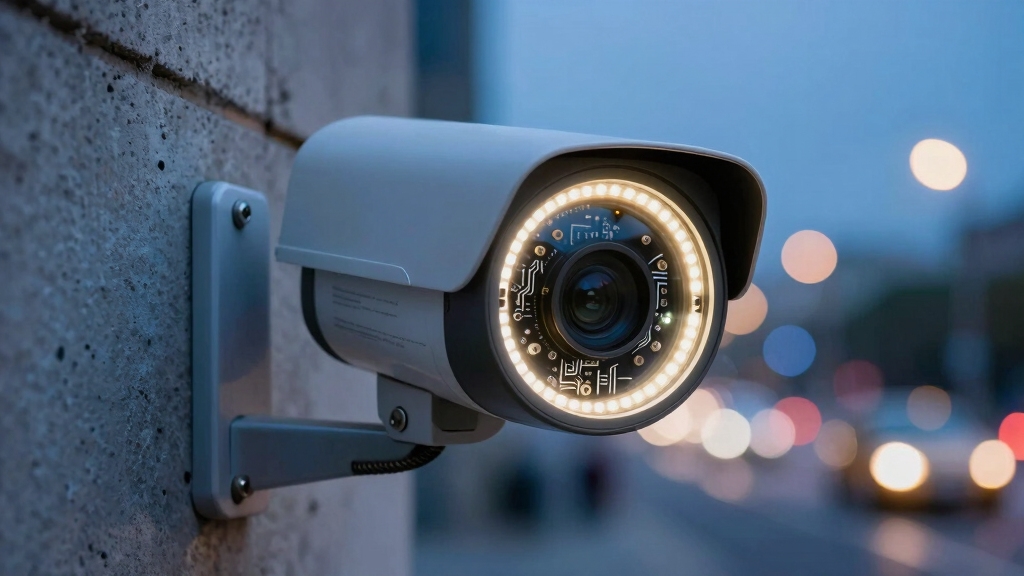
Many security cameras use infrared illumination to capture images when visible light is insufficient. Infrared LEDs emit light outside the visible spectrum, allowing a compatible image sensor to produce an image even when the scene appears dark to human eyes.
Traditional infrared night vision commonly produces a black-and-white image. Some modern cameras can use available ambient light, image processing, or built-in visible-light illumination to produce color footage at night. The useful range and clarity depend on the camera’s design and the environment.
Source: oursafetysecurity.com
Infrared night vision
Infrared LEDs illuminate the scene with light that people generally cannot see, while the camera sensor captures the reflected infrared light.
Low-light color imaging
Some cameras are designed to collect more available light and process it to preserve color information in dim conditions.
Spotlight-assisted night vision
Some cameras activate a visible light when an event occurs, which can provide color footage while also making the camera more noticeable.
Why Night Vision Can Look Different From Daytime Video
Night footage can have less detail, more image noise, and different contrast than daytime footage. Infrared reflections from nearby walls, windows, rain, dust, or other surfaces can also affect the image.
A camera positioned behind glass can have particularly poor infrared performance because infrared light can reflect from the glass back toward the camera. For outdoor monitoring, mounting the camera outside rather than shooting through a window is generally preferable when practical.
How Do Security Cameras Send Alerts to Your Phone?
A connected security camera can send an alert when its detection system identifies an event that matches your configured rules. The camera or associated recorder detects activity, processes the event, and communicates the alert through the network or the manufacturer’s service. Your phone then displays the notification through the relevant application.
The actual process varies. Some detection can happen directly on the camera, while other systems may send video or event information to a recorder or cloud service for analysis. This distinction can affect internet usage, response time, privacy considerations, and what happens during an internet outage.
Source: hzsoar.com
Event detection
The camera or connected system detects motion or another configured event.
Event analysis
Supported systems can analyze the event to determine whether it matches configured detection rules.
Notification delivery
The system sends a notification through the applicable network and service infrastructure.
Phone response
You receive the notification and can open the application to review an event or view the camera if remote access is available.
Do Security Cameras Record All the Time?
Some cameras and recording systems can record continuously, while others are designed primarily for event-based recording. The choice often depends on power availability, storage capacity, camera design, and the user’s preferences.
Continuous recording can provide a more complete timeline, but it also consumes more storage. Event-based recording can conserve storage and power, but there may be less footage surrounding an event depending on the system’s pre-event and post-event recording behavior.
What Powers a Security Camera?
Security cameras can receive power from a wall outlet, low-voltage wiring, Power over Ethernet, batteries, or in some installations solar charging systems. The power method is closely related to how the camera can be installed and whether continuous recording is practical.
A camera that needs continuous operation generally benefits from a dependable power source. Battery-powered models offer greater placement flexibility but require battery management and may use power-saving recording strategies.
Source: techsynchron.com
Plug-in power
The camera receives continuous electrical power from an appropriate adapter and outlet.
Hardwired power
The camera is connected to a permanent electrical or low-voltage power source according to the system design.
Power over Ethernet
A compatible Ethernet connection can carry both network data and electrical power to supported IP cameras.
Battery power
A rechargeable or replaceable battery supplies power and allows flexible placement without a permanent power cable.
Solar-assisted power
Some cameras can use solar panels to recharge a battery, but performance depends on sunlight, weather, panel placement, and the camera’s energy requirements.
Wired vs. Wireless Security Cameras
The choice between wired and wireless is not simply about convenience. Wired cameras can provide a stable physical connection and continuous power, while wireless cameras can be easier to position where running network cable would be difficult.
For a permanent installation where reliable connectivity and continuous operation are priorities, a wired network connection can be attractive. For renters or locations where cable installation is impractical, Wi-Fi or battery-powered equipment can provide greater flexibility.
What Affects Security Camera Image Quality?
Resolution is only one part of security-camera image quality. The lens, sensor size and design, lighting, field of view, compression, distance from the subject, camera placement, and image processing all influence whether important details are visible.
A higher-resolution camera can capture more pixels, but that does not guarantee that a face, license plate, or other detail will be identifiable at every distance. A camera with a suitable field of view and good lighting can sometimes produce more useful footage than a higher-resolution camera installed poorly.
Source: techsynchron.com
Resolution
Higher resolution provides more image pixels, but practical detail also depends on lens quality, distance, lighting, and compression.
Field of view
A wider field of view covers more area but can make distant subjects occupy fewer pixels.
Lighting
Good lighting generally makes it easier for the sensor to capture useful detail and color.
Camera placement
The angle, height, distance, and direction of the camera can have a major effect on what the footage shows.
Compression
Video compression reduces data requirements but can remove visual detail, particularly when footage is heavily compressed.
Why Camera Placement Matters More Than Many People Expect
A camera should be positioned to cover the area that matters while avoiding unnecessary obstruction and difficult lighting. Entry doors, driveways, walkways, garages, and other important areas may require different angles and camera types.
Avoid pointing a camera directly toward intense sunlight or another strong light source when possible. Backlighting can make a person appear very dark even when the camera has a high resolution rating.
What Happens When the Internet Goes Down?
An internet outage does not necessarily make every security camera useless. The result depends on how the system is designed and where video is stored.
A camera that records to local storage or a local recorder may continue recording during an internet outage. However, remote viewing, cloud recording, cloud-based analysis, and smartphone notifications may stop or become unavailable until connectivity is restored.
Source: www.youtube.com > IC Realtime
Local recording may continue
Cameras or recorders with local storage can potentially continue saving video without internet access.
Remote viewing may stop
Accessing the camera from outside the home normally requires a functioning network path.
Cloud features may be interrupted
Services that require an internet connection may be unable to upload or analyze new footage during an outage.
Notifications may be delayed or unavailable
If an event cannot reach the notification service, your phone may not receive the alert until connectivity returns.
What Happens During a Power Outage?
A power outage is different from an internet outage. If the camera and its recorder lose power, they generally cannot continue normal operation unless the installation includes an appropriate backup power source.
If security-camera availability during outages is important, consider the complete system rather than the camera alone. A backup power solution may need to support the camera, network equipment, and recording equipment.
Common Security Camera Problems and What They Mean
When a security camera does not behave as expected, start with the simplest likely cause. Power, network connectivity, storage, placement, and configuration are common factors.
Before changing advanced settings, confirm that the camera is receiving power, connected to the intended network, using the correct account or application, and operating within the conditions specified by the manufacturer.
Source: callawaysecurity.com
Camera is offline
Check power first, then inspect Wi-Fi or Ethernet connectivity. For Wi-Fi cameras, distance and physical obstacles between the camera and router can affect connection quality.
Video keeps buffering
The network connection may be weak or congested. Test the camera closer to the router when practical and check whether other devices are experiencing network problems.
Night footage is too dark
Check whether night vision is enabled, whether the lens is obstructed, and whether nearby surfaces are reflecting infrared light back into the camera.
Too many motion alerts
Review motion zones, sensitivity, object filters, schedules, and camera placement. Busy streets and moving vegetation can create frequent events.
Recordings are missing
Check whether recording is enabled, whether local storage is full or faulty, whether a subscription is required for a specific cloud feature, and whether the camera lost power or connectivity.
Image looks blurry
Clean the lens, check focus if the camera supports manual focus, inspect the viewing angle, and consider whether the subject is simply too far away for the chosen lens and resolution.
If installing a camera requires modifying household electrical wiring, running cables through difficult areas, working at significant height, or making changes that you are not qualified to perform safely, consider using a qualified professional.
Follow the camera manufacturer’s installation instructions and applicable local requirements. Camera installation can also raise privacy considerations, especially when cameras capture neighboring property, shared spaces, tenants, employees, or other people.
Security Camera Privacy Considerations in the United States
Security cameras can provide useful evidence and situational awareness, but recording people also creates privacy considerations. Rules can vary by state and situation, particularly for audio recording, areas where people have a reasonable expectation of privacy, shared residential spaces, workplaces, and cameras pointed beyond your property.
Before installing cameras, consider what the camera can see and hear rather than focusing only on whether it technically can record. Avoid deliberately monitoring private areas where people reasonably expect privacy, and check applicable federal, state, and local requirements when your installation involves other people or property.
Source: hzsoar.com
Limit the field of view
Aim cameras at the areas you actually need to monitor and use privacy zones or masking features when supported.
Review audio features
Audio recording can create different legal considerations from video, so check the rules that apply to your location and situation.
Protect account access
Use strong, unique account credentials and enable available security protections such as multifactor authentication.
Secure stored footage
Consider who can access local recordings, cloud footage, shared accounts, and exported video files.
A Camera Should Not Be Treated as a Complete Security System
A security camera provides visibility and evidence, but it does not physically prevent an intrusion. A reliable security strategy may also involve strong doors and locks, appropriate lighting, alarms, secure Wi-Fi, smoke and carbon-monoxide protection, and other measures suited to the property.
Cameras are most useful when their placement, power, network connection, recording method, and notification settings are designed around a specific security objective.
Frequently Asked Questions
Q
Do security cameras work without Wi-Fi?
Yes, some security cameras can work without Wi-Fi. Cameras connected by Ethernet or another wired network method do not require Wi-Fi, and systems with local storage can often record without internet access. A camera that depends on Wi-Fi for its connection may not provide normal network features when the wireless network is unavailable.
Q
Do security cameras record all the time?
Some do and some do not. Cameras connected to continuous power and a suitable recorder can often record continuously. Battery-powered cameras frequently use event-based recording to conserve energy. The recording behavior depends on the camera, storage system, settings, and power source.
Q
Can security cameras see in complete darkness?
Many security cameras can produce an image in darkness by using infrared illumination. Infrared night vision commonly produces black-and-white footage. The usable distance and clarity depend on the camera, lens, infrared system, scene, and environmental conditions.
Q
Can security cameras work when the internet is down?
A system with local recording can often continue recording during an internet outage, provided the camera and recording equipment still have power. Remote viewing, cloud storage, and internet-dependent notifications may not work until the connection is restored.
Q
How do security cameras detect people?
Depending on the model, a camera may detect motion by analyzing changes in video frames, using a passive infrared sensor, or applying computer-vision software to classify objects. Person detection is generally more selective than simple motion detection, but accuracy can vary with lighting, distance, camera angle, weather, and the specific system.
Q
Do security cameras use a lot of internet data?
They can, especially when continuously uploading high-resolution video. Data use depends on resolution, frame rate, compression, recording mode, number of cameras, and whether video is uploaded continuously or only for events. Systems that record locally can reduce the need to upload every frame to the internet.
✦ Wrapping Up
Conclusion
Security cameras work by turning a physical scene into digital video and then processing, storing, or transmitting that video according to the camera’s design. The lens and image sensor create the image, the processor prepares the footage, and the network or recording system determines where that footage goes.
Modern cameras add layers of software that can detect motion, recognize certain types of objects, provide night vision, send alerts, and let homeowners view live or recorded footage remotely. However, these features depend on power, connectivity, storage, placement, environmental conditions, and the camera’s specific capabilities.
For a U.S. home, the most useful approach is to start with the area you need to monitor and then choose the camera, power source, network connection, storage method, and detection features around that goal. Good placement and dependable operation often matter just as much as the camera’s headline specifications.
💡 Key Takeaway
Before choosing or installing a security camera, decide what you need to see, whether you need continuous or event-based recording, how the camera will receive power, where footage will be stored, and whether you need remote access. Then verify the camera’s actual specifications and installation requirements for that use case.
I’m Ethan Carter, a home security systems specialist at Diggons.com. I focus on modern surveillance solutions and smart protection technologies that help people keep their homes safe and secure.
I have hands-on experience working with security cameras, video doorbells, alarm systems, and motion detection devices. I test real products and explore practical setups so I can provide clear, easy-to-follow guidance for everyday users.
My goal is to simplify home security by helping you understand how these systems work, how to fix common issues, and how to choose the right products with confidence. At Diggons.com, I share honest insights, comparisons, and real-world advice to make home security easier and more effective.