

Close Menu
DigGons

    Subscribe to Updates

    Get the latest creative news from FooBar about art, design and business.

    Top Posts

    Can Sitting in an Office Chair Cause Hemorrhoids?

    April 18, 2026

    How to Install Smart Lock Easily and Secure Your Home Today

    April 12, 2026

    How to Pick Door Lock Tips for Choosing the Best Security Option

    April 12, 2026

    How to Integrate Smart Locks with Existing Systems Easily

    April 8, 2026
    Facebook X (Twitter) Instagram
    DigGons
    • Home
    • Home Security Systems
    • Smart Home & Automation
    • Office & Workspace
    • Computer & Tech Accessories
    • Tools & Home Improvement
    DigGons
    Home»Smart Home & Automation»Kwikset Z Wave Smart Lock: Easy Setup Guide For American Homes
    Smart Home & Automation

    Kwikset Z Wave Smart Lock: Easy Setup Guide For American Homes

    James WalkerBy James WalkerOctober 24, 2026Updated:October 26, 2026No Comments14 Mins Read
    Share

    A Kwikset Z Wave smart lock gives American homeowners reliable keyless entry that works with common US smart hubs like SmartThings and Ring Alarm without needing constant Wi-Fi.

    Across the United States, from suburban houses in Ohio to townhomes in Texas, more families want door locks that skip the hassle of lost keys while still feeling familiar. The Kwikset Z Wave smart lock meets that need by using a low-power wireless protocol that travels well through typical American wall construction and exterior doors. Models such as the HomeConnect 620 and SmartCode 916 replace a standard deadbolt with a screwdriver in under half an hour on most US doors that measure between 1-3/8 and 2 inches thick.

    These locks store dozens or even hundreds of unique codes so you can give temporary access to dog walkers, cleaners, or overnight guests without handing over a metal key. Because they run on four AA batteries that often last a full year in normal household use, they avoid the frequent charging that Wi-Fi locks demand. The real requirement is a compatible Z-Wave hub already in the home; once that link is made, remote lock and unlock, status alerts, and simple automations become available through the hub app. This guide walks through what the locks actually do, how to install them on common American doors, and the practical limits every buyer should know before ordering.
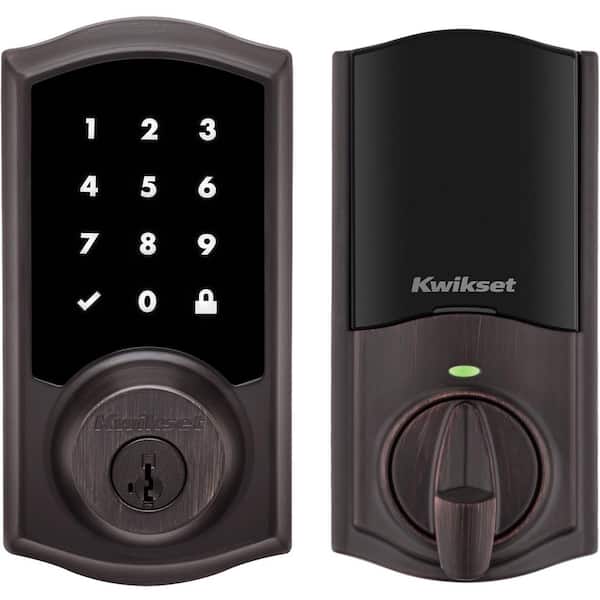
    Kwikset HomeConnect 620 Venetian Bronze Traditional Z-Wave Long Range
    Source: homedepot.com

    Key Takeaways

    • ✓A Kwikset Z Wave smart lock needs a separate Z-Wave hub such as SmartThings or Ring Alarm for remote control and app features.
    • ✓Most models fit standard US door preparations with adjustable backsets of 2-3/8 or 2-3/4 inches and require only a screwdriver for install.
    • ✓Newer HomeConnect 620 and 918 versions support up to 250 user codes and Z-Wave Long Range with S2 encryption for better reach and security.
    • ✓Battery life typically reaches about one year on four AA cells under everyday American household use.
    • ✓SmartKey cylinders let you rekey the lock to match existing house keys in seconds without calling a locksmith.

    What a Kwikset Z Wave Smart Lock Actually Does

    A Kwikset Z Wave smart lock is an electronic deadbolt that communicates with a home automation hub using the Z-Wave wireless standard. In the United States that radio operates at 908.42 MHz, a frequency that passes through typical wood framing, drywall, and exterior doors more reliably than 2.4 GHz Wi-Fi or Bluetooth in many real homes. The lock itself never connects directly to the internet. Instead it talks only to the hub, which then handles app access, notifications, and voice assistants such as Alexa or Google Assistant through the hub’s own cloud service.

    Popular current models include the HomeConnect 620 with a physical keypad and the HomeConnect 918 with a touchscreen. Older but still widely available options such as the SmartCode 916 and 888 also use Z-Wave Plus. All of them replace a conventional single-cylinder deadbolt. You still receive two metal keys for backup, and the cylinder uses Kwikset’s SmartKey technology so the lock can be rekeyed to match other house keys without special tools beyond the included learning tool.

    The main practical benefits for US households are the ability to create unique codes for each person, temporary codes for service workers, and the option to lock or unlock from a phone once the hub is online. Auto-lock timers, low-battery warnings, and lock-status reports appear inside the hub app. Because the lock draws very little power, the four AA batteries that ship with most units often last twelve months of normal family use.

    98930-001 - Kwikset HC620 TRL Home Connect 620 Traditional Keypad
    Source: geoarm.com
    • Keyless entry with codes

      Enter a four-to-eight-digit code on the keypad or touchscreen to unlock. Newer HomeConnect models hold up to 250 unique codes.

    • Remote control through a hub

      Lock or unlock from anywhere using the SmartThings, Ring, Hubitat, or other compatible hub app once the lock is enrolled.

    • Physical key backup

      Two keys come in the box and the SmartKey cylinder can be rekeyed in under a minute to match existing house keys.

    Why Z-Wave Instead of Wi-Fi or Bluetooth

    Z-Wave is a mesh network designed for home automation. Each powered device can help relay signals, so a lock mounted on a thick exterior door still reaches a hub located deeper inside the house. Battery life stays high because the radio sleeps most of the time and wakes only when needed. In contrast, many pure Wi-Fi locks must stay connected more often and therefore drain batteries faster or require frequent recharging. Bluetooth models usually work only when a phone is nearby, limiting true remote access. For American homes that already own a Z-Wave security panel or smart hub, the Kwikset option adds a lock without forcing a second wireless protocol into the mix.

    See also  Do You Need a Smart Home Hub in 2026? Full Buying Guide
    Powered by Inline Related Posts

    Popular Models and What Sets Them Apart

    Kwikset offers several Z-Wave smart locks that share the same basic installation footprint but differ in interface, code capacity, and radio generation. Understanding the differences helps match the lock to the size of the household and the existing hub.

    The HomeConnect 620 is a physical-button keypad model released with Z-Wave 700 series Long Range support. It stores up to 250 user codes, includes S2 security encryption, and works with SmartStart QR-code enrollment on compatible controllers. Finishes commonly available in the US include satin nickel, Venetian bronze, matte black, and polished chrome. It is often the most affordable modern option and pairs especially well with Ring Alarm systems.

    The HomeConnect 918 is the touchscreen sibling of the 620. It also supports 250 codes, Z-Wave Long Range, and S2 encryption. The glass panel lights up when touched and offers a cleaner modern look that many contemporary American front doors favor. Price is typically higher than the 620.

    Older SmartCode 916 and 888 models remain easy to find. The 916 uses a touchscreen and holds about 30 codes. The 888 uses a touch-button pad and also stores roughly 30 codes. Both use earlier Z-Wave Plus radios and still integrate with most current hubs, though they lack the longer-range radio of the newer HomeConnect line.
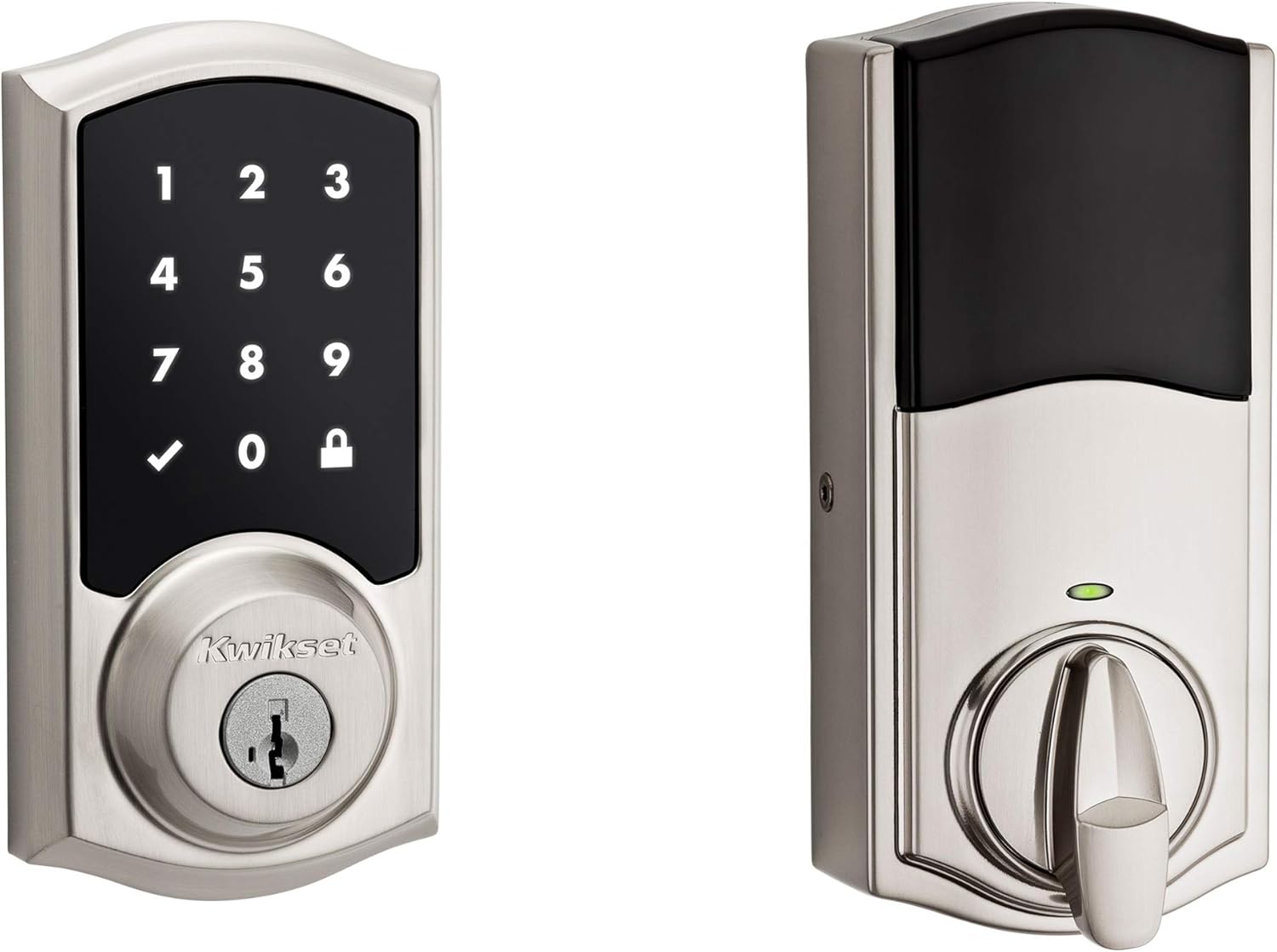
    Kwikset SmartCode 916 Z-Wave Smart Lock, Keyless Entry Zwave Door Lock
    Source: Amazon
    • HomeConnect 620

      Physical keypad, 250 codes, Z-Wave 700 Long Range, strong value for families and rental properties.

    • HomeConnect 918

      Touchscreen interface, same 250-code capacity and Long Range radio, preferred for modern aesthetics.

    • SmartCode 916

      Mature touchscreen design with 30 codes, quiet motor, and wide hub support at a lower average price.

    Security Features Shared Across Models

    All current Kwikset Z Wave smart locks carry ANSI/BHMA Grade 2 certification, the middle residential rating that balances strength and cost for typical single-family homes. The deadbolt itself is a full one-inch throw. Incorrect-code attempts trigger a temporary lockout and an audible alert. S2 encryption on the newer models protects the wireless conversation between lock and hub against common replay or interception attacks. SmartKey cylinders resist common bumping and picking techniques while still allowing owner rekeying.

    How to Install a Kwikset Z Wave Smart Lock on a Standard US Door

    Installation is one of the strongest points of these locks for American homeowners. No new holes are required on a door that already has a standard deadbolt. The process uses a Phillips screwdriver and usually finishes in fifteen to thirty minutes.

    First measure the door thickness. Most units accept doors from 1-3/8 inches to 2 inches thick. Confirm the backset is either 2-3/8 or 2-3/4 inches; the latch that ships with the lock adjusts to both. Remove the existing deadbolt by unscrewing the interior side and pulling the exterior cylinder free. Install the new latch with the correct faceplate orientation, then slide the exterior assembly through the door. Attach the interior mounting plate and the battery-powered interior assembly. Insert four fresh AA alkaline batteries. The lock should light up and allow a test of the keypad or touchscreen.

    Next enroll the lock into the Z-Wave network. Place the lock close to the hub during the first inclusion if possible. On most systems you start the add-device process in the hub app, then press the program or A button on the interior of the lock once. Newer HomeConnect models support SmartStart; scanning the QR code on the lock or packaging can complete enrollment automatically. Once the hub recognizes the lock, rename it and assign it to a room. Test locking and unlocking from both the keypad and the app before closing the door.
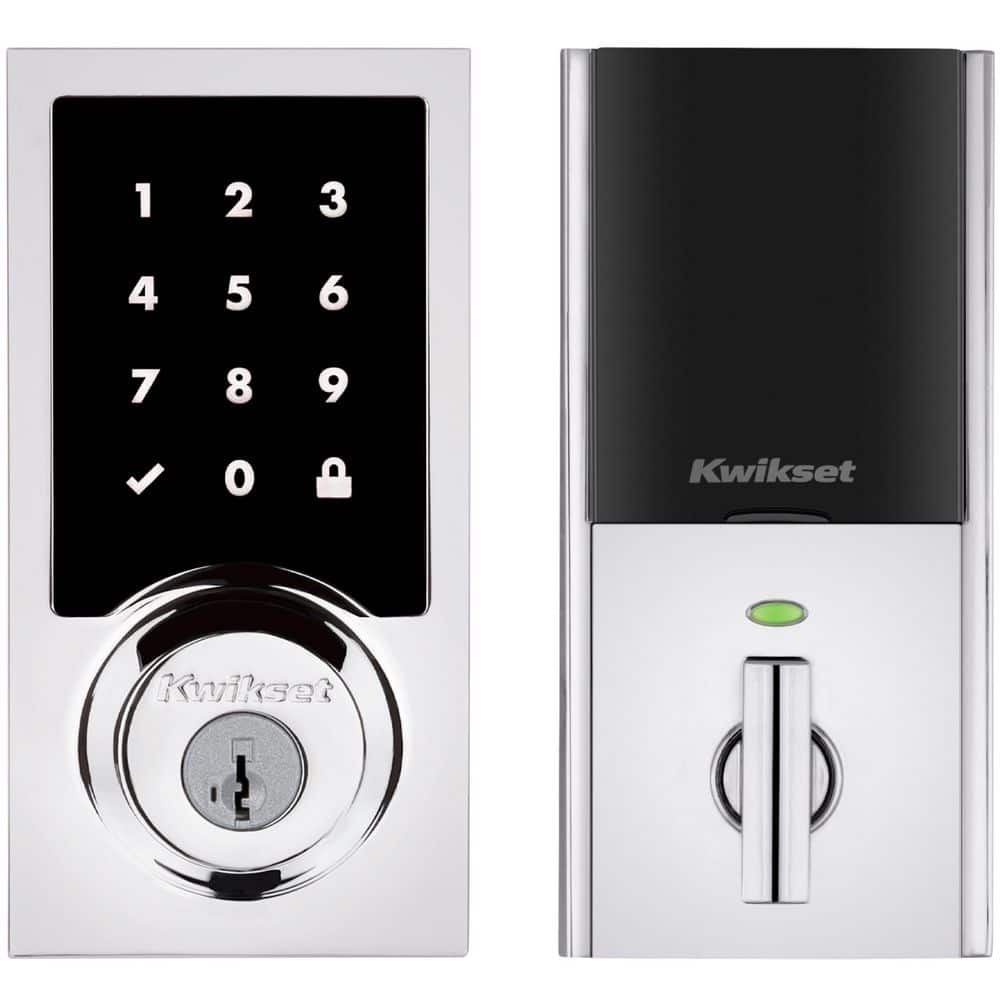
    Kwikset HomeConnect 918 Polished Chrome Contemporary Z-Wave Long Range
    Source: homedepot.com
    • Tools needed

      Phillips screwdriver, the included hardware, and four AA batteries that usually ship in the box.

    • Door requirements

      Standard 2-1/8 inch cross-bore, 1 inch edge bore, thickness between 1-3/8 and 2 inches, adjustable backset.

    • Enrollment tip

      Keep the lock near the hub for the first pairing. Use SmartStart QR code on Long Range models when the controller supports it.

    See also  Best Front Door Security Locks: 2026 Buyer's Guide
    Powered by Inline Related Posts

    Common Installation Mistakes to Avoid

    Do not force the exterior assembly if the latch is not fully seated. Misalignment causes the motor to strain and can shorten battery life. Always program at least one user code before relying solely on the metal keys. After enrollment, walk through the house with the door closed and check that the hub still reports status; if the signal is weak, add a Z-Wave repeater or move the hub. Finally, test the auto-lock timer if you enable it so that family members are not locked out unexpectedly.

    Setting Up User Codes and Daily Use

    Once the lock is on the network, user codes become the everyday way most people enter the home. Codes can be four to eight digits long depending on the model and hub. On HomeConnect units you can store up to 250 unique codes. Older SmartCode models stop at around 30. Each code can be given a name inside many hub apps so you know who entered and when.

    To add a code locally, press the program button on the interior, enter the master code if required, then enter the new user code and confirm. Many hubs also let you create and delete codes from the phone app, which is useful for temporary access. Some systems support scheduled codes that work only during set hours; check your specific hub documentation because not every controller exposes every lock feature.

    Daily habits that keep the system reliable include wiping the keypad or touchscreen with a soft cloth to remove residue, replacing batteries at the first low-battery alert rather than waiting for failure, and periodically reviewing the list of active codes to remove ones that are no longer needed. Auto-lock can be set from thirty seconds to several minutes so the door secures itself after someone enters.
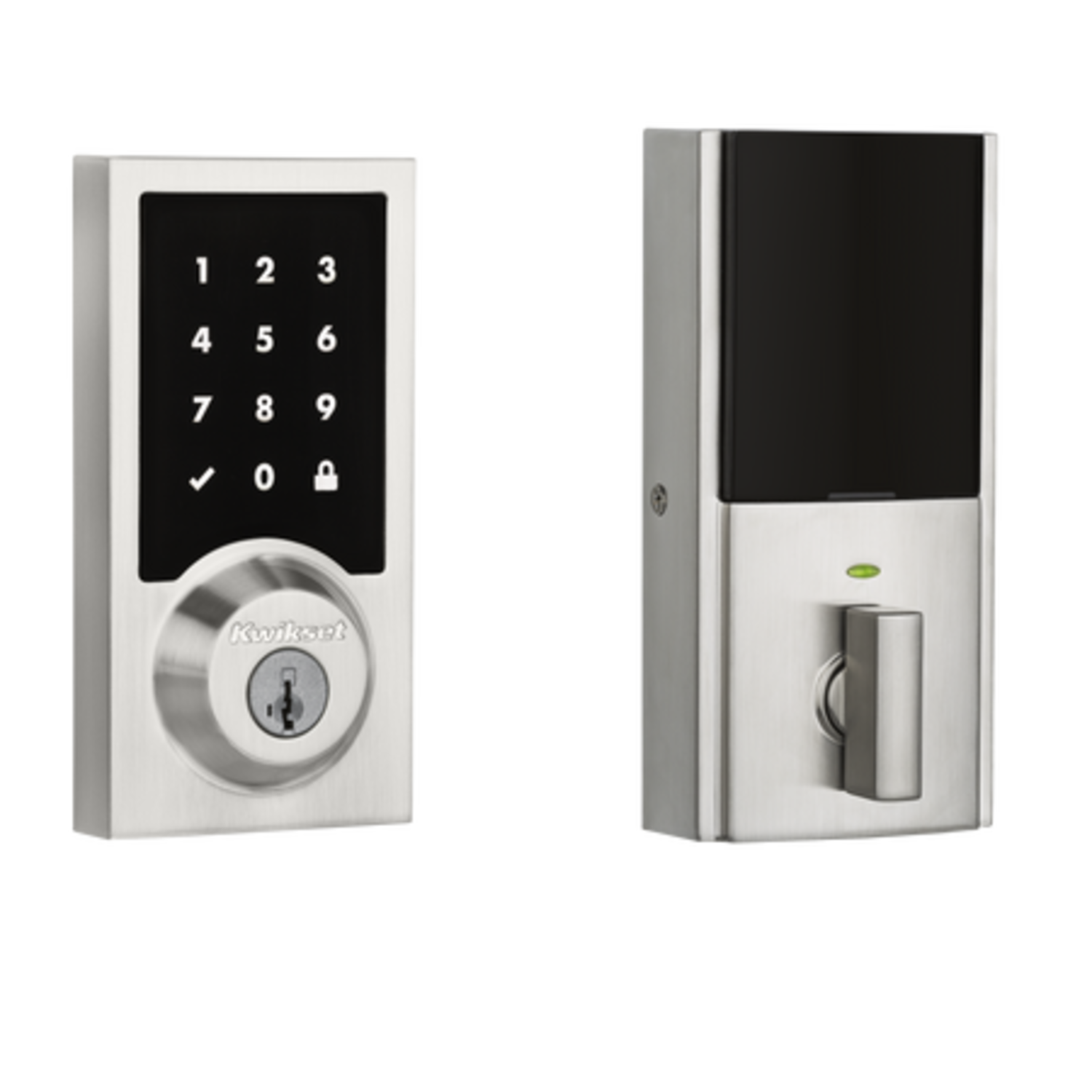
    Kwikset 916 Contemporary Z-Wave Touchscreen Smart Lock - AV Luxury Group
    Source: avluxurygroup.com
    • Master versus user codes

      Keep the master or programming code private. Use separate user codes for each person who needs regular access.

    • Temporary access

      Create a unique code for a house cleaner or guest and delete it when the visit ends.

    • Battery care

      Use quality alkaline AA cells. Avoid mixing old and new batteries or using rechargeable cells that may report voltage differently.

    Compatibility With Popular American Smart Home Systems

    Because the lock speaks only Z-Wave, compatibility depends entirely on the hub. Samsung SmartThings, Ring Alarm, Hubitat, Home Assistant with a Z-Wave stick, and many professional panels such as those using Alarm.com all work with Kwikset Z Wave smart locks. Voice control arrives through the hub: once the lock is in SmartThings you can ask Alexa or Google Assistant to lock the door, often with a required PIN for unlocking.

    Ring Alarm users frequently choose the HomeConnect 620 because Kwikset lists it as natively supported. Status and control appear inside the Ring app alongside sensors and cameras. SmartThings users get full lock and unlock commands plus the ability to build routines that turn on lights when the door unlocks after dark. Hubitat and Home Assistant users gain local control without cloud dependency, which some privacy-focused households prefer.

    Important limitations exist. The lock will not appear in Apple HomeKit unless the hub bridges it, and even then support can be limited. Pure Wi-Fi ecosystems that lack a Z-Wave radio cannot control the lock at all. Always confirm that your exact hub model still lists the lock as compatible before purchase, because firmware changes occasionally affect older devices.

    Kwikset HomeConnect 620 Matte Black Contemporary Z-Wave Long Range
    Source: homedepot.com
    • Best matched hubs

      Ring Alarm, Samsung SmartThings, Hubitat, and Home Assistant with a certified Z-Wave controller.

    • Voice assistants

      Alexa and Google Assistant work through the hub. A PIN is usually required for unlock commands.

    • What does not work directly

      Standalone Wi-Fi only systems and native Apple HomeKit without a bridging hub.

    Limitations, Battery Reality, and When Another Lock May Fit Better

    No lock solves every situation. The biggest requirement is the hub itself. If the household does not already own a Z-Wave controller and has no plan to buy one, a Wi-Fi smart lock may feel simpler even if its battery life is shorter. Range can still be an issue in very large or densely built homes; Z-Wave Long Range helps but is not magic through every wall or metal door.

    See also  Can Smart Plugs Automate UK Holiday Lights & Decorations?
    Powered by Inline Related Posts

    Battery performance is strong under normal conditions yet drops in extreme cold. Exterior temperatures common in northern US winters can reduce reported voltage and shorten the interval between changes. The motor noise is audible; some quieter premium locks exist if that matters. Code capacity on older SmartCode models may feel tight for large families or short-term rental properties that need many temporary codes.

    Finally, these are Grade 2 locks. Homes that require Grade 1 commercial-grade strength or integrated door sensors may need a different product line. For most single-family American houses the combination of price, code capacity, SmartKey convenience, and solid hub support makes the Kwikset Z Wave smart lock a practical choice when a Z-Wave network is already present.
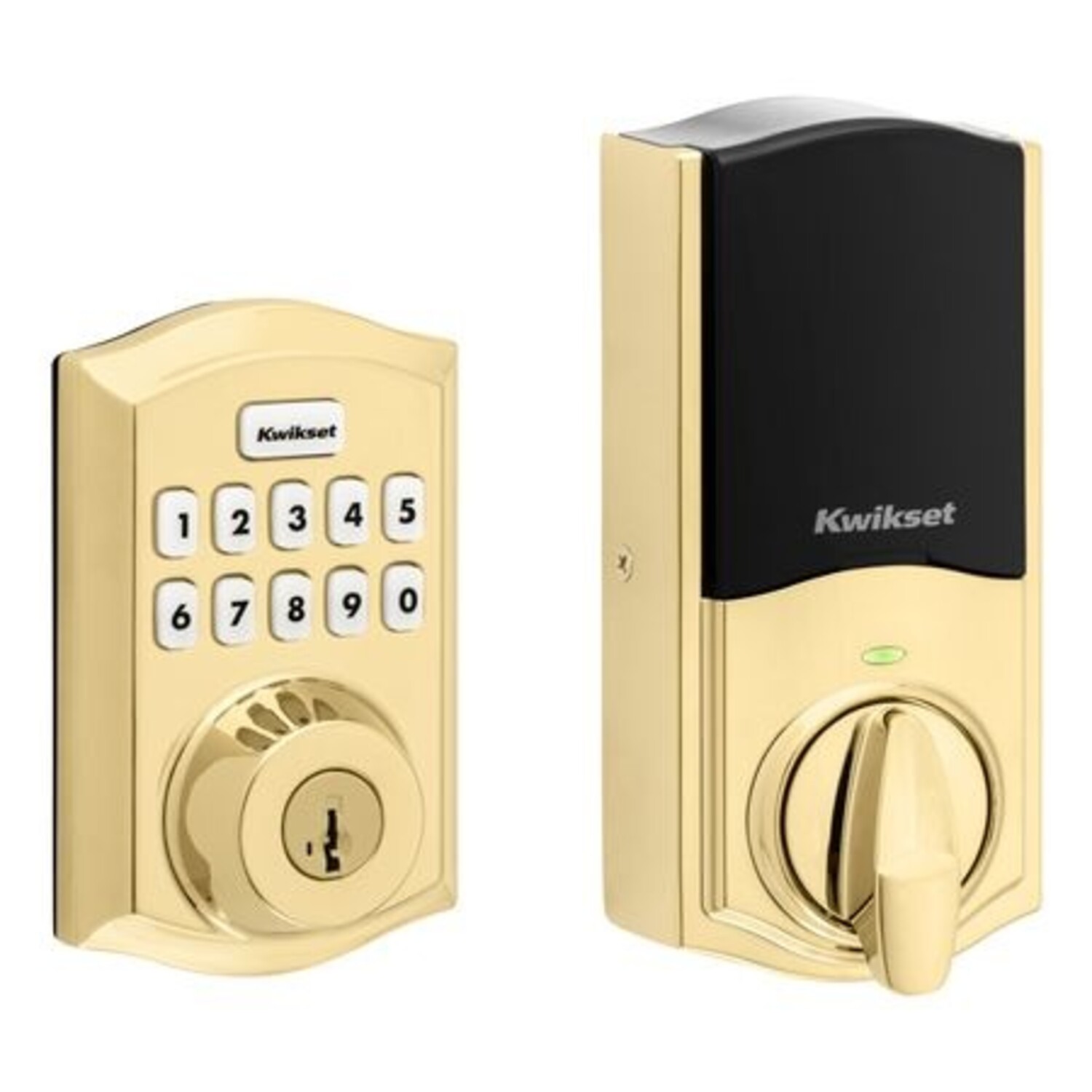
    Kwikset 620 Traditional Z-Wave Keypad Smart Lock - AV Luxury Group
    Source: avluxurygroup.com
    • Hub is mandatory

      Without a Z-Wave hub the lock functions only as a local keypad deadbolt.

    • Cold weather effect

      Very low temperatures can reduce battery performance; keep spare cells on hand in northern climates.

    • Noise and feel

      The motor is reliable but not silent. Test in person if quiet operation is a top priority.

    Frequently Asked Questions

    Q

    Do I need a hub for a Kwikset Z Wave smart lock to work?

    Yes. The lock communicates only over Z-Wave. Without a compatible hub such as SmartThings, Ring Alarm, or Hubitat you can still use the keypad and the metal keys, but you lose remote control, notifications, and automations.

    Q

    How long do the batteries last?

    Under typical family use of a few entries per day, four AA alkaline batteries usually last about twelve months. Heavy use, extreme cold, or frequent status polling by the hub can shorten that interval. The lock and most hubs provide low-battery warnings.

    Q

    Can I rekey the lock to match my existing house keys?

    Yes. Kwikset SmartKey Security lets most models be rekeyed in seconds using the included tool and one of the new keys. This works with standard KW1 keyways common on many American homes.

    Q

    Will the lock fit my door?

    It fits the vast majority of standard US residential doors that already have a deadbolt. Door thickness should be between 1-3/8 and 2 inches and the backset either 2-3/8 or 2-3/4 inches. The latch adjusts for both common backsets.

    Q

    Does it work with Alexa and Google Assistant?

    Yes, through the hub. Once the lock is enrolled in SmartThings or another supported controller you can link that controller to Alexa or Google Home. Unlocking by voice usually requires speaking a PIN for security.

    ✦ Wrapping Up

    Conclusion

    A Kwikset Z Wave smart lock delivers practical keyless entry for American homes that already use or plan to use a Z-Wave hub. The combination of straightforward screwdriver installation, year-long battery life, generous code capacity on newer models, and the convenience of SmartKey rekeying removes several everyday friction points. Whether you choose the physical keypad of the HomeConnect 620 or the touchscreen of the 918, the core experience remains the same: reliable local entry plus remote control once the hub link is made.

    Take a few minutes to confirm your door measurements and hub compatibility before ordering. After installation, create unique codes for each regular user and remove temporary ones promptly. Keep spare batteries on hand and test the system after the first week of real use. With those simple habits the lock becomes a quiet, dependable part of the home rather than another gadget that needs constant attention.

    💡 Key Takeaway

    Measure your door thickness and backset today, check that your hub still lists Kwikset Z-Wave support, then order the HomeConnect 620 or 918 that matches your preferred finish and interface.

    Author

    • Author-James-Walker.png
      James Walker

      Hi, I’m James Walker, the voice behind Diggons. I’m passionate about helping people make smarter buying decisions through honest reviews, detailed comparisons, and practical tech guides. I focus on smart home devices, workspace setups, and everyday tools that improve productivity and simplify life. My goal is to break down complex product choices into clear, easy-to-understand insights so you can choose with confidence. At DigGons, I share well-researched content designed to save you time, money, and effort — helping you find the best products without the guesswork.

    homeconnect 620 keyless entry deadbolt kwikset z wave smart lock ring alarm compatible lock smartcode 916 SmartKey Security smartthings lock setup usa smart home lock z-wave hub required z-wave long range lock

    Related Posts

    Smart Lock Finishes: How To Choose The Right Style

    October 24, 2026

    Oil Rubbed Bronze Smart Lock: A Complete Buying Guide

    October 24, 2026

    Polished Brass Smart Lock: Style And Security Guide

    October 24, 2026
    Leave A Reply Cancel Reply

    Don't Miss

    Smart Lock Finishes: How To Choose The Right Style

    By ETHAN CARTEROctober 24, 2026

    Compare smart lock finishes, from matte black to satin nickel and brass. Learn how to match your door hardware, limit wear, and choose with care.

    Oil Rubbed Bronze Smart Lock: A Complete Buying Guide

    October 24, 2026

    Polished Brass Smart Lock: Style And Security Guide

    October 24, 2026

    Door Lock: Types, Security, And Buying Guide

    October 24, 2026
    What's Hot

    Smart Lock Finishes: How To Choose The Right Style

    October 24, 2026

    Oil Rubbed Bronze Smart Lock: A Complete Buying Guide

    October 24, 2026

    Polished Brass Smart Lock: Style And Security Guide

    October 24, 2026
    About Us

    At DigGons, we help you make smarter buying decisions with trusted reviews, comparisons, and practical tech guides. Our goal is to simplify your shopping by recommending smart home, workspace, and everyday tech products that offer real value and reliability.

    We focus on smart living, office setup, and useful tools to save you time and effort. Every guide is clear, unbiased, and easy to understand, helping you choose the right products with confidence.

    Our Picks

    Smart Lock Finishes: How To Choose The Right Style

    October 24, 2026

    Oil Rubbed Bronze Smart Lock: A Complete Buying Guide

    October 24, 2026

    Polished Brass Smart Lock: Style And Security Guide

    October 24, 2026
    Most Popular

    How Keypad Door Locks Work and Why They Are Secure Solutions

    April 9, 2026

    How to Reset Smart Lock Easily Step by Step Guide for Beginners

    April 9, 2026

    Smart Lock Finishes: How To Choose The Right Style

    October 24, 2026
    • Home
    • About Us
    • Affiliate Disclaimer
    • Contact Us
    • Privacy Policy
    Copyright © 2026 DigGons.com | All Rights Reserved.

    Type above and press Enter to search. Press Esc to cancel.