

The knob under an office chair usually adjusts tilt tension. That means it changes how easy or hard it is to lean back. Turn it one way and the chair reclines more easily. Turn it the other way and the chair feels firmer and more upright.
That small knob confuses a lot of people.
Turn it the wrong way and the chair can feel too loose or too stiff.
I’m Ryan Mitchell, and I test office chairs, desk setups, and small ergonomic fixes that change how a workspace feels hour after hour. Like James Walker, I believe the best advice is practical, simple, and based on real use. In this guide, I’ll show you what the knob does, how to adjust it, and how to fix the most common problems.
About Ryan Mitchell: I write hands-on guides about office chairs, desk gear, and ergonomic setup. My focus is simple: explain what each control does, show how to use it properly, and help people solve everyday comfort problems without guesswork.
What the Knob Under an Office Chair Usually Does
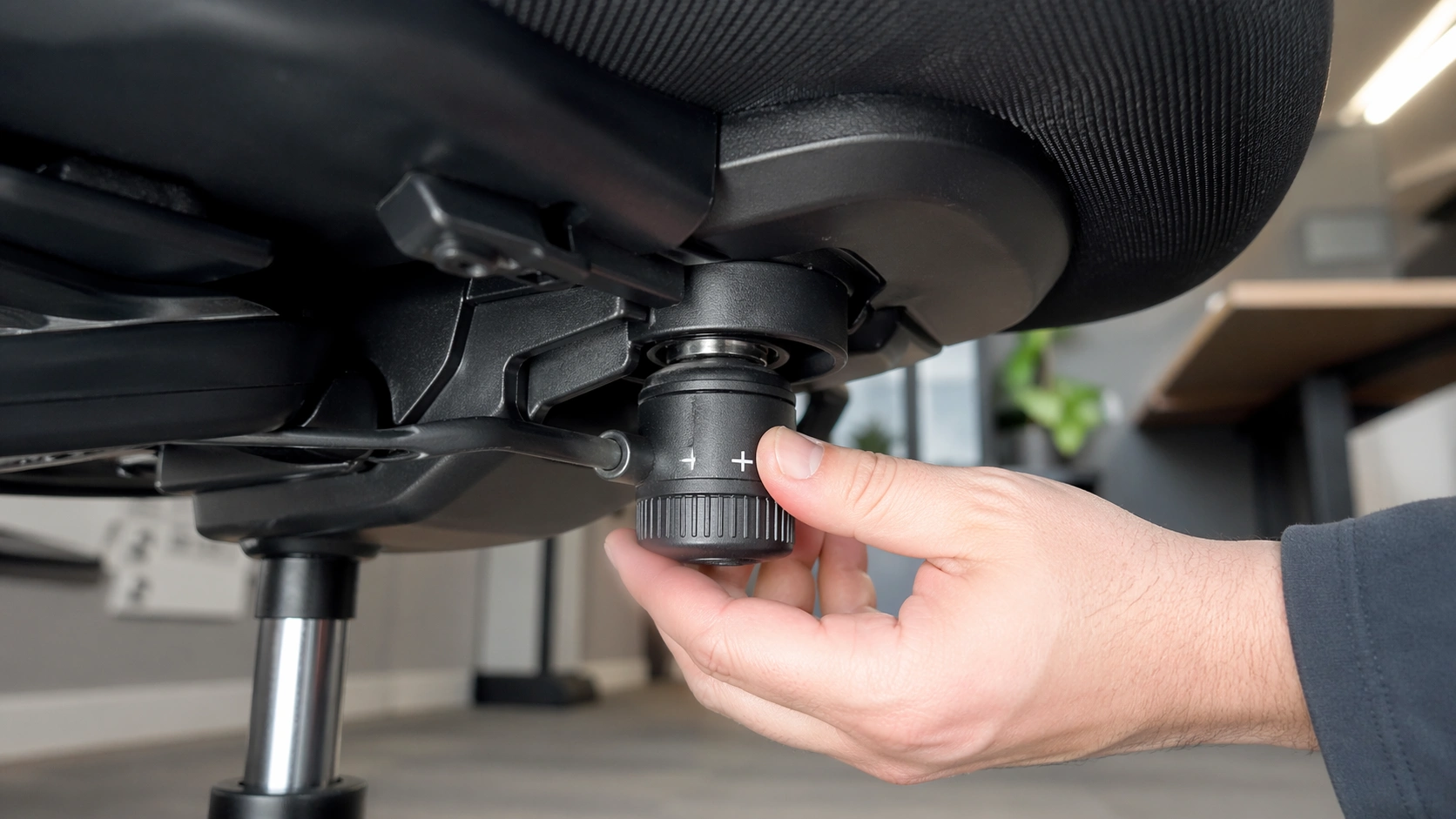
On most office chairs, the round knob under the seat controls tilt tension.
Tilt tension changes the recline resistance of the chair. When the tension is low, the chair leans back more easily. When the tension is high, you need more force to recline.
This matters more than people think. A chair that is too loose can feel unstable. A chair that is too tight can make you sit stiffly and fight the backrest all day.
If you want to compare your chair’s control layout with premium models, look at the official adjustment resources from Herman Miller and the tilt-tension explanation from HON. For posture and workstation fit, OSHA’s chair guidance is also worth reviewing: OSHA chair ergonomics.
| Control | What it usually changes | What you feel |
|---|---|---|
| Round knob under the seat | Tilt tension | Easier or harder recline |
| Side lever | Seat height | Chair goes up or down |
| Tilt lock lever | Recline lock or recline limit | Chair stays upright or stops at set angles |
| Backrest dial or lever | Back angle or lumbar setting | Different back support feel |
How the Knob Works Inside the Chair Mechanism
Inside the chair, the knob usually connects to a spring-loaded tilt mechanism.
When you turn the knob, you increase or decrease the tension on that spring. More spring tension means more resistance when you lean back. Less spring tension means the backrest moves with less effort.
That is why two people can have opposite opinions about the same chair. A heavier person may need more tension to feel supported. A lighter person may need less tension so the chair does not feel locked upright.
Clockwise vs Counterclockwise
On many chairs, turning the knob clockwise tightens the tension and makes reclining harder. Turning it counterclockwise loosens the tension and makes reclining easier.
Still, not every chair uses the exact same layout. If the chair feels strange after a few turns, stop and test the movement instead of forcing more adjustment.
Why Some Chairs Feel Different
Not all office chairs use the same recline design.
Budget task chairs often use a simple center-tilt system. Better ergonomic chairs may use synchro-tilt, where the seat and back move in a more balanced way. Some premium chairs rely more on automatic recline systems and less on a large manual knob.
That means the same under-seat knob can feel subtle on one chair and dramatic on another.
How to Adjust the Knob Under an Office Chair Step by Step
Step 1: Sit in the chair with your feet flat on the floor.
Step 2: Check whether the tilt lock is engaged. If the chair is locked upright, the tension knob will not tell you much.
Step 3: Reach under the seat and find the round knob. It is usually near the center of the mechanism.
Step 4: Turn the knob only a little at a time. A quarter turn to a half turn is enough for testing.
Step 5: Lean back gently after each adjustment. You want the backrest to support you without dropping backward too fast.
Step 6: Stop when the recline feels controlled, smooth, and natural for your body weight.
Step 7: Recheck your seat height and lumbar support. Good chair setup works as a system, not as one isolated control.
How to Know the Setting Is Right
The right tension setting lets you recline without effort, but not without support.
If you feel like the chair is throwing you backward, the tension is too loose.
If you feel like you are fighting a wall every time you lean back, the tension is too tight.
How to Fix an Office Chair Knob That Won’t Change Recline Tension
If the knob turns but the chair still feels the same, something else may be going on.
Sometimes the tilt lock is still on. Sometimes the user is turning the wrong control. In older chairs, the tilt control plate can wear out, strip, or loosen so the knob no longer changes the spring tension correctly.
| Problem | Likely cause | Quick fix |
|---|---|---|
| Chair leans back too easily | Tension is too loose | Tighten the knob in small turns |
| Chair is too hard to recline | Tension is too tight or tilt lock is on | Loosen the knob and unlock recline |
| Knob turns but nothing changes | Worn tilt plate or wrong control | Inspect the mechanism and confirm the control layout |
| Knob is stuck | Dirt, corrosion, or damaged threads | Clean the area and test gently |
| Chair squeaks while reclining | Dry pivot points or loose hardware | Tighten bolts and use silicone lubricant on metal pivots |
| Chair still feels wrong after adjustment | Seat height, lumbar support, or posture issue | Reset the full chair setup, not just the knob |
When the Knob Spins but Nothing Changes
This is one of the most common complaints.
If the knob spins freely with no real change in resistance, the tilt mechanism may be worn. In that case, adjustment will not solve the problem. Repair or replacement is the better move.
When the Chair Feels Too Loose
Tighten the knob slowly and test the chair after each turn.
Do not crank it all the way at once. Too much tension can make the chair feel rigid and unnatural.
When the Chair Feels Too Stiff
Loosen the knob a little, then test again while sitting fully back in the seat.
Many people test recline while perched forward. That makes almost any chair feel too stiff.
Common Office Chair Mistakes to Avoid
Mistake 1: Confusing the tilt tension knob with the tilt lock lever. One changes resistance. The other stops or limits movement.
Mistake 2: Turning the knob too much in one go. Large changes make it harder to find the sweet spot.
Mistake 3: Ignoring seat height. If your feet are not flat and your knees are not well supported, the recline setting will still feel wrong.
Mistake 4: Assuming every office chair uses the same under-seat controls. Control layouts vary by model.
Mistake 5: Trying to fix a worn mechanism only with adjustment. A broken tilt plate will not respond like a healthy one.
Pro Tips for Better Office Chair Comfort
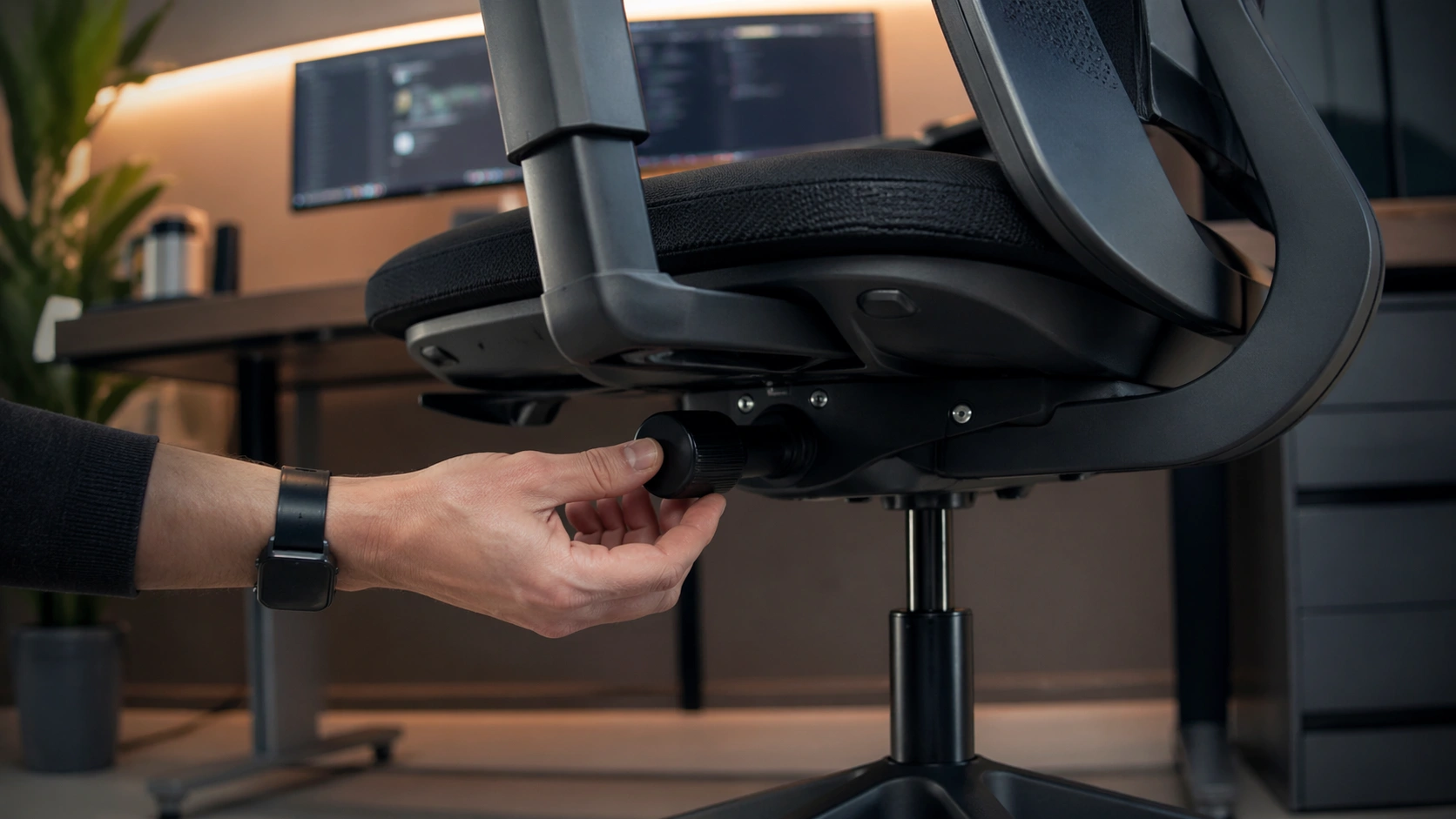
Match the tension to your body, not to someone else’s setting. Shared office chairs often feel bad because the last user set the chair for a different size and posture.
Recheck the knob after changing seat height. A new seat height can change how stable or supported the recline feels.
Use dynamic sitting. A good chair should let you change posture during the day instead of forcing one locked position.
Pay attention to the full workstation. Even a well-adjusted chair feels wrong if the desk is too high, the monitor is poorly placed, or your feet do not rest securely.
Tool Recommendations for Adjustment, Repair, and Better Comfort
You do not need a large toolkit to work on an office chair. A few basic items solve most setup and maintenance jobs.
| Tool or product type | Best for | Why it helps |
|---|---|---|
| Flashlight | Finding the correct control | Makes it easier to identify the knob, lever, and lock points |
| Hex key set | Tightening frame or backrest hardware | Reduces wobble that can feel like bad tilt tension |
| Screwdriver | Removing the seat plate | Useful when inspecting or replacing the mechanism |
| Silicone lubricant | Quieting squeaks | Helps pivots move more smoothly without making a mess |
Ergonomic Mesh Office Chair with Adjustable Tilt Tension
Best for people who want clearer controls, easier recline tuning, and a cleaner upgrade than repairing a very cheap chair.
Heavy-Duty Office Chair Tilt Control Mechanism Replacement
Best for a chair whose knob turns but no longer changes recline resistance because the tilt plate is worn or damaged.
Memory Foam Lumbar Support Cushion for Office Chairs
Best for people whose recline is fine but who still need better lower-back support during long desk sessions.
Office Chair Tilt Tension Knob vs Tilt Lock: Full Comparison
People often mix these up, but they do very different jobs.
| Control | What it changes | When to use it |
|---|---|---|
| Tilt tension knob | How hard or easy it is to recline | Daily comfort tuning |
| Tilt lock lever | Whether the chair reclines at all or how far | Upright tasks, calls, focused typing |
| Seat height lever | How high the seat sits | Foot placement and leg support |
| Backrest angle control | The resting angle of the backrest | Task-specific posture changes |
If your chair feels wrong, always identify which control changes what before adjusting anything. That saves time and prevents overcorrecting the wrong setting.
Should You Repair the Chair or Replace It?
Repair it if the chair is structurally solid, the frame is stable, and the problem is clearly the tilt mechanism or a loose part.
Replace the mechanism if the knob spins freely, the recline resistance never changes, or the control plate is worn but the rest of the chair is still worth keeping.
Replace the whole chair if the chair has poor support, multiple broken controls, weak cushioning, or an unstable base. At that point, a better ergonomic chair will save more frustration than another repair attempt.
FAQ
What does the round knob under my office chair do?
On most office chairs, it adjusts tilt tension. That changes how easy or hard it is to lean back. Some chairs use a different control layout, so check your model if the knob does not affect recline.
Which way do I turn the office chair knob?
Most chairs tighten when you turn the knob clockwise and loosen when you turn it counterclockwise. Tightening increases recline resistance. Loosening makes the chair lean back more easily.
Why is my office chair too hard to lean back?
The tension is probably set too tight, the tilt lock may be engaged, or the mechanism may be dirty. Loosen the knob a little, unlock the tilt, and test again.
Why does my office chair lean back too easily?
The tilt tension is likely too loose for your body weight. Tighten the knob in small turns until the chair supports you without dropping backward.
Why does the knob on my office chair do nothing?
The chair may use a different control for recline, or the tilt plate may be worn out. If the knob spins freely with no resistance change, inspect the mechanism for damage.
Can I fix a broken office chair tilt knob?
Sometimes yes. If the knob is intact, tightening hardware or replacing the tilt control mechanism can solve the problem. If the plate is cracked or stripped, replacement is usually the better fix.
Is it worth adjusting the office chair knob?
Yes. A correct tension setting makes reclining smoother, supports your posture, and reduces the feeling that the chair is too stiff or too loose during long desk sessions.
Conclusion
The knob under an office chair usually controls tilt tension, and that one setting can completely change how the chair feels. Adjust it in small steps, test the recline carefully, and do not ignore the rest of your chair setup. If the knob no longer changes anything, repair or replacement is usually the next smart move.