

To make an office chair more ergonomic, adjust the seat height so your feet stay flat, support your lower back, set armrests to relaxed elbow height, and align the chair with your desk and monitor. If the chair still falls short, add a lumbar pillow, seat cushion, or footrest.
I’m Ryan Mitchell, and I spend a lot of time fixing uncomfortable home office setups. Like James Walker, I prefer practical, hands-on advice over vague posture rules. Most office chairs can feel much better with a few small changes. I’ll show you what to adjust first, what to buy only if needed, and when a new chair is the smarter move.
About the author: I’m Ryan Mitchell. I test office and workspace gear with one goal: help people work longer with less strain. My approach is simple, practical, and based on real setup problems I see every day in home offices and workstations.
Quick Answer: How to Make an Office Chair More Ergonomic
If you want the fastest win, start with seat height, lumbar support, armrests, and monitor position. In my experience, those four changes solve most office chair discomfort before you spend money on accessories.
What Makes an Office Chair Ergonomic and Why It Matters
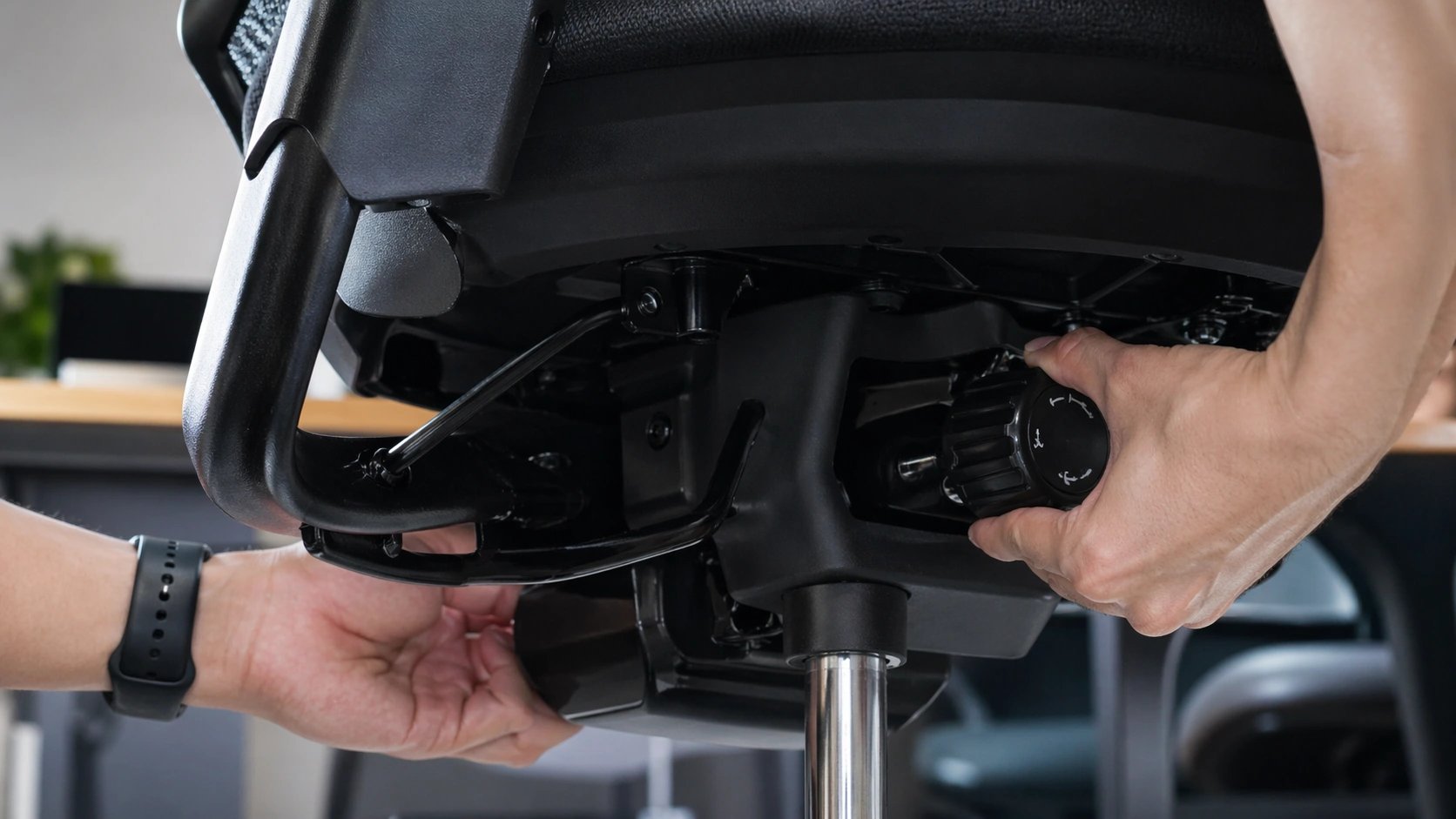
An ergonomic office chair is not just a chair with a tall back or extra padding. It is a chair that fits your body, supports neutral posture, and works with the height of your desk, keyboard, and monitor.
A chair becomes more ergonomic when it helps you sit with less strain. That means your feet are supported, your lower back is not collapsing, your shoulders are not shrugged, and your wrists are not bent into awkward angles just to reach the desk.
| Chair Setting | What to Aim For | Why It Matters |
|---|---|---|
| Seat height | Feet supported and thighs comfortably supported | Reduces leg pressure and helps align the rest of the workstation |
| Seat depth | Small gap behind knees while your back touches the backrest | Prevents knee pressure and helps you use the backrest properly |
| Lumbar support | Fills the curve of the lower back | Helps reduce slouching and lower-back strain |
| Armrests | Shoulders relaxed and elbows close to the body | Reduces shoulder tension and upper-back fatigue |
| Backrest recline | Supportive, not rigid, with easy movement | Encourages posture changes instead of static sitting |
How Office Chair Ergonomics Works With Your Desk and Monitor
This is the part people miss. Your chair does not work alone. A chair can feel terrible because the desk is too high, the monitor is too low, or the keyboard is too far away. I usually think of chair ergonomics as a system, not a single product.
If your desk is high, you may raise your chair to match it. Then your feet dangle. If your monitor is low, you lean forward even if the chair back is good. If your armrests are too high, your shoulders stay tense all day. That is why chair comfort and workstation setup always have to be adjusted together.
| Workstation Part | What to Match | What Happens When It Is Off |
|---|---|---|
| Chair height | Feet support and elbow position | Leg pressure, dangling feet, or shrugged shoulders |
| Seat depth | Back contact and knee clearance | Sliding forward or pressure behind the knees |
| Desk and keyboard height | Relaxed elbows and neutral wrists | Shoulder tension and wrist bend |
| Monitor height | Straight-ahead viewing | Neck bending and forward-head posture |
| Armrests | Desk clearance and forearm support | Raised shoulders or armrests hitting the desk |
How to Adjust an Office Chair for Better Posture (Step-by-Step)
1. Set the seat height first
I always start here because every other adjustment depends on it. Raise or lower the chair until your feet are fully supported and your thighs feel supported without too much pressure at the seat edge.
If the desk is fixed and too high, you may need to raise the chair so your elbows line up with the keyboard. When that happens, add a footrest instead of letting your feet hang.
2. Check seat depth
Sit all the way back in the chair. You should still have a small gap behind your knees. If the seat is too deep, you will slide forward and lose lower-back support. If the seat is too short, you may feel under-supported in the thighs.
If your chair has seat-depth adjustment, use it. If it does not, a lumbar pillow can sometimes help by moving your body slightly forward while keeping your lower back supported.
3. Put lumbar support in the right place
The lumbar support should meet the curve of your lower back, not your mid-back. A lot of people place it too high and end up feeling pushed forward in the wrong area.
If your chair has built-in lumbar support, adjust the height first. If it still does not fit, test the position with a small rolled towel before buying a dedicated lumbar pillow.
4. Tune the backrest recline and tilt tension
Your chair should support movement. For typing, a more upright setting often feels best. For reading, calls, or focused thinking, a slight recline often feels better than staying bolt upright.
If the recline falls back too easily, tighten the tilt tension. If it feels stuck or overly rigid, loosen it a little. A chair that lets you change posture during the day usually feels better than one locked in a single position.
5. Set armrests to shoulder-friendly height
Armrests should help your arms rest without pushing your shoulders up. If the armrests are too high, your neck and shoulders will start working all day. If they are too low, they do very little.
I also check whether the armrests hit the desk. If they do, lower them, narrow them, or move them out of the way. On some budget office chairs, removing bad armrests is better than fighting them.
6. Match the chair to your desk, keyboard, and mouse
This is where setup problems usually show up. Your elbows should rest comfortably near your sides while using the keyboard and mouse. If you have to reach upward, the desk is too high relative to the chair. If you have to hunch down, the desk is too low.
For shorter users, the best fix is often chair height plus a footrest. For taller users, the real issue is sometimes desk clearance, not the chair itself. If your knees hit the underside of the desk, no chair adjustment will fully solve that mismatch.
7. Fix monitor height and viewing distance
If your monitor is too low, you will lean forward and blame the chair. Place the monitor directly in front of you, close enough to read easily, with the top of the screen roughly at eye level for most setups.
If you use a laptop all day, a laptop stand or external monitor often improves chair comfort more than another cushion. That is because neck position affects how you sit back into the chair.
8. Add simple accessories only after the main adjustments
I usually tell people not to buy anything until they adjust the chair itself. After that, accessories can fill real gaps. A lumbar pillow helps a flat backrest. A seat cushion helps a hard or worn seat. A footrest helps when the desk height forces the chair upward.
Accessories work best when they solve one clear problem. They work poorly when they are used to hide a chair that is mechanically failing or the wrong size for the user.
Why Your Office Chair Still Hurts Your Back
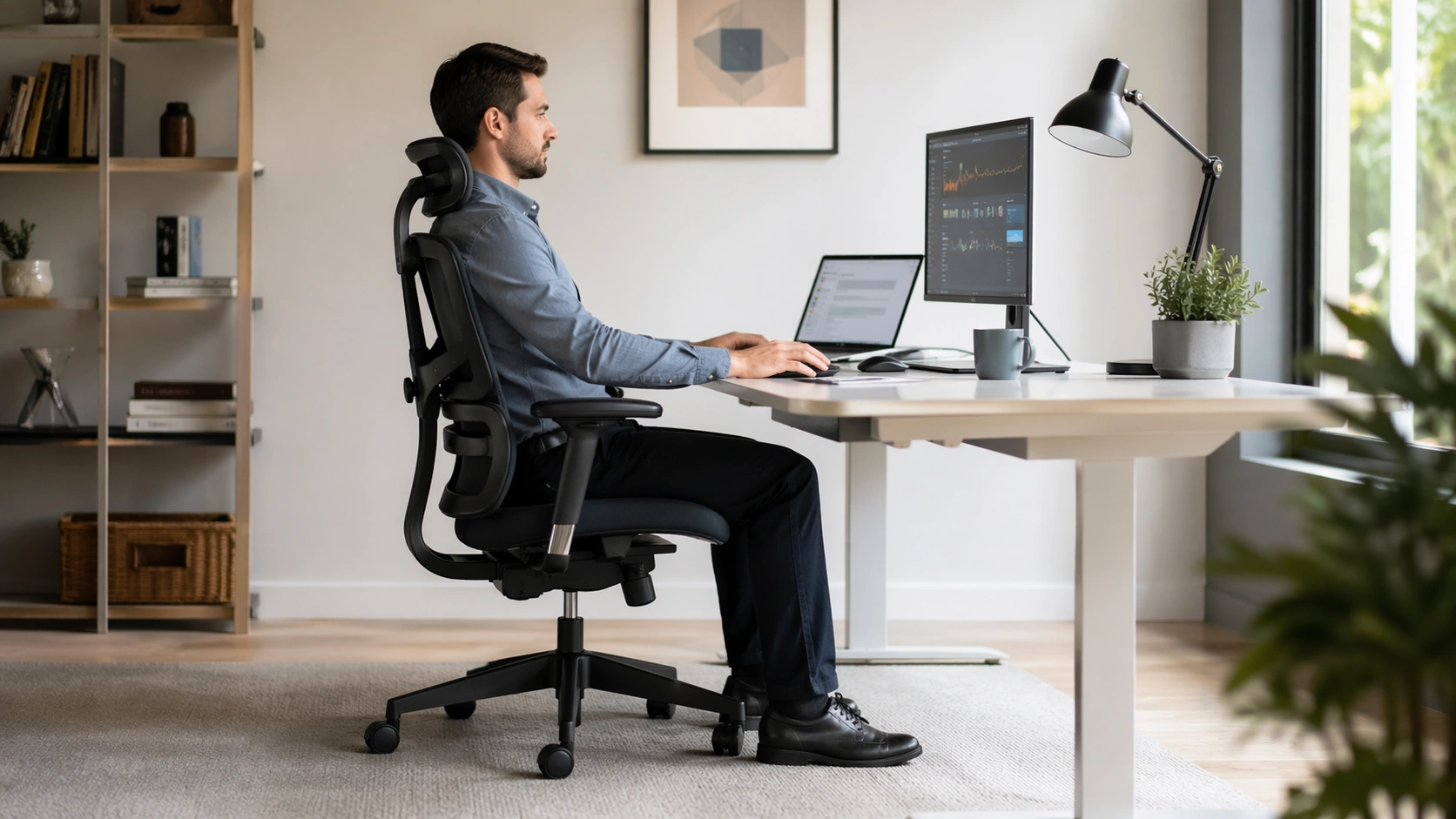
If your chair still feels wrong after basic adjustments, there is usually a specific reason. I find that discomfort becomes much easier to fix once you identify the exact failure point.
| Problem | Likely Cause | Best Fix |
|---|---|---|
| Lower-back pain after 20 to 30 minutes | Lumbar support too low, too high, or missing | Reposition lumbar support or add a lumbar pillow |
| Pressure behind the knees | Seat too deep or front edge too firm | Shorten seat depth or use a chair with a better seat shape |
| Feet do not touch the floor | Chair raised to match a high desk | Add a footrest or adjust the desk setup |
| Shoulders feel tight | Armrests or desk too high | Lower armrests and improve keyboard height |
| Tailbone or hip pressure | Seat padding too hard, worn, or flat | Use a seat cushion or replace the chair |
| Chair keeps sinking | Gas lift cylinder is failing | Replace the cylinder or replace the chair |
| Chair feels loose or unstable | Worn mechanism or loose hardware | Tighten hardware or replace unsafe parts |
| Armrests hit the desk | Armrests too high or too wide | Lower, narrow, remove, or work with the chair closer to the desk |
Common Office Chair Mistakes to Avoid
Mistake 1: Buying cushions before adjusting the chair. A lot of discomfort comes from height, armrest, and monitor mismatches, not a lack of padding.
Mistake 2: Setting the chair high enough for the desk but leaving the feet unsupported. That usually creates leg pressure and a less stable sitting position.
Mistake 3: Using lumbar support too high. The support belongs in the lower back, not in the middle of the back.
Mistake 4: Locking the chair fully upright all day. A chair that allows small posture changes often feels better over long work blocks.
Mistake 5: Ignoring desk height. Sometimes the chair is fine and the desk is the real problem.
Mistake 6: Keeping bad armrests because they came with the chair. If they force your shoulders up or stop you from getting close to the desk, they are hurting more than helping.
Best Office Chair Add-Ons Explained
When a chair almost works, add-ons can save you money. I prefer targeted upgrades over random accessories. Buy the thing that solves the exact problem you can name.
| Add-On | Best For | What It Solves |
|---|---|---|
| Lumbar pillow | Flat or poorly placed back support | Adds lower-back contact and helps prevent slouching |
| Seat cushion | Hard, flat, or worn seat padding | Improves pressure relief and sitting comfort |
| Footrest | Feet hanging after chair height is set | Supports the legs and stabilizes posture |
| Monitor arm or monitor riser | Screen too low | Helps you sit back into the chair instead of leaning forward |
| Keyboard tray | Desk too high for relaxed shoulders | Improves elbow and wrist position without over-raising the chair |
My Practical Product Picks
Everlasting Comfort Seat Cushion
Good if your seat feels hard, flat, or tiring after a few hours.
C Cushion Lab Extra Dense Lumbar Pillow
A simple fix when your chair back feels flat or your lower back never stays supported.
Fellowes Office Suites Adjustable Footrest
Useful when desk height forces your chair up and your feet no longer sit flat.
Office Chair Add-Ons vs Buying a New Ergonomic Chair: Full Comparison
This is the buying decision most people are really trying to make. Do you adjust what you already own, add a few accessories, or replace the chair entirely?
| Option | Best For | Pros | Cons | When I Would Choose It |
|---|---|---|---|---|
| Adjust the current chair only | A chair with decent built-in adjustments | Lowest cost and fastest fix | Cannot solve missing features or worn parts | When the chair is structurally sound and the fit is just off |
| Add accessories | A chair that almost works but lacks one thing | Targeted, budget-friendly comfort upgrades | Too many add-ons can create new height and fit issues | When you can clearly identify one missing support point |
| Buy a new ergonomic chair | A failing chair or one with poor adjustability | Best long-term fit and better adjustment range | Higher cost | When the gas lift fails, the backrest wobbles, or the chair lacks basic adjustments |
If I had to choose a simple rule, it would be this: adjust first, add one accessory second, replace third. That order saves money and usually leads to a cleaner setup.
Pro Tips and Best Practices for Long Desk Hours
Recheck your setup after changing desks or monitors. A chair that felt right on one desk can feel wrong on another.
Do not chase one perfect posture. A good chair supports movement. Small changes in recline and sitting position often feel better than staying frozen.
Measure before buying accessories. A seat cushion changes your sitting height. A lumbar pillow changes how far forward you sit. Both can affect the rest of the setup.
Fix the biggest mismatch first. In many home offices, that is desk height or monitor height, not the chair itself.
Replace truly failing parts. If the chair sinks, wobbles, or has a broken mechanism, no cushion will turn it into a great ergonomic chair.
Useful Ergonomic References
For deeper guidance, I recommend the OSHA Computer Workstations eTool, the Mayo Clinic office ergonomics guide, and Steelcase’s guide to adjusting an ergonomic chair.
FAQ
How can I make my office chair more ergonomic without buying a new one?
Adjust seat height, seat depth, lumbar support, armrests, and recline first. Then add a lumbar pillow, seat cushion, or footrest only if the chair still does not fit your body size or desk height.
What is the best height for an office chair?
The best chair height lets your feet rest flat, your thighs stay supported, and your elbows line up comfortably with the desk. If the desk is too high and you must raise the chair, add a footrest.
Do lumbar support pillows really work?
Yes, when the chair back is too flat or the built-in lumbar support sits in the wrong spot. The pillow should fill the curve of your lower back without pushing your mid-back too far forward.
Is a footrest worth it for office chair ergonomics?
Yes if your feet dangle after setting the chair high enough for the desk. A footrest helps support the legs and makes it easier to sit in a stable position.
Can a seat cushion make an office chair ergonomic?
A seat cushion can improve pressure relief and comfort, but it cannot fix every problem. If the chair still has poor armrest height, bad recline, or weak lumbar support, you may need more than a cushion.
When should I replace my office chair instead of upgrading it?
Replace the chair if the gas lift fails, the backrest wobbles, the seat padding is fully compressed, or the chair lacks the basic adjustments you need for long workdays. Add-ons help, but they cannot turn every budget chair into a true ergonomic chair.
Conclusion
Making an office chair more ergonomic usually starts with adjustment, not shopping. Get the height, lumbar support, armrests, and desk fit right first. Then add a simple accessory only if one specific problem remains. Small setup changes often do more than expensive upgrades.