

To adjust an office chair backrest, sit fully back, set the lumbar support to your beltline, raise or lower the back so it follows your spine, then fine-tune recline tension and tilt lock so you can lean back with support instead of strain. If comfort still feels off, adjust seat depth next.
I’m Ryan Mitchell, and like James Walker, I prefer simple, tested fixes over theory. A bad backrest can make even an expensive chair feel wrong. I’ll show you what to adjust first, what each control does, and how to tell when the chair itself is the problem.
What an Office Chair Backrest Actually Does
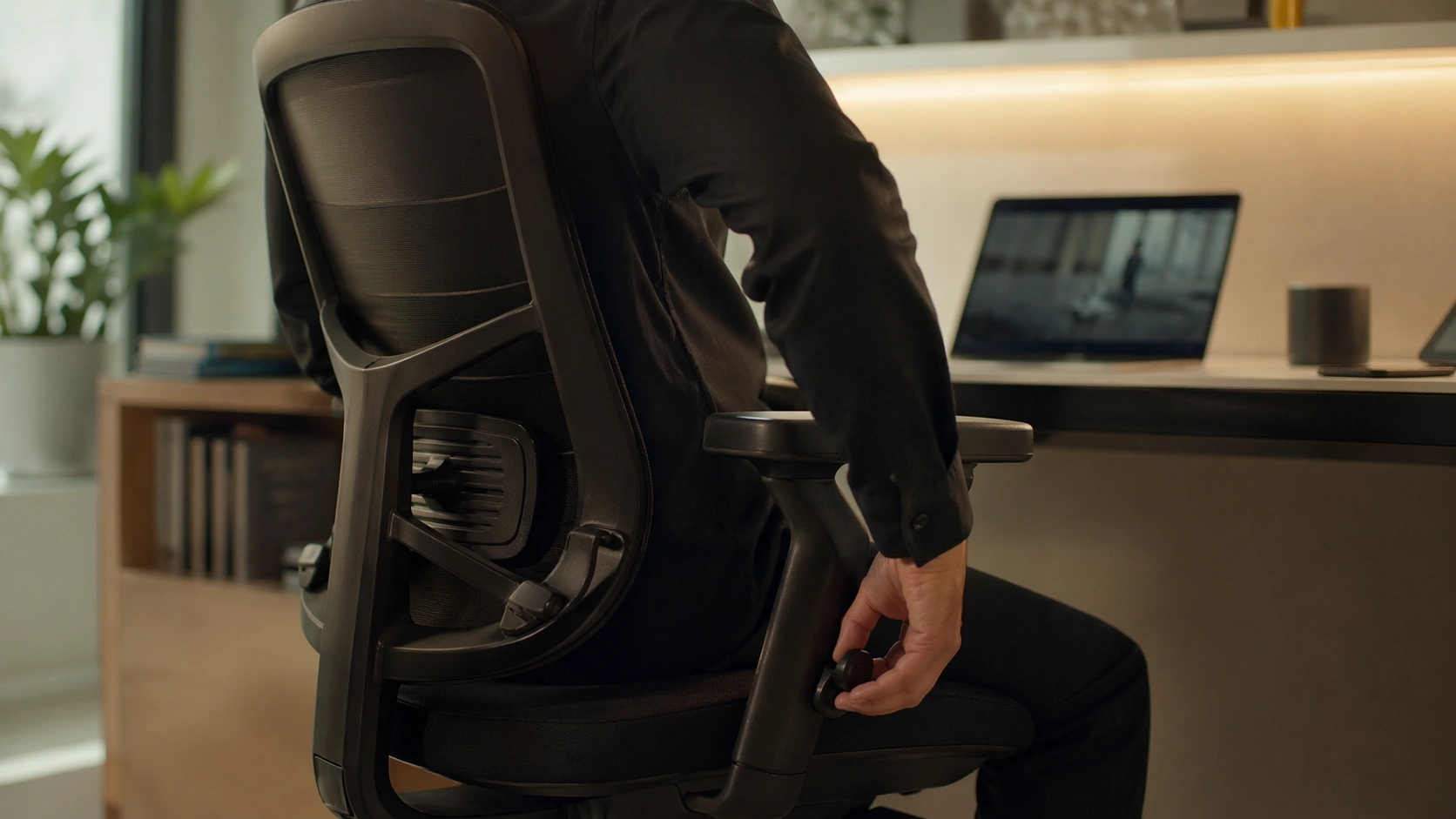
Your backrest is there to support the natural curve of your spine while you work. When it fits well, your lower back stays supported, your shoulders relax, and you stop sliding forward in the seat.
Most people adjust the backrest first and ignore seat height or seat depth. That is why the chair still feels off. The backrest only works well when the rest of the chair lets your body sit all the way back.
If your chair feels uncomfortable after ten or fifteen minutes, the issue is usually one of four things: the lumbar support sits in the wrong place, the recline tension is off, the seat is too deep, or the backrest angle does not match the kind of work you do.
How an Office Chair Backrest Works
Back Height and Lumbar Height
Some chairs let you move the whole backrest up and down. Others keep the back fixed and move only the lumbar pad. The goal is the same: the support should fill the small of your back instead of hitting too low near the belt or too high near the ribs.
Recline Tension, Tilt Lock, and Back Stop
Recline tension controls how much resistance you feel when leaning back. Tilt lock or back stop controls how far the chair can move. A good setup lets you lean back with support instead of feeling like the chair is dropping away from you.
Manual vs Weight-Activated Recline
Manual chairs use knobs or paddles so you can dial in the exact amount of tension you want. Weight-activated chairs do more of the work automatically, which can feel simpler, but they may offer fewer fine adjustments. In both cases, the test is the same: when you lean back, the chair should support you, not fight you.
Why Seat Depth Changes Backrest Comfort
If the seat is too deep, you cannot get your back fully against the backrest. If it is too short, your thighs lose support. A good starting point is a small gap of about two to three fingers between the seat edge and the back of your knees.
How to Adjust Office Chair Backrest Step by Step
Step 1: Sit all the way back. Push your hips to the rear of the seat before touching any knob or lever. If you adjust while perched on the edge, every setting will be wrong.
Step 2: Set seat height first. Raise or lower the chair until your feet are flat and your knees feel level with or slightly below your hips. This gives the backrest a fair chance to match your spine.
Step 3: Adjust seat depth. Slide the seat so you keep a small two- to three-finger gap behind your knees. This is the step that lets your lower back actually meet the chair.
Step 4: Move the lumbar support. Raise or lower the lumbar pad until it sits at your beltline or the small of your back. If your chair has lumbar depth, start light and add just enough pressure to fill the gap without pushing you forward.
Step 5: Set back height or back angle. If your chair has a height-adjustable back, raise or lower it until the curve matches your spine. If it has a back-angle control, keep it close to upright for focused typing, then add a slight recline for longer sessions.
Step 6: Tune recline tension. Lean back and notice whether the chair throws you backward or fights you. Increase tension if the chair drops too easily. Reduce it if you feel trapped or pushed forward.
Step 7: Choose your tilt lock or back stop. For concentrated desk work, an upright or lightly reclined stop usually feels best. For reading, calls, or thinking work, open the recline a little more.
Step 8: Finish with armrests and screen position. If your armrests are too high, they lift your shoulders and make the backrest feel wrong. Lower them until your shoulders stay relaxed, then keep your screen directly in front of you.
Common Office Chair Backrest Problems and Fixes
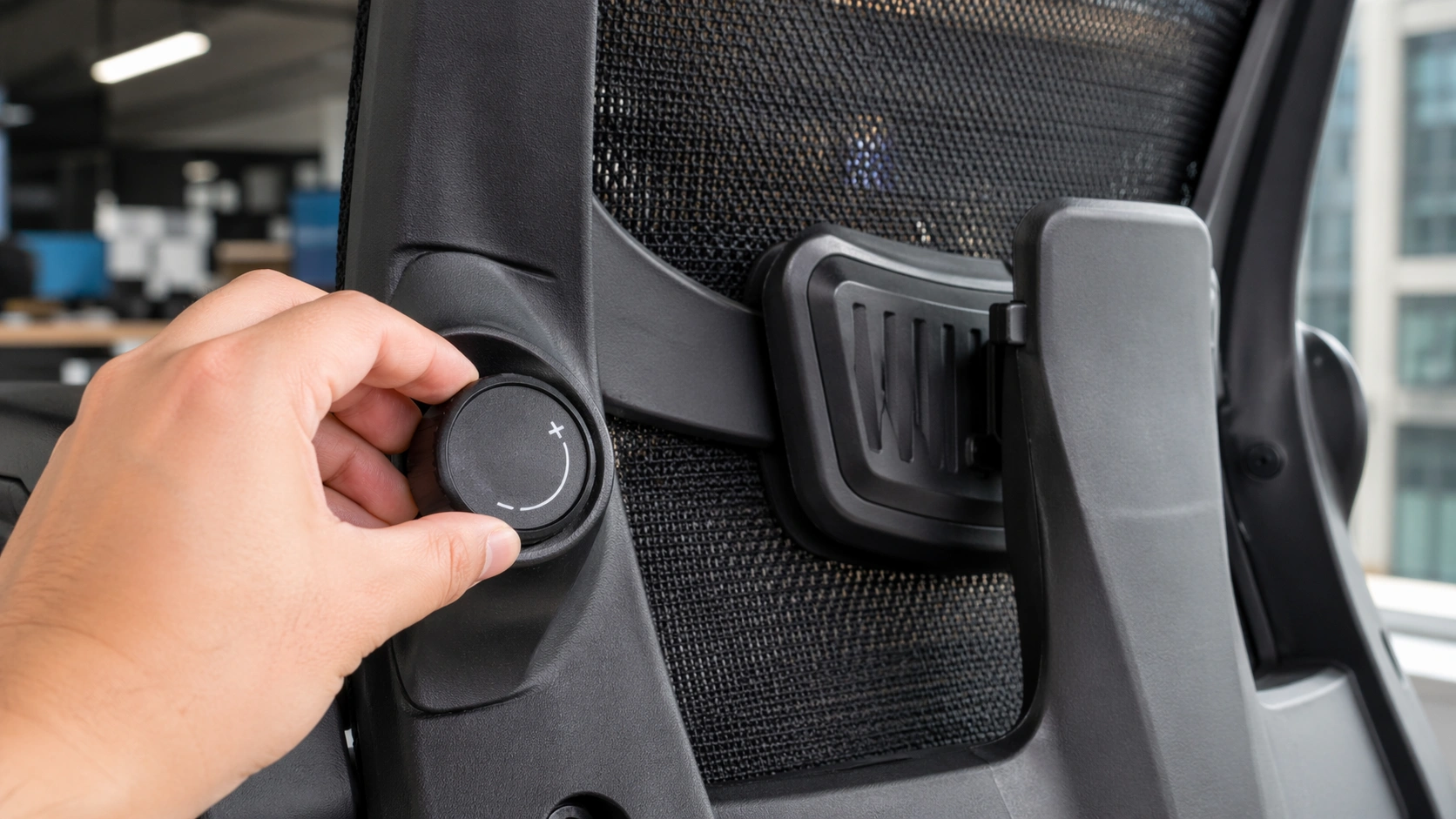
Most backrest complaints come from a small group of issues. Start with the fast check below before blaming your posture.
| Problem | Likely Cause | Fast Fix |
|---|---|---|
| Lower back is not supported | Lumbar support is too low, too high, or too flat | Move lumbar to the small of your back and adjust depth slowly |
| Chair leans back too easily | Tilt tension is too loose or back stop is fully open | Increase tension and limit recline one step |
| Backrest feels too upright | Tension is too tight or tilt is locked too aggressively | Reduce tension or allow a slight recline |
| Knees hit the seat edge | Seat depth is too long | Slide the seat back until a small gap appears behind your knees |
| Shoulders rise while typing | Armrests are too high or too wide | Lower and narrow the arms so your shoulders stay relaxed |
| Backrest clicks or wobbles | Loose hardware or a worn mechanism | Tighten accessible bolts and inspect the tilt assembly |
Why Your Office Chair Keeps Leaning Back
This usually means the recline tension is too loose. Turn the tension control gradually, then test again while seated. If the chair still drops back with almost no resistance, the tilt mechanism may be worn.
How to Fix a Backrest That Feels Too Far Back
First, shorten seat depth if your chair allows it. Next, bring the chair to a slightly more upright back stop. If the chair still feels distant, add a little lumbar depth or use a slim lumbar cushion instead of a thick pillow.
Why the Lumbar Support Feels Wrong
If the lumbar pad hits too low, it will not support you. If it hits too high, it can feel like a hard lump in the middle of your back. Move it in small increments, then sit for at least ten minutes before judging the change.
What to Do If the Backrest Will Not Lock
Check whether your chair uses a full tilt lock, a back stop with several recline positions, or a weight-activated system that does not lock fully upright the way some cheaper chairs do. If the lever engages but the back still slips, inspect visible screws and the mechanism under the seat. A stripped or worn tilt unit usually needs replacement.
When the Chair Is the Problem, Not You
If the mesh is sagging, the foam is flat, the backrest bracket is loose, or the chair creaks and shifts even after tightening hardware, adjustment will only get you so far. That is the point where repair parts or a better chair make more sense than more tweaking.
Common Office Chair Mistakes to Avoid
Using the chair like a stool. If you never sit fully back, the backrest cannot support you.
Setting lumbar too aggressively. More pressure is not automatically better. Too much support can push your torso forward and tire your mid-back.
Locking the backrest too upright all day. A rigid, vertical posture often feels good for five minutes and bad for four hours.
Ignoring seat depth. A perfect backrest still feels wrong when the seat pan is too long.
Overtightening hardware. Snug is good. Overdoing it can damage threads, especially on cheaper chairs.
Pro Tips for Better Daily Comfort
Use two modes, not one. Keep one setting for keyboard-heavy work and another slightly more relaxed setting for calls, reading, or meetings.
Recheck after a few days. Your first adjustment gets you close. Your second pass usually gets the chair right.
Match the chair to the desk. A good backrest still feels bad if the desk is too high or the monitor is off-center.
Shared workstation? Start with seat height, seat depth, lumbar height, and arm height. Those four changes fix most handoff problems fast.
Backrest Controls Compared
| Control | What It Changes | Best For |
|---|---|---|
| Lumbar height | Moves lower-back support up or down | Filling the gap at the small of your back |
| Lumbar depth or firmness | Changes how strongly the support presses into your back | Fine-tuning lower back comfort |
| Back height | Raises or lowers the backrest or support zone | Matching different torso lengths |
| Tilt tension | Changes recline resistance | Stopping the chair from feeling too loose or too stiff |
| Tilt lock or back stop | Limits how far you recline | Switching between focused work and relaxed work |
| Seat depth | Changes how close your back can get to the backrest | Preventing knee pressure and improving back contact |
| Forward tilt | Opens the hip angle slightly | Keyboard-heavy tasks on some chairs |
Adjustable Lumbar vs Fixed Lumbar vs Lumbar Pillow: Full Comparison
| Option | Best For | Main Advantage | Main Drawback |
|---|---|---|---|
| Built-in adjustable lumbar | Daily desk work and long sessions | Most precise fit and cleanest setup | Usually costs more |
| Fixed lumbar support | Budget chairs and short sessions | Simple and maintenance-light | May not match your spine well |
| External lumbar pillow | Quick upgrades and older chairs | Cheap, portable, and easy to test | Can shift around and push you too far forward |
Tool Recommendations for Easier Adjustment and Better Support
I recommend buying features that solve a real problem, not chasing chair hype. These are the three items I suggest most often when a backrest feels wrong.
Ergonomic Office Chair with Adjustable Lumbar Support
Best if your current chair lacks real back height, lumbar, or recline controls.
Memory Foam Lumbar Support Pillow
Great for fixed-back chairs that feel flat in the lower back but still have a solid frame.
Folding Allen Wrench Set
Helpful when the backrest bracket, armrests, or under-seat hardware loosen over time.
Helpful Official Resources
OSHA Computer Workstations eTool
Herman Miller Chair Adjustments
Steelcase Ergonomic Chair Adjustability
FAQ
What is the best backrest angle for an office chair?
Start near upright with a slight recline. You want support, not a rigid 90-degree posture or a deep lounge angle.
Where should lumbar support sit on an office chair?
It should sit around your beltline or the small of your back, where it fills the gap without pushing you forward.
Why does my office chair lean back too easily?
Tilt tension is usually too loose, or the back stop is fully open. Increase tension and limit recline a little.
Should I lock my office chair upright?
Only for short, focused tasks. For long sessions, a lightly reclined supported position usually feels better.
Can a lumbar pillow fix a bad office chair?
It can improve weak lower-back support, but it will not fix a broken tilt mechanism, bad seat depth, or worn foam.
How do I know my office chair is too worn to adjust?
If the backrest wobbles, the lock slips, the mesh sags, or bolts keep loosening, repair or replacement is usually the smarter move.
Conclusion
The right backrest setting is not one magic angle. It is the combination of seat depth, lumbar position, recline tension, and a back stop that matches how you work. Get those four right, and most office chairs feel dramatically better. If your chair still fights you after that, the chair is probably ready for repair parts or an upgrade.
About Ryan Mitchell
I test office chairs, desks, accessories, and everyday workspace gear with a hands-on, fix-first approach. My goal is simple: help you get better comfort, better posture, and better value without turning your desk setup into a guessing game.