

Are smart home devices worth it for small apartments is the practical question renters and owners ask when they want convenience without extra hassle. You need clear value, not clutter, and the right choice depends on lease rules, Wi‑Fi reliability, and your main goal.
In our research, ENERGY STAR and manufacturer specifications show smart thermostats can reduce heating energy use by about 8 to 15 percent when they control a unit‑level HVAC system, as of 2026. The steps below help you match devices to constraints, avoid common problems, and pick what actually delivers value.
Quick Answer: Are Smart Home Devices Worth It for Small Apartments?
Yes, smart devices are often worth it when you choose tenant friendly, low maintenance options and avoid subscription traps. For convenience and basic security, plug‑and‑play smart plugs, bulbs, and retrofit locks deliver clear benefits with little installation. For energy savings, you must be able to control the apartment’s heating or cooling directly for a thermostat to pay off.
Quick checklist to decide fast
- Lease and building rules allow the device, or it is removable.
- Your router and upload bandwidth support cameras and streaming.
- You prefer convenience, security, or energy savings; pick devices aligned to that goal.
Problem / Pain Points for Small Apartment Dwellers
Small apartments have tight wiring, limited outlets, and shared building infrastructure that changes the math on smart devices. Crowded Wi‑Fi bands and concrete or metal walls reduce signal strength and cause devices to drop offline. That creates more frustration than value when a routine fails at prime time.
Landlord restrictions are a frequent blocker, especially for in‑wall switches, door alterations, and exterior cameras. Subscription fees for cameras and vendor cloud services add recurring cost that often exceeds expected energy savings in smaller units. People also report battery drain and outlet blocking as common annoyances, so choose hardware with those constraints in mind.
Core Explanation: How Smart Home Devices Work in Small Spaces
Smart devices connect sensors and actuators to a controller so you can monitor or control them remotely. They use Wi‑Fi, Bluetooth, Zigbee, Z‑Wave, or Thread to communicate, and either a cloud service or a local hub to coordinate automations.
Key points that change outcomes in apartments
- Protocol choice matters, because it affects range and battery life. Wi‑Fi is simple, but it uses more power for sensors. Zigbee and Z‑Wave use less power and form a local mesh, but they need a hub. Thread is emerging as low power mesh with Matter support, improving interoperability.
- Power source drives maintenance. Plug‑in devices and mains devices reduce battery chores. Battery sensors are flexible, but plan for 6 to 24 month replacements depending on usage.
- Cloud versus local control affects privacy, latency, and ongoing cost. Cloud services offer easy remote access and advanced features, but subscriptions for camera storage or AI features add recurring fees. Local-first platforms keep data on site, require more setup, but reduce monthly costs.
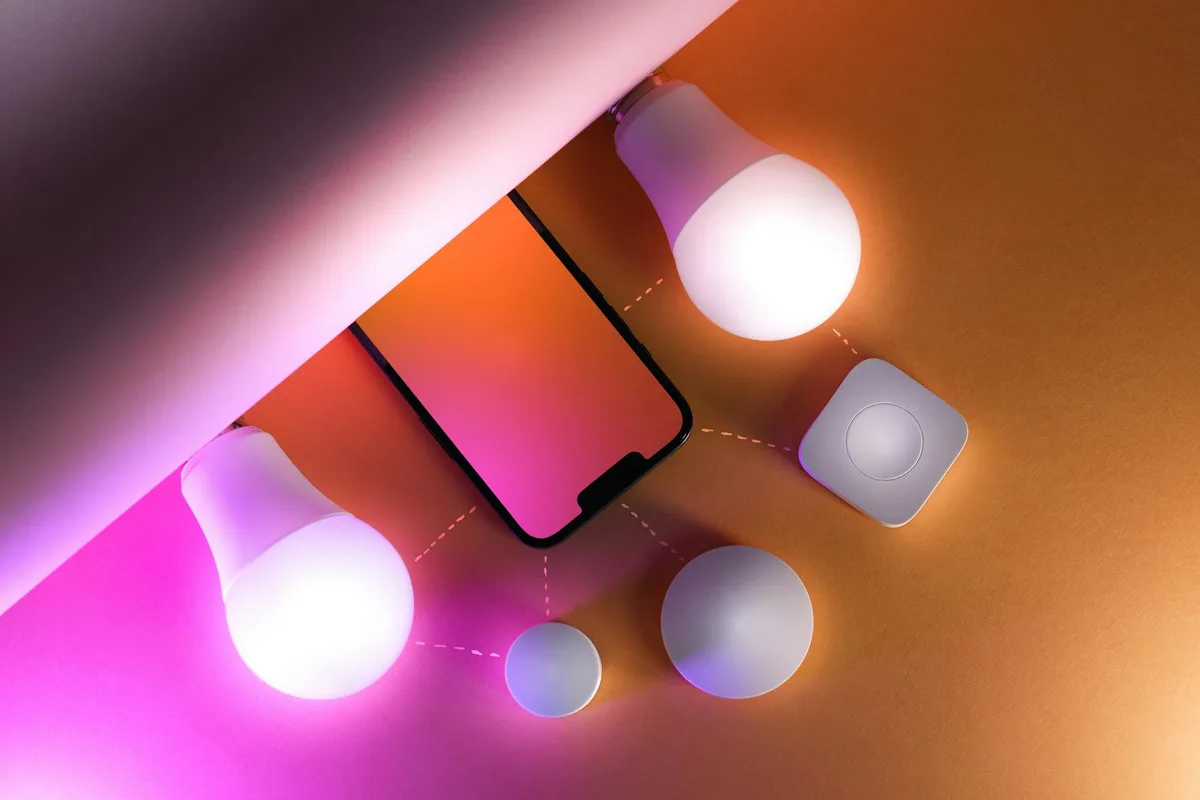
Visuals you would see, if present, include a compact plug that preserves the second outlet, a hub that sits on a shelf, and a mesh node placed for best signal. Those details matter for small spaces where every outlet and inch counts.
Features & Components to Prioritize (Protocols, Power, Installation)
Choosing the right features prevents wasted spend in a compact unit. Focus on what makes devices reliable, renter friendly, and low maintenance.

Prioritize these specs
- Connectivity protocol, choose based on device type:
, Wi‑Fi 2.4 GHz for cameras and direct plug devices, good for bandwidth but heavier on battery.
, Zigbee or Z‑Wave for battery sensors and low power local mesh, requires a hub.
, Thread for low latency and modern mesh behavior, works well with Matter devices.
, Bluetooth for short range accessories or presence detection.
- Power and form factor:
, Slim pass‑through smart plugs that do not block adjacent outlets.
, Battery sensors with easy battery doors, rated for 6 to 24 months battery life.
, In‑wall switches only if you have neutral wiring and landlord approval.
- Security and privacy:
, Devices that support TLS encryption and offer local storage options.
, Temporary guest codes for locks and multi‑user permissions.
, Easily auditable vendor privacy policies and clear data retention choices.
- Subscriptions and cloud dependence:
, Check if camera storage requires a monthly fee and what alternatives exist.
, Prefer devices that offer a useful level of functionality without subscription.
- Physical installation needs:
, Adhesive or magnetic mounts for renters.
, Clear removal instructions and patchability for move out.
Compact device table, quick shopping guide
| Device | Best for apartments | Key spec to check |
|---|---|---|
| Smart plug | Renters, low cost automation | Slim profile, energy monitoring |
| Smart bulb | Mood lighting, no wiring | Size, brightness lumens, color temp |
| Retrofit smart lock | Renters who want keyless entry | Battery life, guest code features |
| Indoor camera | Security where allowed | Local storage, low subscription cost |
| Mesh Wi‑Fi node | Signal weak points | Wired backhaul option, band support |
Decision Variables: Questions to Ask Before You Buy (Renter vs Owner, Budget, Goals, Building Rules, Wi‑Fi)
Answer these questions in order, then match a branch from the decision tree to your situation. Each answer narrows the device choices and installation needs.
Do you rent or own? For renters, choose non invasive plug‑in devices, retrofit locks that attach to thumbturns, and adhesive mounts. For owners, in‑wall switches and thermostats become viable and may deliver better integration.
Is the building network under your control? If the router is managed by the building, choose devices with local control options or a personal mesh network you can install if permitted. If you control the router, a mesh system improves device reliability.
What is the main goal? For security, prioritize door and window sensors and indoor cameras with local storage. For energy savings, confirm you can control the apartment HVAC before buying a smart thermostat. For convenience and accessibility, choose voice assistant speakers and smart plugs for routine tasks.
What is your budget and tolerance for subscriptions? Set a budget per device category, and include recurring fees. A modest starter budget is $50 to $150 for a plug and camera, while a more integrated setup with a thermostat and mesh runs $300 to $600.
Operational checklist before purchase
- Read lease clauses about alterations and surveillance.
- Run a Wi‑Fi survey in rooms you plan to place devices.
- Check for neutral wires when considering in‑wall switches.
- Review manufacturer specs for battery life, protocol compatibility, and subscription costs.
Decision Tree: Which Devices Make Sense, Branches and Recommended Actions
Follow a simple if then path based on your constraints and goals, then act on the recommended devices and installation level.
If you are a renter who needs non permanent upgrades, pick plug‑in smart plugs, smart bulbs, battery contact sensors, and retrofit smart locks that do not require drilling. These devices are portable, inexpensive, and easy to restore when you move.
If you are an owner or long term resident with permission to modify wiring, consider in‑wall smart switches and a smart thermostat for a cleaner install and deeper integration. Expect potential electrician time for neutral wiring or multi zone control.
If energy savings are the priority, validate HVAC control. Smart thermostats and TRVs deliver savings only when they directly control your unit’s system. Manufacturer data and ENERGY STAR suggest real savings when a thermostat can manage the system, but central building heating often prevents control.
If security is the priority, use indoor cameras and door sensors when exterior cameras are not allowed. Prioritize local storage cameras or subscription plans that match your budget and upload capacity. Plan for roughly 1 to 4 Mbps per HD camera stream when active.
If accessibility and convenience matter most, prioritize voice assistants, smart plugs for routine automation, and presence based triggers. Choose local control options so routines stay functional if the cloud service is unavailable.
Branch action table
| Scenario | Best starting devices | Installation level |
|---|---|---|
| Renter, convenience | Smart plugs, bulbs, contact sensor | Plug-in, adhesive |
| Owner, integration | Smart thermostat, in‑wall switches | Hardwired, may need electrician |
| Energy focused | Thermostat, TRV | Unit control required |
| Security focused | Indoor camera, contact sensors | Plug-in, surface mount |
| Accessibility focused | Voice assistant, smart plugs | Plug-in, local automations |
Expand only after the first devices prove reliable and legal in your space.
Setup Workflow: Step‑by‑Step for Apartment Smart Home Projects
Start small, verify each device, then scale. A phased workflow reduces risk and reveals real value before bigger investments.
Step 1, permissions check. Read your lease for clauses on drilling, locks, and cameras, and get written landlord approval for permanent changes. Written approval avoids move out disputes.
Step 2, Wi‑Fi site survey. Walk the apartment with a phone and note signal in target rooms. Consider a personal mesh system to improve coverage if permitted by building rules.

Step 3, buy a starter kit. For renters, a kit with two smart plugs, two bulbs, and a contact sensor works well. For owners, start with a smart thermostat plus one or two smart plugs to measure energy change.
Step 4, secure and update devices. Update firmware immediately, change default passwords, and enable two factor authentication where supported. Check vendor release notes for security advisories.
Step 5, pair devices and build simple automations. Group devices by room, create arrival and bedtime routines, and test them both locally and remotely. Keep automations simple to reduce false triggers.
Step 6, measure and adjust. Use a smart plug with energy reporting to log usage for a week, adjust sensitivity on motion sensors to reduce false alarms, and relocate devices if signal or battery life is poor.
Renter move out steps
- Factory reset devices and remove mounts.
- Patch holes and restore original hardware.
- Keep receipts and written approvals to document restoration.
Owner optimization steps
- Consider wired backhaul for mesh nodes.
- Use TRVs where radiator control is available.
- Schedule firmware maintenance and network audits quarterly.
Benefits & Drawbacks: Pros and Cons Specific to Small Apartments
Smart devices provide real convenience, but small spaces change returns and tradeoffs. Here is a tight, practical list.
Pros
- Remote control and voice automation reduce day to day friction.
- Targeted security with door sensors and indoor cameras increases peace of mind.
- Energy savings possible when you can control heating and cooling directly.
- Accessibility benefits for people with limited mobility through voice and automation.
- Scalable approach lets you start small and expand.
Cons
- Outlet scarcity and device footprint can be frustrating.
- Shared building networks and thick walls cause signal problems for many devices.
- Cloud subscriptions for cameras and advanced features add recurring costs.
- Hardwired installs often require landlord approval and an electrician.
- Battery maintenance for sensors is an ongoing task.
Practical takeaway, choose devices that solve a single problem well, rather than buying a large set of gadgets and hoping they all fit into daily life.
Costs, Energy Savings, Bandwidth Use, and ROI Estimates
Budget and ROI depend on the device type and what you control. The numbers below are practical market ranges as of 2026.
Typical price ranges
- Smart bulbs, basic: $8 to $40.
- Smart plugs: $12 to $35.
- Retrofit smart locks: $100 to $250.
- Smart thermostats: $120 to $250.
- Indoor cameras: $40 to $200.
- Mesh Wi‑Fi systems: $100 to $400.
Energy savings and ROI examples
- Smart thermostat savings depend on system control. ENERGY STAR and manufacturer guidance estimate 8 to 15 percent heating savings and similar cooling gains when a thermostat controls the unit. For an $800 annual HVAC bill, expected savings range from $64 to $120 per year on average.
- Smart plugs and bulbs deliver smaller direct savings because LEDs are efficient. Use energy‑monitoring plugs to measure whether automation reduces run time meaningfully.
Bandwidth and storage planning
- Expect 1 to 4 Mbps upload per 720p camera stream; 1080p streams consume about 3 to 6 Mbps. Motion only uploads and reduced frame rates lower usage.
- Cloud camera storage often costs $3 to $10 per device per month. Evaluate local storage options when upload capacity or subscription costs are concerns.
Practical budgeting tip
- Start with a $50 to $150 experiment budget for plug‑and‑play devices. Measure real outcomes before investing in thermostats or wiring.
Mistakes to Avoid & Troubleshooting Common Apartment Issues
Avoid common errors that kill reliability and cause extra costs. The fixes below are simple and effective.
Mistakes to avoid
- Installing exterior or hallway cameras without landlord permission.
- Replacing in‑wall switches without confirming neutral wiring.
- Buying cloud‑only cameras when upload bandwidth is limited.
- Adding multiple devices at once, which makes troubleshooting harder.
Troubleshooting quick fixes
- Device loses connection frequently: move a mesh node closer, switch frequency band, or add a personal router if allowed.
- Motion sensor false alarms: lower sensitivity, reposition higher, or enable pet immunity.
- Smart lock battery drains: switch to high quality alkaline batteries and check for excessive polling intervals in the app.
- Camera upload lag: reduce resolution or frame rate, enable motion‑only uploads, and schedule cloud backups during off‑peak hours.
Reset guidance
- Reboot router and device before factory reset; many issues clear with a restart. Use factory reset only after simpler steps fail because it requires re pairing.
Safety, Legal, and Privacy Checklist for Tenants and Owners
Check lease rules and local laws before adding devices that alter doors, wiring, or record shared spaces. Written landlord approval prevents disputes and clarifies responsibilities.
Choose devices with UL or ETL electrical certification for mains powered hardware and FCC compliant radios for wireless operation. For cameras and audio, comply with state recording laws, many of which govern audio capture, and avoid recording common areas without explicit permission.
Protect privacy by enabling encryption, changing default passwords, and using two factor authentication. Prefer devices offering local storage when you want to avoid monthly fees and keep data on site. Keep copies of receipts and written approvals to demonstrate you restored the original condition when you move out.
Maintenance and Long‑Term Optimization
Small routines keep a system reliable and private over time. Schedule firmware checks monthly and battery swaps on a predictable interval. Aggregate reviews indicate that delayed firmware updates are a common source of vulnerabilities and device failure.
Network hygiene is critical. Place IoT devices on a separate SSID or VLAN to limit their access to the rest of your network. Reboot routers and mesh nodes during low usage, and track energy reports to identify devices with abnormal consumption.
When moving, factory reset devices, remove mounts, and return the unit to original condition unless you have landlord agreement to leave devices. Transfer account ownership where applicable and document serial numbers and removal steps for an orderly handover.
Real Scenarios and Short Case Examples
Student studio, low cost. Two smart plugs, one bulb, and a contact sensor automate lights and a study lamp. Cost under $60 and setup under 30 minutes, delivering daily convenience without wiring.
Remote worker, reliability prioritized. A personal mesh node and a camera with local storage stabilize video calls and provide entry checks. Mesh cost $150 and solved intermittent drops in interior rooms.
Pet owner, safety and comfort. A temperature sensor plus a scheduled smart plug for a heater and an indoor camera with motion zones reduce midday overheating and let owners check on pets remotely. Sensors typically report 9 to 12 month battery life under normal use.
Short term rental host, guest access streamlined. A retrofit smart lock, a smart plug, and a contact sensor simplify check in and create automated routines for arrival and departure. Revenue benefit is indirect, measured in guest convenience and fewer key exchanges.
Final Recommendation: Quick Decision Guide and Next Steps
Choose devices based on permissions and primary goal, start small, measure, then scale. For renters, begin with smart plugs and bulbs. For owners with control over wiring, consider thermostats and in‑wall switches.
Next steps checklist
- Get written landlord approval for permanent changes.
- Run a 10 minute Wi‑Fi survey in target rooms.
- Buy one starter kit that matches your branch and test for two weeks.
- Harden device security, change defaults, and enable two factor authentication.
- Expand only after confirming reliability and value.
For more on locks and cameras, practical buying guides can help match hardware to your needs. See details on digital locks and camera detection for further guidance: Best Digital Door Locks For Home and How To Tell If Security Cameras Are On.
For authoritative standards on energy and IoT security, consult ENERGY STAR and NIST.
FAQs
Is a hub required for smart home devices in apartments?
A hub is not always required, most Wi‑Fi devices work without one. Hub protocols like Zigbee or Z‑Wave improve battery life and local mesh behavior, but they need a hub or border router. Choose hubless Wi‑Fi devices for simple installs, and add a hub when you want lower power sensors and local automations.
Can smart cameras be used legally in an apartment building?
Yes, indoor cameras aimed at privately controlled spaces are usually allowed, and exterior cameras require landlord approval and compliance with local laws. Audio laws vary by state, and common areas are often covered by building rules, so get permission and avoid recording shared spaces.
How much bandwidth do cameras need?
Camera bandwidth varies with resolution, but expect roughly 1 to 4 Mbps per 720p stream and 3 to 6 Mbps per 1080p stream. Motion only uploads and reduced frame rates lower the requirement. Check your ISP upload capacity before adding multiple always‑on streams.
How often should I update firmware and change passwords?
Update firmware monthly when vendors release patches and change default passwords during setup. Enable two factor authentication where available and review account access quarterly. Timely updates reduce security risk.
Will smart devices void my lease or deposit?
They can if the lease forbids modifications or permanent changes without written consent. Plug‑in devices typically do not, while in‑wall switches and permanently mounted cameras often require landlord permission. Keep receipts and restore original fixtures to protect your deposit.
What is the cheapest, highest impact device to start with?
A smart plug or smart bulb is the cheapest and most impactful starter device for convenience and small energy improvements. Smart plugs cost under $25 and automate lamps and small appliances without wiring. Use energy‑monitoring plugs to measure real usage before buying more.
Do smart thermostats work in apartments with building HVAC?
They work only when you can control the unit’s HVAC directly. If heating and cooling are centralized for the building, a smart thermostat may not control system runtime and yields no energy savings. In radiator buildings, TRVs may be a better option when allowed.