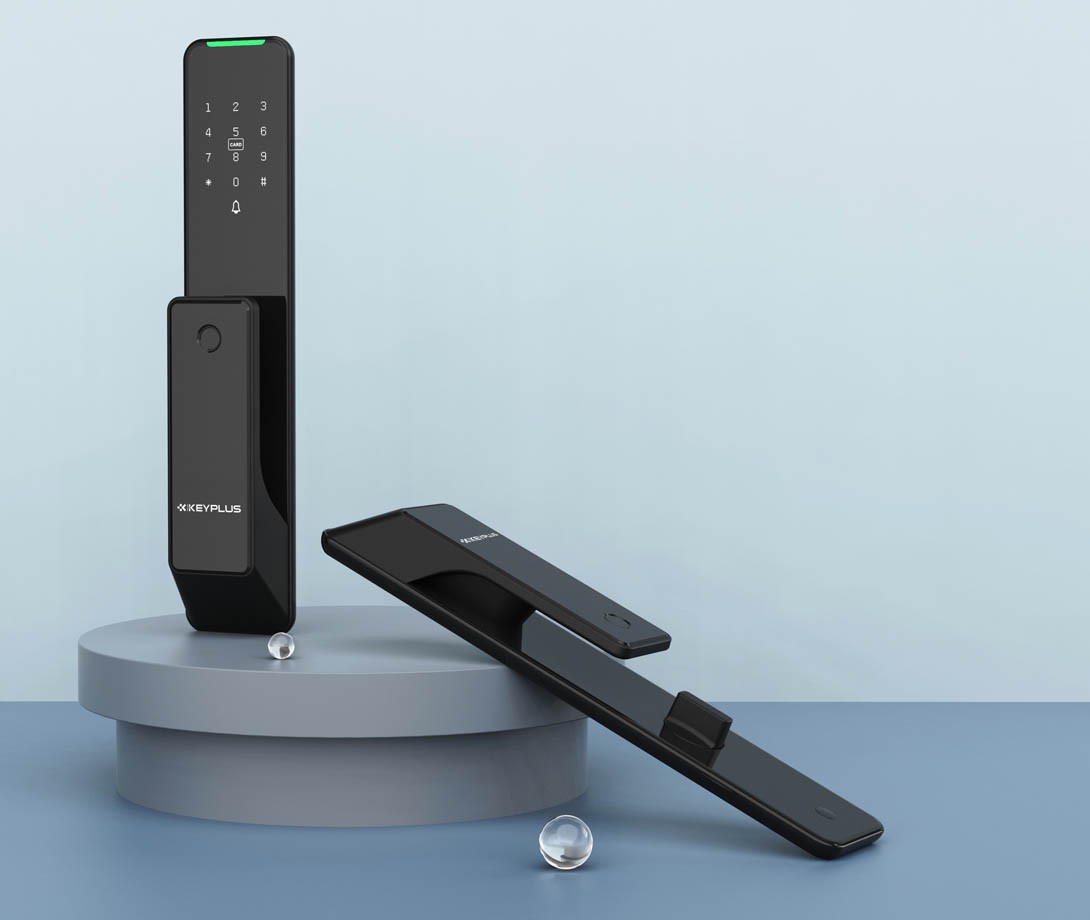
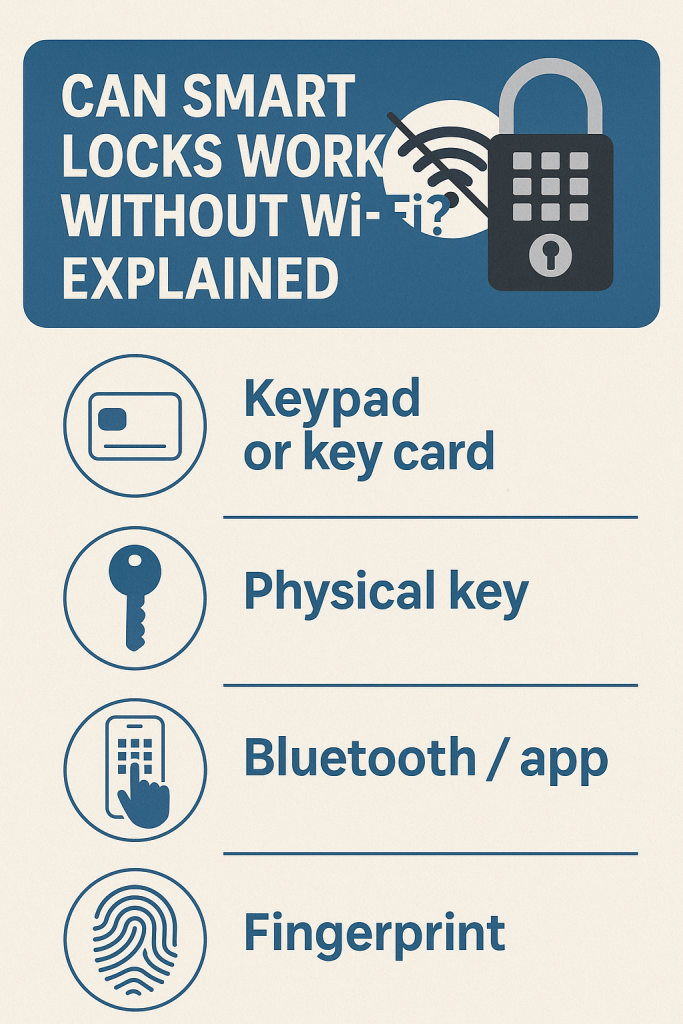
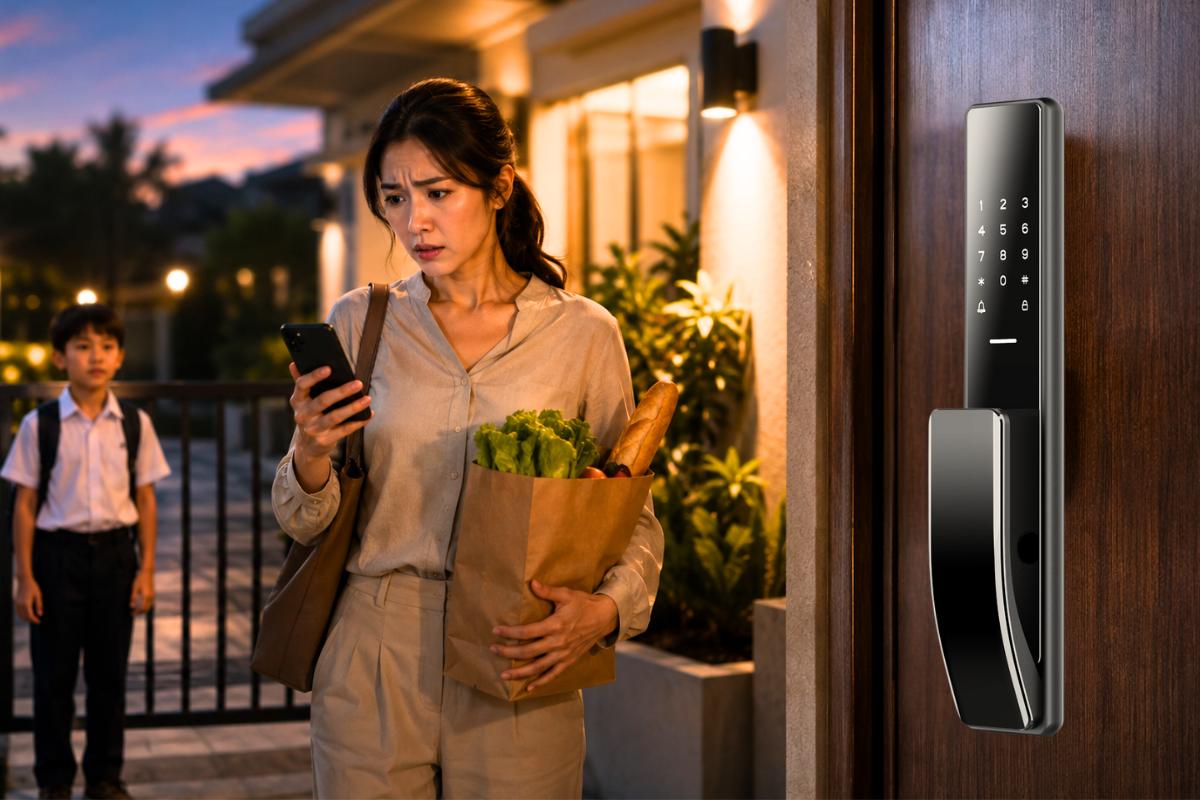
Yes, a smart lock can work without WiFi. Many models use a keypad, fingerprint reader, Bluetooth, or a physical key to let you enter your home. WiFi is mainly needed for remote control, alerts, and some smart home features.
For homeowners across the United States, a smart lock without WiFi can make daily life easier without adding another device to the home network. You can use a door code to let your family inside, give a trusted guest temporary access, or unlock the door with a key on supported models. The exact features depend on the lock you choose.
The main thing to understand is that a smart lock and a WiFi connection do different jobs. The lock uses its own power source and local access methods to control the door. WiFi can connect the lock to an app, the internet, and other smart home devices, but it is not always needed for basic entry.
This guide explains how offline smart locks work, what happens during an internet outage, which features may stop working, and what to check before buying one in the United States. It also covers batteries, installation, access codes, security, and common problems so you can make a choice that fits your home.
Source: m.media-amazon.com
What Is a Smart Lock Without WiFi?
A smart lock without WiFi is an electronic door lock that can provide keyless or app-based entry without relying on your home wireless network for every operation. Depending on the model, it may use a PIN code, fingerprint, Bluetooth, NFC, a compatible phone credential, or a traditional key. Some locks have several methods, while others offer only one or two.
The word smart can mean different things across products. A basic electronic keypad lock may let you enter a code but have no phone app or connected features. A Bluetooth smart lock may connect to a phone when you stand near the door. A WiFi-enabled smart lock can add remote control when it has a working internet connection and the required setup.
These categories can overlap. Some locks have built-in WiFi that you can leave disconnected, while others need a separate bridge or hub for remote access. A lock may also support local features without WiFi but still need an internet connection during setup, firmware updates, or account management.
Source: keyplusys.com
Electronic keypad lock
Uses a PIN entered at the door. It may not have an app, Bluetooth, remote control, or smart home integration.
Bluetooth smart lock
Connects directly to a compatible phone over a short-range wireless connection. Local app control may work without WiFi.
Offline-capable smart lock
Stores supported access credentials or verifies them locally, allowing certain entry methods to work when the internet is unavailable.
WiFi-connected smart lock
Can offer remote locking, unlocking, notifications, and connected features when the lock, network, app, and required services are working.
Is a Keypad Lock the Same as a Smart Lock?
Not always. A keypad lock is an electronic lock that accepts a code, but it may not have wireless communication or app controls. A smart lock usually adds some form of digital connectivity, automation, or remote management, although product definitions vary.
If your main goal is to enter without a key or depend on WiFi, a standalone keypad lock may be enough. If you want to manage access from a phone, check for Bluetooth or another supported connection. Do not assume that every keypad lock can connect to a smart home system.
Choose a keypad lock when
You mainly need PIN entry and simple access management without a wireless network.
Choose a Bluetooth smart lock when
You want nearby phone control or app-based management without depending on home WiFi for every local action.
How Does a Smart Lock Work Without WiFi?
A smart lock can work offline when its access method and control system operate locally. For example, you enter a stored PIN on the keypad. The lock checks whether the code is valid and, if it is, powers the motor that moves the bolt. This process does not necessarily need an internet connection.
The same principle can apply to fingerprint entry. A compatible lock checks the fingerprint against locally stored information and unlocks if the match meets its requirements. A physical key uses a mechanical system and does not depend on electronics or wireless communication at all.
Bluetooth works differently from WiFi. It allows a compatible phone to communicate directly with a nearby lock. When a model supports local Bluetooth control, you may be able to lock or unlock the door and manage certain settings even if the router is offline. The phone and lock must still have power, and the feature must be supported by the manufacturer.
Some locks also support offline PIN generation or temporary codes. These systems vary widely. A code might be stored in the lock before an outage, generated by an approved app, or verified using a specific offline credential system. Read the instructions for the exact model rather than assuming every code can be created or changed while disconnected.
Source: cnyglock.com
Local code verification
The lock checks an existing access code at the door. A supported code can continue to work without an internet connection.
Local biometric verification
A supported fingerprint reader checks a stored credential and activates the lock if access is approved.
Direct Bluetooth control
A nearby phone communicates with the lock without sending the command through your home WiFi network.
Mechanical entry
A physical key can provide a backup on models with a keyed cylinder, even if the lock’s batteries are depleted.
What Happens When Your WiFi Goes Down?
If your internet service stops working, an offline-capable lock will often continue to accept previously configured local credentials. Family members can enter a valid PIN or use another supported method, provided the lock has power and no separate fault is present.
The main change is usually the loss of internet-dependent features. You may not be able to unlock the door from work, receive an immediate phone alert, or change a guest code remotely. Some locks continue to support app control through Bluetooth when you are standing nearby.
A WiFi outage is not the same as a battery failure. If the lock loses power, its electronic keypad, motor, or fingerprint reader may stop responding. A mechanical key or a manufacturer-supported emergency power method can help, but not every model includes both.
Before an outage
Create access codes, test your backup method, and learn how the lock signals low battery power.
During an outage
Use a supported local entry method and avoid factory resets that could erase existing codes.
After service returns
Check the app, review available activity records, and confirm that remote features have reconnected.
Which Features Work Without WiFi?
The features that work offline depend on the lock’s design, stored credentials, power level, and communication method. A keypad code that has already been saved may work without the internet, while creating a new code in a cloud-connected app may require a working connection. Bluetooth control may work nearby but cannot provide unlimited long-distance access.
Use the following table as a general guide. It describes common behavior, not a guarantee for every product. Always check the manufacturer’s instructions for your exact model, especially if you rely on remote access or temporary guest codes.
Source: smartlocksreviewed.com
Usually works offline
Existing locally stored PIN codes, a physical key on keyed models, and supported local fingerprint entry.
May work offline
Bluetooth app control, automatic locking, scheduled locking, and previously configured access rules. Availability depends on the lock.
Usually needs a network or another connection
Remote access from outside Bluetooth range, cloud-based alerts, remote guest-code changes, and some voice assistant functions.
Offline Feature Comparison
This comparison helps you decide which features matter most. A feature marked as conditional may work on one lock but not another, so verify its requirements before you buy.
Enter an existing keypad code
Usually yes, if the code is stored locally, the lock has power, and the model supports offline code verification.
Unlock with a fingerprint
Usually yes on models that process enrolled fingerprints locally and have sufficient battery power.
Unlock with a physical key
Yes, if the lock includes a working mechanical key cylinder.
Use a phone over Bluetooth
Sometimes. The phone must be nearby, Bluetooth must be enabled, and the lock must support offline app control.
Unlock from another city
Generally no without a working internet path or another supported remote connection.
Receive instant alerts
Usually not while the lock is disconnected from the service that sends those alerts.
Use voice commands
Often unavailable without the required network and smart home service, although specific local setups may differ.
Create or revoke a guest code remotely
Usually requires a supported connected service. Some locks offer local code management or special offline code methods.
Does Auto-Lock Work Without WiFi?
An auto-lock timer can work offline if the lock runs that function locally. For example, it may lock the bolt after a set delay. This is useful if you often leave home in a hurry, but auto-lock behavior varies by model.
Check whether the lock senses the door position or simply moves the bolt after a timer expires. If the door is open, an auto-lock command could fail or cause the bolt to strike the door frame. Follow the installation guide and test the function with the door open and closed as directed by the manufacturer.
Check the timer
Confirm that the lock retains its auto-lock setting without a network connection.
Check door alignment
Make sure the bolt moves freely and the door closes fully before relying on automatic locking.
Benefits and Limitations of a Smart Lock Without WiFi
A smart lock without WiFi can be a sensible option if you want keyless entry but do not need to control the door from far away. It can also reduce dependence on a router, cloud service, and online account for everyday access. That does not automatically make it more secure or more reliable than every connected lock; the exact design and your setup still matter.
The biggest trade-off is convenience versus connectivity. A local keypad can work well for family members and trusted visitors, but you may not know when someone enters unless the lock stores an activity history or provides another supported alert method. If you regularly let people in while you are away, remote access may be worth the added setup.
Source: betechiot.com
Less dependence on the internet
Supported local entry methods can continue working when your home WiFi or internet service is unavailable.
Simple guest access
You can share a PIN instead of handing out a physical key, provided the lock supports separate access codes.
Potentially simpler setup
A standalone keypad lock may avoid account setup, a bridge, or cloud configuration for routine entry.
Fewer remote features
You may lose remote unlocking, live alerts, cloud history, and online access management.
Battery maintenance remains essential
An offline lock still needs power for its electronic functions, and a depleted battery may prevent keypad or motor operation.
Compatibility can be limited
Some locks require a specific hub, app, door type, or smart home platform for advanced features.
Is an Offline Smart Lock More Secure?
Not necessarily. Removing WiFi can reduce some network-related exposure, but it does not prevent someone from guessing a weak PIN, observing a code, damaging the hardware, or exploiting a poorly designed lock. A connected lock can also have strong security controls when properly designed and configured.
Focus on the whole system. Choose a lock from a reputable manufacturer, use unique access codes, protect any associated account, install the lock correctly, and keep its software updated when updates are available. If the lock supports remote access, use a strong account password and multifactor authentication when offered.
For an exterior door, consider the physical strength of the deadbolt, strike plate, door frame, and screws. A smart lock is only one part of home security. Follow the lock maker’s installation guidance and check that the door closes and latches properly.
Protect access codes
Avoid easy-to-guess codes and remove access for people who no longer need it.
Check security updates
If the model uses an app or firmware, review the manufacturer’s update and support guidance.
Secure the door itself
Confirm that the deadbolt, strike plate, frame, and door hardware are installed correctly.
How to Choose the Right Smart Lock Without WiFi
Start with the way you want to enter your home, not the number of features listed on the product box. If you only need keyless entry, a standalone keypad lock may meet your needs. If you want to use a phone at the door, look for Bluetooth support and confirm that the required functions work without WiFi.
For a busy household, several access methods can provide useful flexibility. A keypad lets family members enter a code, a fingerprint reader can reduce the need to remember a PIN, and a physical key can provide a mechanical backup. More features are not always better if they add complexity you do not need.
Before purchasing, check the exact model number and its official manual. Product names can be similar while connectivity, code management, battery requirements, and backup methods differ. Do not rely only on a retailer’s short description or a general statement that the product works offline.
Source: raizostore.com
Offline entry
Confirm that your preferred access method works without an internet connection after setup.
Mechanical backup
Choose a keyed model if you want a traditional way to open the door when electronic access fails.
Emergency power
If the lock has no key cylinder, check whether it offers an approved external power method and how to use it.
Access-code management
Find out how many codes the lock stores, whether codes can be scheduled, and how to remove them.
Battery warnings
Check how the lock signals low battery power and whether the warning can be seen or heard at the door.
Door compatibility
Verify door thickness, backset, bore-hole size, handing where relevant, and the type of deadbolt or latch required.
Hub and subscription requirements
Determine whether remote features need a separate bridge, hub, paid plan, or supported smart home platform.
What Type of Lock Fits Your Needs?
The best choice depends on what you want to do when the network is unavailable. Use this decision guide to narrow your options before comparing brands or prices.
For basic keyless entry
Consider a standalone electronic keypad lock with local code storage and clear low-battery warnings.
For phone control near the door
Consider a Bluetooth smart lock that supports local app control without a WiFi bridge.
For homes with frequent visitors
Look for separate PIN codes, straightforward code deletion, and time-limited access if those features are supported offline.
For remote access
Choose a connected model with a documented WiFi or hub setup, and verify which features stop working during an outage.
For a simple emergency backup
Prefer a lock with a physical key or a clearly documented emergency power option that you can use without relying on the internet.
Questions to Ask Before Buying
A few direct questions can prevent a costly mismatch. Ask the manufacturer whether the lock can be installed and operated without creating an online account, whether codes remain active during a network outage, and whether a factory reset or battery change affects saved settings.
If you rent, check your lease and ask the property owner before changing the lock. In a rental property, preserve any required emergency access method and avoid making changes that prevent the owner or authorized staff from meeting their legal or contractual duties.
Can I use the lock without registering an account?
The answer varies by model and may differ between initial setup and everyday entry.
Will saved codes survive a WiFi outage?
Confirm whether codes are stored locally and whether they remain active while the network is down.
What happens when the battery is empty?
Check the approved recovery method and practice it before an emergency.
Can I remove a lost phone’s access?
Find out whether removal requires Bluetooth proximity, an internet connection, an account, or a reset.
How to Set Up and Test an Offline Smart Lock
Set up the lock according to the manufacturer’s instructions, then test it without WiFi before relying on it for daily access. Testing helps you confirm that the features you plan to use actually work offline and that you understand the backup method.
Have the required batteries, compatible hardware, and any setup tools ready. If the lock needs an app for initial pairing or code creation, complete the required setup first. Do not assume that a product can be fully configured offline just because its keypad works without an internet connection afterward.
Source: ipsamart.com
Step 1: Check the door
Confirm that the door closes smoothly, the deadbolt moves freely, and the lock fits the door dimensions listed in its manual.
Step 2: Install the lock
Follow the supplied instructions and use the correct screws, mounting plate, and alignment method. Seek a qualified installer if the door or hardware needs work beyond your skills.
Step 3: Complete initial setup
Install the batteries, pair the app if required, set an administrator credential, and create a test access code.
Step 4: Test the keypad
With the door open, enter the test code and watch the bolt move. Confirm that the code is accepted and that the bolt does not bind.
Step 5: Test the backup
Try the physical key or the documented emergency power method, if provided. Keep the door open during appropriate functional tests so a fault does not leave you locked out.
Step 6: Test offline behavior
Use the manufacturer’s recommended procedure to disconnect WiFi or internet access. Test only the local functions that the manual says should remain available.
Step 7: Test the closed door
Close the door and confirm that the bolt extends and retracts without friction. Recheck the alignment if the lock struggles.
Step 8: Review recovery steps
Learn how to replace the batteries, recognize warnings, manage codes, and restore the network connection without erasing necessary settings.
How to Tell Whether the Test Succeeded
The test succeeds when every required offline entry method works as described in the manual, the bolt moves freely, and the lock gives the expected confirmation signal. You should also know which app features become unavailable when the network is disconnected.
Restore the connection after testing if you use remote alerts or smart home integrations. Confirm that the app shows the expected lock status and that any supported connected features work again.
Success sign
A valid local code unlocks the door with the network disconnected, and the lock responds normally.
Failure sign
The keypad does not respond, the motor stalls, or a code that should work offline is rejected.
Next action
Check the manual, battery condition, code status, and door alignment before attempting a reset.
Common Problems and How to Fix Them
If an offline smart lock stops working, begin with the simplest checks. Confirm that the lock has power, the access code is valid, and the door is not putting pressure on the bolt. An internet outage alone does not explain every failure, especially if a local keypad or motor is not responding.
Avoid repeated factory resets as a first step. A reset can erase access codes, disconnect the lock from its app, or require you to complete setup again. Follow the manufacturer’s troubleshooting steps and keep the door accessible while testing whenever practical.
The keypad does not respond
Check the battery condition, keypad wake-up procedure, and any lockout or tamper warning described in the manual.
The code is rejected
Confirm the correct code, required confirmation button, code schedule, and whether the credential is still active.
The motor runs but the bolt will not move
Check door and strike alignment. Do not force the bolt or dismantle the lock while it is under pressure.
The app cannot find the lock
Confirm that the phone is nearby, Bluetooth is enabled if required, and the app has the needed permissions. Check whether the model requires a hub for the action you want.
Remote access has stopped
Check the router, internet service, hub, app account, and device connection. Local entry may still work while remote functions are unavailable.
The battery is low
Replace the batteries with the type specified by the manufacturer and follow its battery-change instructions. Avoid mixing old and new cells unless the manual explicitly allows it.
A lock with depleted batteries may not operate its keypad, motor, fingerprint reader, or Bluetooth connection. If it has a mechanical key cylinder, use the correct key. If it does not, follow the manufacturer’s approved emergency power procedure, if one is provided.
Some models have external contacts for a temporary power source, while others use a different recovery method. Do not assume that a USB port, battery terminal, or exposed contact is intended for emergency use. Use only the power source and procedure specified for the exact model.
If you cannot open the door safely, contact the manufacturer’s support team or a qualified locksmith. Avoid forcing the door or applying power through unapproved contacts, as this can damage the lock or create an electrical hazard.
Prevent future lockouts
Replace batteries promptly after a low-power warning and keep a permitted backup key in a secure, accessible place.
Keep recovery instructions
Store the model number and emergency instructions somewhere you can reach without opening the locked door.
Frequently Asked Questions
Q
Can a smart lock work without WiFi?
Yes. Many smart locks can operate without WiFi by using a stored PIN, fingerprint, physical key, or supported local Bluetooth connection. The available methods depend on the model, its configuration, and its battery level.
Q
Will a smart lock work if the internet goes out?
Usually, supported local entry methods continue working during an internet outage. An existing keypad code or physical key may still open the door, while remote unlocking, alerts, and cloud features may be unavailable. Check the manufacturer’s instructions for your exact lock.
Q
Can I use a smart lock without an app?
Some electronic keypad locks work without an app for everyday entry. Other smart locks require an app for initial setup, code management, or advanced functions. Check whether the model supports account-free installation and routine local use before buying.
Q
Is Bluetooth required for a smart lock without WiFi?
No. Bluetooth is only needed for features that use a direct phone-to-lock connection. A standalone keypad lock can work without WiFi or Bluetooth, and a keyed lock can provide mechanical entry without either wireless connection.
Q
Can I create guest codes without WiFi?
It depends on the lock. Some models allow code creation at the keypad or through a nearby Bluetooth connection, while others require an online app or cloud service. Existing codes may continue to work offline even when creating or changing codes is not possible.
Q
Do smart locks without WiFi need batteries?
Most electronic smart locks use batteries, although the exact power design varies. They need enough power to operate electronic components and move the bolt. Follow the specified battery type and replacement schedule, and learn the approved backup method before the batteries run out.
Q
Are smart locks without WiFi safer than WiFi smart locks?
Not automatically. Offline operation can reduce dependence on online services, but security also depends on the lock’s physical design, credential management, installation, and available security updates. Choose a well-supported model, protect your codes, and make sure the door hardware is properly installed.
Q
Can a smart lock without WiFi connect to Alexa or Google Home?
Some models can connect to a compatible smart home system through a supported hub or bridge, while others cannot connect to voice assistants at all. Voice control commonly needs a working network and compatible service. Confirm the exact lock, hub, and platform requirements before buying.
Q
What is the best type of smart lock for a home with unreliable internet?
A lock with locally stored PIN codes, reliable battery warnings, and a mechanical key or documented emergency power method is a practical starting point. A Bluetooth model can add nearby phone control if you want it. Prioritize dependable local entry over features that require a constant internet connection.
✦ Wrapping Up
Conclusion
A smart lock without WiFi can provide convenient keyless entry without depending on a constant internet connection. Many models support local PIN codes, fingerprint access, Bluetooth control, or a physical key, making them useful for homes where network access is unreliable or unnecessary.
The trade-off is that remote access and connected features may stop working when WiFi or internet service is unavailable. Before buying, check the exact model’s offline functions, app requirements, battery warnings, emergency entry method, and compatibility with your door.
A simple keypad lock may be enough for everyday entry, while a Bluetooth smart lock may suit someone who wants local phone control. If you need to manage access while away from home, compare the connected features carefully and understand what happens during an outage.
💡 Key Takeaway
Before choosing a smart lock without WiFi, confirm that your preferred entry method works offline, test the backup method, and keep the batteries and door hardware in good condition.
I’m Ethan Carter, a home security systems specialist at Diggons.com. I focus on modern surveillance solutions and smart protection technologies that help people keep their homes safe and secure.
I have hands-on experience working with security cameras, video doorbells, alarm systems, and motion detection devices. I test real products and explore practical setups so I can provide clear, easy-to-follow guidance for everyday users.
My goal is to simplify home security by helping you understand how these systems work, how to fix common issues, and how to choose the right products with confidence. At Diggons.com, I share honest insights, comparisons, and real-world advice to make home security easier and more effective.