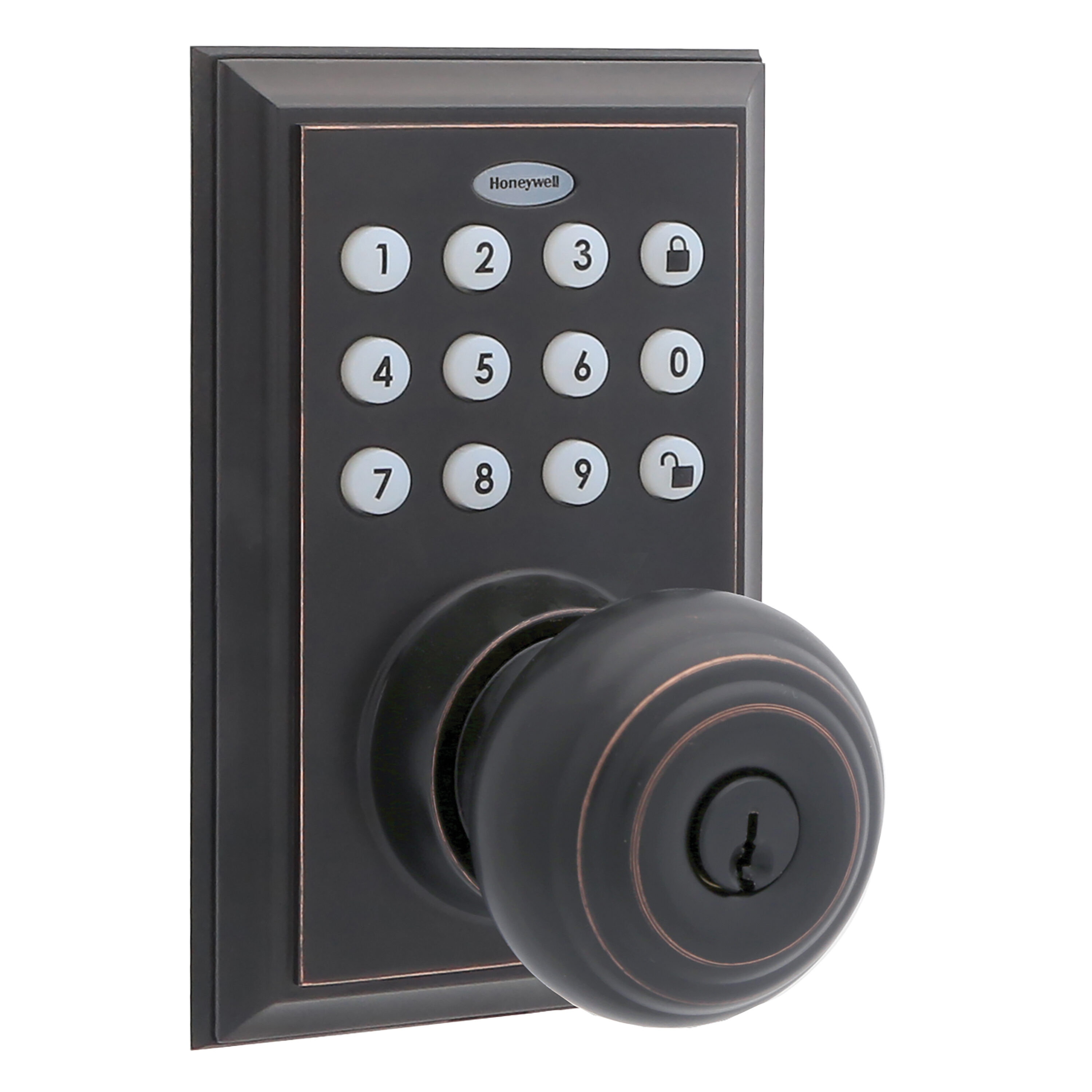
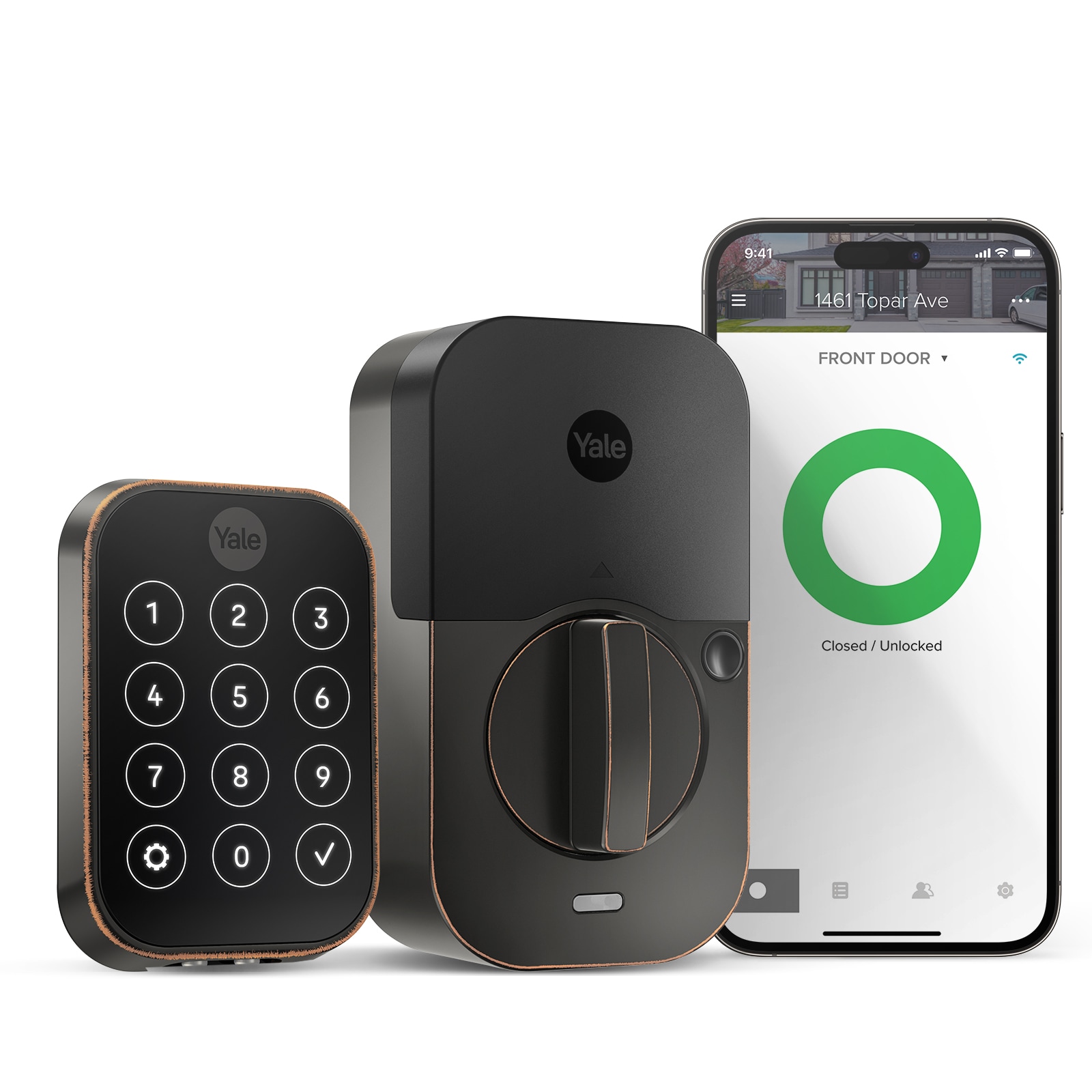
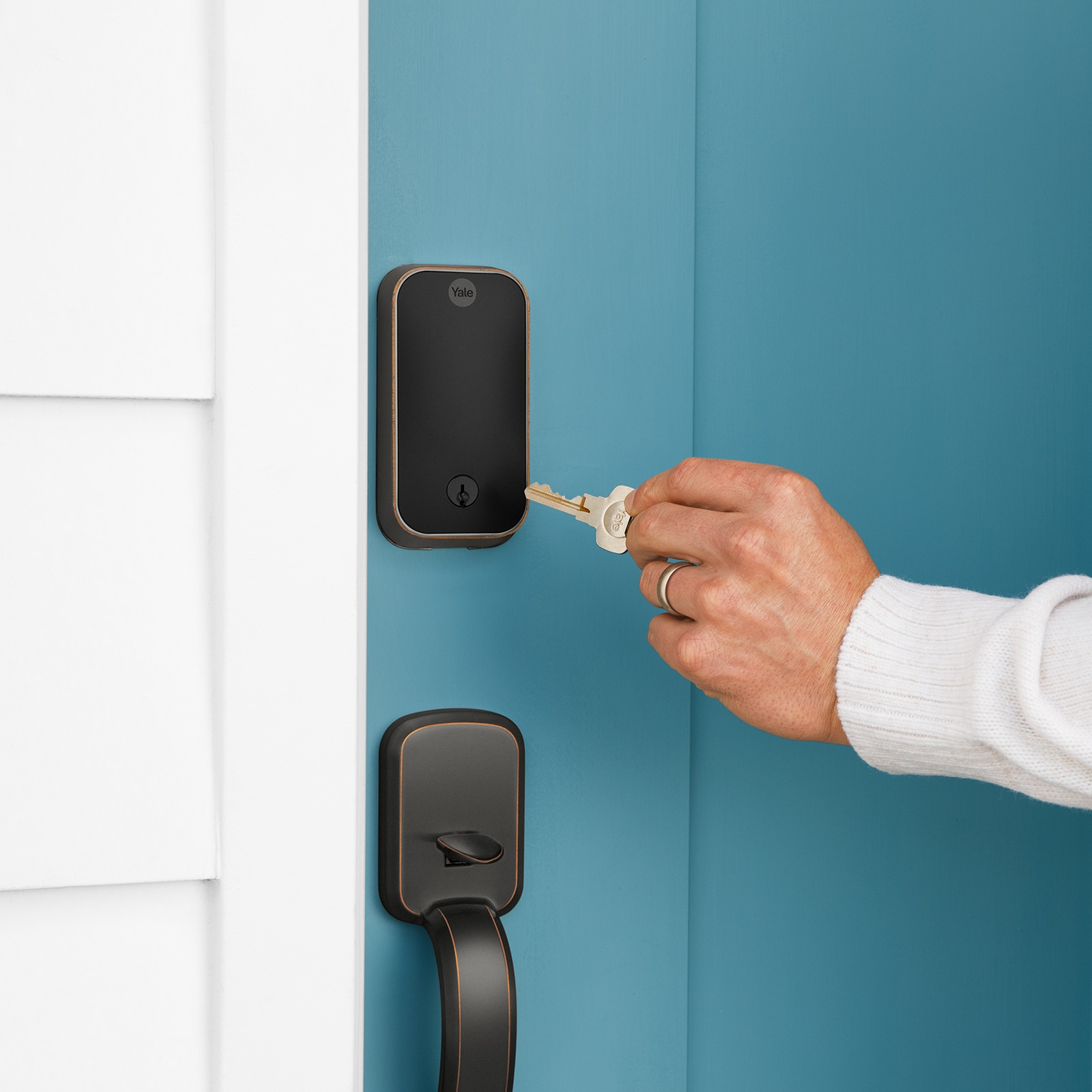
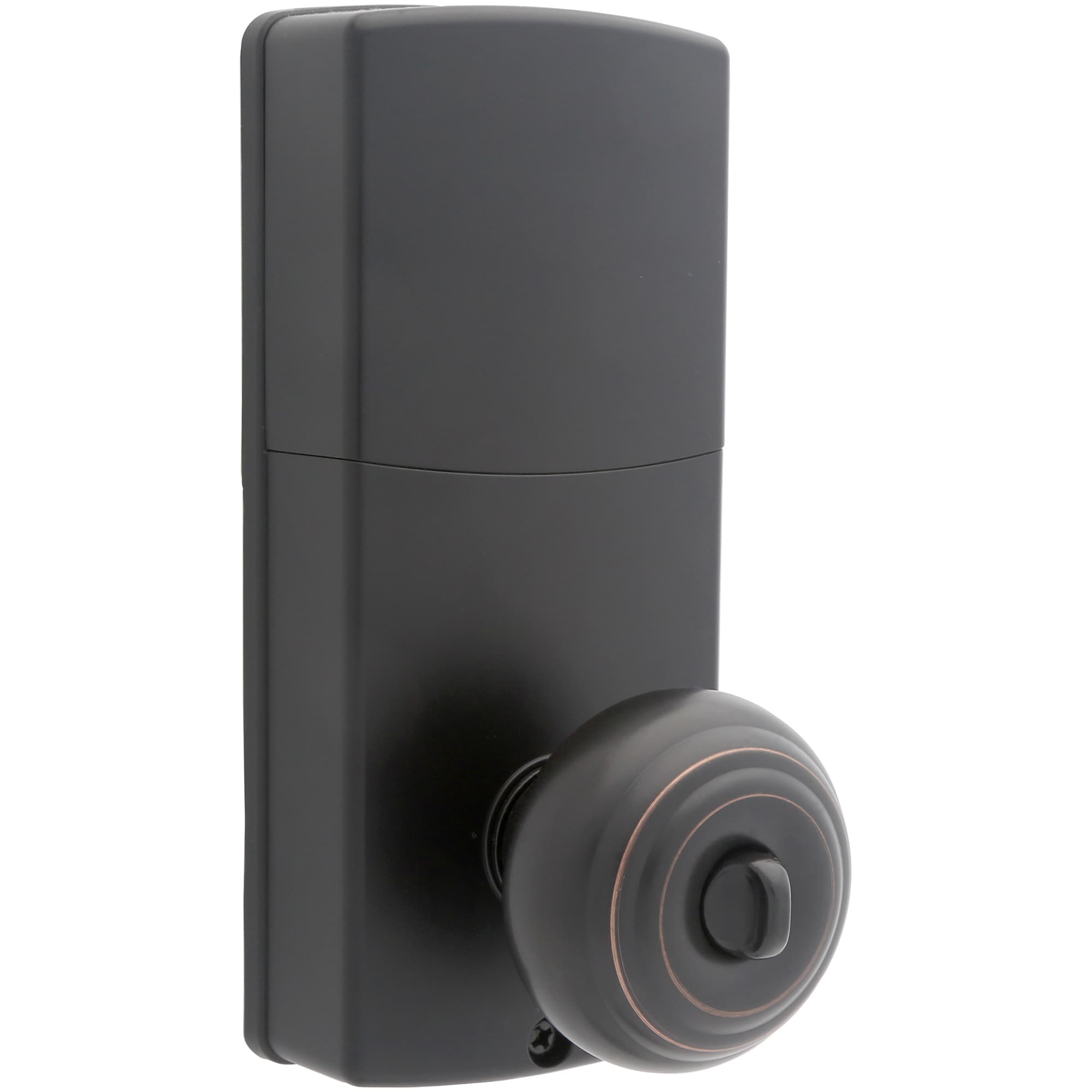
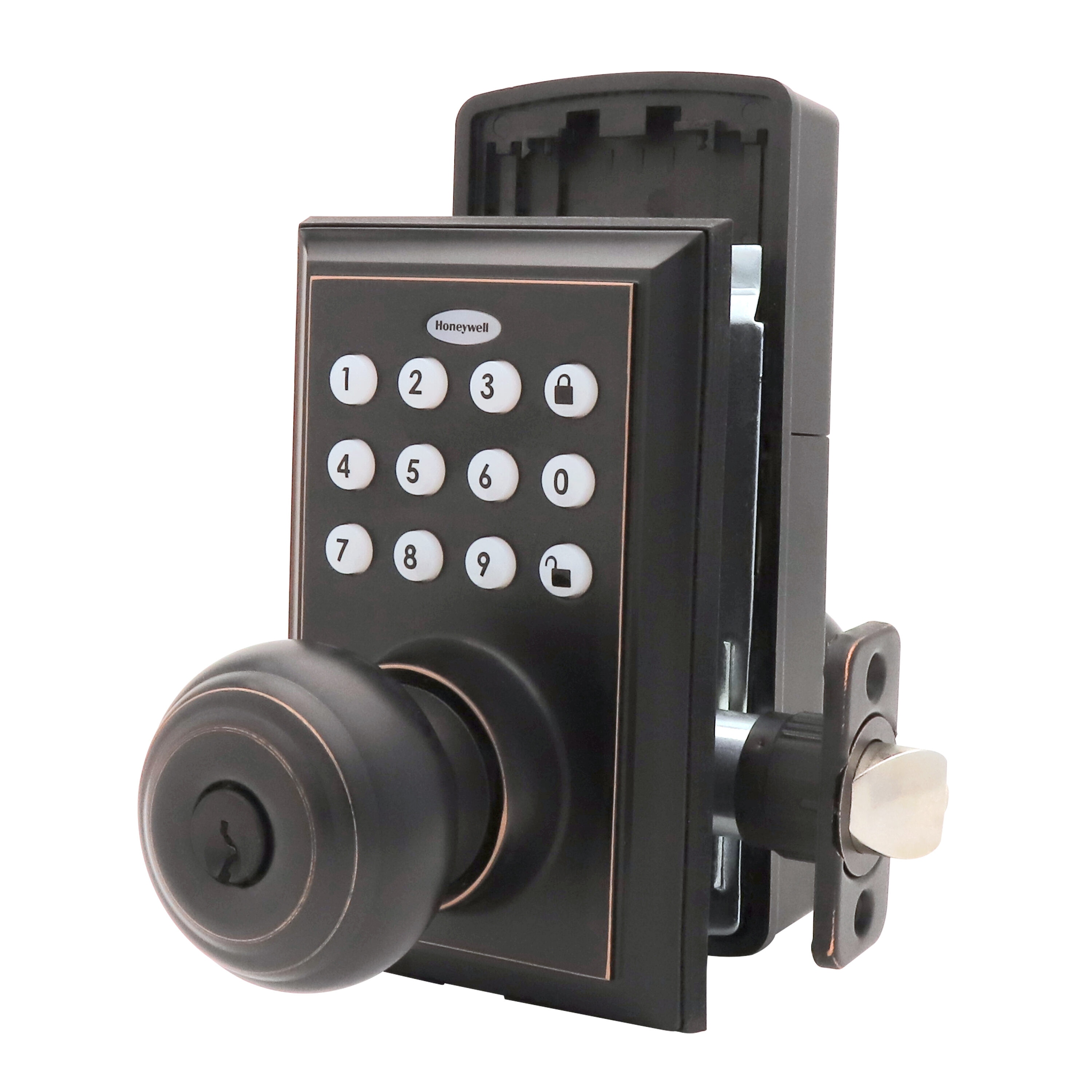
An oil rubbed bronze smart lock combines a dark, traditional metal finish with electronic entry features such as PIN codes, smartphone access, and automatic locking. Choose one that fits your door, meets your access needs, and works with your smart home system.
Across the United States, homeowners are updating front doors, garage entry doors, and side entrances with smart locks that offer convenient access without relying on a traditional key for every trip. An oil rubbed bronze smart lock is a useful option for homes with warm wood doors, classic trim, bronze cabinet hardware, or a traditional exterior style. Its dark finish adds contrast while helping the lock blend with other entry hardware.
The finish is only one part of the decision. A good choice also depends on the lock type, door measurements, battery design, access methods, and connection options. Some models work through Bluetooth when you are nearby, while others support remote control through Wi-Fi or a compatible smart home hub. These features vary by model, so check the exact product specifications before buying.
This guide explains how to choose, install, and maintain an oil rubbed bronze smart lock for a U.S. home. It also covers common fit problems, battery concerns, access-code safety, and the differences between a keypad lock and a fully connected smart lock. The goal is to help you find hardware that suits your door and daily routine without paying for features you do not need.
Source: mobileimages.lowes.com
What Is an Oil Rubbed Bronze Smart Lock?
An oil rubbed bronze smart lock is an electronic door lock with a dark bronze-style finish. Depending on the model, it may allow entry with a PIN, smartphone, fingerprint, physical key, or another supported credential. Some versions connect to a home network, while others provide only local electronic access.
The term oil rubbed bronze describes the appearance of the hardware. It does not tell you whether the lock uses Wi-Fi, supports a mobile app, or meets a particular security grade. Read the product model number and specifications to confirm those details.
Many residential smart locks replace a standard deadbolt while keeping the existing door handle. Other products include a matching knob, lever, or handleset. A complete set can create a coordinated look, but it may require more installation work than replacing the deadbolt alone.
Source: mobileimages.lowes.com
Dark, traditional appearance
The finish usually has brown, bronze, or near-black tones. The exact shade and surface texture can vary among brands and models.
Electronic access
Depending on the model, users may unlock the door with a keypad, phone, fingerprint, key, or compatible home automation system.
Battery-powered operation
Many residential smart locks use replaceable batteries. Battery life depends on the device, usage, connection settings, and environmental conditions.
Oil Rubbed Bronze vs. Other Lock Finishes
Oil rubbed bronze suits homes with warm wood, earthy colors, brick, stone, or traditional exterior details. Matte black creates a sharper, more modern contrast, while satin nickel offers a lighter silver appearance. Polished brass provides a brighter, more reflective gold tone.
Finish names are not always standardized across brands. Compare product photos with your current door hardware, but remember that screen settings and lighting can change how a finish looks. If matching every piece matters, check the manufacturer’s finish information for the specific products.
Traditional homes
Oil rubbed bronze can coordinate with warm wood doors, classic trim, and darker metal accents.
Modern homes
A bronze finish can soften a clean exterior design, especially when paired with simple lines and neutral colors.
Mixed hardware
Matching every finish is optional. A consistent style and intentional contrast can look balanced even when nearby fixtures differ.
Which Smart Lock Features Should You Look For?
Start with the way you want to enter your home. A simple keypad may be enough if you mainly want to stop carrying a house key. If you need to let someone in while you are away, look for a model with remote access and confirm how that feature connects to your network.
Do not assume every electronic lock is a smart lock in the connected-home sense. Some keypad models operate locally and do not provide phone control, remote alerts, or integration with other devices. Others use Bluetooth, Wi-Fi, or a compatible hub to add those functions.
Choose features that solve a real need. Extra functions can add setup steps, battery use, equipment costs, and compatibility limits. A straightforward lock that fits your routine may be more useful than a feature-rich model you rarely use.
Source: mobileimages.lowes.com
Keypad entry
Allows authorized users to enter a code. Check how many codes the lock stores and whether codes can be changed or removed.
Bluetooth access
Can support nearby phone control. Remote access usually requires an additional supported connection or gateway.
Wi-Fi connectivity
Can enable remote functions through a compatible app. Confirm network requirements and whether a bridge or hub is needed.
Fingerprint access
May make entry quick for registered users. Check enrollment limits, backup entry options, and how the sensor works in everyday conditions.
Automatic locking
Can lock the door after a set delay. Choose a setting that suits your routine and verify that the door closes and the bolt moves freely.
Activity records and alerts
Some connected models record lock events or send notifications. Confirm which records are available and whether an internet connection is required.
Bluetooth vs. Wi-Fi: What Is the Difference?
Bluetooth is generally useful for local control when your phone is near the lock. It can suit people who want app-based access without needing to control the door from another location.
Wi-Fi-enabled locks can support remote functions through an internet connection, depending on the product and its app. Connection quality, router placement, network compatibility, and service requirements can affect the experience.
Some locks use a separate bridge or smart home hub instead of built-in Wi-Fi. Before buying, confirm the full setup cost and check whether the lock works with your existing ecosystem, such as Apple Home, Google Home, Amazon Alexa, or a compatible automation platform.
Choose Bluetooth
If nearby phone access is enough and remote unlocking is not a priority.
Choose connected remote access
If you need to manage access while away and the model supports your network and app requirements.
How to Check Door Compatibility Before Buying
Measure your door before choosing an oil rubbed bronze smart lock. A lock that looks right online may not fit the existing holes, door thickness, or deadbolt position. The manufacturer’s fit guide should be the final reference because dimensions vary by model.
Most residential deadbolts are designed for common door preparations, but not every door follows the same pattern. Older homes, custom doors, metal doors, and doors with unusual hardware may need special parts or professional help.
Check whether your current lock is a separate deadbolt, an interconnected lockset, a mortise lock, or another design. A mortise lock sits inside a pocket in the door edge and is not interchangeable with a standard deadbolt without suitable hardware and preparation.
Source: mobileimages.lowes.com
Door thickness
Measure from the inside face to the outside face of the door. Compare the result with the exact model’s supported range.
Bore-hole diameter
Measure the large round hole through the door. Common residential preparations include a 2-1/8-inch hole, but some models support other sizes.
Backset
Measure from the door edge to the center of the lock hole. Common values are 2-3/8 inches and 2-3/4 inches, though the model determines compatibility.
Door-edge hole
Check the hole for the bolt or latch and confirm the required faceplate shape and dimensions.
Handle clearance
Make sure the keypad and interior housing will not interfere with nearby trim, glass, a storm door, or another handle.
A Simple Compatibility Checklist
Open the manufacturer’s installation guide and compare every required measurement with your door. For example, Yale’s published Assure Lock 2 guidance lists model-dependent door thickness and bore dimensions. Those specifications apply to the named models, not every smart lock on the market.
If the new lock is intended for a rental property, confirm that you have permission to replace the hardware and that the change complies with the lease and any applicable building rules. Keep any original hardware if your agreement requires it.
Before ordering
Take photos of the existing lock from both sides and measure the door and holes.
Before drilling
Confirm the installation template, door material, and clearance. Do not enlarge holes until the lock’s exact requirements are known.
When measurements do not match
Ask the manufacturer or a qualified locksmith whether an approved adapter or different lock model is suitable.
How to Install an Oil Rubbed Bronze Smart Lock
Many residential smart deadbolts are designed for do-it-yourself installation with basic tools. The exact process depends on the model, so follow the supplied manual rather than relying on a generic video. A keypad lock that replaces an existing deadbolt is usually a simpler project than a full handle and deadbolt set.
Before you begin, make sure the door opens and closes normally and the existing deadbolt is not binding. If the bolt already sticks, fix the door alignment or latch problem first. An electronic motor may struggle with a poorly aligned bolt, leading to failed locking or higher battery use.
Keep the door open while installing and testing the new lock. This gives you a safe way to check the bolt and programming without accidentally locking yourself out.
Source: images-na.ssl-images-amazon.com
Tools and supplies
Have the specified screwdriver, installation instructions, supplied mounting parts, fresh batteries of the recommended type, and a phone if app setup is required.
Safety preparation
Keep the door open during setup. Do not drill or modify the door unless the manual confirms the required measurements and procedure.
Step 1: Remove the Existing Lock
Unlock the door and remove the existing deadbolt according to its instructions. Take off the interior and exterior assemblies, then remove the bolt from the door edge. Keep reusable screws and parts separate in case you need to restore the original hardware.
Check the opening
Look for loose wood, damaged holes, bent parts, or signs that the old bolt was rubbing against the strike plate.
Step 2: Fit the New Bolt and Keypad
Install the new bolt in the direction shown in the manual and make sure its faceplate sits correctly against the door edge. Route the connector cable as directed, then align the exterior keypad and interior mounting plate without pinching the wire.
Tighten the fasteners evenly. Excessive force can damage the door, housing, or mounting parts. Before adding batteries, check that the mechanical bolt can extend and retract without binding.
Check alignment
The exterior keypad, bolt, and interior assembly should sit squarely and securely.
Step 3: Add Batteries and Complete Setup
Insert the battery type specified by the manufacturer. Follow the setup procedure to determine the door handing, calibrate the lock if required, and create an administrator code. If the lock uses an app, download the official app and follow its pairing instructions.
Add user codes only after the administrator settings are secure. Enable remote access or smart home integration only after confirming the network and account requirements for your model.
Protect the administrator code
Choose a code that is not easy to guess and avoid sharing it with routine users who only need a personal access code.
Step 4: Test the Lock Before Closing the Door
With the door still open, lock and unlock the bolt using every supported method you plan to use. Confirm that the keypad responds, the app connects if applicable, and the bolt extends fully without unusual noise or resistance.
Close the door gently and test the lock again. If the bolt does not line up with the strike plate, adjust the alignment according to the manual before relying on automatic locking. Test the backup entry method as well.
Successful installation
The lock operates smoothly, the door closes without force, the codes work as expected, and any connected features respond correctly.
When installation fails
Stop and review the wiring, bolt orientation, mounting pressure, and calibration steps. Contact the manufacturer or a locksmith if the lock remains unreliable.
A smart lock can make access easier, but its electronic features do not automatically make a door more secure. Overall protection depends on the lock’s mechanical design, installation quality, door condition, frame, strike plate, and how people manage access credentials.
Look for documented security information for the exact model. Some manufacturers identify ANSI/BHMA grades or other test results. Check what the stated grade covers and do not assume it measures every aspect of digital security, forced entry, or resistance to every attack.
A strong smart home setup also needs sensible account security. Use a unique password for the associated account, turn on multifactor authentication if available, keep the app and firmware updated, and remove access for people who no longer need it.
Source: photos.prontohomedelivery.com
Mechanical strength
Review the manufacturer’s documentation for the bolt, housing, security grade, and intended installation conditions.
Door and frame condition
A strong lock cannot compensate for a damaged door, weak frame, loose strike plate, or poor fit.
Secure codes
Avoid birthdays, repeated digits, and other easy-to-guess combinations. Change shared codes when access is no longer needed.
Account protection
Use a unique password and available multifactor authentication for the smart lock account.
Software maintenance
Install manufacturer updates when appropriate and review app permissions and connected users.
Should You Choose a Keyed or Key-Free Lock?
A keyed model retains a physical key cylinder, which can provide another way to enter if the keypad or electronics fail. A key-free model may use an external emergency power method or another manufacturer-defined backup. The available option depends on the exact product.
Neither design is automatically right for every household. Consider who needs access, whether you can maintain the battery, and how you would enter if the electronic system stopped working. Test the documented backup method during setup and keep the instructions accessible.
Keyed model
Can suit households that want a physical key backup alongside electronic access.
Key-free model
Can suit households that prefer a clean exterior design, provided they understand and can use the supported emergency entry method.
How to Care for the Bronze Finish and Lock
Clean an oil rubbed bronze smart lock with care. The finish may be a coating, plated surface, or another treatment, and its care requirements can vary. Follow the manufacturer’s cleaning instructions to avoid damaging the color or surface protection.
For routine cleaning, use a soft cloth and only a cleaning method approved for the model. Avoid abrasive pads, harsh chemicals, and soaking the keypad or electronic housing. Do not spray liquid into buttons, seams, or electrical openings.
Outdoor exposure can affect the finish and electronics. Check the product’s intended use and weather-resistance information before installing it on an exposed entry. A lock designed for a sheltered door may not be suitable for a location exposed to direct rain or extreme conditions.
Source: mobileimages.lowes.com
Wipe gently
Use a soft cloth and follow the finish-specific care directions.
Protect the electronics
Keep moisture and cleaning products away from openings, contacts, and the battery compartment.
Inspect the hardware
Look for loose screws, corrosion, worn keys, or changes in bolt movement.
Check batteries
Replace batteries when the lock signals low power or the manual recommends service. Use the specified battery type.
Does Oil Rubbed Bronze Wear Over Time?
The appearance can change with use, sunlight, moisture, cleaning products, and the particular finish process. Some products are designed to develop a more varied appearance, while others rely on a surface coating that should remain consistent when cared for properly.
Do not assume that every bronze finish is intended to age in the same way. If preserving a uniform color is important, review the manufacturer’s finish warranty and care guidance before purchasing.
Before cleaning
Check whether the finish has special care instructions or restrictions on polish and solvents.
If discoloration appears
Stop using the cleaning product and contact the manufacturer before applying a restoration treatment.
Common Smart Lock Problems and Practical Fixes
Most basic smart lock problems begin with battery power, door alignment, setup, or connectivity. Start with simple checks before removing the lock or changing its settings. If the device becomes unreliable on an exterior door, use the manufacturer’s safe troubleshooting steps and maintain another way to secure the property.
The same symptom can have several causes. For example, a motor that strains may indicate a bolt rubbing against the strike plate rather than an electronic fault. A phone that cannot connect may have a Bluetooth, Wi-Fi, permission, or account issue.
Source: mobileimages.lowes.com
Keypad does not respond
Check battery condition, battery orientation, keypad wake-up instructions, and any lockout period described in the manual.
Bolt will not extend
Test with the door open. If the bolt moves freely while open but binds when closed, inspect door and strike-plate alignment.
App cannot connect
Confirm that Bluetooth, Wi-Fi, location permissions, and account settings meet the model’s requirements.
Codes are rejected
Check that the code was saved correctly, the lock is not in a temporary lockout state, and the user has not been removed.
Battery warnings continue
Use the recommended batteries, check the installation, and review connectivity or usage settings that may affect power consumption.
What to Do if the Batteries Die
Follow the emergency-entry method specified for your lock. Depending on the model, you may be able to use a physical key, an external emergency power contact, or another supported procedure. Do not assume that all smart locks use the same method.
If the lock has no accessible backup and you cannot enter, contact the manufacturer’s support team or a qualified locksmith. Avoid forcing the keypad or drilling the lock unless a qualified professional determines that destructive entry is necessary.
Prevent a lockout
Respond to low-battery warnings, keep the manual available, and learn the backup method before an emergency occurs.
The best-value oil rubbed bronze smart lock is the one that fits your door and provides the functions you will use. A basic keypad model may cost less to set up than a connected model with remote control, biometric access, or a separate hub. Actual prices and included accessories vary by retailer and model, so compare current listings before making a purchase.
Look beyond the purchase price. Consider batteries, optional connectivity hardware, possible subscription fees, installation labor, and replacement parts. A connected feature is less useful if it requires equipment you do not own or cannot connect reliably.
For a straightforward replacement, a compatible deadbolt with a keypad may offer a practical balance of convenience and simplicity. For households that regularly grant temporary access, remote management and individual user codes may be worth the extra cost. For buyers who care most about appearance, check the finish and matching hardware before paying for advanced electronics.
Source: images-na.ssl-images-amazon.com
Basic keypad model
Best suited to users who want keyless entry and can manage access at the door.
Connected smart lock
Useful for users who want supported remote access, notifications, or smart home integration.
Fingerprint model
Worth considering when biometric entry is convenient, provided the model offers suitable backup access.
Complete handle and deadbolt set
Useful when replacing several matching hardware pieces, but check door preparation and the included components carefully.
A Simple Buying Decision
Write down your three main needs before comparing models. For example, a household may prioritize a dark bronze finish, keypad access for family members, and a physical key backup. Another household may prioritize remote entry for a trusted visitor and compatibility with an existing home automation system.
Compare only models that meet the door measurements first. Then review security documentation, access options, connectivity, warranty terms, battery requirements, and finish care. This order reduces the chance of choosing an attractive product that cannot be installed as intended.
First filter
Door compatibility and intended installation location.
Second filter
Required entry methods, backup access, and security documentation.
Final comparison
Current total cost, smart home compatibility, warranty, and appearance.
Frequently Asked Questions
Q
Is an oil rubbed bronze smart lock suitable for a front door?
Yes, if the exact model is designed for the intended exterior location and fits the door. Check weather-resistance information, mechanical security documentation, and installation requirements. The bronze finish is an appearance choice, not a measure of security.
Q
Can I install a smart lock without replacing my door handle?
Often, yes. Many smart deadbolts replace only the existing deadbolt and leave a separate handle or knob in place. Confirm that the new lock fits the door preparation and clears the existing hardware. A complete handleset may require more extensive replacement.
Q
Do all oil rubbed bronze smart locks work with Wi-Fi?
No. Some models use only a keypad or local Bluetooth connection. Others have built-in Wi-Fi or work with a compatible bridge or smart home hub. Check the exact model number and required accessories before buying.
Q
How long do smart lock batteries last?
Battery life varies with the lock model, battery type, usage, connectivity, temperature, and how often the motor operates. Use the manufacturer’s estimate for the exact product, watch for low-battery warnings, and replace the batteries as directed. Do not rely on a general estimate as a guarantee.
Q
Can I use an oil rubbed bronze smart lock on a rental property?
Potentially, but first check your lease, property rules, and any required approval from the owner or manager. Keep the original lock if needed, document who has access, and remove temporary user codes when guests or contractors no longer need them.
Q
Is a smart lock more secure than a regular deadbolt?
Not automatically. A smart lock adds access options, but security still depends on the mechanical design, installation, door, frame, and how well access credentials are managed. Compare documented security ratings and digital security features for the exact models rather than judging by appearance or connectivity alone.
Q
How do I match the bronze finish with my existing door hardware?
Compare the lock with your handle, hinges, house numbers, and nearby fixtures in natural light. Bronze shades can differ between manufacturers, and online images may not show the exact color. If a close match is essential, check the manufacturer’s finish name and look at the product in person when possible.
✦ Wrapping Up
Conclusion
An oil rubbed bronze smart lock can bring together a classic exterior style and practical electronic access. The right model can help you manage entry with codes or a phone while keeping the hardware in line with your home’s design. Its real value depends on fit, reliable operation, suitable security features, and the access methods you need.
Before you buy, measure the door, check the exact model’s specifications, compare keypad and connectivity options, and confirm the backup entry method. Follow the manufacturer’s installation and care instructions, test the lock with the door open, and keep batteries and access codes under control. These simple steps can help you avoid common problems and choose a lock that works for your household.
💡 Key Takeaway
Measure your existing deadbolt and door first, then compare compatible oil rubbed bronze smart locks by access method, documented security features, connectivity, battery backup, finish care, and total cost.
I’m Ethan Carter, a home security systems specialist at Diggons.com. I focus on modern surveillance solutions and smart protection technologies that help people keep their homes safe and secure.
I have hands-on experience working with security cameras, video doorbells, alarm systems, and motion detection devices. I test real products and explore practical setups so I can provide clear, easy-to-follow guidance for everyday users.
My goal is to simplify home security by helping you understand how these systems work, how to fix common issues, and how to choose the right products with confidence. At Diggons.com, I share honest insights, comparisons, and real-world advice to make home security easier and more effective.