A smart lock is an electronic door lock that lets you lock or unlock a door with a phone, keypad, fingerprint, or other supported access method. The right model can make home entry easier while helping you manage who can enter.
For homeowners across the United States, a smart lock can make daily life easier. You might want to let a family member inside while you are at work, give a dog walker a temporary entry code, or stop carrying a house key on every trip. A smart lock can help with these tasks without changing how you use your front door in every other way.
However, not every smart lock offers the same features. Some connect to Wi-Fi for remote access, while others use bluetooth or need a separate smart home hub. Some replace the full deadbolt, while retrofit models fit over parts of an existing lock. Before buying one, check your door, preferred entry method, network needs, backup options, and ongoing costs.
Source: i5.walmartimages.com
What Is a Smart Lock?
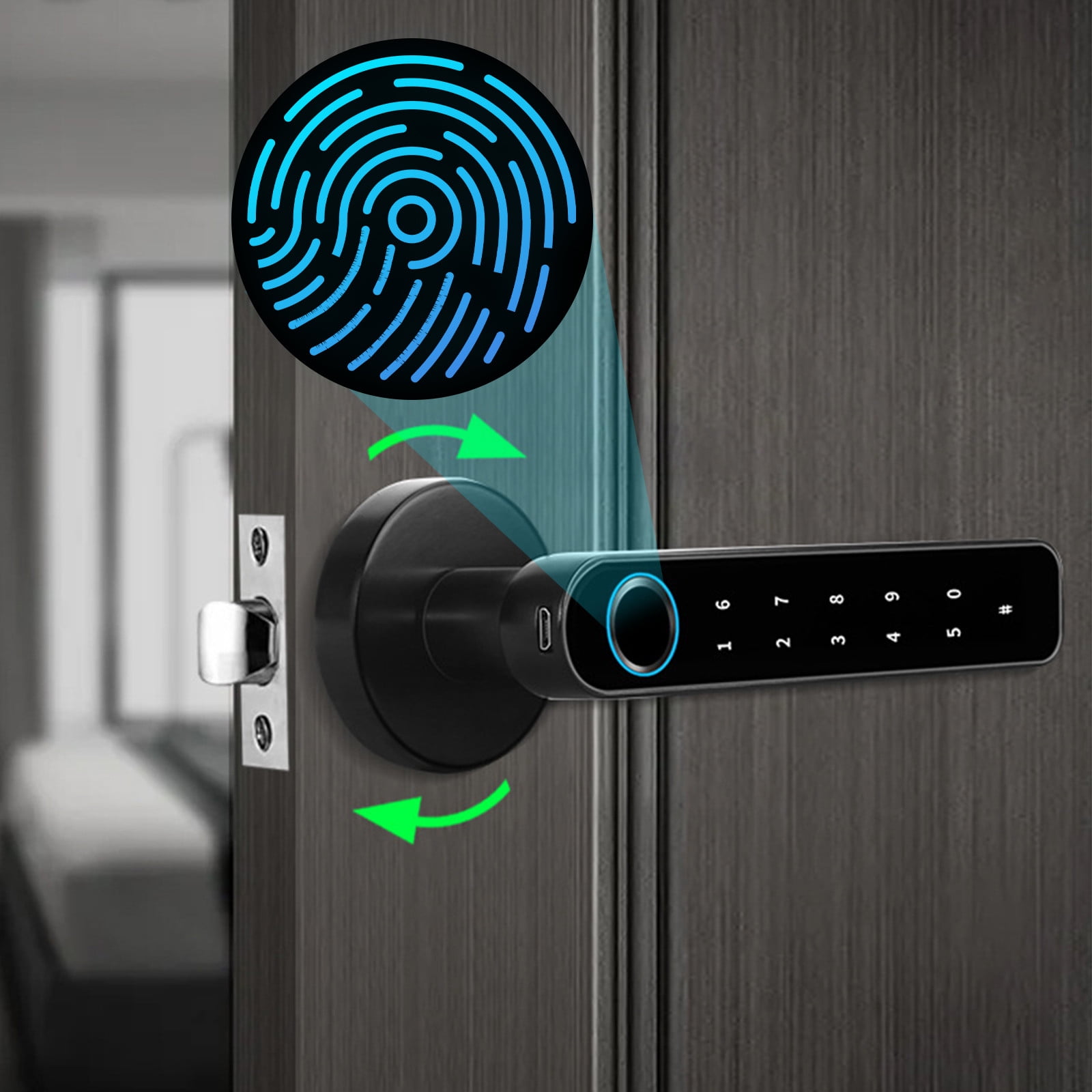
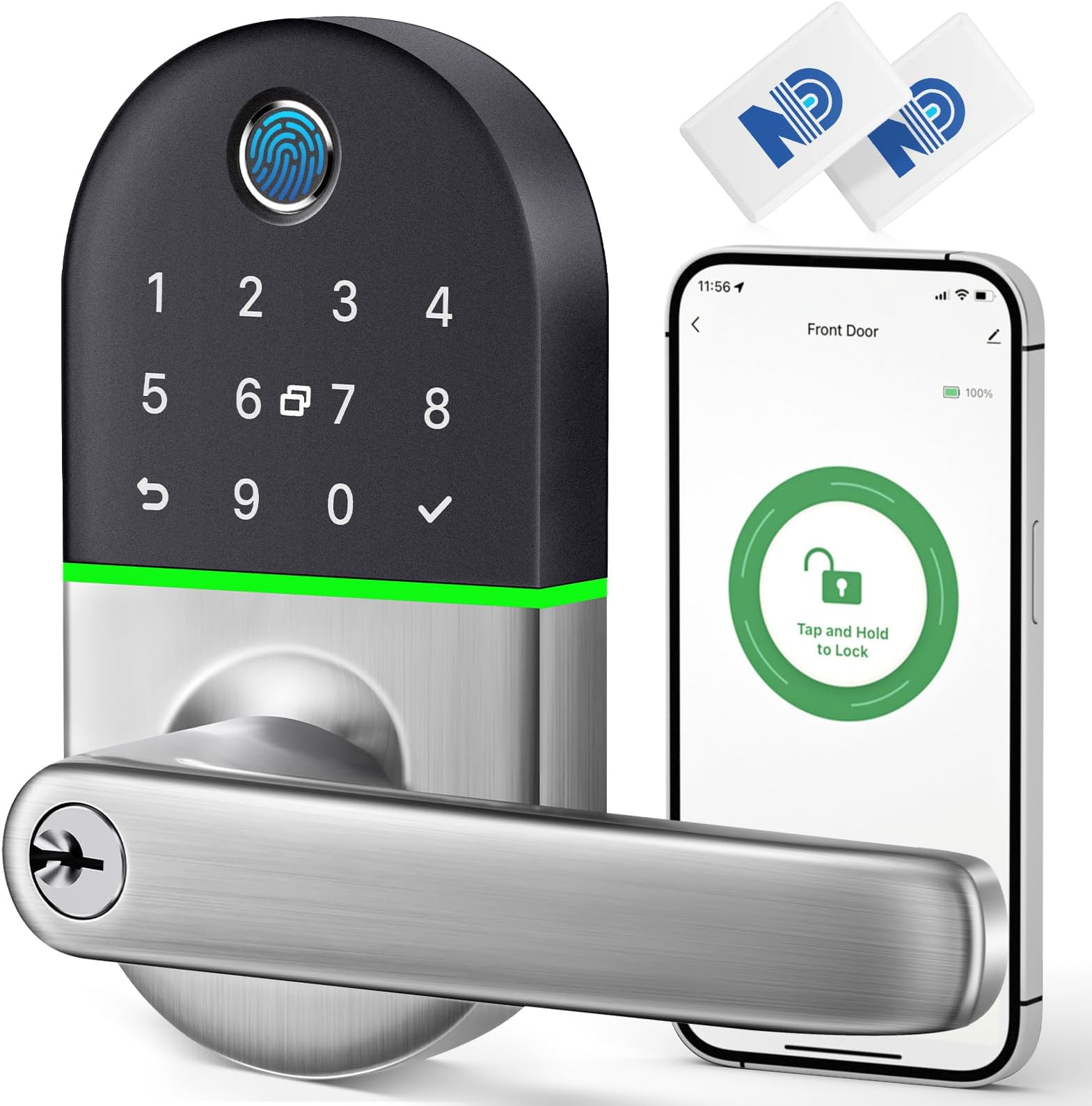
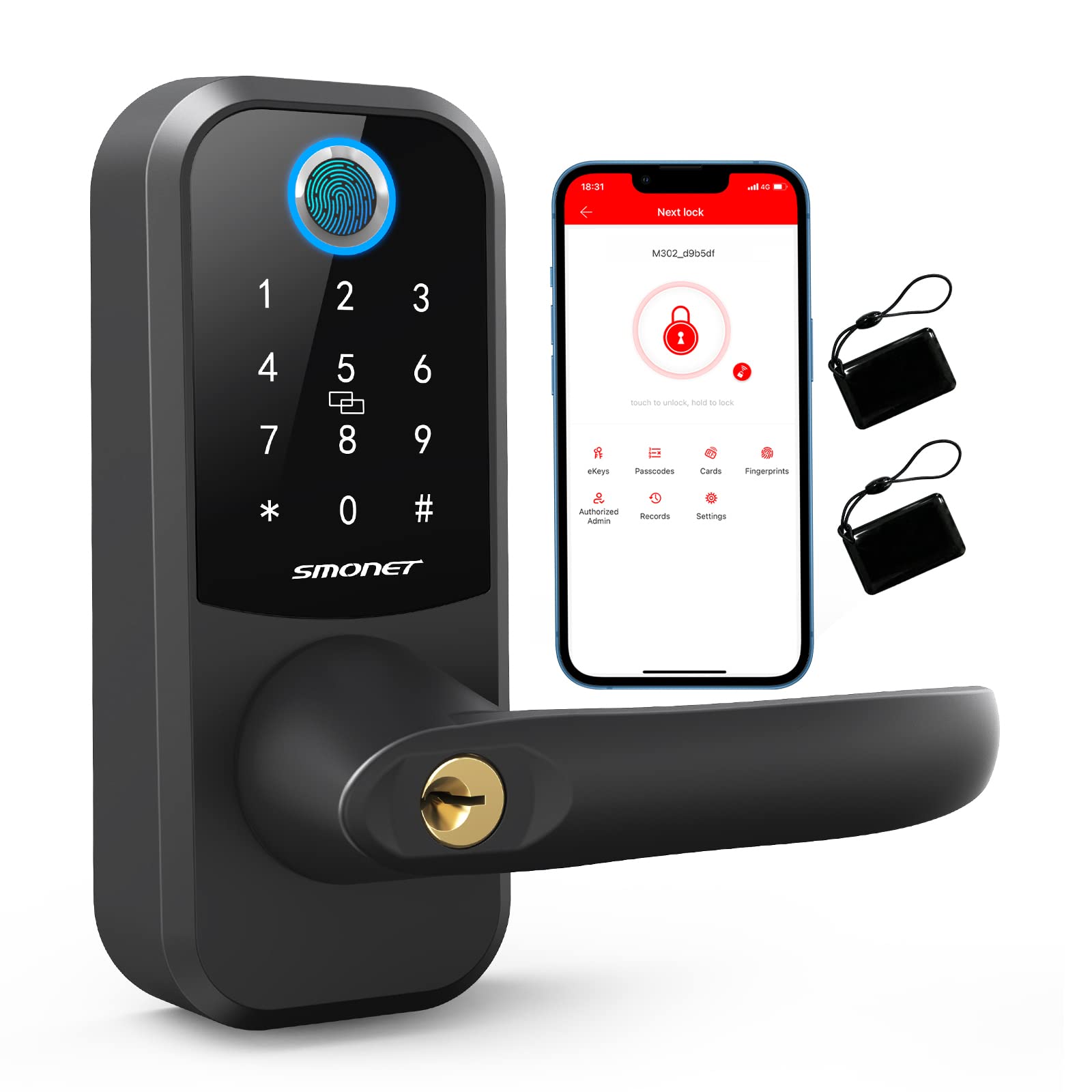
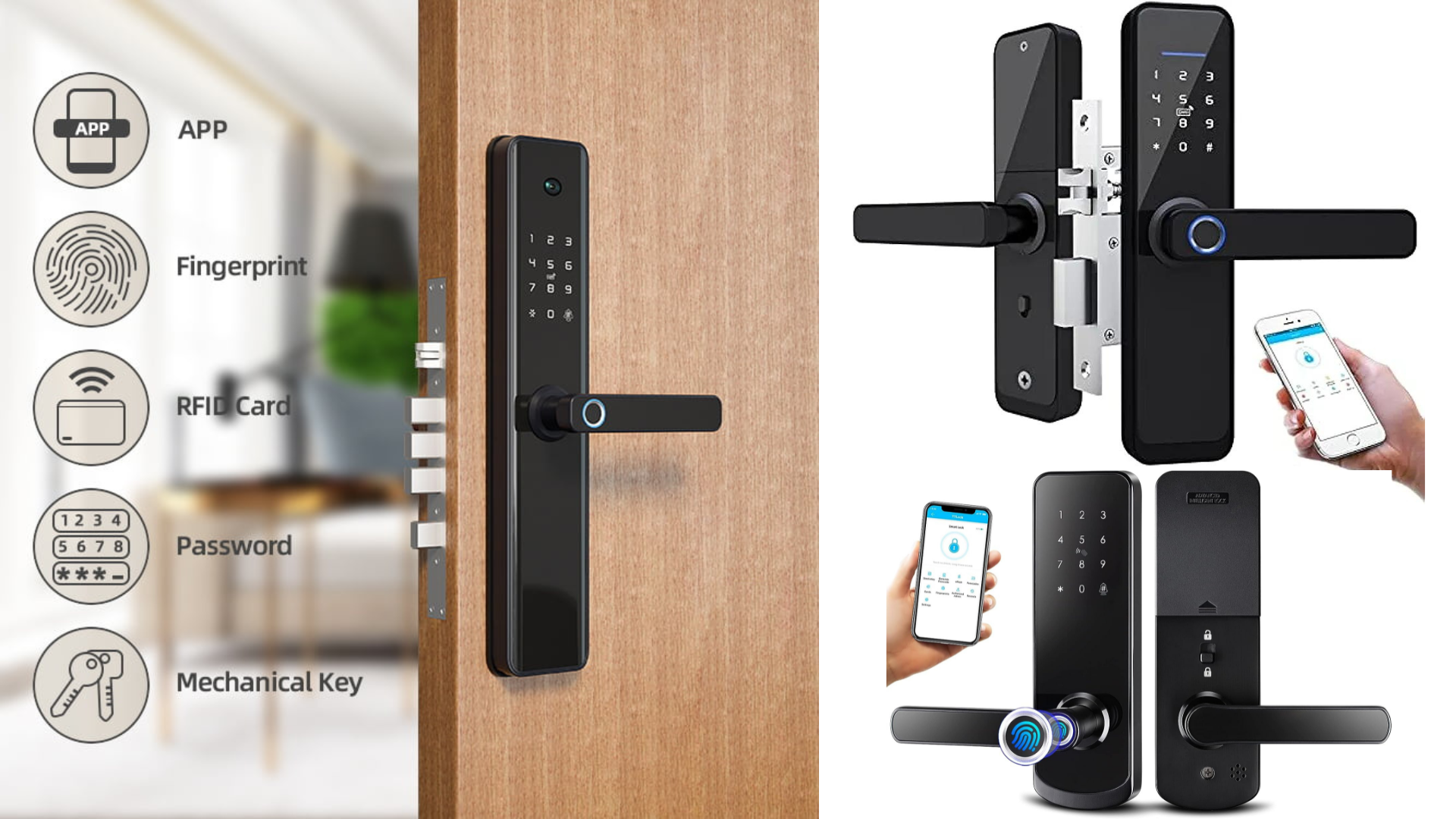
A smart lock is an electronic locking device that controls a door’s locking mechanism and supports one or more digital access methods. Depending on its design, you may use a smartphone, PIN code, fingerprint, key card, wearable device, or physical key. Many models also let you check lock status or view access activity in a companion app.
Most residential smart locks use batteries and operate a deadbolt or latch. The electronic parts receive an approved command, then a small motor turns the locking mechanism. The door still needs to close properly, and the bolt must move freely into the door frame.
The word smart describes the electronic features, not a guarantee of stronger physical protection. A well-fitted traditional deadbolt may offer sound physical security, while a poorly fitted smart lock may fail to secure the door fully. The quality of the lock, door, frame, installation, and digital controls all matter.
Source: m.media-amazon.com
Keyless entry
Unlock the door with a PIN, fingerprint, phone, or other supported credential instead of using a conventional key.
Access management
Create or remove codes for family members, visitors, cleaners, or other people who need entry.
Status and alerts
Compatible models can report whether the lock is locked and send alerts about selected events.
Smart home control
Some models connect to a home platform, allowing supported routines and voice controls.
Smart Lock vs. Traditional Door Lock
A traditional lock usually relies on a physical key and a mechanical cylinder. A smart lock adds electronic controls, which can reduce key sharing and make it easier to change access permissions. Some smart locks still include a key cylinder, so you can retain a familiar backup method.
The main trade-off is complexity. A traditional lock does not need batteries, an app, or a network account. A smart lock may offer more control, but it also needs battery care, software support, and secure account settings.
Traditional lock
Best for people who prefer a simple mechanical system and do not need digital access features.
Smart lock
Useful for households that want keyless entry, guest codes, access records, or supported remote control.
How Does a Smart Lock Work?
A smart lock checks an access request and operates the locking mechanism when the request meets its programmed rules. The exact process depends on the model and the entry method you choose. A keypad lock checks a code, while a fingerprint model checks a stored fingerprint pattern.
For phone access, the lock may communicate through Bluetooth, Wi-Fi, or a supported smart home network. Bluetooth often works when you are near the door. Wi-Fi or a compatible hub may allow remote commands when you are away, provided the lock, network, app, and service are working.
After a valid command, the motor turns the bolt or latch. Some locks also have a door-position sensor, but not every model can tell whether the door itself is open or closed. Lock status and door status are different things, so check which sensors the product actually includes.
Source: m.media-amazon.com
Authentication
The device checks whether the supplied PIN, fingerprint, phone credential, or other access method is authorized.
Communication
The lock uses its supported local connection or network service to receive commands and report information.
Mechanical action
A motor moves the bolt or latch. A misaligned door can prevent this movement even when the digital command is valid.
Feedback
Depending on the model, the lock may provide lights, sounds, app messages, or activity records.
Does a Smart Lock Need Wi-Fi?
No. Many smart locks can work locally through a keypad, fingerprint reader, physical key, or Bluetooth connection without a direct Wi-Fi connection. However, some app features and remote controls depend on Wi-Fi or a compatible hub.
Read the connectivity details before buying. A lock that supports a phone app does not automatically support control from anywhere in the world. Some apps work only when your phone is near the lock unless you add a bridge or choose a model with built-in internet connectivity.
Bluetooth
Useful for local phone control when you are within the supported connection range.
Wi-Fi
Can support remote access and notifications through the manufacturer’s service when configured correctly.
Smart home hub
May connect the lock to an automation system. Required hardware and supported features vary by model.
Types of Smart Locks and Entry Methods
The best smart lock depends on how you want to enter and how much hardware you want to replace. A keypad may be enough for a family that shares access, while a fingerprint reader may suit people who prefer not to remember a code. A retrofit lock may appeal to someone who wants to keep the exterior hardware.
Compare the lock’s core design first, then look at extra features. A longer feature list is not always better. Choose options that solve a real need and that you can maintain over time.
Source: m.media-amazon.com
Keypad smart lock
Uses a PIN code. It is practical for family members and visitors, and codes can often be changed without replacing a key.
Fingerprint smart lock
Uses a stored fingerprint to approve entry. Recognition can vary with finger placement, moisture, dirt, or sensor quality.
Smart deadbolt
Replaces or electronically operates a deadbolt. It is a common option for exterior doors with compatible deadbolt preparation.
Smart lever or knob
Combines a handle and electronic access. Check whether the lock is intended for an exterior entrance or an interior door.
Retrofit smart lock
Fits over or connects to existing interior hardware on supported doors. It may preserve the exterior key cylinder and door appearance.
Connected smart lock
Offers network-based features such as remote commands, alerts, or smart home integration when the required connections are available.
Which Entry Method Should You Choose?
A keypad is often a sensible starting point because you can share a code and change it when access is no longer needed. Fingerprint entry can be convenient, but it is wise to have another approved way to get inside if the sensor cannot read your finger.
Phone-based access is useful if you already carry a compatible phone or watch. A physical key can be helpful during battery problems, but only if the chosen lock includes a key cylinder. Check backup options before purchase rather than assuming every smart lock has one.
For a busy household
Consider a keypad with separate user codes and a simple way to remove old permissions.
For frequent visitors
Look for temporary or scheduled codes, if the lock supports them.
For a connected home
Confirm compatibility with your existing platform and any required hub.
Benefits of Using a Smart Lock
A smart lock can simplify everyday entry and reduce the work involved in managing physical keys. Its value comes from practical features rather than from the word smart on the box. Think about your household routine and choose a lock that makes that routine easier.
For example, a homeowner might give a trusted house sitter a time-limited code instead of handing over a spare key. A family may use separate codes for adults and older children. A compatible app may also help someone check the lock status after leaving home.
Source: smonet.com
Fewer physical keys to manage
Authorized users may enter with a code, phone, or fingerprint instead of carrying another key.
Flexible guest access
Some models let you create unique codes and remove them after a visit or service appointment.
Convenient remote control
Compatible connected models can allow locking or unlocking from a distance, subject to app, network, and service availability.
Useful access records
Certain models record selected lock events. Records may not identify the actual person using a shared code.
Home automation
Supported systems can include the lock in routines, such as locking the door at a chosen time.
Can a Smart Lock Improve Home Security?
A smart lock can improve access management, but it does not automatically make a home harder to break into. The physical strength of the lock, the door frame, the strike plate, the installation, and the rest of the entry point still matter.
Digital access also creates responsibilities. Use strong account passwords, enable multifactor authentication when available, keep software updated, and remove access for people who no longer need it. A smart lock should be one part of a wider home security plan.
Secure the whole entry
Check the door, frame, hinges, and strike plate as well as the lock itself.
Manage permissions
Give each regular user a separate code when supported, and remove unused codes promptly.
Protect online access
Use a unique account password and secure the phone and email account used to manage the lock.
How to Choose the Right Smart Lock
Start with door compatibility, then compare entry methods, connectivity, backup access, security controls, and total cost. A lock that does not fit your door or support your preferred phone platform is not a good choice, no matter how many features it advertises.
For a home in the United States, check the manufacturer’s installation guide for the exact model. Door preparation and hardware standards can vary, especially with older doors, unusual backsets, mortise locks, and thick doors. Do not rely on a product photo or a general claim that the lock fits most doors.
Source: m.media-amazon.com
Door fit
Measure door thickness, bore holes, backset, and existing deadbolt or handle arrangement against the model’s requirements.
Connection type
Decide whether local access is enough or whether you need remote control, notifications, or a smart home hub.
Backup entry
Check whether the lock has a mechanical key, an emergency power contact, or another documented fallback.
User management
Look for the code limits, schedules, temporary access features, and activity records you will actually use.
Software support
Review the manufacturer’s update policy, support period, privacy terms, and app requirements.
Total cost
Include the lock, any hub, installation, batteries, and optional subscription fees where applicable.
Compare Common Smart Lock Options
The following table compares broad lock types rather than specific models. Actual features differ, so use the product manual and compatibility list to confirm the details before buying.
Keypad deadbolt
A practical choice for people who want code-based entry and a familiar deadbolt format.
Wi-Fi deadbolt
Useful when direct remote control is a priority and a reliable network connection is available.
Fingerprint lock
Can make entry quick for enrolled users, though sensor performance and backup access matter.
Retrofit lock
May preserve existing exterior hardware, but compatibility with the current lock is essential.
Check the Full Cost Before Buying
Do not judge the cost by the lock’s advertised price alone. A model may need a separate hub for remote access or integration with a particular home platform. Some services may offer optional subscriptions, while others include core app features without a recurring fee.
A simple comparison can prevent surprises. Add the upfront lock price, required accessories, installation cost, and any recurring fees over the period you expect to use the device. Treat this as a planning estimate, not a prediction of the lock’s lifespan.
Example calculation
If a lock costs $150, a required hub costs $50, and installation costs $75, the initial total is $275 before tax, batteries, or any subscription.
Ongoing costs
Check battery type, replacement frequency stated by the manufacturer, optional cloud plans, and future accessory needs.
How to Install a Smart Lock
Many smart deadbolts are designed for do-it-yourself installation on compatible doors. Others need more work, especially if the door has unusual hardware, a mortise lock, or nonstandard preparation. Read the instructions for your exact model before removing the existing lock.
For a typical replacement, you may need a screwdriver, the supplied hardware, and a phone with the required app. Some models need additional tools or professional fitting. Do not enlarge holes or modify a door until you have confirmed the manufacturer’s measurements and installation requirements.
Source: livinsys.com
1. Check the door
Confirm the door thickness, backset, hole sizes, bolt type, and frame alignment against the installation guide.
2. Prepare the lock
Read the safety notes, identify each part, and keep the door open while fitting and testing the mechanism.
3. Install the hardware
Follow the model-specific instructions for the bolt, exterior keypad or cylinder, interior assembly, and strike plate.
4. Fit the batteries
Use the battery type and orientation specified by the manufacturer. Do not substitute an unsupported battery type.
5. Pair the lock
Install the official app if required, follow the pairing steps, and set up an administrator account and secure access codes.
6. Test the lock
With the door open, test locking and unlocking several times. Then check the fit and operation with the door closed.
How to Know the Installation Worked
The bolt should extend and retract fully without scraping or excessive force. The lock should respond to approved credentials, and the app should show the status information promised by the model. Check that the door can still be opened from inside as intended by the hardware design.
If the bolt binds, stop and inspect the alignment before continuing. Do not force the motor or repeatedly operate a jammed bolt. Follow the manufacturer’s troubleshooting steps or contact a qualified locksmith if the door or frame needs adjustment.
Successful operation
The bolt moves freely, the door closes correctly, and each configured access method works as expected.
Failed operation
Grinding, repeated motor errors, a bolt that will not extend, or a door that will not latch calls for a fit and installation check.
Smart Lock Security, Privacy, and Reliability
A smart lock needs both physical care and digital care. Its electronic features depend on the quality of the device, the security of the account, the network setup, and the manufacturer’s ongoing support. No single feature can guarantee that a lock will never fail or be compromised.
Before buying, look for clear information about software updates, supported phones, account protection, data collection, and how to report security problems. A manufacturer that explains its support policy makes it easier to judge whether the device is suitable for long-term use.
Source: m.media-amazon.com
Use strong account security
Choose a unique password for the lock account and enable multifactor authentication if the service offers it.
Install updates
Keep the lock firmware, companion app, phone operating system, and home router software up to date.
Limit access
Review user accounts and PIN codes from time to time. Remove permissions when they are no longer needed.
Review privacy settings
Check what access records and device information the app collects, where data may be stored, and which features you can disable.
Secure the home network
Use a strong router administrator password and current Wi-Fi security settings. Consider a separate network for smart home devices if your router supports it.
Can a Smart Lock Be Hacked?
Any connected device can have security weaknesses, but that does not mean every smart lock is easy to hack. Risk depends on the device design, software, account protection, network configuration, and how the owner uses it. A lock with an insecure account or outdated software may face risks that a well-maintained device can reduce.
Choose a product from a manufacturer with a clear update and support policy. Avoid sharing administrator credentials, do not reuse passwords, and be cautious when granting access to third-party services. These steps reduce avoidable risks, but they cannot remove every possible threat.
Avoid shared administrator accounts
Use individual access credentials where possible instead of giving every user full control over lock settings.
Be careful with voice control
Review whether voice unlocking is supported, whether an extra PIN is required, and how household members can use it.
Plan for service changes
Check what happens if the manufacturer ends app support or a cloud service becomes unavailable.
What Happens During a Power or Internet Outage?
Most battery-powered smart locks do not need household electrical power to operate the basic lock motor. However, a dead battery can prevent electronic entry, and an internet outage may stop remote commands or cloud-based functions. The result depends on the lock’s design.
Before relying on a lock as your only entry method, learn how its emergency access works. Some models have a mechanical key cylinder, while others provide an external emergency power contact or a different manufacturer-approved procedure. Do not assume every model offers the same fallback.
Before an outage
Learn the backup procedure, keep the supplied emergency key in a safe accessible place if included, and pay attention to low-battery warnings.
During an internet outage
Try a supported local method, such as the keypad or Bluetooth, if the lock’s manual says it works without internet access.
During a battery failure
Follow the exact emergency power or key instructions for the model. Contact the manufacturer or a locksmith if you cannot enter safely.
Regular checks can help prevent common smart lock problems. Pay attention to battery warnings, bolt movement, app alerts, and changes in how the door closes. A lock that starts to bind may have a door alignment problem rather than an electronic fault.
When something goes wrong, begin with the simplest safe checks. Keep another approved entry method available if possible, and avoid forcing the mechanism. If the door cannot be secured or opened normally, seek help from the manufacturer or a qualified locksmith.
Source: m.media-amazon.com
Low battery warning
Replace the batteries according to the manual, using the recommended type and correct polarity.
Phone cannot connect
Check Bluetooth permissions, Wi-Fi status, app updates, and the supported range or hub requirements.
Incorrect PIN
Confirm that the code is active and that you are following the keypad entry sequence described in the manual.
Bolt will not move
Check door and strike alignment with the door open. Stop if the motor strains or the mechanism appears damaged.
Remote access has stopped
Check the internet connection, app account, lock connectivity, hub status, and any reported service outage.
How Often Should You Change Smart Lock Batteries?
There is no single battery replacement schedule for every smart lock. Battery life depends on the model, battery type, frequency of use, network activity, temperature, and other conditions. Follow the manufacturer’s guidance and replace the batteries when the lock signals that power is low.
Do not wait until the lock stops responding. If battery life suddenly drops, check whether the bolt is binding or the device is repeatedly trying to connect. Use only battery types approved for the model, since unsuitable batteries may cause unreliable operation or damage.
Check warnings
Use the app, keypad indicator, or audible alert if the lock provides one.
Inspect operation
Confirm that the door and bolt move freely and that the lock is not repeatedly attempting to operate against resistance.
Keep a backup plan
Know the approved emergency entry method before the battery becomes depleted.
Frequently Asked Questions
Q
Are smart locks worth it?
A smart lock can be worth the cost if you want keyless entry, flexible guest access, or supported remote control. It may be less useful if you prefer a simple mechanical lock and do not need digital features. Compare the full cost, compatibility, maintenance needs, and backup options before deciding.
Q
Can I install a smart lock on my existing front door?
Often, yes, if the door and existing hardware match the lock’s requirements. Check the door thickness, bore hole size, backset, bolt type, and mounting space in the manufacturer’s installation guide. Older doors, mortise locks, and unusual hardware may require a different product or professional help.
Q
Can I unlock my smart lock when I am away from home?
Some models support remote unlocking through Wi-Fi or a compatible hub and app. Others support only local phone control or keypad entry. Confirm that remote unlocking is supported by the exact model and that the required network connection, account, and service are available.
Q
Do smart locks work without internet access?
Many smart locks can still work through a keypad, fingerprint reader, physical key, or supported local connection when the internet is down. Remote app commands and cloud-based features may stop working. Check the manual for the lock’s offline functions and emergency entry method.
Q
Are smart locks safe for rental properties?
A suitable smart lock can help landlords and hosts manage guest access with individual or temporary codes. Choose a model that fits the door, allows access to be removed promptly, and provides the controls you need. Check lease terms, property rules, local requirements, and the platform’s current policies before installation.
Q
Can a smart lock replace my deadbolt?
A full replacement smart deadbolt is designed to replace compatible deadbolt hardware. A retrofit smart lock may instead attach to the interior side of an existing lock. Confirm the installation method and compatibility before buying, and make sure the completed installation secures the door correctly.
Q
What should I do if my smart lock stops working?
Check the battery, door alignment, access code, phone permissions, and connection status in that order, following the manufacturer’s guidance. Use the approved backup entry method if needed. If the bolt jams, the door cannot be secured, or the mechanism appears damaged, do not force it; contact the manufacturer or a qualified locksmith.
✦ Wrapping Up
Conclusion
A smart lock can make entering your home easier and give you more control over who has access. Keypads, fingerprints, phone apps, and connected features offer different benefits, so the right choice depends on your door, household routine, network needs, and preferred backup method.
The best buying decision starts with fit and reliability, not the longest feature list. Check the manufacturer’s measurements, software support, privacy terms, battery guidance, and emergency entry instructions. After installation, test the lock with the door open and closed, secure your account, and review access permissions from time to time.
💡 Key Takeaway
Before buying a smart lock, measure your existing door hardware, choose your preferred entry method, confirm offline and emergency access, and verify whether remote control needs Wi-Fi, a hub, or a paid service.
I’m Ethan Carter, a home security systems specialist at Diggons.com. I focus on modern surveillance solutions and smart protection technologies that help people keep their homes safe and secure.
I have hands-on experience working with security cameras, video doorbells, alarm systems, and motion detection devices. I test real products and explore practical setups so I can provide clear, easy-to-follow guidance for everyday users.
My goal is to simplify home security by helping you understand how these systems work, how to fix common issues, and how to choose the right products with confidence. At Diggons.com, I share honest insights, comparisons, and real-world advice to make home security easier and more effective.