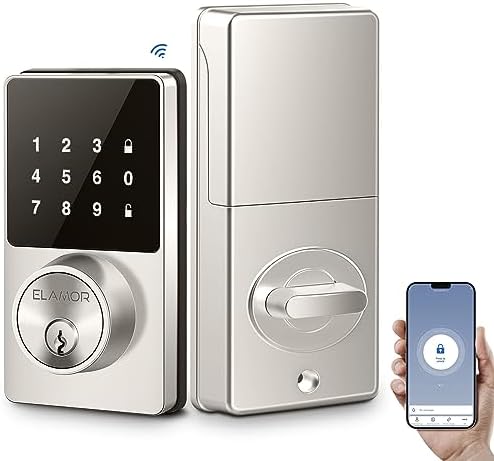
A remote control door lock lets you lock or unlock a door with a wireless remote, smartphone app, or another supported access method. The right model can make home entry easier while helping you manage access to your property.
Across the United States, homeowners, renters, and property managers want a simple way to control who enters a home. A remote control door lock can help with everyday tasks, such as opening the front door for a family member, letting in a trusted visitor, or checking a lock while away. Unlike a traditional lock that relies on a physical key, an electronic model uses a wireless signal or digital command to operate its locking system.
However, remote access alone does not guarantee better security. The lock must fit the door, work with the chosen control method, and provide reliable access when batteries run low or an internet connection fails. This guide explains the main types, how they work, what to check before buying, and how to set up and maintain a remote control door lock for a US home.
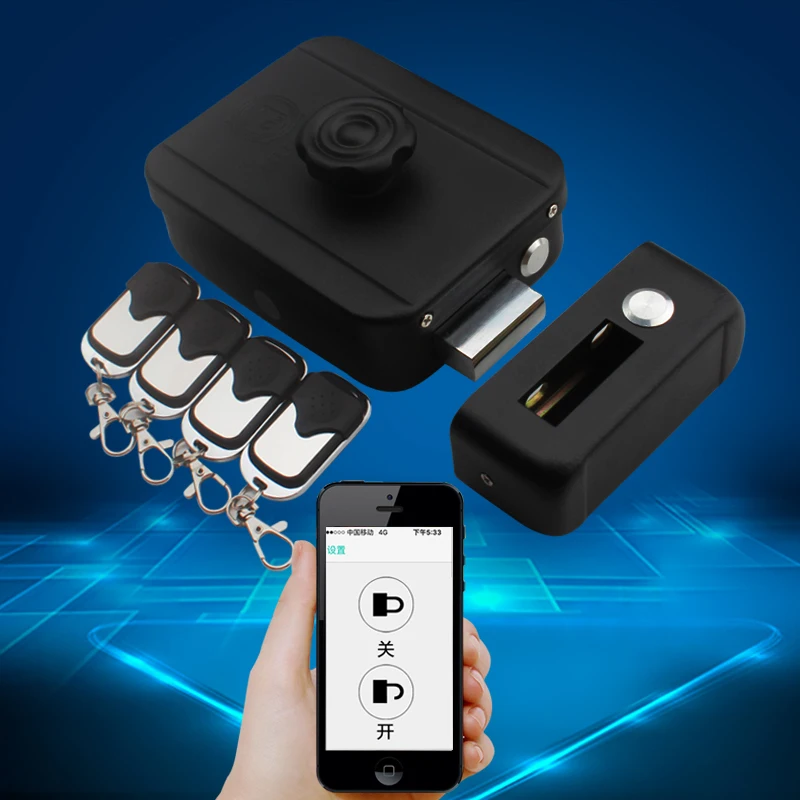
Source: ae01.alicdn.com
What Is a Remote Control Door Lock?
A remote control door lock is an electronic locking device that lets an authorized user operate a door without inserting a traditional key for every entry. Depending on the model, the command may come from a handheld remote, a smartphone app, a keypad, or a connected home automation system. A small motor or electronic mechanism then moves the lock into its locked or unlocked position.
Some products replace a complete deadbolt or handle set. Others fit over an existing deadbolt and turn its thumb turn from inside the home. Hidden electronic locks are another option, but their installation and emergency access needs may differ from those of a standard smart deadbolt.
The phrase remote control door lock can describe several different technologies. A basic radio-frequency remote may work only within a limited nearby range, while a Wi-Fi-connected smart lock may support remote commands over the internet. These features are not interchangeable, so buyers should check the product’s exact specifications.
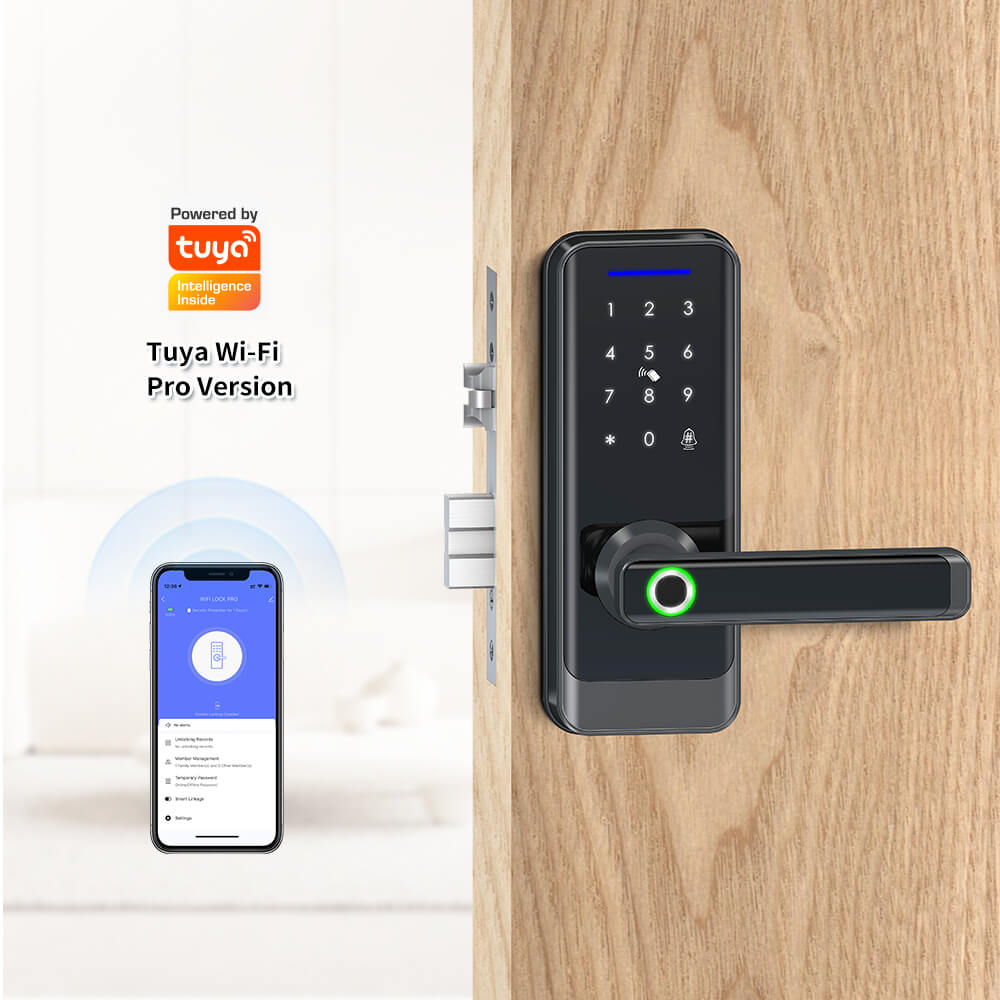
Source: ilockey.com
Wireless remote lock
Uses a dedicated handheld transmitter to send a command to a compatible receiver. It can be useful when users want simple operation without opening a phone app.
Smartphone-controlled lock
Uses a mobile app and a supported connection such as Bluetooth or Wi-Fi. Some models need a separate hub or bridge for access from outside the home.
Keypad or biometric lock
Accepts a PIN or a supported biometric credential, such as a fingerprint. These features can reduce dependence on physical keys.
How Does a Remote Door Lock Work?
The user sends an authorized command through the remote or app. The receiver checks the command, and the electronic control system activates a motor or other mechanism that moves the bolt. A supported model may then report its status through an app, a sound, or an indicator light.
The exact process depends on the design. A dedicated remote may communicate directly with the lock, while an internet-connected model may send a command through a cloud service. Some products only report whether the motor was commanded to operate; they may not have a door sensor that confirms the door is physically closed.
For this reason, look for a clear distinction between lock status and door status. A bolt can be extended while the door remains ajar, and an app may not detect that condition unless the system includes a compatible door-position sensor.
Types of Remote Control Door Locks for US Homes
The best type depends on how you want to enter, how far away you need to control the lock, and whether you want to keep your existing door hardware. A simple remote may suit a nearby door, while an app-controlled model may work better for people who need to manage access while away.
Before choosing, decide whether you need remote unlocking, automatic locking, temporary access codes, activity records, or integration with a home security system. Not every electronic lock includes all these functions, and some features require extra equipment or a paid service.
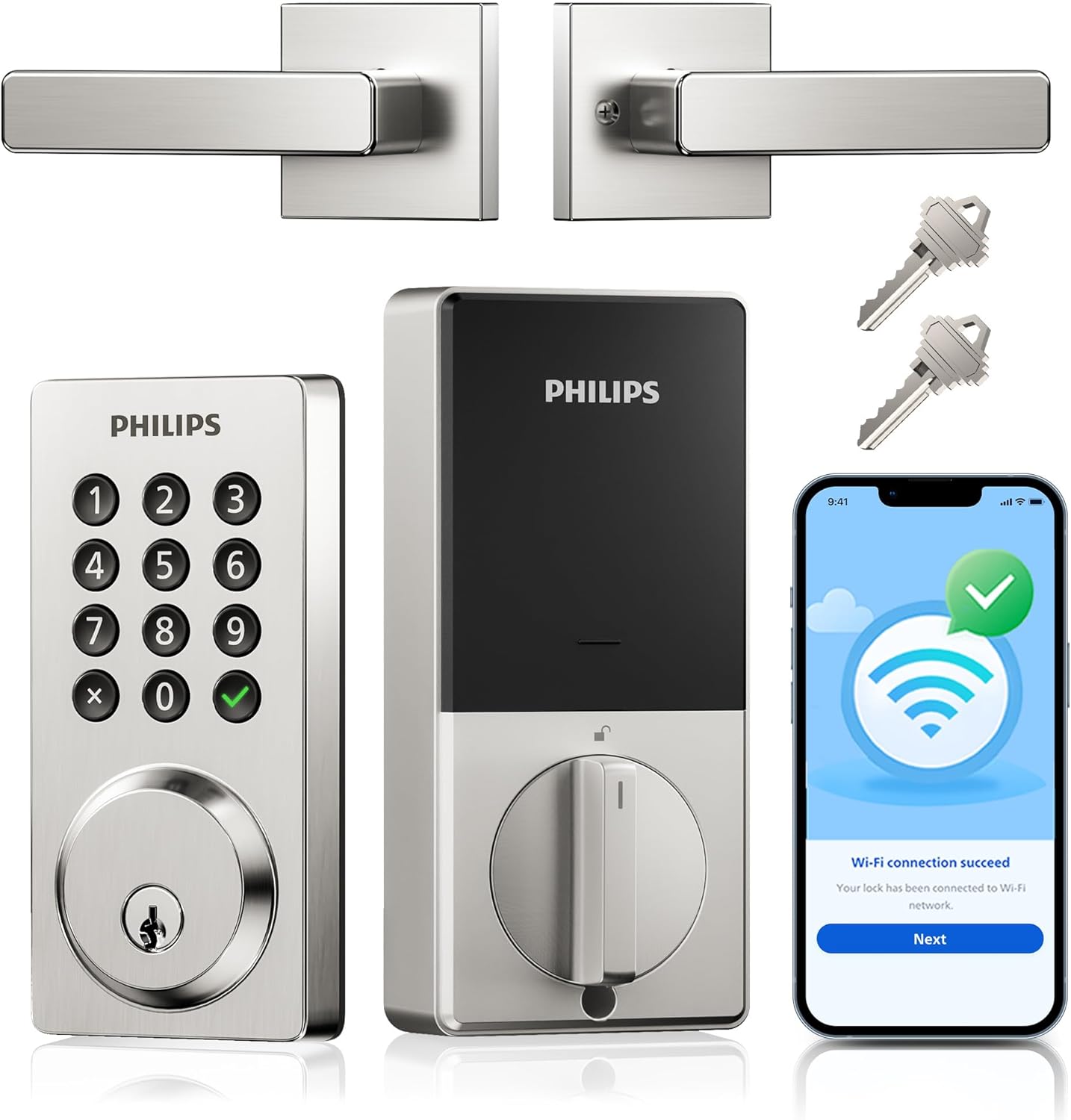
Source: i.pinimg.com
Dedicated RF remote
A handheld transmitter sends a radio signal to a compatible receiver. Check the specified operating range, battery type, pairing process, and protection against unauthorized commands. A dedicated remote should not be assumed to work over the internet.
Bluetooth smart lock
Connects directly to a nearby smartphone or supported device. It can offer convenient local control without relying on home Wi-Fi, but remote access from another location usually requires an additional supported connection.
Wi-Fi smart lock
Connects to a compatible wireless network and may support locking, unlocking, alerts, and access management through an app. Check network requirements, account security, and whether the manufacturer charges for particular services.
Smart lock with keypad
Allows entry with a PIN as well as other supported methods. It can be useful for family members, cleaners, and guests, especially when the lock allows separate codes that can be removed later.
Fingerprint door lock
Uses a supported fingerprint reader to identify an enrolled user. Performance can vary with the sensor, finger condition, installation, and product design, so retain another approved way to enter.
Retrofit smart lock
Fits over a compatible interior deadbolt mechanism instead of replacing all exterior hardware. It may simplify installation, but compatibility depends on the existing lock, door, trim, and available clearance.
Remote Control vs. Smart Door Lock
A remote control door lock may use only a dedicated transmitter, while a smart door lock often adds app-based management and connected features. Some products belong to both categories, so the product name alone is not enough to judge what it can do.
If you only need to operate a nearby door, a simple remote system may meet your needs. If you need to let in a guest from work, manage access codes, or receive alerts while traveling, look for a model with verified internet-based remote access.
Choose a basic remote
When simple local control matters more than phone access, activity records, or home automation.
Choose a connected smart lock
When you need app management, supported alerts, temporary codes, or remote access from another location.
Benefits and Limitations of a Remote Control Door Lock
A remote control door lock can make daily entry easier and give you more ways to manage access. Its greatest value comes from solving a specific problem, such as avoiding lost keys or allowing a trusted visitor to enter when you cannot reach the door.
The trade-off is that electronic systems depend on power, functioning hardware, and sometimes a network or online account. A remote lock should be viewed as one part of home security rather than a replacement for sound doors, proper locks, and sensible access practices.
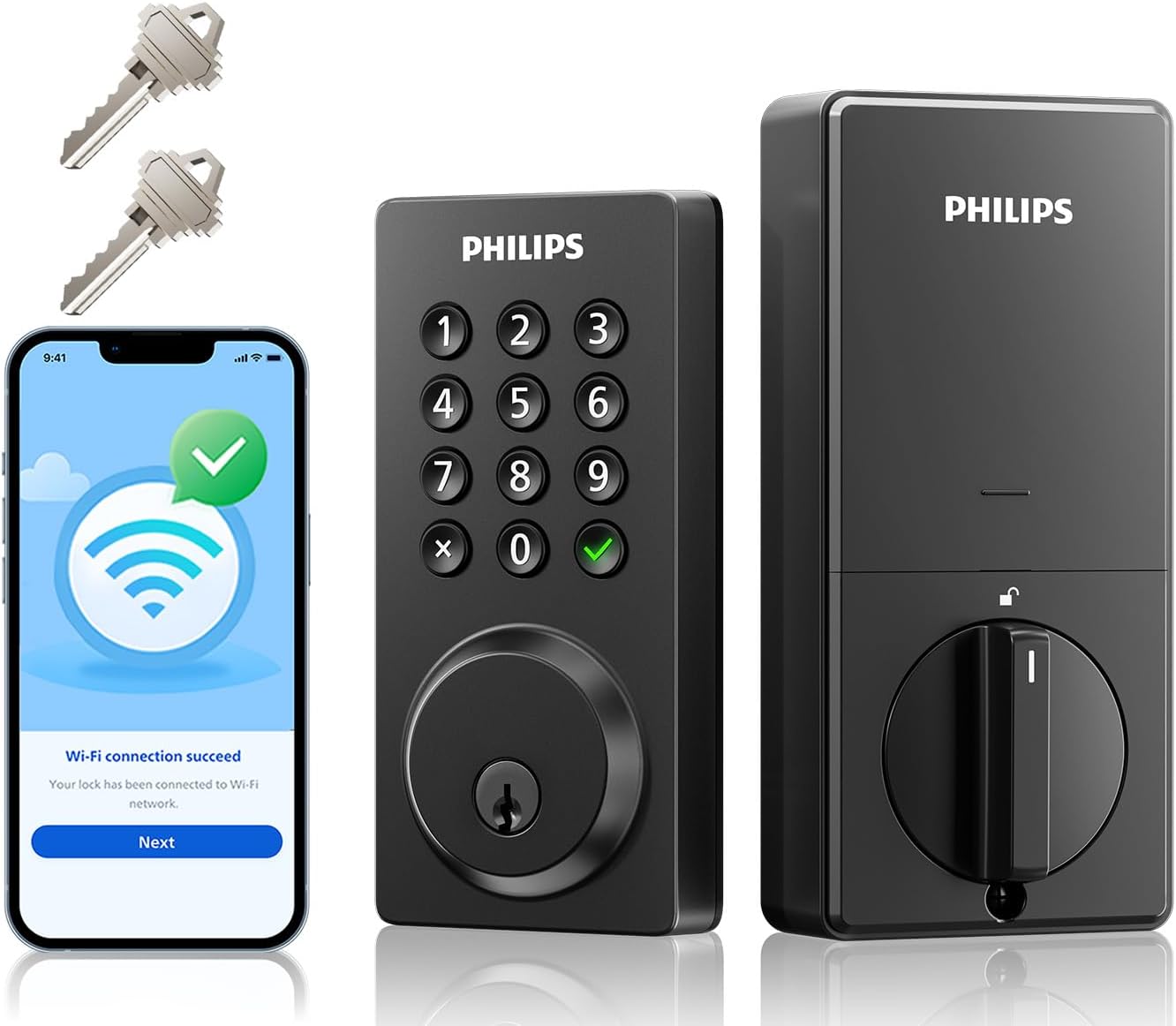
Source: m.media-amazon.com
Convenient entry
Unlock the door with a supported remote or phone instead of searching for a key. This can help when carrying groceries or arriving home with children.
Flexible access
Compatible smart models may allow separate user codes or digital credentials. You can revoke access when a guest no longer needs it, subject to the product’s features.
Useful alerts
Some connected locks provide activity notifications or status reports. Read the feature details to learn whether alerts confirm a command, bolt position, or actual door closure.
Fewer physical keys
Keypad and app-based entry can reduce the need to hand out copies of keys. However, keep a supported backup method in case electronic access fails.
Added maintenance
Batteries, firmware, remote pairing, and app settings may need attention. Plan for these tasks rather than assuming an electronic lock will work indefinitely without care.
Potential connectivity problems
An internet outage may affect remote app access, but a local keypad, Bluetooth connection, or physical key may still work. The outcome depends on the lock’s design.
Does a Remote Control Door Lock Improve Home Security?
It can improve access management, but the presence of a remote does not prove that a lock is harder to defeat. Physical strength, bolt design, door construction, installation quality, and resistance to forced entry remain important.
Connected features also introduce digital risks. A poorly secured account, reused password, lost remote, or outdated device may create an access problem. Select a product with clear security documentation and use the protections it provides.
For a US home, check whether the lock is suitable for the intended exterior door and whether its documented certifications apply to the exact model. A grade or certification should be verified with the relevant testing organization or product documentation rather than inferred from marketing language.
Check physical protection
Look for documented lock performance, appropriate deadbolt construction, and secure mounting. The door frame and strike plate matter as well.
Protect digital access
Use a unique account password, enable multifactor authentication when available, and keep the app and lock firmware updated.
Plan for emergencies
Know how to enter if the battery dies, the remote is lost, or the network goes down. Follow the manufacturer’s instructions for the exact model.
How to Choose the Right Remote Control Door Lock
Start with the door, not the feature list. A lock that offers many app functions is not a useful choice if its body does not fit the existing bore holes, door thickness, backset, or locking hardware.
Next, decide how you will use the lock each day. A family with several users may value individual PINs, while a homeowner who frequently receives visitors may prefer verified remote access and temporary credentials. A renter may need a reversible retrofit model and permission from the property owner.
Finally, review the total cost. The purchase price may not include a compatible hub, a bridge, replacement batteries, installation, or optional online services. Compare what each lock includes instead of judging value by the advertised price alone.
Source: m.media-amazon.com
Door compatibility
Measure the door thickness, existing lock dimensions, backset, and available interior space. Compare those measurements with the manufacturer’s installation requirements.
Control range
Check the documented range for a dedicated remote or Bluetooth connection. Walls, metal surfaces, interference, and device placement can affect wireless performance.
Internet access
Confirm whether remote operation works only nearby or from any internet-connected location. Check whether a hub, bridge, supported router, or online account is required.
Power and backup
Identify the required battery type, low-battery warnings, emergency power options, and physical key availability if the model includes a keyway.
User management
Look for the number of supported users, access codes, remote controls, and ways to remove credentials when someone no longer needs entry.
Support and updates
Review warranty terms, customer support, app availability, firmware update policies, and the stated support period when the manufacturer provides one.
A Simple Comparison Table
Use the table below to match a lock type to your main need. These are general category differences, not guarantees for every product. Confirm the exact features, limitations, and costs before buying.
Basic remote lock
Best for nearby wireless operation. Internet access and app management are not guaranteed.
Bluetooth smart lock
Best for local phone control. Away-from-home access may require extra equipment.
Wi-Fi smart lock
Best for supported internet-based access and alerts. Network, account, and service requirements should be checked.
Keypad smart lock
Best for code-based entry by multiple users. Code limits, scheduling, and temporary access features vary.
Retrofit lock
Best when retaining compatible exterior hardware is a priority. Existing lock geometry determines fit.
Estimate the Total Cost Before You Buy
A useful budget includes more than the lock itself. Consider the device, any required hub, installation, batteries, and optional subscription fees. The following is a hypothetical calculation, not a current market price or quote.
Suppose a lock costs $150, a required connection hub costs $40, and professional installation costs $100. The initial total would be $290 before taxes and any other charges. If a service subscription is required, add its cost for the period you expect to own the lock.
Initial equipment
Include the lock, required accessories, and any compatible hub or bridge.
Installation
Include labor if the door needs adjustment, new holes, or changes to the existing hardware.
Ongoing expenses
Account for batteries, optional subscriptions, and replacement parts where applicable.
How to Install and Set Up a Remote Control Door Lock
Correct installation helps the bolt move freely and reduces the risk of a lock that jams or fails to secure the door. Some battery-powered replacement locks can be installed with basic tools, while other products need door preparation or professional help.
Read the instructions for your exact model before removing the existing hardware. If the door is damaged, the frame is misaligned, or installation requires unfamiliar drilling or electrical work, stop and consult a qualified locksmith or appropriate professional.
Check the manufacturer’s measurements against the door, current lock, bolt, and frame. Verify that the product is approved for the intended door type and use.
Step 2: Inspect the door
Open and close the door by hand. Check for sagging, rubbing, loose hinges, or a misaligned strike plate that could obstruct the bolt.
Step 3: Install the hardware
Follow the model-specific manual, using the supplied parts and the specified screw placement. Do not force the bolt or overtighten parts unless instructed.
Step 4: Insert the batteries
Use the battery type and orientation listed in the manual. Close the battery cover correctly and watch for any startup indicator or error signal.
Step 5: Pair the remote or app
Follow the official pairing procedure. For connected models, use the correct app and network requirements, then create secure account credentials.
Step 6: Configure users
Set a unique administrator credential and create separate user codes or remotes when supported. Remove factory or installer credentials that should no longer be active.
Step 7: Test the complete system
With the door open, test the locking mechanism and each approved control method. Then close the door and confirm that the bolt enters the strike plate without binding.
How to Know the Installation Worked
A successful setup allows the bolt to move fully and smoothly, and the approved remote or app can operate the lock as described in the manual. If the model offers status feedback, confirm that it reports the correct condition.
Test the lock with the door open before relying on it for normal entry. Then test it with the door closed while keeping another authorized entry method available. This helps reveal alignment problems without leaving anyone locked out.
If the lock strains, makes repeated error sounds, or stops before the bolt reaches its full position, do not assume the installation is complete. Check alignment and the manual’s troubleshooting steps before using the door as your primary secure entry.
Good result
The bolt moves freely, the remote pairs correctly, and the status feedback behaves as documented.
Warning sign
The bolt binds, the lock reports an error, or the app and physical lock show conflicting states.
Next action
Correct the documented setup issue or contact the manufacturer or a locksmith if the cause is unclear.
Remote Door Lock Troubleshooting and Maintenance
When a remote control door lock stops working, begin with simple and safe checks. Confirm that the lock has power, the door is aligned, and the control method is paired correctly before resetting the entire system.
Avoid repeatedly forcing the bolt or disassembling a lock while the door is closed. A failed reset or incorrect mechanical adjustment can make access harder. Use the manufacturer’s instructions for the exact model, especially when a lock has an emergency power or recovery procedure.
Source: m.media-amazon.com
The remote does not respond
Check the remote battery, confirm that the correct remote is paired, and move within the documented operating range. Remove likely sources of interference if the manual identifies them.
The app cannot connect
Check the phone’s Bluetooth or Wi-Fi settings, app permissions, account status, and network connection. Confirm whether the lock requires a hub for remote access.
The bolt will not move
Check for door pressure or a misaligned strike plate. If the bolt binds even when the door is open, stop forcing it and follow the model’s troubleshooting instructions.
The battery warning appears
Replace the batteries promptly with the specified type. Follow the instructions for replacing them without losing access settings, and test the lock afterward.
The lock reports the wrong status
Check whether the product has a door-position sensor and whether the sensor is aligned. A lock command alone may not prove that the door is shut.
A remote is lost
Use the official process to remove or disable the lost remote when the model supports it. If unauthorized entry is a concern, contact the manufacturer or a locksmith about securing the system.
What Happens if the Power or Internet Fails?
A low battery does not affect every lock in the same way. Some products warn users before power runs out, while others provide an emergency power contact or a mechanical key. Not every model includes these options, so check the manual before purchase.
An internet outage may prevent remote commands through an online service but leave local keypad, Bluetooth, or dedicated remote functions available. A model that depends on a hub or cloud connection may behave differently from one that operates locally.
For a main entrance, keep the manufacturer’s recommended recovery method available. If the lock has no physical key, learn its documented emergency procedure before installation and confirm that it suits your household’s access needs.
Check backup entry
Confirm whether the lock has a mechanical keyway, approved emergency power method, or another documented entry option.
Check offline behavior
Ask which functions continue to work when the router, internet service, hub, or phone is unavailable.
Maintain access
Keep spare batteries and authorized backup credentials in a secure, accessible place. Do not leave a spare key in an obvious hiding spot.
A Practical Maintenance Routine
Check the lock periodically for low-battery alerts, loose mounting parts, unusual sounds, and signs that the door has shifted. Follow the manual for cleaning, lubrication, and battery replacement; unsuitable products or methods can damage the mechanism.
For connected locks, install official updates, review account access, and remove codes or remotes that are no longer needed. Recheck the backup entry method after battery changes, updates, or hardware adjustments.
Check the hardware
Make sure the door, hinges, strike plate, and bolt remain aligned and secure.
Review access
Remove outdated users and confirm that administrator credentials remain under your control.
Update the system
Use official software and firmware updates when available, and read release instructions before making changes.
How to Secure a Remote Control Door Lock
Security depends on both the physical lock and the digital tools used to control it. A well-installed deadbolt can still be exposed to account misuse if its app password is weak, while a secure account cannot compensate for a poorly fitted door.
The Federal Trade Commission advises users of connected home devices to change default credentials, use unique passwords, enable available multifactor authentication, and keep software updated. These general practices are useful for internet-connected door locks, although the features available depend on the manufacturer and model.
Choose a strong password that is not reused for email, shopping, or other services. Protect the email account used to recover access to the lock app as well.
Enable multifactor authentication
If the manufacturer’s account supports multifactor authentication, turn it on. This adds a second verification step when someone tries to access the account.
Keep credentials private
Do not share administrator credentials when a separate user code or authorized guest feature will work. Remove access promptly when a household member, contractor, or guest no longer needs it.
Secure the home network
Use a strong router password, current wireless security settings, and available router updates. Avoid leaving network administration credentials at their factory defaults.
Review connected features
Disable remote management or integrations you do not use when the product allows it. Check account activity and security alerts if those features are available.
Verify physical security
Make sure the bolt, strike plate, screws, door frame, and hinges are suitable and secure. Seek qualified advice if the door or frame is damaged.
What Should You Check Before Trusting a Smart Lock?
Review the manufacturer’s security documentation, update policy, account recovery process, and support information. Look for a clear way to report security problems and information about how long software support will continue.
Also check what happens if the company changes its app or discontinues an online service. A product may retain local locking functions while losing certain cloud features, but that outcome is model-specific and should not be assumed.
For a US exterior door, confirm that the exact lock meets your intended use and any applicable building, fire, accessibility, or rental requirements. Requirements can vary by property and jurisdiction, so consult the relevant local authority or qualified professional when necessary.
Review published firmware support information, warranty terms, and the availability of replacement parts.
Keep a backup plan
Ensure every authorized household member knows how to enter if the main electronic method becomes unavailable.
Frequently Asked Questions
Q
Can I unlock my front door remotely from anywhere?
Yes, if the lock supports internet-based remote access and has all required connections and services configured. A basic RF remote or Bluetooth-only lock usually works within a local range rather than from anywhere. Check whether your model requires built-in Wi-Fi, a hub, a bridge, or an online account.
Q
Can a remote control door lock work without Wi-Fi?
Yes. Some locks use a dedicated remote, Bluetooth, a keypad, or a mechanical key without requiring Wi-Fi for those functions. A Wi-Fi-dependent feature, such as remote access through an online app, may stop working during an internet or router outage. Confirm the exact offline features before buying.
Q
Are remote control door locks safe for exterior doors?
They can be suitable for exterior doors when the exact model is designed for that use and is installed correctly. Check its physical security documentation, weather suitability, door compatibility, and backup entry options. A remote feature by itself does not establish resistance to forced entry or digital attacks.
Q
What happens when the batteries die?
The result depends on the lock. Some models provide low-battery warnings, emergency power contacts, or a mechanical key, while others have different recovery procedures. Read the manual and learn the approved emergency entry method before relying on the lock as your main entrance.
Q
Can I install a remote control door lock myself?
Many battery-powered smart locks are designed for homeowner installation, but fit and difficulty vary. You will need to check the door dimensions, existing deadbolt, strike plate, and the manufacturer’s instructions. If the door needs structural changes, the hardware binds, or you are unsure about safe installation, consult a qualified locksmith.
Q
Can I use a remote control door lock in a rental property?
Possibly. Check your lease and obtain the property owner’s approval before replacing hardware or changing access arrangements. A compatible retrofit lock may avoid replacing exterior hardware, but it still needs to fit correctly and comply with applicable property rules. Make sure the owner can access the property through an agreed, lawful method when required.
Q
How much does a remote control door lock cost?
The total varies by lock design, access features, brand, installation needs, and optional services. A basic remote-controlled mechanism may have a different price from a connected deadbolt with a keypad and app access. Compare the current purchase price, required accessories, installation, batteries, and any subscription fees before deciding.
✦ Wrapping Up
Conclusion
A remote control door lock can make entering a US home easier and help you manage access without relying on a traditional key for every visit. The right option depends on whether you need simple local remote control, smartphone access, a keypad, fingerprint entry, or remote management while away from home.
Before purchasing, confirm that the lock fits your door, understand its connection and battery requirements, and check how you will enter during a failure. Secure your account, update connected software, test the mechanism after installation, and maintain the physical door hardware. These steps help make electronic access practical without overlooking the basics of home security.
💡 Key Takeaway
Before you buy, measure your door, list the access features you need, verify the manufacturer’s backup-entry procedure, and compare the full cost of compatible locks. Choose a model whose documented features fit your home rather than paying for functions you will not use.
I’m Ethan Carter, a home security systems specialist at Diggons.com. I focus on modern surveillance solutions and smart protection technologies that help people keep their homes safe and secure.
I have hands-on experience working with security cameras, video doorbells, alarm systems, and motion detection devices. I test real products and explore practical setups so I can provide clear, easy-to-follow guidance for everyday users.
My goal is to simplify home security by helping you understand how these systems work, how to fix common issues, and how to choose the right products with confidence. At Diggons.com, I share honest insights, comparisons, and real-world advice to make home security easier and more effective.