

You want reliable power for your wireless security camera without guessing which setup will work best. Ethan Carter from Diggons.com has guided many homeowners to choose between batteries, solar panels, AC adapters, or Power over Ethernet, and this post shows practical options you can use today.
Most cameras run on batteries or a direct AC supply, and you can add solar or PoE adapters for longer, more reliable operation depending on your location and needs.
You’ll learn simple pros and cons for each power choice, how placement affects performance, and quick fixes to keep cameras online during outages. Follow straightforward tips for battery care, solar sizing, and easy PoE workarounds that save time and reduce hassle.
Key Takeaways
- Choose power based on camera type, placement, and how long you need it to run.
- Use batteries for flexibility, solar for off-grid sites, and wired/PoE options for steady power.
- Maintain power with simple checks and smart management to avoid downtime.
Understanding Power Source Options
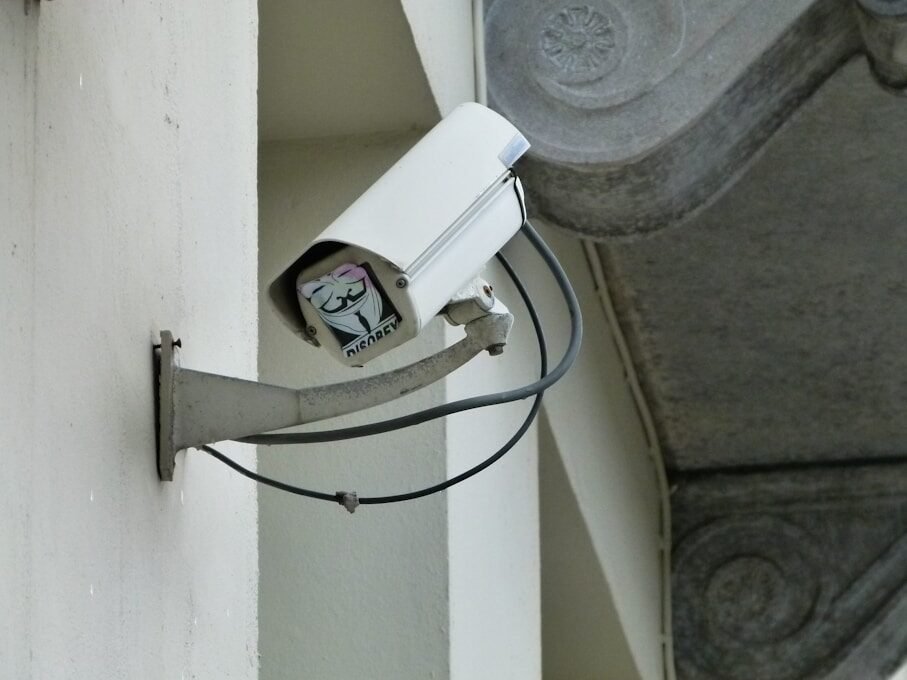
This section explains practical choices for powering a wireless camera: whether to run a cable, rely on batteries, or use solar with a backup. It highlights how each choice affects installation, runtime, and maintenance.
Wired Versus Wireless Power Solutions
Wired power means running an electrical cable or using Power over Ethernet (PoE). It gives continuous power so the camera can record and stream 24/7. Installation may require drilling, conduit, or an electrician if the cable crosses walls or ceilings.
Wireless power here means no permanent cable to mains; cameras still need a local power source like batteries or solar. These options reduce installation work but require charging or panel care. Signal remains wireless for video even when wired power is used.
Compare common wired and wireless traits:
| Aspect | Wired (AC/PoE) | Wireless (Battery/Solar) |
| Power continuity | Continuous | Intermittent unless backed up |
| Installation effort | Higher (cabling) | Lower (mount & pair) |
| Maintenance | Low | Regular (charge or clean panels) |
| Ideal use | High-traffic, continuous recording | Remote spots, easy installs |
Battery-Powered Cameras Explained
Battery cameras run on built-in or removable batteries. They can operate for weeks to months between charges depending on settings like motion-triggered recording and night vision. Lower activity and efficient settings extend battery life.
Users should pick cameras with easy battery access and clear battery life indicators. Rechargeable packs are common; spare batteries speed swapping. For continuous coverage, consider a hybrid: battery for backup paired with mains or PoE when available.
Common battery tips:
- Use motion-only recording to save power.
- Turn off constant streaming unless needed.
- Keep spare charged batteries or a charging dock handy.
Solar-Powered Systems Overview
Solar setups combine a camera with a solar panel and a charge controller or battery pack. Panels supply power during daylight and keep a battery charged for night use. This option suits remote locations where running mains power is costly.
When choosing solar, match panel wattage and battery capacity to the camera’s average daily power draw. Place the panel with a clear southern exposure and minimal shade. Include a table to size a simple system:
| Camera Use | Daily Draw (Wh) | Panel (W) | Battery (Wh) |
| Low (motion only) | 5–10 | 10–20 | 50–100 |
| Medium (regular activity) | 15–30 | 30–60 | 150–300 |
| High (continuous stream) | 40+ | 80+ | 400+ |
Include a weatherproof mounting kit and a charge controller with low-voltage cutout to protect the battery. Regularly clean the panel and check wiring for reliable performance.
Selecting the Right Power Solution
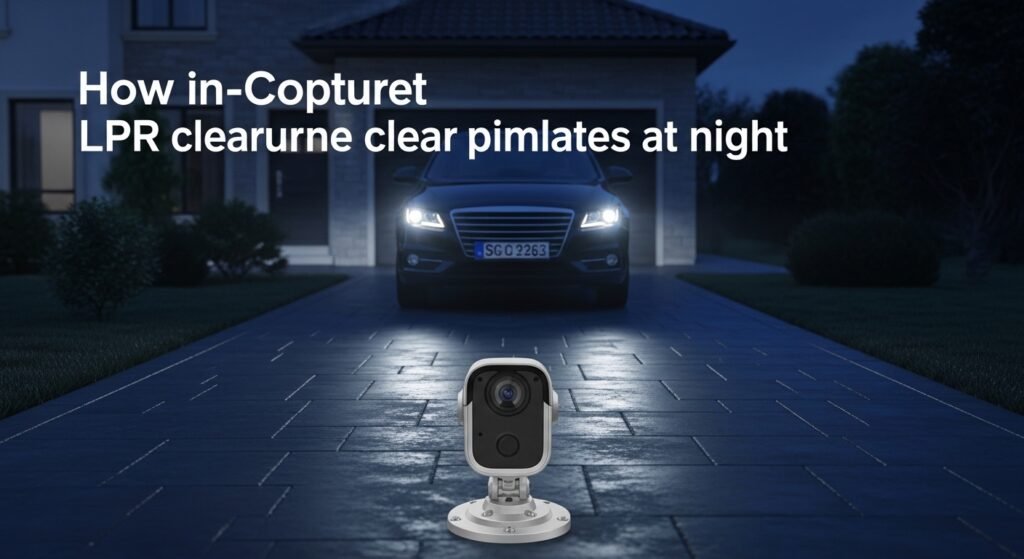
Choosing a power method means matching the camera’s run time, the mounting spot, and what power sources already exist. The best choice balances constant uptime, ease of installation, and long-term cost.
Evaluating Home and Location Requirements
They should check where the camera will sit and what power is nearby. Indoor cameras near an outlet can use a 12V DC adapter. Outdoor mounts on eaves or poles may need weatherproof wiring, PoE, or solar if outlets aren’t close.
Climate matters. Cold weather shortens battery life, so battery-only setups need larger capacity or winter maintenance. Sun exposure affects solar panels; place panels where they get direct sun 4–6 hours daily.
Security and aesthetics also matter. Running visible cables can be unsightly and easier to tamper with. Concealing wiring inside walls or using PoE over Ethernet reduces exposed cables and gives both power and data on one line.
Assessing Camera Compatibility
They must match voltage, connector type, and data method to the camera’s specs. Many wireless cameras still require 12V DC or 5V USB power. Some modern models support Power over Ethernet (PoE), which needs a PoE injector or switch and a compatible camera.
Battery-powered cameras need specific battery packs or proprietary batteries. Using the wrong pack can void warranty or damage the unit. For solar setups, confirm the camera’s average current draw and pick a solar panel and battery sized to meet nightly use plus cloudy days.
A quick compatibility checklist:
| Camera Feature | What to Verify |
| Power input | Voltage, amperage, connector type |
| Data method | Wi‑Fi only or supports PoE |
| Battery support | Battery type, run time, replacement options |
Budget Considerations
They should compare upfront cost versus ongoing expenses. AC adapters and simple batteries cost less initially. PoE and solar systems cost more to install but often lower maintenance and offer steady power.
Estimate total cost like this:
- Initial hardware: camera, adapter/PoE injector, cables, solar panel and battery if used.
- Installation: DIY vs. pro wiring.
- Ongoing: replacement batteries, electricity, or occasional panel cleaning.
For short-term monitoring, batteries may be cheapest. For 24/7 surveillance and low upkeep, PoE or hardwired AC can save money over several years.
Using Rechargeable Battery Packs
Rechargeable battery packs let a camera run without a nearby power outlet and can be recharged on a schedule or paired with a solar panel. They vary by chemistry, capacity, and whether the pack is removable or built into the camera.
Choosing the Appropriate Battery Type
He should pick the battery chemistry the camera supports: Li-ion or LiFePO4 are common for long life and high energy density. LiFePO4 handles heat and cold better and can last more charge cycles, but it is heavier and sometimes bulkier. Confirm voltage and connector type in the camera manual before buying a pack.
Capacity matters: higher mAh equals longer runtime but larger size. If the camera uses motion-triggered recording, a smaller pack may work. For continuous recording or frequent uploads, choose a higher-capacity pack and consider spare packs for quick swaps.
Check IP rating and operating temperature. If the camera is outdoors, the battery pack must tolerate rain and cold. Look for packs with built-in battery management (BMS) to prevent overcharge, deep discharge, and short circuits.
Battery Life Expectations
Battery life depends on camera settings, network activity, and environmental factors. With motion-only recording and standard resolution, many cameras run weeks on a 10,000–15,000 mAh pack. If the camera records continuously at high resolution or streams often, expect hours to a few days instead.
Night-mode features like infrared or built-in spotlights greatly increase power draw. Using color night vision or a spotlight can cut runtime by 50% or more compared with low-power night modes.
Plan for real conditions: cold reduces capacity, and Wi‑Fi reconnections use extra energy. To estimate needed capacity, multiply average current draw (in amps) by desired hours, then choose a pack with slightly higher mAh and a compatible voltage.
Harnessing the Sun: Solar Panels
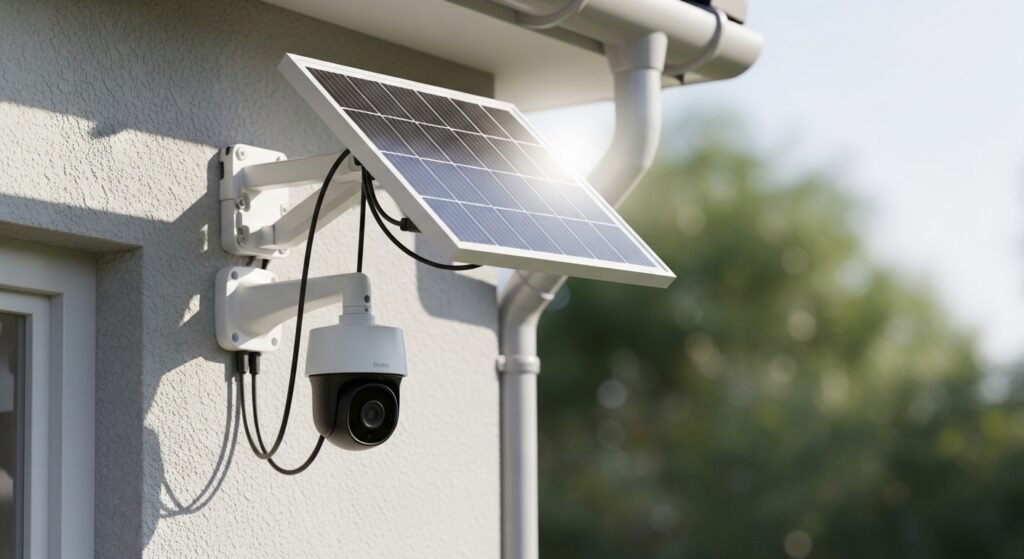
Solar panels let a wireless camera run without constant recharging or nearby AC power. Pick a panel and battery that match the camera’s voltage and daily energy use, and mount the panel where it gets direct sun most of the day.
Pairing Cameras with Solar Kits
They must match the camera’s voltage and average daily watt-hours. Check the camera label or manual for operating voltage (often 5V or 12V) and typical current draw in watts or amps. Multiply watts by expected hours of operation per day to get daily energy use.
Choose a battery sized for at least 2–3 days of autonomy for cloudy weather. Example table helps compare:
| Camera Spec | Example | How to Use |
|---|---|---|
| Voltage | 5V | Match panel/battery output or use a regulator |
| Daily Use | 5W × 24h = 120 Wh/day | Size battery ≥ 240–360 Wh for 2–3 days |
| Solar Panel | 30W–50W | Ensure panel produces ≥ daily Wh after losses |
Use a charge controller sized for the battery chemistry (lead-acid vs. LiFePO4). For USB cameras, a USB solar kit with integrated regulator often simplifies installation. Add a small power monitor to check real-world consumption.
Panel Placement and Installation Tips
Place the panel where it sees direct sun for the longest part of the day. South-facing works in the Northern Hemisphere; north-facing in the Southern Hemisphere. Avoid shade from trees, buildings, or chimneys.
Tilt the panel to the latitude angle for year-round performance, or increase tilt in winter to catch lower sun. Secure the mount to resist wind and use weatherproof cable glands where wires enter enclosures.
Keep connectors and the battery inside a weatherproof box away from extreme heat. Run short cable lengths to reduce voltage drop or use thicker wire for runs over 10–15 meters. Finally, test the system over several days to confirm charging and camera uptime.
Exploring Power Over Ethernet (PoE) Alternatives
This section compares why someone might pick PoE over batteries or solar, and what gear supports powering a wireless camera with Ethernet or other hybrid methods. It focuses on real choices, costs, and setup steps.
When to Consider PoE for Wireless Cameras
They should pick PoE when they need stable, continuous power and reliable network bandwidth. PoE suits locations with existing Ethernet runs, like offices or homes with structured cabling. It removes the need for frequent battery swaps and avoids Wi‑Fi interference.
PoE also fits higher‑resolution cameras or models that stream 24/7 because it supplies steady voltage and often supports remote management. If the camera mount is far from outlets but near a switch or patch panel, PoE saves installation time and hides cabling in walls.
Drawbacks include the need for compatible cameras or an injector/switch, and sometimes higher upfront cost for PoE switches or installers. For renters or very remote outdoor spots, batteries or solar may still win.
Setup and Equipment Recommendations
They should check camera specs for PoE standards (802.3af, 802.3at). Use a PoE switch when powering multiple cameras; choose one with enough ports and total power budget (watts) for all units. A 30W per port switch covers most midrange cameras; choose 60W+ for PTZ or heater-equipped outdoor models.
For single cameras, a PoE injector (midspan) provides an easy, low-cost option. Run Cat5e or Cat6 cable and terminate with RJ45 connectors or keystone jacks. Keep cable runs under 100 meters (328 feet) or add a PoE extender for longer runs.
If they need both PoE data and a wireless camera, consider a hybrid: PoE to a nearby access point or power bridge, then short Wi‑Fi hops to the camera. Use weatherproof enclosures, surge protectors for outdoor runs, and label both ends of each cable to simplify maintenance.
Ensuring Continuous Operation During Outages
A reliable plan keeps cameras recording and sending alerts when power or internet drops. The best options include battery or solar backups for each camera and centralized UPS support for network gear.
Backup Power Solutions
Battery-backed cameras use built-in rechargeable packs that keep recording for hours or days depending on model and settings. Users should pick cameras with known battery life figures and replaceable batteries when possible. Adding a small solar panel to an outdoor camera can extend uptime; solar panels should match the camera’s charging specs and be mounted with clear sun exposure.
Portable power banks and dedicated camera battery kits offer quick field swaps. For whole-site coverage, place a few high-capacity power stations near critical cameras; they recharge via AC or solar and power multiple devices. Keep spare batteries charged and test swaps monthly. For basic reading on solar basics, see solar panel information.
Using Uninterruptible Power Supplies (UPS)
A UPS protects PoE switches, NVRs, and routers so cameras stay online even if mains power fails. Choose a UPS with enough wattage and runtime to support networking gear for the expected outage length. Compute needed runtime by adding the power draw (watts) of each device and selecting a UPS with at least 20–30% headroom.
Use a line-interactive or online UPS for sensitive electronics to avoid voltage dips. Configure graceful shutdown for NVRs if outages exceed UPS runtime. Test the UPS under load quarterly and replace batteries per the manufacturer schedule. For technical details on backup power systems, consult reputable sources such as UPS basics.
How Location Affects Power Choices
Location decides whether a camera uses batteries, mains power, PoE, or solar. It also changes maintenance needs and installation cost based on access, sunlight, and nearby wiring.
Outdoor Versus Indoor Installations
Outdoor cameras often need weatherproof power options. They commonly use hardwired AC, PoE, or solar with a battery backup. Hardwiring gives continuous power for 24/7 recording, but it needs conduit and weatherproof connectors. PoE is neat for networked cameras if an Ethernet run is possible.
Battery-only outdoor cameras suit remote spots with no wiring, but expect regular battery swaps or recharging. Solar + battery works well when a panel can get 4–6 hours of direct sun daily. Indoor cameras usually plug into AC or use batteries. Indoor wiring is easier, so plug-in power or PoE is often cheaper and more reliable than batteries. Placement near a router also affects signal strength for wireless models.
Weather and Environmental Impacts
Cold, heat, and moisture reduce battery life and can harm electronics. Batteries drain faster below freezing; lithium batteries handle cold better than alkaline. High heat shortens overall battery lifespan and can damage the camera’s internal components.
Rain and humidity demand sealed housings and weatherproof connectors. Solar panels must be tilted and kept clean to maintain output after storms or dust buildup. Wind and animals can loosen mounts or cut cabling, so use armored cable or conduit outdoors. For flood-prone areas, mount cameras higher and protect power junctions above likely water lines.
Tips for Efficient Power Management
Manage recording frequency, wireless usage, and power sources to stretch runtime and reduce outages. Small changes to settings and power habits often give the biggest gains.
Optimizing Camera Settings
They should lower video resolution when high detail is not needed. Dropping from 4K or 1080p to 720p can cut power use and reduce storage needs. Set frame rate to 15–20 fps for normal monitoring instead of 30 fps; motion will still look smooth and the camera uses less energy.
Configure motion zones and sensitivity so the camera records only when real events occur. Use scheduled recording to turn off night recording in low-risk hours. Turn off continuous cloud upload if local storage is available, or limit uploads to important clips to save bandwidth and power.
Disable features not in use, like continuous IR illumination, excessive object tracking, or frequent health checks. Update firmware on a maintenance schedule so the camera runs efficiently and avoids buggy power drains.
Conserving Battery Life
They should pick lower-power modes if the camera supports them. Many models offer “battery saver” or “sleep between events” options that keep the device idle until motion triggers it. Set the wake interval to the longest acceptable delay that still meets security needs.
Use a charging routine: keep spare batteries charged and swap them before levels fall below 20%. If using solar, angle panels to maximize sun exposure and clean them monthly. For PoE or plug-in backups, set up a simple UPS for short outages and test it quarterly.
Limit push notifications to critical alerts only. Frequent push wake-ups and live-view checks drain battery fast. Encourage routine checks via a daily health report instead of constant live access.
Routine Maintenance and Troubleshooting
Regular checks keep power flowing and catch problems early. He should inspect mounting, wiring, and charge status. They should test camera uptime and note any drops in battery or signal.
Cleaning Solar Panels
Solar panels lose output when covered with dust, pollen, bird droppings, or leaves. She should wipe panels with a soft cloth and mild soapy water every 1–3 months, more often in dusty or pollen-heavy areas. Rinse with clean water and dry with a lint-free cloth to avoid streaks.
Check the panel angle and remove nearby shade from branches or new growth. He should inspect the mounting hardware and wiring for corrosion or loose connectors while the panel is accessible. If output stays low after cleaning, test the panel with a multimeter at midday; a reading far below the panel’s rated voltage indicates damage or a bad connection.
Replacing Batteries Safely
Use the exact battery type the camera maker specifies, such as Li-ion or AA pack, to avoid damage. She should power down the camera and follow the manufacturer’s removal steps, keeping screws and seals organized to preserve weatherproofing.
Handle batteries away from metal objects and dispose of old cells at a certified recycling center. If the pack is rechargeable, charge it in a well-ventilated area using the supplied charger only. After replacement, test the camera for at least 24 hours to confirm normal charge cycles and watch logs for rapid drains that signal a fault.
Future Trends in Power Solutions
Battery energy density, charging speed, and lifespan are improving. Solar integration and PoE hybrids are becoming more common for year-round reliability.
Emerging Battery Technologies
Li-ion cells will keep getting better with higher energy density and lower weight. New chemistries like solid-state promise safer, longer-lasting packs that can run cameras for weeks instead of days.
Manufacturers focus on faster charging and more charge cycles. That means less frequent battery swaps and lower long-term cost. Smart batteries with built-in fuel gauges and Bluetooth let users check health and state of charge from a phone.
Designers also push for modular packs that clip on and off without tools. This simplifies field replacement for hard-to-reach outdoor units. Expect more cameras to support hot-swappable battery modules and firmware that optimizes power draw based on motion and night settings.
Advances in Sustainable Power
Solar panels sized for cameras are getting more efficient and cheaper. Small, weatherproof solar kits can now support outdoor wireless cameras in sunny and partly shaded locations.
Hybrid systems that combine solar, battery, and PoE backup reduce downtime. They switch automatically between sources so the camera stays online during storms or winter. Many vendors now list exact wattage and run-time estimates, helping buyers match panels and batteries to camera power use.
Energy harvesting—like tiny wind or thermal units—appears in niche products. These serve remote sites where wiring is impossible. Standardized connectors and smart power controllers make it easier to mix and match sustainable components from different makers.
FAQS
What does “wireless” mean for a security camera?
Wireless usually means the camera sends video over Wi‑Fi or cellular networks. It often still needs a power source, such as a battery, solar panel, or a plugged-in adapter.
How long do battery cameras last?
Battery life varies by use. With normal motion alerts and night vision, batteries can last weeks to months. Heavy use or cold weather shortens life.
Can solar panels keep a camera running all the time?
Yes, if the panel gets enough sun and the battery capacity matches the camera’s needs. Solar works best in sunny spots and may need a larger battery for cloudy areas.
Is Power over Ethernet (PoE) an option for wireless cameras?
Some cameras called “wireless” still support PoE for power and data over one cable. PoE gives stable power and a reliable network connection.
What about running a cable to an outdoor camera?
Hardwiring to mains power gives steady power and avoids battery changes. It may require professional installation for safety and weatherproofing.
How does one choose the best power method?
They should weigh installation ease, reliability, and maintenance. For remote spots, solar or batteries work well; for constant uptime, AC or PoE is better.
Can a power outage stop the camera?
Yes, unless there’s a backup battery or solar system. Many systems offer optional battery backup for short outages.
Quick tips:
- Use weatherproof connectors outdoors.
- Match battery size to expected use.
- Check sunlight exposure before choosing solar.
Conclusion
They should pick a power option that fits the camera’s location and how long it must run. Battery power gives flexibility and easy placement, but it needs regular charging or swaps. Solar adds longer runtime outdoors but depends on sunlight and proper panel sizing.
Hardwiring brings steady power and fewer interruptions. It suits long-term, continuous monitoring and reduces maintenance. PoE can simplify wiring when a network cable is already nearby.
They should balance cost, convenience, and reliability. Consider maintenance time, local weather, and whether cameras must record 24/7. Testing a setup before final installation helps avoid surprises.
A simple checklist can help:
- Battery life and replacement plan
- Solar panel placement and voltage match
- Access to AC power or Ethernet for PoE
- Weatherproofing and cable protection
With careful planning, they can keep cameras running when needed. Regular checks and backups will boost uptime and cut the chance of missed events.