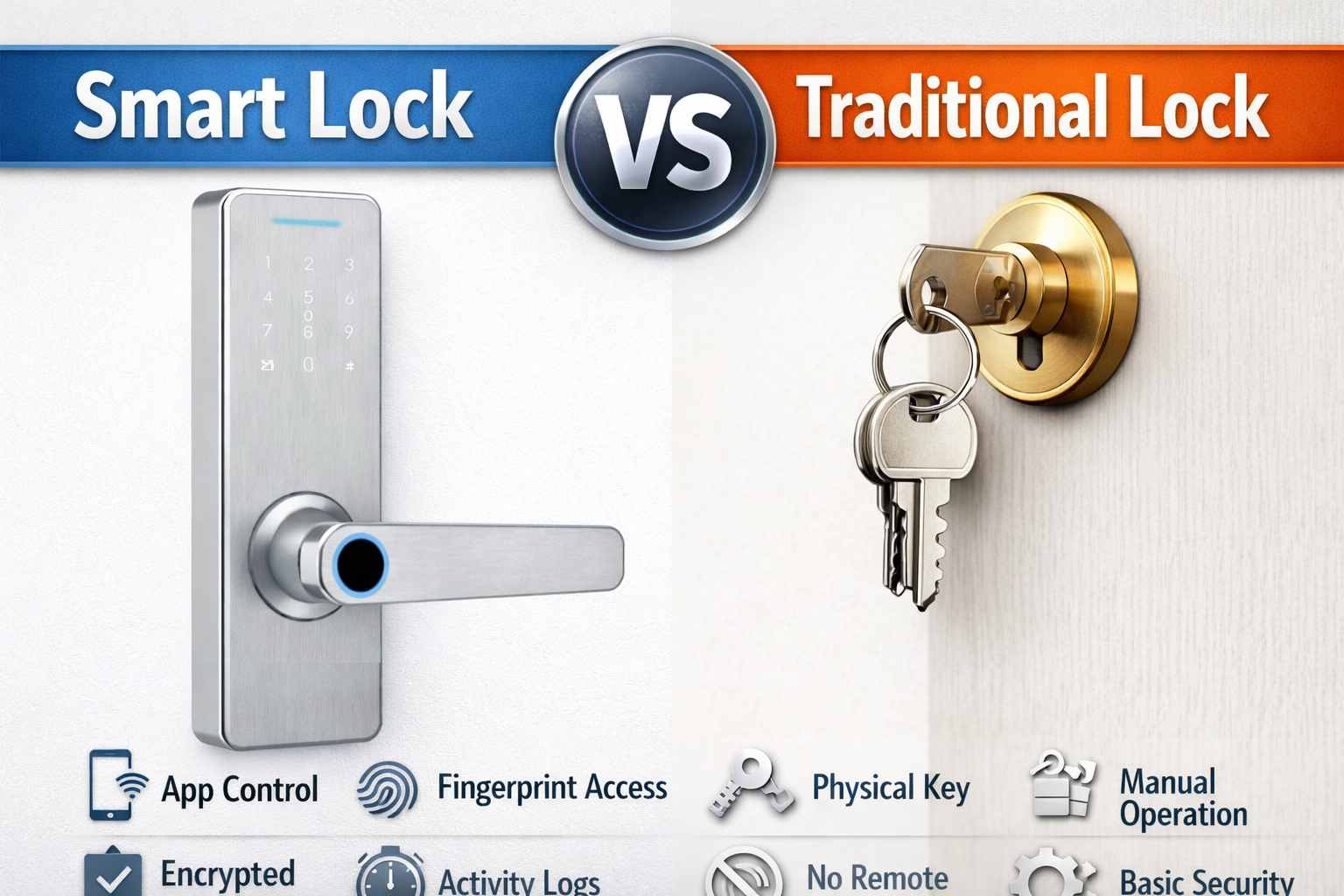
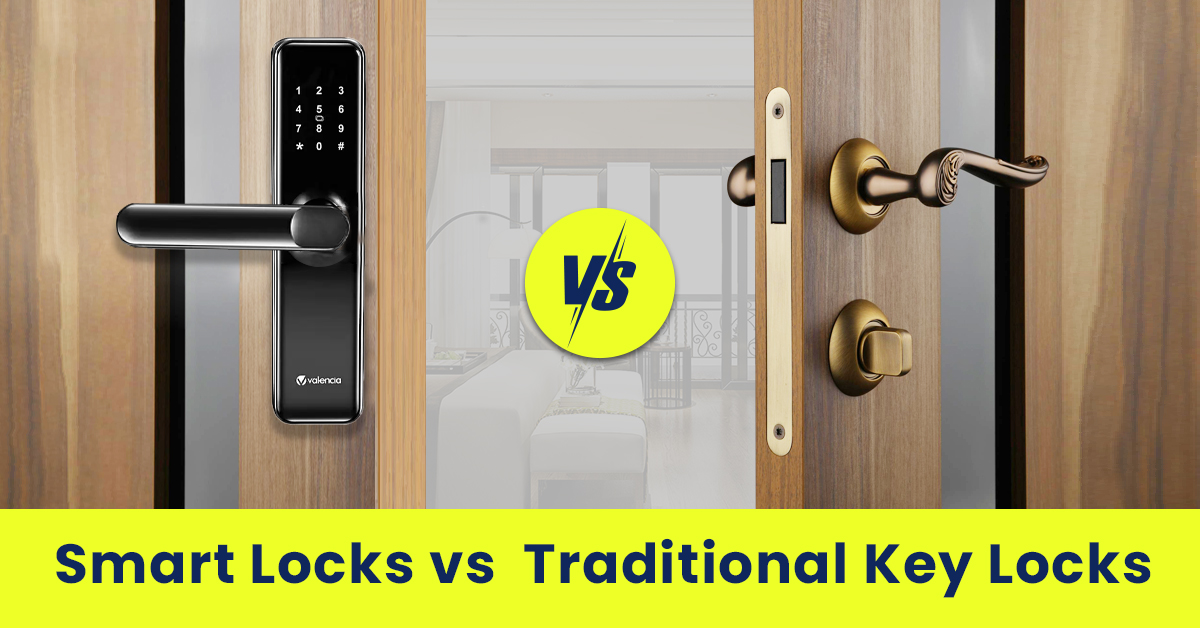
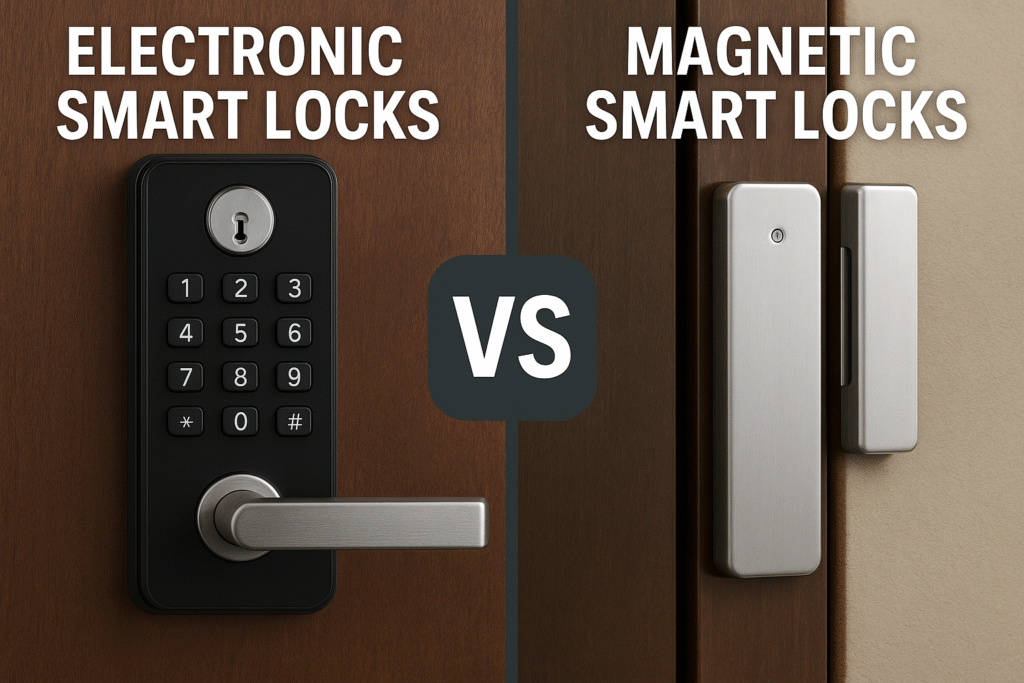
A smart lock is a connected type of electronic lock that can offer phone control, activity alerts, and remote access. A standard electronic lock can work with a keypad, PIN, or access card without connecting to a smart home network. Choose a smart lock for connected features or a standalone electronic lock for simple keyless entry.
For homeowners across the United States, choosing a door lock often comes down to a practical question: do you want to enter a code and leave, or do you also want to control your door from a phone? Both smart locks and electronic locks can reduce the need for a traditional key. However, their features, setup needs, and daily use can differ quite a bit.
The terms can be confusing because a smart lock also uses electronics. In common residential usage, an electronic lock is the broader category, while a smart lock adds communication with a phone, hub, or other connected device. Product labels are not always consistent, so check the exact features of a lock before buying it.
This guide compares the two options for US homes, apartments, rental properties, and small offices. It explains how each lock works, what happens when power or internet access fails, how to assess security, and which features are worth paying for. The goal is to help you choose a lock that fits your door, budget, and daily routine.
Source: smartlocksreviewed.com
What Is the Difference Between a Smart Lock and an Electronic Lock?
The main difference is connectivity. An electronic lock uses electronic parts to control access, but it may work entirely on its own. A smart lock can communicate with another device, allowing features such as app control, remote access, and activity notifications when the required connections are available.
Think of an electronic keypad lock as a self-contained system. You enter a valid PIN, and the lock releases the bolt. A connected smart lock may accept that same PIN while also allowing you to manage codes or check lock status from a compatible app.
These categories overlap rather than compete as two completely separate technologies. Most smart locks are electronic, but a basic electronic lock does not necessarily have smart features. This distinction is more useful than judging a lock by its touchscreen, appearance, or marketing name.
Source: yonannlock.com
Electronic lock
Uses electronic controls or credentials, such as a PIN, keycard, or fingerprint. It may operate locally without internet access or smartphone integration.
Smart lock
Adds wireless communication with a phone, hub, or compatible smart home system. Available features depend on the connection type and specific model.
Keypad lock
Describes an access method, not necessarily a connectivity level. A keypad lock may be a basic electronic lock or a connected smart lock.
Is Every Electronic Lock a Smart Lock?
No. A standalone electronic lock may store PINs inside the device and check them locally. If it has no compatible wireless connection, you cannot assume that it supports app control or remote monitoring.
A connected lock may offer the same keypad entry plus extra features. Read the product specifications to see whether it supports Bluetooth, Wi-Fi, a smart home hub, or another communication method.
Check the connection
Look for a documented wireless protocol and confirm which features it enables.
Check the app requirements
Find out whether an app is optional for setup or required for daily access and management.
Smart Lock vs Electronic Lock: Side-by-Side Comparison
A side-by-side comparison makes the choice easier. A standalone electronic lock often suits people who want simple code entry, while a smart lock makes more sense when connected control or access management matters.
The table describes common designs, not every product on the market. Some electronic locks support several access methods, and some smart locks need an optional hub before they can provide remote features.
Source: mccoymart.com
Compare the Main Features
Use this table to narrow your choices before comparing individual models. Confirm every important feature in the manufacturer’s current documentation.
How Does an Electronic Lock Work?
An electronic lock checks an electronic credential and then allows its locking mechanism to move. The credential might be a PIN, keycard, fingerprint, or another supported method. The exact process depends on the lock’s design.
A standalone keypad model commonly stores authorized codes in its internal memory. When someone enters a valid code, the control system signals a motor, solenoid, or other mechanism to release the lock. A valid credential does not guarantee that the door itself is aligned correctly, so installation still matters.
Many residential models run on batteries. The electronics use power to read credentials and operate the locking mechanism. Battery life varies with the model, battery type, usage, temperature, and other conditions, so follow the manufacturer’s maintenance instructions rather than relying on a universal replacement schedule.
Source: blog.switch-bot.com
Local access
The lock checks a stored credential without needing a live internet connection when designed for standalone use.
Code management
Depending on the model, users may add, change, or delete PINs directly on the lock.
Power needs
Battery-powered models need timely battery replacement and a documented backup entry plan.
Where Electronic Locks Work Well
Standalone electronic locks can suit a home office, side entrance, or other door where keypad access is useful but remote management is not essential. They can also help households avoid hiding spare keys outside.
For shared access, check how many codes the lock supports and whether you can assign separate codes to different people. Some models provide only a small number of codes or limited scheduling options.
Simple daily entry
A PIN can be easier to manage than a physical key for household members who frequently come and go.
Less network dependence
A genuinely standalone lock does not need a home Wi-Fi connection to validate its stored codes.
A smart lock combines an electronic locking mechanism with wireless communication. Depending on the model, it can connect to a phone through Bluetooth, join a home network through Wi-Fi, or communicate with a compatible hub using a supported protocol.
Wireless communication makes extra functions possible. You may be able to check lock status, manage user access, receive notifications, or lock and unlock a door from a distance. Remote features depend on the lock, its network connection, the app, and any required hub or service.
Some smart locks work locally with a phone nearby even when the internet is unavailable. Others need an internet connection or a connected hub for certain functions. The word smart alone does not tell you which features remain available during an outage.
Source: smartlocksreviewed.com
App control
Compatible apps can provide access management and status information. Available controls vary by model.
Temporary access
Some smart locks let owners create time-limited or scheduled access for guests and service workers.
Activity records
Supported models can record certain locking or unlocking events, although a log may not identify the actual person who used the credential.
Smart home integration
Compatible products may work with selected platforms or automation routines. Check the exact device and platform requirements.
Does a Smart Lock Need Wi-Fi?
No. Some smart locks use Bluetooth for nearby control and do not need Wi-Fi for every function. Other models use Wi-Fi directly, while some rely on a separate hub or bridge for remote access.
Bluetooth can be useful when you are near the door. Wi-Fi or a compatible hub can support control when you are away, if the product is designed for that purpose and the required connection is working.
Before purchasing, check whether remote unlocking needs an extra accessory, whether a subscription applies to any features, and what the lock can do when your router loses power.
No Wi-Fi needed
A compatible Bluetooth lock may support nearby app access without joining your home Wi-Fi network.
Remote access
Confirm the full connection path needed for control away from home, including any bridge or hub.
Which Lock Is More Secure?
Neither a smart lock nor an electronic lock is automatically more secure. The result depends on the physical lock, the door and frame, the installation, and the way access credentials are managed. Connected features can improve visibility and control, but they do not make weak door hardware strong.
A keypad lock can reduce the risk of a lost physical key being used, but a PIN can still be shared or exposed. A smart lock may allow you to remove a guest’s access remotely, but its connected functions also create software, account, and network considerations.
Consumer Reports’ door-lock buying guidance discusses the physical weaknesses that can affect conventional, electronic, and smart locks. This is a useful reminder that a feature list is not a substitute for independent evidence about resistance to forced entry.
Source: yonannlock.com
Physical strength
Look at the deadbolt, strike plate, fasteners, door condition, and frame. A strong lock cannot compensate for a weak or poorly fitted door.
Credential protection
Use unique PINs, avoid obvious codes, and remove access that is no longer needed.
Digital security
For connected models, review account security, supported encryption, software updates, and the manufacturer’s update policy.
Independent testing
Check documented security and durability ratings for the exact model. Do not assume all products in a category have the same rating.
Are Smart Locks Easier to Hack?
A connected lock has digital risks that a purely local lock may not have, such as compromised accounts or weaknesses in its communication system. That does not mean every smart lock is easy to hack or that every standalone electronic lock is secure.
The practical approach is to choose a reputable model with clear security documentation, install available updates, secure the associated account, and limit access to people who need it. Do not treat a phone app or a manufacturer’s marketing statement as proof that a lock cannot be bypassed.
Protect accounts
Use a unique password and multifactor authentication when the supported account system offers it.
Review access
Delete old PINs and users, and review activity records when the product provides them.
What About Fire Safety and Emergency Entry?
Check how the lock can be opened from inside and what happens if its batteries fail. Follow the manufacturer’s instructions and applicable local fire and building requirements. A lock should not create an unsafe delay when occupants need to leave.
If the door is part of a required exit route, confirm the lock’s suitability with the local building official or a qualified locksmith. Do not assume a product is compliant just because it is sold for residential use.
Interior release
Verify that occupants can operate the lock from inside as required for the door’s location and use.
Backup entry
Know whether the model supports a physical key, emergency power input, or another documented recovery method.
Cost, Maintenance, and Long-Term Value
A standalone electronic lock may cost less to set up because it can avoid the need for a hub, remote-access service, or connected-home accessories. A smart lock can cost more when its added hardware or connectivity features are included, but the extra expense may be worthwhile for people who manage access often.
Prices vary by brand, lock design, features, and retailer. Rather than relying on one broad price estimate, compare current prices for products that fit the same type of door and offer the same basic level of physical security.
Long-term cost includes more than the price on the box. Consider replacement batteries, optional hubs, subscriptions, installation, software support, and the cost of replacing a lock that no longer receives necessary updates.
Source: mccoymart.com
Purchase price
Compare locks with similar hardware and installation requirements. A low price does not establish equivalent security.
Battery upkeep
Both categories may need batteries. Check low-battery warnings and the recommended battery type.
Connectivity costs
Some smart features need additional hardware or paid services. Verify these costs before buying.
Future support
Review the warranty, software update policy, replacement-part availability, and support options.
How to Compare the Total Cost
Use a simple ownership estimate to compare two models over the period you expect to keep them. Add the purchase price, installation, required accessories, expected battery costs, and any recurring fees.
For example, imagine a standalone electronic lock costs $90, while a smart lock costs $170. If the smart lock also requires a $50 hub, its initial hardware cost is $220 before installation or future upkeep. These figures are hypothetical examples, not current market prices.
The smart lock costs more in this example, but the comparison is not complete until you decide whether remote access and activity features have real value for your household.
Calculate initial cost
Add the lock, installation, and any required accessories.
Add ongoing expenses
Include likely batteries, subscriptions, and replacement parts over the period being compared.
Compare useful features
Pay for connected functions only if they solve a real access or monitoring need.
Which Lock Is Best for Your Home or Property?
The right choice depends on who uses the door and how much control you need when you are away. A simple keypad can be enough for a household that wants to stop carrying keys. A connected lock can offer more value when users change often or when remote access is important.
For a US home, start by checking the existing deadbolt, door thickness, backset, and available space around the handle. Many locks are designed for common residential doors, but not every model fits every door or hardware layout.
Renters should also check their lease and ask the property owner before replacing a lock. A retrofit smart lock that works with compatible existing hardware may be an option, but fit, permission, and emergency access still need to be considered.
Source: blog.switch-bot.com
Choose an electronic lock if
You want simple PIN entry, prefer local operation, and do not need remote monitoring or smart home integration.
Choose a smart lock if
You need remote access, app-based user management, supported activity alerts, or integration with compatible home devices.
Consider a retrofit design if
You want to keep compatible existing door hardware and keys. Confirm the specific lock supports your deadbolt and door.
Ask a locksmith if
The door is unusually thick, the deadbolt binds, the frame is damaged, or you are unsure whether the hardware fits.
Best for Families
A keypad lock can make daily entry easier for family members who do not want to carry keys. A smart lock can add value if you want to manage individual codes or check supported lock events while away.
Choose a model that is easy for everyone in the household to use. Keep a secure backup plan for children, older adults, or anyone who may struggle with the keypad or app.
Simple household access
A straightforward keypad may be all you need when everyone follows the same routine.
Changing access needs
A smart model may help when you need to add or remove people without visiting the door.
Best for Rental Properties and Short-Term Guests
Property owners and authorized managers may benefit from a smart lock that supports temporary codes and access schedules. These features can simplify guest turnover and reduce the need to hand over physical keys.
Check the lock’s code limits, scheduling controls, audit features, and connectivity requirements. Do not assume a smart lock automatically integrates with a booking platform or property management system.
Temporary codes
Confirm whether codes can expire automatically and whether that feature works without a paid plan.
Reliable access
Make sure guests can enter when the internet or the owner’s phone is unavailable, according to the lock’s documented capabilities.
Best for a Home With Unreliable Internet
A standalone electronic lock can be a practical option when you want code entry without depending on a home network. Some smart locks also retain local access methods during an internet outage, so the choice does not always have to be between smart features and dependable entry.
Test which features work offline before relying on them. A remote command may fail when the internet is down even if a keypad or nearby Bluetooth connection continues to work.
Check offline operation
Confirm that stored PINs, local app control, and scheduled access behave as expected without an internet connection.
Plan for battery failure
Keep the manufacturer’s recommended backup-entry method available and follow its instructions.
How to Choose and Install the Right Lock
Choose a lock by confirming compatibility first, then comparing the features you will use. Buying a connected lock before checking the door, hub requirements, and backup-entry method can lead to extra expense or a difficult installation.
Before starting, gather the door and deadbolt measurements, the current hardware details, the manufacturer’s installation guide, and any tools the instructions require. If the lock replaces hardware on a rented property or an exit door with special requirements, obtain the necessary permission or professional advice.
Source: smartlocksreviewed.com
Step 1: Inspect the door
Check door thickness, backset, deadbolt type, alignment, and the condition of the frame and strike plate.
Step 2: Match the features
Decide whether you need only keypad access or also Bluetooth, Wi-Fi, remote control, activity logs, or smart home integration.
Step 3: Review backup access
Confirm how to enter if batteries fail, a phone is lost, or a required connection becomes unavailable.
Step 4: Follow the exact manual
Install the lock according to the instructions for the specific model. Do not force a bolt that does not move freely.
Step 5: Test before relying on it
With the door open, test authorized entry, locking, unlocking, and any backup method. Then close the door and check alignment without forcing the mechanism.
Step 6: Set up access securely
Change default credentials when required, create unique PINs, configure the app if applicable, and enable available account security protections.
What If the Lock Does Not Work After Installation?
Start with the safest and simplest checks. Confirm battery orientation and charge, review the setup instructions, and verify that the bolt moves freely with the door open. If the lock works while the door is open but binds when closed, door or strike-plate alignment may be the issue.
For a smart lock, check the local access method before troubleshooting remote control. If keypad entry works but the app cannot connect, the problem may involve Bluetooth range, Wi-Fi settings, a hub, account setup, or network availability.
Do not force the bolt or repeatedly dismantle the lock without guidance. If the door cannot be secured, the hardware is damaged, or the mechanism behaves unpredictably, consult the manufacturer’s support team or a qualified locksmith.
Keypad does not respond
Check the battery, keypad wake-up method, code setup, and lockout instructions in the manual.
App cannot connect
Check phone permissions, Bluetooth range, network availability, and required hub settings.
Bolt will not move freely
Inspect door alignment and installation. Do not force the mechanism against a misaligned strike plate.
The most common mistake is assuming that a lock with a keypad must be smart. Another is buying a smart lock for its remote features without checking whether those features require a separate bridge, compatible phone, or ongoing service.
Security claims also need careful review. A connected app does not prove that the physical deadbolt is strong, and a high number of access methods does not automatically mean a lock offers better protection.
Source: yonannlock.com
Ignoring physical fit
Confirm the measurements and door requirements before buying. A lock that does not fit correctly can create access and security problems.
Assuming Wi-Fi is always required
Some smart locks use Bluetooth or a compatible hub, while some functions work locally. Check the exact design.
Forgetting battery upkeep
Follow low-battery warnings and the recommended maintenance schedule. Do not wait until the lock stops operating.
Sharing one code with everyone
Use separate credentials when supported, remove old users, and avoid easy-to-guess PINs.
Overlooking ongoing costs
Check required accessories, subscriptions, warranty coverage, and software support before committing.
Skipping the final test
Test the lock, bolt alignment, and backup-entry method before depending on it for everyday use.
Does a More Expensive Lock Mean Better Security?
Not necessarily. Price may reflect connectivity, design, brand, installation needs, or extra functions rather than greater resistance to forced entry. Compare independent ratings and the construction of the exact model instead of relying on price alone.
A well-fitted lock with suitable physical protection and good access practices can be a more sensible choice than a feature-rich model that does not fit your door or meet your needs.
Compare evidence
Look for documented security testing, clear installation requirements, and specific product ratings.
Buy for your needs
Choose useful features without treating extra connectivity as proof of stronger physical security.
Frequently Asked Questions
Q
Is a smart lock the same as an electronic lock?
No. In common residential use, an electronic lock is the broader category. A smart lock is an electronically operated lock that can communicate with another device, often enabling app control, remote access, or activity information. A basic electronic keypad lock may have no wireless connectivity.
Q
Can an electronic lock work without Wi-Fi?
Yes. A standalone electronic lock can check stored PINs or other credentials locally without Wi-Fi. Some smart locks also work without Wi-Fi for nearby access, depending on their design. Always check which functions remain available when the network is offline.
Q
Can a smart lock work without an internet connection?
Sometimes. A model may support keypad entry, a physical key, or nearby Bluetooth control without internet access. Remote control and cloud-based features may stop working. Check the manufacturer’s instructions for the exact model before relying on offline operation.
Q
Which is better for a rental property?
A standalone keypad lock may be enough when guests need simple code entry. A smart lock may be more useful when an authorized property manager needs temporary access codes, schedules, or remote control. Confirm door compatibility, guest access procedures, local requirements, and any platform integration before choosing.
Q
Are smart locks safer than keypad locks?
Not automatically. Smart locks can provide useful access controls and alerts, while standalone keypad locks can avoid some network-related risks. Physical construction, installation, credential management, software support, and independent security testing are more useful measures than the category name alone.
Q
What happens if the batteries die?
The result depends on the model. Some locks offer a physical key, an external emergency power connection, or another documented recovery method. Before buying, learn how the lock signals low batteries and how to regain entry if power is lost. Keep any required backup method available.
Q
Do smart locks require a subscription?
Not all smart locks require a subscription for their basic functions. However, certain products or services may charge for optional features, cloud services, or integrations. Check the current product terms and distinguish required fees from optional services.
Q
Can I install a smart lock on my existing deadbolt?
Some retrofit smart locks are designed to work with compatible existing deadbolts, while others replace more of the lock hardware. Check the model’s supported deadbolt types, dimensions, clearance, and installation instructions. Ask a locksmith for help if your door or existing hardware is unusual or damaged.
✦ Wrapping Up
Conclusion
The choice between a smart lock and an electronic lock comes down to how much connected control you need. A standalone electronic lock is a practical choice for simple PIN-based entry, while a smart lock can add remote access, notifications, and user management when its supported connections are available.
Neither option is automatically safer or more reliable. A suitable physical lock, correct installation, sensible access controls, and a clear battery and backup-entry plan matter more than the label on the box. For US homeowners and renters, checking door compatibility and any applicable lease or building requirements is an important part of the decision.
💡 Key Takeaway
Before buying, write down your must-have access methods, decide whether remote control is necessary, check your door measurements, and compare the exact model’s security evidence, offline behavior, backup-entry method, and total ownership cost.
I’m Ethan Carter, a home security systems specialist at Diggons.com. I focus on modern surveillance solutions and smart protection technologies that help people keep their homes safe and secure.
I have hands-on experience working with security cameras, video doorbells, alarm systems, and motion detection devices. I test real products and explore practical setups so I can provide clear, easy-to-follow guidance for everyday users.
My goal is to simplify home security by helping you understand how these systems work, how to fix common issues, and how to choose the right products with confidence. At Diggons.com, I share honest insights, comparisons, and real-world advice to make home security easier and more effective.