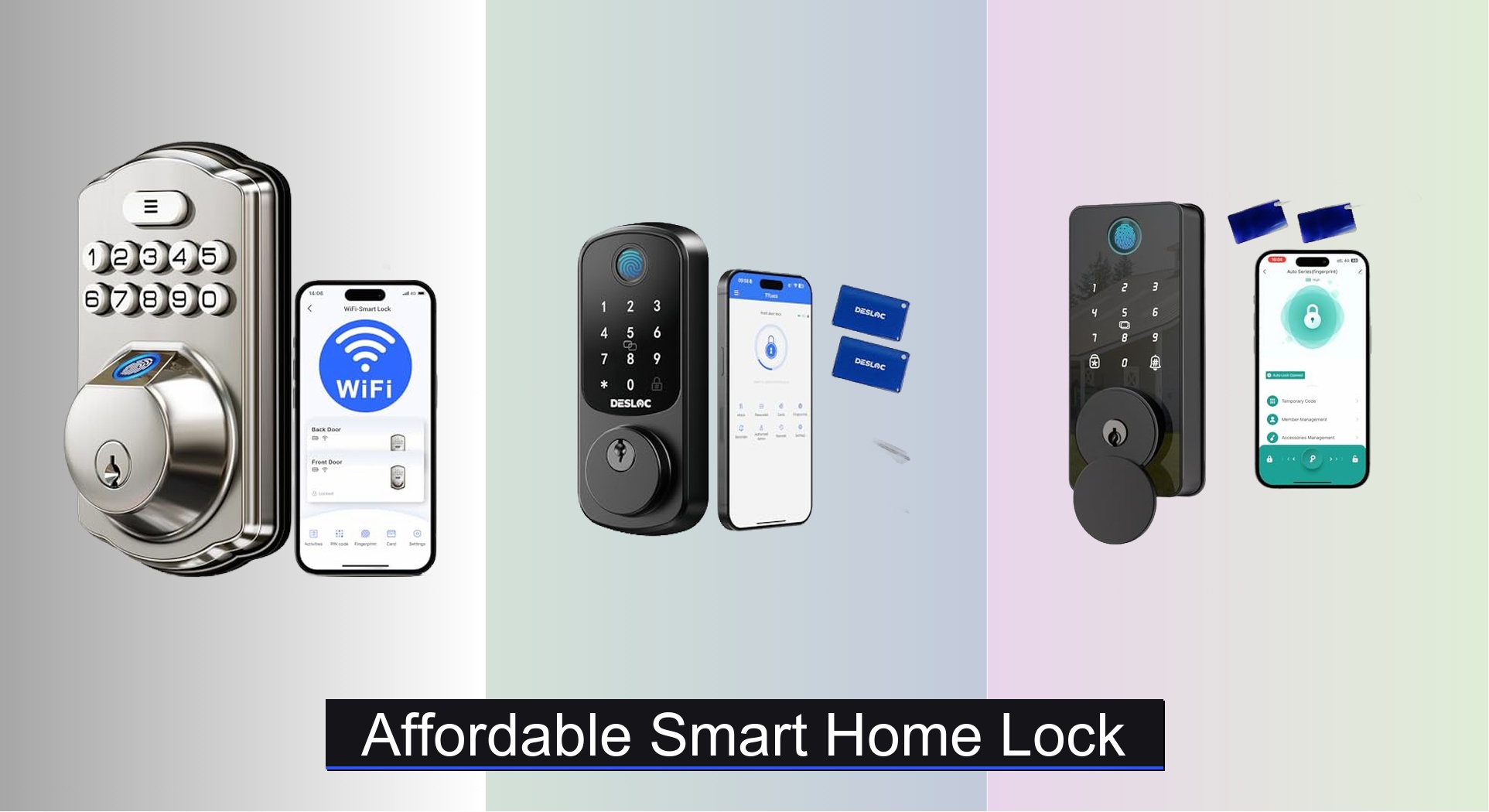
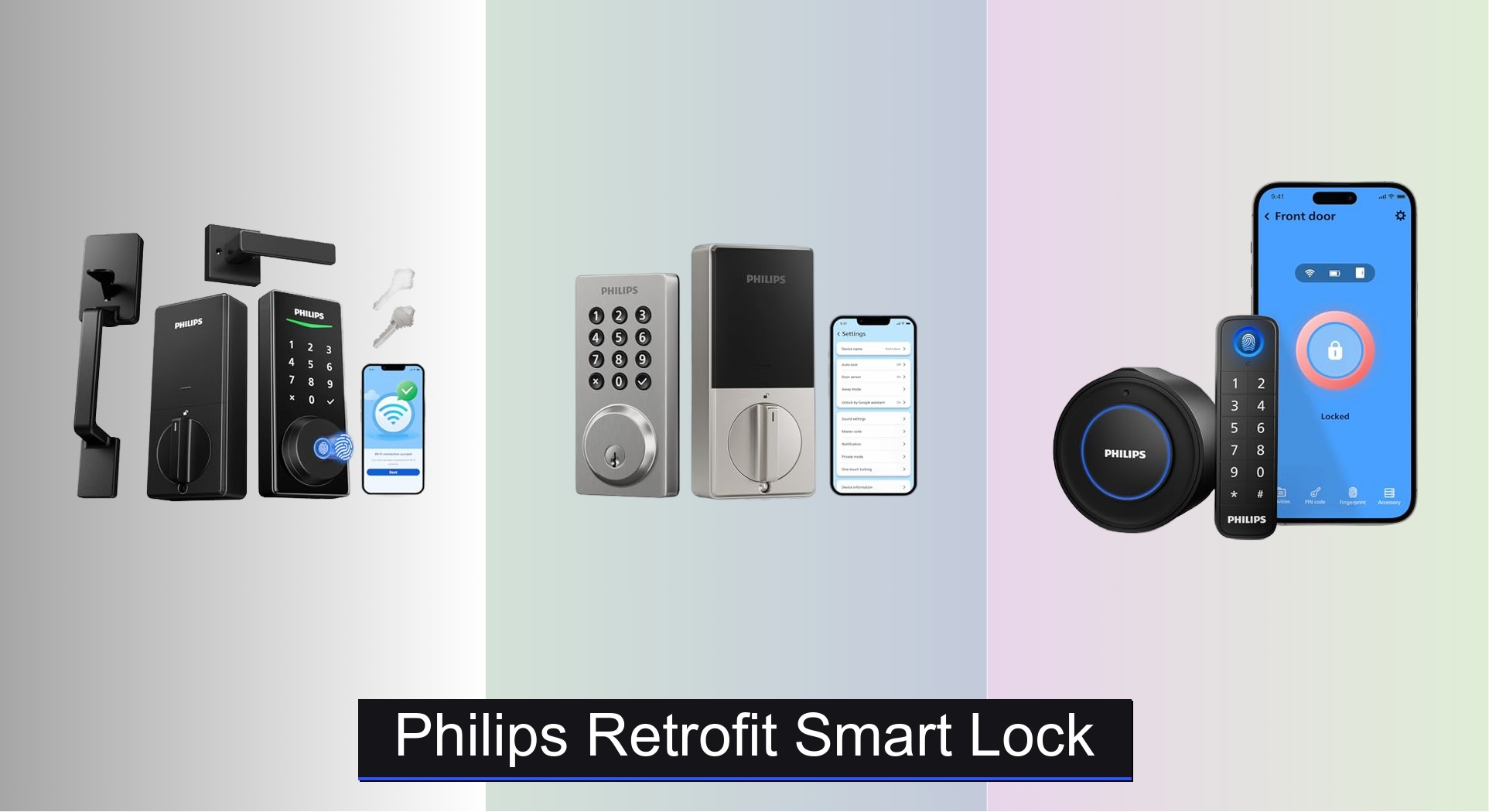
A retrofit smart lock adds smart features to a compatible existing door lock without replacing the entire lock assembly. It can let you lock or unlock your door with a phone, manage access, and keep using your original key, depending on the model.
For homeowners across the United States, upgrading a front door does not always mean replacing its deadbolt. A retrofit smart lock can add digital access to an existing lock while preserving the door’s current look and, in many designs, its original key. This can be useful in houses, condos, apartments, and rental properties where changing the outside hardware is not ideal.
The key is to check compatibility before buying. Many retrofit models are designed for a standard single-cylinder deadbolt with an interior thumbturn, but not every American door uses that setup. Lock shape, mounting space, cylinder design, door alignment, and wireless features all affect which device will work.
This guide explains how retrofit smart locks work, how to choose one for a US home, what installation involves, and how to avoid common problems. The goal is to help you make a practical choice based on your door, daily routine, budget, and security needs rather than on a long list of features.
Source: smartlockadvice.com
What Is a Retrofit Smart Lock?
A retrofit smart lock is an electronic device that adds digital control to an existing door lock. Rather than replacing the complete deadbolt, many models mount on the interior side and use a small motor to turn the existing thumbturn. Some designs fit inside the deadbolt itself, leaving the door’s interior and exterior appearance almost unchanged.
The word retrofit means adapting something already in place. In this case, the existing mechanical lock remains part of the system, while the new device adds functions such as phone control, automatic locking, access sharing, or activity records. The available features depend on the model and its connected accessories.
For US homes, a common starting point is a single-cylinder deadbolt. This type usually has a key cylinder on the outside and a thumbturn on the inside. However, a retrofit lock designed for one deadbolt may not fit another, even if both look similar.
Source: m.media-amazon.com
Preserve existing keys
Many interior retrofit locks leave the outside cylinder in place, so existing keys can continue to work. Confirm this in the product manual, especially if the device changes how the interior mechanism operates.
Add phone-based control
Compatible models can use an app to lock or unlock the door. Remote access may require built-in Wi-Fi, a bridge, or a compatible smart home hub.
Reduce installation changes
Some models use existing mounting points and need no new holes. Others require removal of part of the original deadbolt, so installation is not always tool-free or completely noninvasive.
How Does a Retrofit Smart Lock Work?
Inside the device, a battery powers a motor and control system. When an authorized user sends a command, the motor turns the thumbturn or compatible lock mechanism. Sensors and software may then report whether the lock is locked, unlocked, or in another detected state.
A status reading does not always prove that the door is fully closed. A lock can be in the locked position while the door itself remains slightly open. Models with a separate door position sensor can provide more useful information about closure, but sensor placement and setup matter.
Local control
Bluetooth models often communicate directly with a nearby phone. Their range and remote functions depend on the device and its setup.
Remote control
Wi-Fi or hub-based systems can allow control away from home when the required network connection, account, and accessories are working.
Retrofit Smart Lock vs. Full Replacement Smart Lock
The main difference is how much of your existing door hardware stays in place. A retrofit smart lock typically operates the current lock from the inside. A full replacement smart lock removes the old locking hardware and installs a new electronic lock assembly.
Neither design is automatically better for every home. A retrofit model may suit someone who wants to keep existing keys and preserve the exterior appearance. A replacement model may suit someone who needs a built-in keypad, a new locking mechanism, or a different handle and deadbolt arrangement.
Before deciding, compare the installation requirements and the features you will actually use. A retrofit device with no exterior keypad may be convenient for phone users but less useful for a family member who does not carry a compatible smartphone.
Source: kuncipintar.id
Retrofit smart lock
Usually retains the existing exterior lock hardware, often preserves current keys, and may need fewer changes to the door. Compatibility with the existing mechanism is essential.
Full replacement smart lock
Replaces some or all existing lock hardware. It may offer an integrated keypad or fingerprint reader, but can require new parts, different keys, or adjustments to the door.
Traditional mechanical deadbolt
Uses a physical key or thumbturn without electronic controls. It avoids smart features and their battery or connectivity needs but does not offer app-based access management.
Which Type Makes More Sense for Your Home?
Choose a retrofit design when keeping your current keys, exterior hardware, or door appearance is a priority and your existing lock is approved for the device. It can also be useful in a rental when the lease and property owner allow the installation.
Consider a replacement smart lock if the existing deadbolt is worn, incompatible, or unsuitable for the features you want. If the door has a mortise lock, interconnected lockset, unusual cylinder, or multipoint mechanism, look for a device designed for that exact hardware rather than assuming a standard retrofit lock will work.
Best fit for key preservation
A compatible retrofit lock that leaves the outside cylinder unchanged.
Best fit for built-in digital entry
A replacement model with the required keypad or biometric access built into the assembly.
How to Check Whether Your Door Is Compatible
Check your current lock before purchasing a retrofit smart lock. The safest starting point is the manufacturer’s compatibility list and installation manual for the exact model. Product descriptions that say a lock fits most standard deadbolts are not a guarantee that it will fit your particular door.
For a common US single-cylinder deadbolt, inspect the interior thumbturn, the screws holding the lock together, the space around the hardware, and the way the bolt moves. If the thumbturn catches, feels unusually stiff, or requires the door to be pushed or pulled, fix that issue before adding a motor.
Take clear photos of the inside of the door, the outside key cylinder, and the door edge where the bolt extends. Measure the hardware if the manual requests dimensions. These details can help the manufacturer or a locksmith confirm whether the device is suitable.
Source: smartlockmfg.com
Lock type
Identify whether you have a single-cylinder deadbolt, double-cylinder deadbolt, mortise lock, interconnected lockset, or another design. Do not assume all types are interchangeable.
Interior clearance
Check that the motor housing will not hit a nearby wall, door trim, window frame, or handle. Allow enough space to open the battery cover and operate the device.
Smooth mechanical movement
With the door open, test the existing thumbturn and bolt. The mechanism should move without binding or excessive force.
Mounting and adapter fit
Confirm the supplied mounting plate, adapter, and screws match your lock. Never force an adapter or modify a cylinder to make an incompatible product fit.
Network and phone support
Check the required app, phone operating system, wireless standard, and any hub or bridge needed for remote access.
Special Considerations for Older Homes and Rental Properties
Older US homes may have worn deadbolts, nonstandard hardware, narrow trim, or doors that have shifted over time. A retrofit device may be a poor fit if the lock is loose or the bolt does not line up with the strike plate. Repair the mechanical problem before installation.
Renters should check their lease and local requirements before changing any lock or attaching hardware. Even when a device leaves the exterior unchanged, the owner may have rules about electronic locks, access records, batteries, or emergency entry. Keep any removed parts and restore the original setup when required and permitted.
Do not drill without approval
If installation calls for new holes or changes to the door, get the required permission first.
Preserve authorized access
Make sure the owner or property manager can follow the agreed emergency access process without sharing unnecessary personal account information.
How to Install a Retrofit Smart Lock
Many retrofit smart locks are designed for do-it-yourself installation with basic tools. The exact process varies by model, so follow the supplied manual rather than using a generic procedure in place of the manufacturer’s instructions.
Before starting, gather the device, its mounting parts, fresh batteries or a charged battery, a compatible phone, and the required app. Keep the door open during initial setup so the bolt cannot trap you outside if calibration or movement fails.
If the existing deadbolt is damaged, the mounting instructions are unclear, or the lock requires unfamiliar modifications, stop and contact the manufacturer or a qualified locksmith. A poor installation can leave the door difficult to open or prevent it from locking correctly.
Source: m.media-amazon.com
Step 1: Read the installation manual
Confirm the exact lock model, compatibility requirements, parts, app, and any safety warnings before removing hardware.
Step 2: Prepare the existing lock
Open the door and check that the deadbolt moves smoothly. Remove only the parts specified by the instructions.
Step 3: Fit the mounting hardware
Attach the mounting plate, adapter, or motor using the approved parts and alignment method. Tighten screws as directed without overtightening.
Step 4: Install power and pair the device
Insert the specified batteries or fit the charged battery. Install the official app, follow its pairing steps, and grant only the permissions needed for the functions you use.
Step 5: Calibrate the lock
Run the calibration procedure in the manual. Confirm that the motor recognizes the locked and unlocked positions correctly.
Step 6: Test before normal use
With the door open, lock and unlock the mechanism several times. Then close the door and check operation again, keeping a working mechanical key available.
How to Tell If Installation Worked
A successful installation lets the deadbolt move fully without scraping, excessive noise, or strain. The app should show the expected lock state, and any configured auto-lock or access feature should work as described in the manual.
Test the original key from outside and the interior thumbturn as applicable. Do not rely on the app alone as proof of a correct installation. If the motor stalls or the bolt only partly extends, remove the device from normal use until the cause is fixed.
Pass
The bolt moves freely, the device calibrates correctly, the app responds, and the original mechanical access method still works as intended.
Needs adjustment
The motor strains, the bolt rubs against the frame, or the app reports an incorrect state. Recheck alignment and the manual before continuing.
Stop installation
The lock binds, the hardware does not fit, or the key no longer works as expected. Contact support or a locksmith rather than forcing the mechanism.
Features to Compare Before You Buy
The right retrofit smart lock is the one that works with your door and supports your daily routine. Start with compatibility and reliable mechanical operation, then compare access methods, connectivity, battery design, privacy controls, and ongoing costs.
Do not assume that every smart lock includes remote access, a keypad, or support for your preferred smart home platform. Some functions depend on a separate accessory or paid service. Read the product specification and the manual for the exact US model you plan to buy.
Source: smartlockadvice.com
Smartphone app
Look for a clear lock status, reliable user management, and simple access sharing. Check app availability and supported phone versions.
Bluetooth and Wi-Fi
Bluetooth can support nearby control, while remote operation typically needs an internet connection and the right device configuration. Some locks need a separate bridge or hub.
Keypad or fingerprint access
An optional keypad can help family members or guests enter without a phone. Confirm whether it is included, compatible, and powered separately.
Auto-lock
Automatic locking can reduce the chance of leaving the deadbolt unlocked. Set a suitable delay and confirm whether the system can detect an open door.
Activity history
Event records can help you review lock commands and access events. Check what is recorded, how long records remain available, and who can see them.
Smart home integration
Confirm direct support for your preferred ecosystem and any required hub, bridge, subscription, or compatible controller.
Battery and backup access
Check battery type, replacement or charging steps, low-power warnings, and the manufacturer’s instructions for regaining access if power fails.
Bluetooth vs. Wi-Fi for a Retrofit Smart Lock
Bluetooth is often suitable when you mainly want to unlock the door while you are nearby. It may reduce the need for a direct internet connection at the lock, but its range and remote capabilities depend on the model.
Wi-Fi or a compatible bridge is more useful when you want to manage the lock while away from home. Remote operation relies on the network, the manufacturer’s service, and the device configuration. A network outage may interrupt remote commands even if local mechanical operation remains available.
Choose based on where and how you plan to control the lock. A person who mostly enters and leaves with a phone nearby may not need remote control, while a household that manages visitors from work may value it more.
Choose Bluetooth
When nearby phone control is enough and you want to keep the setup simple.
Choose remote-capable connectivity
When you need to check or operate the lock away from home and accept the network and account requirements.
Security, Privacy, and Everyday Reliability
A retrofit smart lock adds convenience, but it does not make a weak door secure by itself. The deadbolt, strike plate, frame, screws, door material, and installation all remain important parts of the physical security system.
A smart lock also adds software and wireless access to the setup. Protect the associated account with a unique password and multifactor authentication when available. Keep the app and phone updated, remove access for people who no longer need it, and use the manufacturer’s supported security settings.
Treat activity records as private household data. A log may show when a person used the lock or when an access command occurred. Review who can access the account and whether sharing records is appropriate for everyone who lives in the home.
Source: m.media-amazon.com
Secure the door hardware
Inspect the strike plate, frame, deadbolt, and screws. Have damaged or poorly aligned hardware repaired before relying on electronic controls.
Protect account access
Use a unique password, enable multifactor authentication if offered, and keep recovery information current.
Manage shared users
Give each regular user an appropriate account or access method when supported. Revoke old guest permissions and avoid sharing administrator credentials.
Keep a backup plan
Know how to use the mechanical key or another manufacturer-approved access method if the battery, phone, network, or app is unavailable.
Check alerts and settings
Set useful notifications and test them. An alert can report a detected event, but it should not replace a direct check when the actual state of the door matters.
Does a Retrofit Smart Lock Make a Door More Secure?
Not automatically. A retrofit smart lock can improve access management by allowing users to control entry and, on supported models, review activity. It does not necessarily strengthen the deadbolt or door frame against forced entry.
Security depends on the complete installation and the way the device is managed. A well-fitted lock with secure account settings and a sound door is a more sensible goal than choosing a model only because it offers many digital features.
Physical protection
Use a sound deadbolt, a secure strike plate, and a solid, well-maintained door and frame.
Digital protection
Update software, protect the account, and review access permissions regularly.
Common Retrofit Smart Lock Problems and Fixes
Most early problems involve fit, alignment, power, calibration, or wireless setup. Check the mechanical parts first because a motor cannot reliably operate a bolt that is already binding. Keep the door open while testing so a failed command does not leave you locked out.
If a basic check does not resolve the issue, consult the manual for your exact model. Avoid repeated forceful commands, unapproved lubricants, or improvised changes to the cylinder and mounting hardware.
Source: smrlocksmiths.co.uk
The motor will not turn the bolt
Check battery level, adapter alignment, mounting screws, and bolt movement with the door open. If the mechanism still binds, stop and seek support.
The lock reports the wrong status
Repeat the official calibration process and check whether the model has a separate door sensor. Do not assume a locked status means the door is fully shut.
The phone cannot connect
Check Bluetooth permissions, the phone’s wireless settings, app updates, and device range. For remote access, confirm the network and any required bridge or hub.
The battery drains too quickly
Check battery specifications, low-power warnings, connection quality, motor strain, and the manufacturer’s power guidance. Replace or charge the battery only as directed.
The original key is difficult to use
Follow the model’s guidance for mechanical key access and confirm whether the interior mechanism affects key operation. If the key sticks or no longer works normally, stop relying on the device until the cause is resolved.
Auto-lock does not work as expected
Review the timer, sensor settings, and app configuration. Test the feature with the door open first and confirm the door is fully closed before enabling routine use.
When to Call a Locksmith
Contact a qualified locksmith if the deadbolt is damaged, the door frame is loose, the cylinder is unusual, or the lock remains difficult to operate after basic checks. Professional help is also sensible when installation requires drilling, unfamiliar hardware changes, or adjustments to a fire-rated or specialized door.
If the device becomes unresponsive, use only the backup method specified by the manufacturer. Do not force the key or disassemble a locked door unless the manual explicitly permits the action and you can do it safely.
Mechanical damage
The bolt, key, cylinder, or door frame shows damage or requires unusual force.
Uncertain compatibility
The adapter, mounting plate, or cylinder does not match the manual.
Repeated failure
Calibration or alignment checks fail and the lock cannot be operated reliably.
How Much Does a Retrofit Smart Lock Cost?
The total cost depends on the lock, required accessories, installation needs, and any ongoing service fees. There is no single price that applies to every US household, and current prices can change with product revisions and retailer offers.
A basic retrofit device may be enough for nearby phone control. A model with remote access, a keypad, door status sensing, or advanced smart home integration may cost more once compatible accessories are included. Check the complete package rather than comparing headline prices alone.
Installation can be inexpensive when the lock is compatible and the work is straightforward. A locksmith may add labor costs if the existing hardware needs repair, the door is unusual, or installation involves more than attaching the device.
Source: m.media-amazon.com
Device price
Compare the included lock, mounting parts, battery, warranty, and supported access features.
Accessories
Include the cost of a keypad, Wi-Fi bridge, smart home hub, or door sensor if required.
Installation
Account for professional labor when the door needs repair or the installation instructions call for specialist work.
Ongoing costs
Check whether remote access, cloud records, or other features require a subscription. Also consider battery replacement or charging.
A Simple Cost Comparison
Use a total-cost calculation before choosing a product. For example, if a hypothetical lock costs $120, a required bridge costs $40, and installation costs $80, the initial total would be $240 before tax or other ongoing fees. These figures are an example, not a current market quote.
Compare that total with a compatible replacement smart lock and include any extra door preparation, new keys, accessories, and service fees. The lower device price is not always the lower overall cost.
Calculate the initial total
Add the lock, required accessories, installation, and applicable tax.
Estimate ongoing costs
Add any subscriptions, batteries, and optional services over the period you expect to use the device.
Compare like with like
Make sure both options provide the access methods, remote features, and compatibility you need.
A retrofit smart lock is worth considering if you like your existing lock, want phone-based access, and have a compatible deadbolt that works smoothly. It can be a practical upgrade for busy households that want to share access without handing out extra keys.
It may also help households with regular visitors, such as family members or approved service providers, when the chosen model supports separate user permissions. Review the access settings carefully and remove temporary permissions when they are no longer needed.
However, a retrofit model is not the right answer for every door. If you need a new physical locking mechanism, your current lock is damaged, or you require a keypad that is not supported by the product, a different lock type may make more sense.
Source: smartlockadvice.com
Homeowners
May benefit from retaining current keys and the existing exterior appearance while adding app control.
Renters
May benefit when the device is compatible and the lease or owner permits installation. Keep the original parts if restoration is required.
Families
May find shared digital access useful, provided every household member has a practical and reliable way to enter.
Frequent travelers
May value remote lock status and access management, but should confirm that the model supports these features without unplanned accessories.
People with damaged locks
Should repair or replace the mechanical lock before adding a retrofit motor.
A Practical Buying Checklist
Before ordering, compare your existing hardware with the official compatibility information and think through the situations in which you will use the lock. This helps prevent paying for features that you do not need or buying a device that cannot fit.
Once installed, test the system regularly and keep its software, batteries, and user permissions in good order. A short routine check is more useful than assuming the lock will always work because it paired successfully on the first day.
Confirm the exact model fits
Match the lock type and dimensions to the manufacturer’s current compatibility guidance.
List your required features
Decide whether you need local app control, remote access, auto-lock, a keypad, activity records, or smart home support.
Check total ownership cost
Include accessories, installation, battery needs, and recurring fees.
Plan for failures
Keep a working backup access method and learn the manufacturer’s recovery procedure before relying on the lock.
Frequently Asked Questions
Q
Can I install a retrofit smart lock without replacing my deadbolt?
Yes, many retrofit smart locks are designed to operate a compatible existing deadbolt without replacing the complete assembly. Some fit over the interior thumbturn, while others fit within the existing deadbolt. Check the exact model’s compatibility list before purchasing.
Q
Will my existing keys still work with a retrofit smart lock?
Often, yes. Many retrofit models preserve the exterior key cylinder, allowing you to keep using your existing keys. However, designs differ, so confirm the manufacturer’s instructions and test the key after installation before relying on the new lock.
Q
Can I control a retrofit smart lock when I am away from home?
Some models support remote control through built-in Wi-Fi or a compatible bridge or hub. Bluetooth-only control may be limited to nearby use. Check the network requirements, supported app, and any additional hardware or subscription costs.
Q
Are retrofit smart locks suitable for renters?
They can be suitable when the existing lock is compatible and the lease or property owner allows the installation. A model that leaves the exterior unchanged may be easier to restore, but it is not automatically exempt from rental rules. Keep the original parts and obtain permission when required.
Q
What happens if the retrofit smart lock battery dies?
The motorized features may stop working until the battery is replaced or charged. The original mechanical key may still work, but this depends on the lock design and installation. Read the manufacturer’s backup instructions and confirm that the mechanical access method works before regular use.
Q
Can a retrofit smart lock fit every US door?
No. Compatibility depends on the existing deadbolt or cylinder, interior mounting space, adapter fit, door alignment, and the specific device. Unusual, damaged, or specialized locks may require a different product or professional help.
Q
Does a retrofit smart lock need Wi-Fi?
Not always. Some models use Bluetooth for nearby control, while others offer Wi-Fi or require a separate bridge for remote access. Choose the connection type based on the features you need and verify the exact requirements for your model.
Q
Is a retrofit smart lock more secure than a regular deadbolt?
Not automatically. It can improve access management and provide useful notifications, but it does not necessarily strengthen the door or deadbolt. Physical hardware, correct installation, secure account settings, software updates, and reliable backup access all matter.
✦ Wrapping Up
Conclusion
A retrofit smart lock can be a practical way to add digital access to a US home’s existing door hardware. It may let you use a phone, share access, automate locking, and preserve your current keys without replacing the complete deadbolt.
The best choice depends on compatibility, not just features. Check the exact installation requirements, compare the total cost, confirm how remote access works, and make sure the original mechanical lock operates correctly. If the existing lock is damaged or the installation is unclear, consult a qualified locksmith or the manufacturer’s support team.
A little preparation can help you avoid a costly mismatch and enjoy the convenience of smart access without losing sight of physical security. Start with the lock you already have, verify what fits, and choose the simplest model that meets your needs.
💡 Key Takeaway
Before buying a retrofit smart lock, identify your current deadbolt, photograph the inside and outside of the door, check the manufacturer’s compatibility list, and confirm your backup access method.
I’m Ethan Carter, a home security systems specialist at Diggons.com. I focus on modern surveillance solutions and smart protection technologies that help people keep their homes safe and secure.
I have hands-on experience working with security cameras, video doorbells, alarm systems, and motion detection devices. I test real products and explore practical setups so I can provide clear, easy-to-follow guidance for everyday users.
My goal is to simplify home security by helping you understand how these systems work, how to fix common issues, and how to choose the right products with confidence. At Diggons.com, I share honest insights, comparisons, and real-world advice to make home security easier and more effective.