

You want your security camera to see at night. Infrared (IR) mode turns on invisible light so the camera can capture clear black-and-white images in low or no light, letting you spot people, cars, or motion even when it’s pitch dark. IR mode uses infrared LEDs and a sensor to light up a scene you can’t see, so your camera keeps watching after sunset.
Ethan Carter from Diggons.com often points out that IR is simple to use and cost-effective for home and business security, though images lose color and can blur at long range. Knowing when to use IR, how to tweak settings, and what limits to expect helps you get reliable nighttime footage without guesswork.
Key Takeaways
- IR mode lets cameras capture clear images in low or no light using invisible illumination.
- IR is practical and affordable but produces black-and-white images and has range limits.
- Adjusting settings and placement improves night performance for homes and businesses.
Purpose of Infrared Technology
Infrared technology lets cameras see when visible light is too weak. It helps capture usable images in low light and in complete darkness by using light beyond human vision.
Enhancing Low-Light Surveillance
Infrared mode adds invisible light to a scene so the sensor can detect shapes and motion. Cameras use arrays of IR LEDs around the lens to illuminate areas up to a specified range, often 10–100 feet depending on the model.
IR illumination is passive to people—no visible glare—so it won’t alert intruders. It also reduces noise and motion blur compared with relying only on the sensor’s high ISO settings. Many cameras switch an IR cut filter in daytime to keep color accuracy, then remove it at night to let infrared reach the sensor.
Below is a quick comparison of common IR features:
| Feature | Benefit |
| Built-in IR LEDs | Provides illumination in total darkness |
| IR range (feet) | Determines how far the camera can ‘see’ |
| IR cut filter | Preserves daytime color, enables night sensitivity |
Nighttime Image Clarity
Infrared produces clear monochrome images when visible light is absent. Cameras convert incoming IR light into greyscale video, which improves contrast and detail for faces and license plates at night.
Quality depends on LED power, lens aperture, and sensor sensitivity. Lower-end cameras may show hot spots or uneven illumination, while better models use more LEDs or beam-shaping lenses for uniform coverage. Users should match camera IR range to the area they need to cover—placing a camera too far from the action reduces useful detail regardless of IR mode.
Types of IR Features in Cameras
IR mode can work in different ways and use different LED setups. These options affect how well a camera sees at night, how far it can see, and whether the illumination is visible to people.
Active Vs. Passive Infrared
Active infrared systems use built-in IR LEDs to shine infrared light onto the scene. The camera’s sensor then captures the reflected IR and makes a black-and-white image. This gives clear detail in total darkness and allows the camera to reach specified ranges like 30 or 100 feet depending on LED power and lens.
Passive infrared (PIR) is a motion-sensing method that detects heat changes from people or animals. It does not light the scene. PIR is often used to trigger recording or to switch between day and night modes, reducing false alerts from moving branches or shadows. Many security setups combine active IR for image capture and PIR for smarter event detection.
LED Arrays and Their Roles
IR LEDs come in different counts, sizes, and beam patterns. A larger array with more LEDs typically increases range and brightness, while lenses or diffusers shape the beam for wide-area coverage or focused long-distance viewing. Manufacturers often list “IR distance” in feet; this number assumes ideal conditions with no fog or obstructions.
Some cameras use selectable or variable IR power to avoid overexposure at close range. Others mix low-power LEDs for near-field detail and stronger LEDs for far-field reach. The table below compares common LED array types and their typical effects.
| LED Setup | Best Use | Effect on Image |
|---|---|---|
| Small array (few LEDs) | Short-range, close-up areas | Less glare, limited reach (10–30 ft) |
| Large array (many LEDs) | Long-range driveways, yards | Brighter, farther reach (50–100+ ft) |
| Variable/Adjustable IR | Mixed scenes with near and far objects | Balanced exposure at varying distances |
| Array with diffuser/wide beam | Wide coverage like parking lots | Even lighting, shorter max range |
How IR Mode Works in Practice
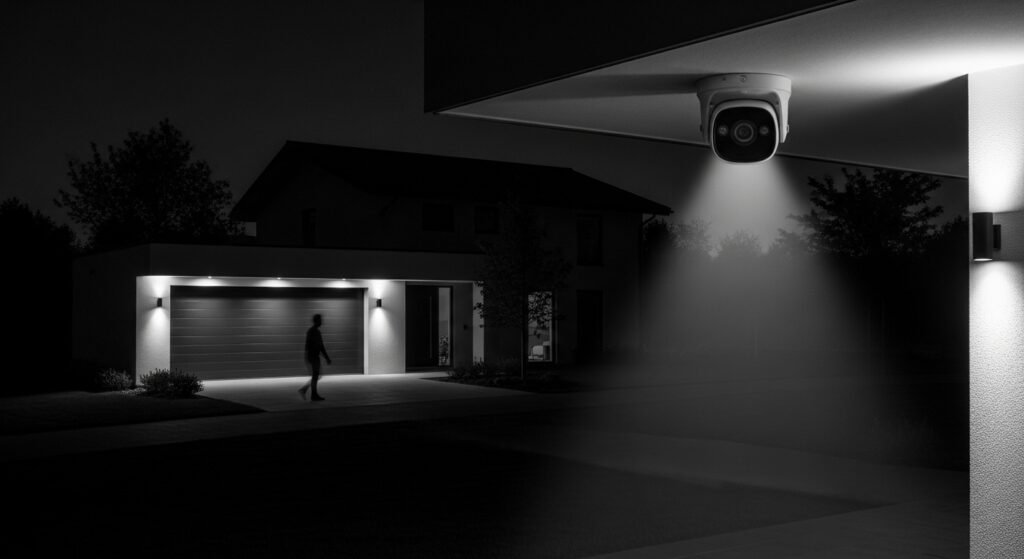
IR mode lets a camera see in very low light by using infrared LEDs and changing camera settings. It turns on when light falls below a set level and affects color, sharpness, and exposure for clearer night images.
Automatic Switching Mechanisms
Most cameras use a light sensor or the image sensor to decide when to switch to IR mode. When the sensor detects low lux levels, the camera flips an IR-cut filter out of the optical path and enables the infrared LEDs. This switch can be fully automatic, scheduled, or controlled by an app.
Some systems include sensitivity settings. Raising sensitivity makes the camera enter IR mode sooner, which helps in dim streetlight scenes. Lower sensitivity delays the switch to keep color during twilight. Cameras also use hysteresis (a small delay or threshold gap) to prevent rapid on/off switching when light fluctuates.
Motion can override the light sensor on some models. If motion is detected at dusk, the camera may activate IR LEDs regardless of lux reading. This improves capture of quick events but can shorten LED life.
Impact on Image Quality
When IR mode activates, the camera typically records in black-and-white. Removing the IR-cut filter increases infrared sensitivity, which improves contrast in dark areas but removes natural color. This change helps identify shapes and faces at night, though fine color details vanish.
Infrared LEDs create even illumination close to the camera; farther objects get less IR, causing falloff and lower detail at distance. Strong nearby IR can also cause bloom or glare on reflective surfaces like glass, which reduces usable detail.
Cameras balance exposure, gain, and noise reduction to keep images readable. Higher gain boosts brightness but raises digital noise. Better sensors and more LEDs give clearer night images with less noise and less reliance on aggressive processing.
Benefits of Using Infrared Modes
Infrared mode lets cameras capture clear images in very low light and work without visible light. It helps cameras keep recording all night and stay unobtrusive when monitoring sensitive areas.
24/7 Monitoring Capabilities
Infrared mode switches the camera into black-and-white night vision when light falls below a set level. IR LEDs around the lens light the scene with invisible infrared light so the sensor can record shapes, faces, and license plates in near-total darkness.
This mode often includes an IR-cut filter that moves out of the way at night to let infrared through. That switch improves contrast and detail in night footage compared with trying to boost color gain in low light.
Many systems let users set the trigger point for night mode and adjust IR intensity to avoid overexposure at close range. The table below shows common night-vision settings and when to use them.
| Setting | When to Use | Effect on Image |
|---|---|---|
| Auto IR (default) | Mixed lighting, typical outdoor use | Automatically balances day/night switching |
| Manual IR On/Off | Fixed lighting scenes or testing | Full control over night behavior |
| IR Intensity | Close-range or long-range targets | Reduces washout or extends range |
Discreet Surveillance
Infrared mode keeps surveillance low-profile because IR LEDs emit light humans can’t see. The camera can illuminate an area for its sensor without drawing attention or changing how the area looks to people.
This discreetness helps in settings where visible lighting would disturb occupants or alert subjects. It also reduces the chance of tampering since intruders are less likely to notice active illumination.
Cameras with “stealth” IR or low-glow LEDs further lower visible reflection and make the unit harder to spot. For homeowners and businesses, that means quieter, less intrusive monitoring while still capturing usable night footage.
Limitations and Challenges
IR mode helps cameras see in the dark, but it has clear limits. Distance and bright reflections can reduce clarity and cause false details.
Range Limitations
IR LEDs only light up a limited distance. Most consumer cameras reach 10–40 meters with useful detail; beyond that, images grow grainy and faces blur.
Camera model, lens, and sensor size change effective range. A larger sensor and better optics extend usable distance. Weather also cuts range: rain, fog, and snow scatter IR light and reduce contrast quickly.
IR light falls off with the square of distance, so small increases in distance drop illumination fast. For long-range needs, use external IR illuminators, higher-power models, or alternate technologies like thermal imaging.
Reflective Surfaces and Artifacts
Glass, wet surfaces, and shiny paint can bounce IR light back into the lens. This causes glare, washed-out areas, or ghost images that hide real details.
Indoor cameras behind windows often show strong reflections of interior IR LEDs. Moving the camera off-window, disabling IR when looking through glass, or using an external IR source outside fixes this.
Some cameras use automatic IR cut filters and exposure control, but those can introduce flicker or overcompensation. Adjusting angle, reducing IR power, or adding anti-reflective coatings helps reduce artifacts.
Adjusting IR Settings
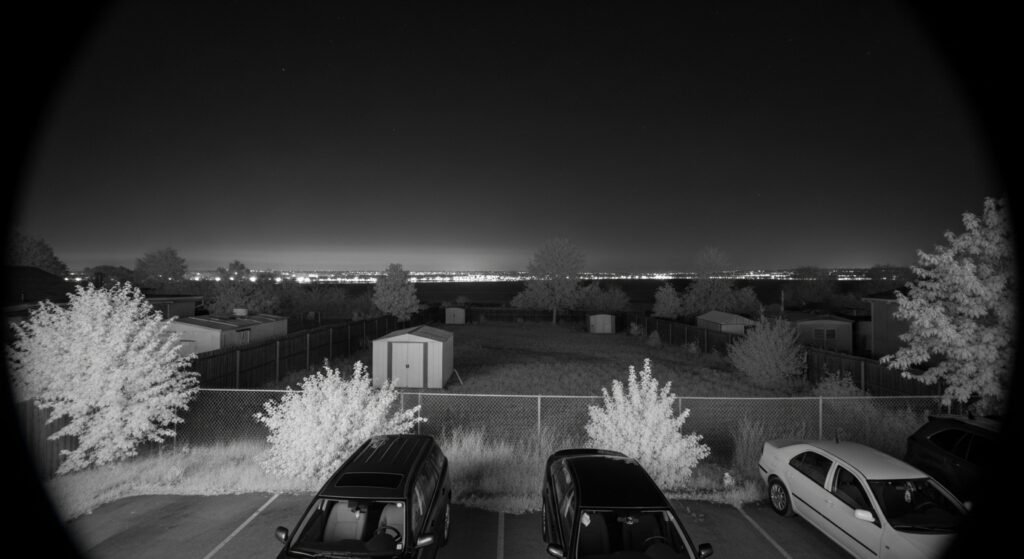
Proper IR adjustment helps get clear night images and avoids washed-out or too-dark footage. The key choices are how sensitive the camera is to ambient light and whether the IR should change automatically or be set manually.
Sensitivity Controls
Sensitivity controls set how the camera reacts to low light before switching to IR mode. Many cameras offer a slider or presets like low, medium, and high. Low sensitivity waits for darker conditions before enabling IR, which reduces false night switching near streetlights. High sensitivity turns IR on earlier, which helps capture detail in dim areas close to the camera.
A simple table shows typical effects:
| Setting | When to Use | Effect |
|---|---|---|
| Low | Near bright lights or windows | Less false switching; darker night footage |
| Medium | Mixed lighting conditions | Balanced switch timing; standard detail |
| High | Very dark areas, long distances | IR engages earlier; brighter night images |
Users should test each level at night from the camera’s normal viewing spots. Adjust until the subject is clear without strong glare or blown-out highlights.
Manual Vs. Automatic Adjustment
Manual adjustment gives direct control of IR intensity and sensitivity. A user can set IR intensity to low, medium, or high, or tweak sliders for exact brightness. This choice helps prevent overexposure on nearby objects and saves battery life on battery-powered cameras.
Automatic adjustment uses the camera’s light sensor to switch IR on and off. It works well where lighting changes during the night, like passing car headlights. But automatic modes can trigger repeatedly under fluctuating light, causing flicker or inconsistent exposure.
Compare the trade-offs in a short list:
- Manual: steady output, better for fixed scenes, needs hands-on tuning.
- Automatic: hands-off, adapts to changing light, may misjudge sudden flashes.
They should pick manual for consistent results in a stable scene and automatic for areas with variable lighting.
Applications in Residential Security
IR mode improves nighttime visibility and helps capture clear video in darkness. It highlights movement, identifies faces and license plates at night, and reduces false alarms from low-light noise.
Deterring Intruders
IR mode makes yards and entry points visible in complete darkness by using invisible infrared light. This lets cameras record clear, black-and-white footage of a person approaching a door, climbing a fence, or staying near a vehicle, which can be used as evidence.
Placing cameras with IR near front doors, back gates, and driveways increases the chance of capturing identifiable details like clothing patterns or a vehicle’s make. Some systems switch to IR automatically at a set lux level, so homeowners don’t need to turn night vision on manually.
Visible camera housings and signs combined with IR recording raise the perceived risk for trespassers. While IR itself is invisible, recorded footage and the presence of a camera often deter repeat attempts.
Pet and Yard Monitoring
IR mode helps owners monitor pets and small children outdoors after sunset. It captures movement in dim light, so a homeowner can check whether a dog is in the yard or a child left the patio without worrying about darkness hiding activity.
For garden and wildlife areas, IR cameras reveal nocturnal animal activity without disturbing animals with bright lights. Owners can set motion zones to avoid constant alerts from tree branches while still recording pets near gates.
Adjusting IR range and angle matters: too wide a beam can wash out close subjects, while too narrow a beam misses parts of the yard. Many systems let users fine-tune IR intensity or add supplemental low-level lighting for clearer, closer images.
Commercial and Industrial Uses
IR mode helps staff spot people, equipment, and heat sources in low light. It supports safety checks, theft prevention, and after-hours site monitoring with clear black-and-white images and long-range illumination.
Warehouse Safety
IR mode lets operators see pallet aisles, loading docks, and forklifts when lights are off or dim. It reveals human movement and reflective safety gear, so security teams can verify that workers follow safe routes and that aisles stay clear. Thermal contrast is not the same as a thermal camera, but IR illumination still highlights shapes and motion that regular cameras would miss.
Typical setups use arrays of IR LEDs to cover 30–300 feet depending on camera grade, which helps in large racking areas. Integrating IR cameras with motion zones and alarm triggers reduces false alarms from lighting changes. For guidance on surveillance standards and layouts, facilities often consult resources like CCTV best practices.
After-Hours Monitoring
IR mode provides continuous visual evidence during nonworking hours, aiding quick incident assessment. It captures clear footage of perimeter fences, entry points, and parked vehicles without visible-light sources, helping security teams confirm if an alarm is real before dispatching guards.
Commercial sites pair IR cameras with analytics (motion detection, line crossing) to flag specific events and reduce review time. For larger perimeters, operators choose commercial-grade cameras with extended IR range to avoid blind spots and ensure human-sized targets remain identifiable at distance.
Compatibility with Smart Home Systems
Many modern security cameras with IR mode work with popular smart home platforms like Alexa, Google Home, and Apple HomeKit. This lets users view live feeds or control basic settings using voice commands or a central app.
Integration often depends on the camera maker and model. Some cameras offer native support, while others need a bridge, hub, or third-party service to connect.
IR mode itself usually runs independently of the smart home system. The system can turn the camera on or off, or show the video, but switching IR settings may require the camera’s app or a specific skill/plugin.
Common compatibility points:
- Video streaming to smart displays and apps
- Motion alerts forwarded to smart home hubs
- Basic on/off or schedule controls via routines
Before buying, users should check these details:
- Supported platforms (Alexa, Google, HomeKit)
- Required hubs, firmware, or paid subscriptions
- Whether IR switching or brightness control is exposed to the smart platform
They should also verify privacy and update policies. Cameras that get regular firmware updates and clear privacy controls reduce security risks when linked to a smart home.
Recent Advancements in Infrared Technology
Infrared systems now see farther and use less power. New tech brings longer detection ranges and smarter power use for night monitoring.
Longer-Range Capabilities
Manufacturers increased IR LED power and improved sensor sensitivity to push effective night ranges from about 20–30 meters to 60–100 meters on many models. They tune LED beam patterns and add multiple LED rings so the camera lights the scene evenly without hot spots. Some cameras use low-noise image sensors and on-board image processing to pull usable detail from weaker IR reflections at greater distances.
Users should note range ratings are based on ideal conditions. Rain, fog, and reflective surfaces cut practical range. For perimeter work, combining higher-lumen IR arrays with lenses rated for long-range coverage gives the best real-world results.
Improved Energy Efficiency
New IR modules use more efficient LEDs and smarter power management to reduce energy draw by 20–50% compared with older designs. Cameras now switch between full IR, low-power IR, and duty-cycled modes depending on motion or ambient light. This extends battery life for wireless units and lowers operating costs for larger installations.
Some systems add ambient-light sensors and scheduled IR cycles to avoid running LEDs at full power when not needed. For solar or battery setups, choosing a camera with these energy-saving features ensures longer uptime between charges without sacrificing night visibility.
FAQS
What does IR mode do?
IR mode turns on the camera’s infrared LEDs so it can see in low light or complete darkness. It records in black and white when IR is active to improve contrast and detail.
When does a camera switch to IR mode?
It usually switches automatically when light drops below a certain level, called the lux threshold. Some cameras let users force IR on or off in settings.
Will IR light be visible to people?
Most infrared light used in cameras is invisible to the human eye. However, some cameras use near-visible LEDs that may glow faintly red.
How far can IR night vision reach?
Range varies by camera model and LED strength. Typical home cameras reach 20–100 feet; professional units can see farther.
Are IR and thermal cameras the same?
No. IR cameras use reflected infrared light to form images. Thermal cameras detect heat and do not need external light.
Can IR damage eyes or electronics?
Standard camera IR LEDs are low power and safe for eyes and devices. Still, it’s best not to stare directly into any bright light source.
How to improve IR image quality?
Keep the lens and LEDs clean, reduce obstructions, and position the camera to avoid nearby bright lights that can wash out the image. Adjusting exposure and IR sensitivity in the settings can help too.
Conclusion
IR mode lets a security camera see in low light by using invisible infrared light. It switches the camera to black-and-white images and turns on IR LEDs so the scene becomes visible to the sensor.
It helps record clear footage at night and in dark areas without bright lights. This makes it useful for 24/7 monitoring and catching details that normal night shots might miss.
Users should check range and beam type when choosing an IR camera. Some models offer adjustable IR, which reduces glare and gives better contrast.
Color night vision or dual-light systems may work better where color matters. Combining IR mode with good placement and maintenance gives the best results for consistent night coverage.
Benefits:
- Night visibility in full darkness
- Simple, reliable technology
- Works without visible light
Limitations:
- Black-and-white images only
- Reduced detail at long distances
- Possible glare on reflective surfaces
They should test cameras in the actual environment before final installation. That reveals how IR mode performs on the property and helps avoid surprises after setup.