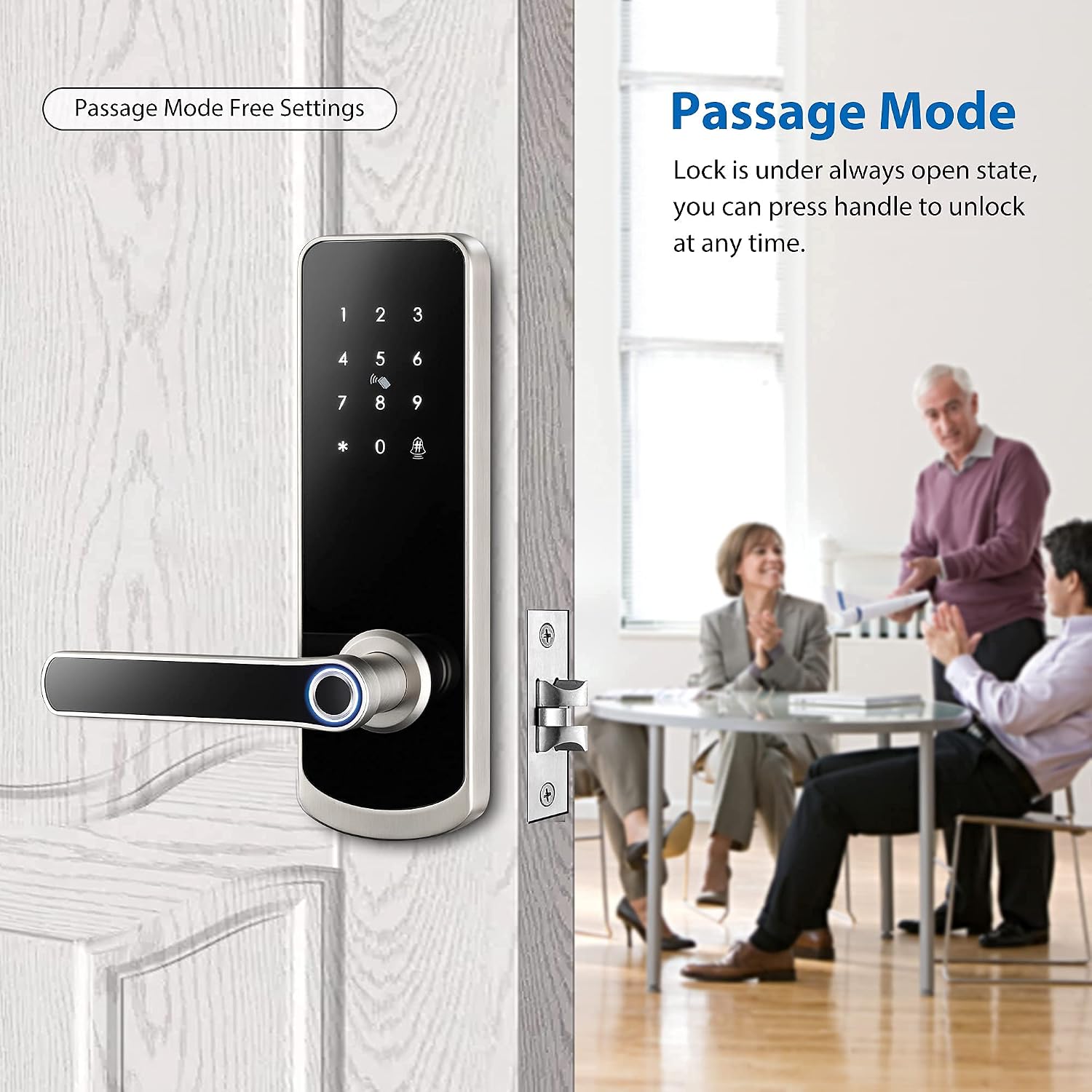
Passage mode on a smart lock is a setting that lets a door stay unlocked during a chosen period or until someone locks it again. It usually pauses automatic locking, making it easier for people to enter and leave without using a code, fingerprint, key card, or phone each time.
In homes across the United States, smart locks help people manage front doors, garage entry doors, home offices, and rental properties. Yet a lock that secures itself after every entry can be a hassle when family members keep coming home, guests are arriving, or workers need to move in and out. Passage mode can help by reducing the need to unlock the door again and again.
The exact way this feature works depends on the lock. Some models keep the locking mechanism disengaged, while others turn off auto-lock for a set time. Certain locks let you create a schedule in an app, and others require you to change a setting on the keypad or handle. Before using passage mode, check your model’s instructions so you know when the door will lock again.
Source: manuals.plus
What Is Passage Mode on a Smart Lock?
Passage mode is an operating setting that lets people move through a door without the usual repeated locking and unlocking cycle. On many smart locks, it works by disabling the auto-lock feature. Instead of locking itself after each entry, the lock stays in its passage setting until a set time ends or someone changes the setting.
Think of a busy family home on a Saturday morning. One person carries groceries inside, another takes the dog out, and a child heads to the yard. With auto-lock enabled, each trip may require another unlock. Passage mode can reduce that hassle when the door is in a suitable, supervised setting.
However, passage mode does not have one universal definition. Some products describe it as a mode that allows free entry, while others describe it as a way to keep auto-lock disabled. On certain lever locks, the handle may open the door without a code even though the latch remains in place. Always check how the feature affects your particular lock.
Source: support.ultraloq.com
Normal locking
The lock secures the door after an entry or after a programmed delay, depending on its settings.
Passage mode
Automatic locking is paused or the door is placed in a passage state, allowing easier movement through the entrance.
Manual locking
Some locks still let you lock the door from the inside, keypad, or app while passage mode is active.
Does Passage Mode Mean the Door Is Always Unlocked?
Not always. The phrase can describe different functions across brands and lock types. On a model that disables auto-lock, the door may remain unlocked after someone opens it. On another model, passage mode may change how users can operate the lock while leaving parts of the locking mechanism in place.
Do not assume that a door is secure simply because the app shows a passage setting. Check the physical lock, close the door, and confirm its behavior using the manufacturer’s instructions.
How Does Passage Mode Work?
Passage mode changes how a smart lock handles its normal locking rules. In a typical setup, the lock checks whether auto-lock is enabled and then locks the door after an entry or a programmed delay. When passage mode is active, that automatic action may be suspended for the chosen period.
The lock’s electronics, motor, latch, and access controls still perform their normal functions where applicable. The important change is the locking behavior, not necessarily the way the lock recognizes a fingerprint, PIN, or phone. The exact result depends on the hardware and software design.
For example, a household may set passage mode from 9 a.m. to noon during a planned move. If the lock supports a schedule, the setting can reduce repeated unlocking during that period. Whether the door unlocks automatically at 9 a.m. is a separate question, because some locks disable auto-lock without actively unlocking the door at the start.
Source: support.sifely.com
Automatic locking is paused
The lock may stop relocking after each entry while passage mode remains active.
The mode may be time-based
Supported locks can end passage mode at a scheduled time and restore normal locking behavior.
Manual controls may still work
A physical button, interior thumbturn, keypad command, or app may allow the user to lock the door before the schedule ends.
Passage Mode and Auto-Lock Are Not the Same Setting
Auto-lock tells the lock when to secure the door after an entry or another triggering event. Passage mode changes that behavior, often by suspending automatic locking. A delay setting, by contrast, changes how long the lock waits before it locks.
Suppose a lock has a 30-second auto-lock delay. That delay gives you time to move through the doorway before the lock secures itself. Passage mode may keep the door from relocking for a much longer period. These functions solve different problems, so choose the one that matches your needs.
Choose an auto-lock delay
Use it when you want the door to lock itself shortly after normal entry.
Choose passage mode
Use it when repeated entry is expected and automatic relocking would interrupt movement.
Passage mode is most useful when many people need to pass through the same door over a short period. It can make daily tasks easier, but it also reduces the protection provided by automatic locking. Choose the location and time carefully, especially when the door leads directly outside.
In a typical American home, a front entrance, side entrance, or door leading to a garage may need different security settings. A busy gathering may justify temporary passage mode for a monitored entrance. A door that faces an open driveway or public walkway usually needs more caution because people may reach it without being noticed.
Source: manuals.plus
Family gatherings
Guests can enter and leave during a supervised event without repeatedly asking for a code or waiting for someone to unlock the door.
Moving day
Family members and movers can carry boxes through a suitable entrance with fewer interruptions.
Small offices
Staff may benefit from easier access during business hours if the entrance is monitored and the security policy allows it.
Home projects
Workers may need repeated access while carrying tools or supplies, although a temporary access code may be safer for an exterior door.
Indoor doors
A home office, pantry, or other interior room may benefit from passage mode when privacy and security needs are low.
When Should You Avoid Passage Mode?
Avoid leaving passage mode active on an unattended exterior door when it could allow unauthorized entry. This is especially relevant when everyone leaves the house, when the door opens onto a public area, or when the lock protects valuable property.
If a visitor needs access for a limited period, a time-limited user code may be a better choice. It can grant entry without disabling the door’s normal locking behavior for everyone. Check whether your smart lock supports temporary codes and whether they expire as intended.
When the home is empty
Restore normal locking before leaving unless a specific, carefully assessed reason requires another arrangement.
When children may leave unnoticed
Do not rely on passage mode for a door that needs to remain secured against unsupervised access.
When access must be limited
Use individual credentials or another suitable access control method instead of allowing unrestricted entry.
How to Enable Passage Mode on a Smart Lock
You can enable passage mode through an app, keypad, physical switch, or another control, depending on your lock. Before changing the setting, identify the exact model and read its instructions. A procedure that works on one smart lock may not work on another, even if both use fingerprints or PIN codes.
If the lock is installed on an exterior door, make sure you understand how to restore normal locking before you begin. Keep a working key or another approved entry method available if your model supports one. Do not rely on the app alone if you have not confirmed that it can communicate with the lock.
Source: manuals.plus
Method 1: Use the Smart Lock App
For a model with app-based passage mode, begin near the lock unless its manufacturer confirms that remote setup is supported. Open the official app, select the correct lock, and look for Settings, Lock Mode, Passage Mode, or a similarly named option.
Step 1
Open the manufacturer’s app and select the door you want to control.
Step 2
Open the lock settings and locate the passage or operating mode option.
Step 3
Enable passage mode and choose a schedule if the model offers one.
Step 4
Save the setting and check the app for a confirmation message or updated status.
Step 5
Test the door safely and verify how the lock behaves at the end of the selected period.
Method 2: Use the Keypad or Physical Controls
Some smart locks use a keypad command, an interior switch, or a dedicated button. The sequence may require an administrator code or another form of verification. Follow the exact instructions for your model rather than trying random button combinations.
Find the correct procedure
Check the official user manual for the lock’s model number and version.
Complete the required verification
Enter the administrator credential or use the authorized control if the instructions require it.
Confirm the mode
Listen for a voice prompt, check the indicator light, or review the app if the lock provides these signals.
Test the result
Check the locking behavior with the door closed and verify how to return to normal mode.
Method 3: Set a Passage Schedule
Some models allow you to set a recurring schedule, such as weekdays during business hours. If available, choose the start time and end time carefully. Check whether the feature only pauses auto-lock or also unlocks the door at the scheduled start, because these are different functions.
A schedule is helpful only when it matches your real access needs. If the door must remain secured when the building closes, confirm that the lock returns to normal behavior at the correct time. If the model does not support scheduling, use its manual controls and restore normal locking when passage is no longer needed.
Passage Mode vs. Other Smart Lock Modes
Smart locks may offer several operating modes, and the names can be confusing. Passage mode, auto-lock, privacy mode, and lockout mode serve different purposes. Understanding those differences helps you select the right setting without accidentally leaving an exterior door unsecured or blocking an authorized user.
The table below describes common meanings. It is a general guide, not a guarantee that every brand uses the same labels or behavior.
Source: manuals.plus
Comparison of Common Lock Settings
Use this comparison to identify the setting that best matches your goal. Confirm the exact behavior in your lock’s manual before relying on it for home security.
Passage mode
Often suspends auto-lock or allows easier entry for a period. It is useful during frequent, supervised movement.
Auto-lock mode
Automatically secures the door after a defined event or delay. It helps reduce the chance of forgetting to lock up.
Privacy mode
On some models, limits entry using ordinary user credentials from outside. It is often intended for a room where privacy is needed, but its behavior varies.
Lockout mode
May restrict entry or access methods. The exact effect depends on the manufacturer and model, so do not assume it means the same thing as passage mode.
Temporary access code
Allows a person to unlock the door with a valid credential during an authorized time window, if the lock supports that feature.
Choose auto-lock when you want the door to secure itself after normal use. Choose passage mode when repeated entry is expected and the reduced locking protection is acceptable. Choose a temporary access code when a visitor needs access but should not have unrestricted entry throughout the day.
Privacy and lockout settings require more care because their names can refer to different restrictions. Read the product instructions before enabling either mode, especially if other household members depend on the lock.
Does Passage Mode Affect Smart Lock Security?
Yes, passage mode can reduce physical access protection while it is active. If it prevents the door from locking automatically, someone may be able to enter without using a valid credential. This is not necessarily a malfunction; it may be the intended result of the setting.
A smart lock’s electronic features do not make an unlocked door physically secure. The door, frame, latch, deadbolt, and surrounding entrance still matter. For an exterior door, consider the people nearby, how long the setting will remain active, and whether someone can monitor access.
Passage mode should not be treated as a replacement for a suitable security plan. Use it for a clear purpose, limit the time it remains active where possible, and confirm that normal locking resumes after use.
Source: manuals.plus
Keep the duration short
Use the shortest practical period for the task rather than leaving passage mode active indefinitely.
Check the entrance
Confirm that the door closes properly and that the latch and deadbolt behave as expected.
Restore normal mode
Turn passage mode off or verify that its schedule has ended before leaving the property unattended.
Use suitable credentials
Give visitors individual or temporary access when available instead of leaving the entrance unlocked for convenience.
Can You Lock the Door While Passage Mode Is Active?
Some smart locks let you lock the door manually even when passage mode is active. The controls may include an interior thumbturn, a keypad command, a physical button, or an app. Other models may handle manual locking differently.
If you manually lock the door during a passage schedule, the next action can vary. Some locks stay locked until someone unlocks them again, while others may return to passage behavior after the next entry. Test this sequence with your specific lock so you understand the result.
Common Passage Mode Problems and How to Fix Them
If your smart lock does not behave as expected, start by checking its current mode and schedule. A door that remains unlocked may be following a passage setting, while a door that locks too soon may have auto-lock enabled or may not support the passage feature in the way you expect.
Avoid factory-resetting the lock as your first step. A reset can erase settings or credentials, depending on the model. Begin with the simplest checks and follow the manufacturer’s troubleshooting instructions.
Source: manuals.plus
Problem: The Door Will Not Lock Automatically
First, check whether passage mode is active. Review the app, indicator light, voice prompt, or physical controls that your model uses to show its status. If passage mode is on, turn it off according to the instructions and test the door again.
Check the schedule
Make sure a recurring passage schedule has not started or remained active longer than expected.
Review auto-lock settings
Confirm that auto-lock is enabled and that its delay is set as intended.
Inspect door alignment
If the lock uses a motorized deadbolt, check whether the bolt can extend freely into the strike plate without binding.
Test the lock
With the door closed, follow the manual’s test procedure and confirm that normal locking has resumed.
Problem: Passage Mode Will Not Turn On
Check that you are using the correct procedure for your lock’s model and generation. Some products require an administrator credential, and some settings are available only when you are close enough for a Bluetooth connection. Remote changes may require a compatible gateway or another supported connection.
Verify your access
Use an authorized administrator account or credential if the lock requires it.
Check connectivity
Confirm that the app can communicate with the lock and that Bluetooth, Wi-Fi, or the gateway is working as required.
Review firmware and app support
Check the manufacturer’s guidance if the setting is missing or the app shows a different menu.
Contact support
Provide the exact model number and describe what happens when you attempt to enable the mode.
Problem: The Door Locks Before the Schedule Ends
This may happen if the lock does not support the expected schedule behavior or if someone manually locks the door. Some products allow passage mode to remain enabled while the physical door is locked; the door may then stay unlocked after the next entry until the schedule ends.
Check whether the feature is designed to disable auto-lock only or to unlock the door at the start of a schedule. These are separate actions. If the lock behaves differently from its documented operation, contact the manufacturer before relying on the schedule.
Problem: The App Shows Passage Mode but the Door Is Locked
The app may be reporting that the mode is enabled rather than stating that the door is physically unlocked. Some locks keep passage mode active even after a manual locking action. Check the actual door state and the manufacturer’s explanation of the app status before deciding that the lock is faulty.
How to Check That Passage Mode Has Ended
After the busy period ends, verify that the lock has returned to its intended security setting. Do not rely only on a timer or a notification if you have not confirmed that the feature works as expected on your model.
Begin by checking the app or physical indicators. Then close the door and perform a safe test using the method described in the manual. If the lock is supposed to auto-lock, wait for its configured delay and confirm that it secures the door.
If the lock does not return to normal behavior, check for another active schedule, a manual override, a disabled auto-lock setting, or a connection problem. If the door is an exterior entrance and you cannot confirm that it is secure, lock it manually using an approved method and contact the manufacturer if needed.
Source: manuals.plus
Review the mode
Make sure passage mode is off or that the intended schedule has ended.
Close the door
Check that the door is fully shut and that the latch or deadbolt can move without obstruction.
Confirm the locking action
Use the normal locking procedure and check the physical result rather than relying only on the app.
Verify before leaving
Make sure the exterior entrance is secure before leaving the property unattended.
Frequently Asked Questions
Q
What does passage mode mean on a smart door lock?
Passage mode is a setting that usually pauses automatic locking or allows easier entry for a selected period. It is useful when people need to pass through a door often, but the exact behavior depends on the lock’s make and model.
Q
Does passage mode disable the smart lock?
Not necessarily. Passage mode may disable auto-lock without turning off every electronic function. Some models still allow manual locking or other controls. Check the manual to learn which features remain active.
Q
Is passage mode safe for a front door?
It can be used for a short, supervised period when the reduced protection is acceptable. However, leaving an exterior door unlocked can allow unauthorized entry. Restore normal locking before leaving the home unattended, unless you have a specific and carefully assessed reason to do otherwise.
Q
Can passage mode turn on and off automatically?
Some smart locks support scheduled passage mode, while others require manual activation and deactivation. Even among models with schedules, the lock may only pause auto-lock rather than unlock the door at the start time. Check the model’s documentation before relying on automatic behavior.
Q
What is the difference between passage mode and auto-lock?
Auto-lock secures the door after a defined event or delay. Passage mode commonly suspends that automatic action for a period or until the setting changes. Auto-lock is useful for everyday security, while passage mode is useful during periods of frequent movement.
Q
Can I lock my smart lock manually while passage mode is on?
Some models allow manual locking through an interior thumbturn, keypad, button, or app. Other models may respond differently. Check the instructions for your exact lock, and verify whether the next entry will leave the door unlocked again while the passage schedule remains active.
Q
Why does my smart lock keep staying unlocked?
Passage mode may still be active, a schedule may be running, or auto-lock may be disabled. Check those settings first. If the door still fails to lock after passage mode ends, inspect the door alignment and follow the manufacturer’s troubleshooting guidance.
Q
Can passage mode be used on an office or rental property?
It may be useful in an office or rental property where frequent entry is expected, but the decision depends on the entrance, supervision, and access rules. A temporary access code can be a better option when individual visitors need limited access without leaving the door in a passage state.
✦ Wrapping Up
Conclusion
Passage mode on a smart lock makes frequent entry easier by changing the lock’s normal automatic locking behavior. It can be useful during family gatherings, moving days, office hours, or other periods when people need to pass through a door repeatedly. However, it does not work the same way on every lock, and it can leave an exterior entrance less secure.
Before enabling passage mode, check the manufacturer’s instructions, confirm whether the feature uses a schedule, and learn how to lock the door manually. After the task is complete, verify that passage mode has ended and that normal locking works as expected.
💡 Key Takeaway
Open your smart lock’s official manual or app settings, confirm exactly how passage mode works on your model, and test the locking behavior before relying on it for everyday access.
I’m Ethan Carter, a home security systems specialist at Diggons.com. I focus on modern surveillance solutions and smart protection technologies that help people keep their homes safe and secure.
I have hands-on experience working with security cameras, video doorbells, alarm systems, and motion detection devices. I test real products and explore practical setups so I can provide clear, easy-to-follow guidance for everyday users.
My goal is to simplify home security by helping you understand how these systems work, how to fix common issues, and how to choose the right products with confidence. At Diggons.com, I share honest insights, comparisons, and real-world advice to make home security easier and more effective.