

You rely on security cameras to keep your property safe, but weather can change how well they work. Rain, snow, fog, heat, and cold can blur images, freeze moving parts, or short out electronics, so understanding these effects helps you keep clear footage when it matters most. Choosing weather-rated cameras and placing them smartly can prevent most weather-related failures and keep your system reliable.
Ethan Carter from Diggons.com notes that small fixes—like adding shields, using heated housings, or checking seals—make a big difference for long-term performance. You will learn practical tips for protecting image quality, power and signal reliability, and camera longevity so your system stays ready through storms and seasonal shifts.
Key Takeaways
- Weather can reduce image clarity and cause hardware issues.
- Proper placement and weather-rated gear boost reliability.
- Simple maintenance and protective upgrades extend camera life.
Image Quality Challenges
Weather can blur scenes, hide details, and change how cameras capture light. These effects reduce identification ability, raise false alerts, and can shorten equipment life.
Effects of Rain on Video Clarity
Rain scatters light and creates moving streaks that blur image detail. Droplets on the lens produce halos and distortions that hide faces, license plates, and small objects.
Autofocus systems can hunt in heavy rain, causing brief periods of out-of-focus footage. Motion-detection may trigger often because falling rain looks like many small movements.
Protection and setup help. Use a shelter or lens hood, enable wiper or hydrophobic coatings, and choose cameras with higher shutter speed and good low-light performance. Placement under eaves or angled down slightly keeps most drops off the lens.
Fog and Reduced Visibility
Fog and mist lower contrast and block long-range detail by scattering light between the scene and the camera. This reduces the effective detection distance and makes background objects look washed out.
Infrared illumination can worsen backscatter in fog by reflecting off suspended water particles. Cameras with wide dynamic range and increased gain help, but gain adds noise. Multi-sensor or thermal cameras see through fog better for detecting heat-emitting targets.
Adjusting camera placement to focus on closer, critical zones improves usefulness. Adding closer, protected fixtures or thermal units for key entry points maintains detection when visibility drops.
Glare and Lighting Changes
Sudden glare from wet roads, car headlights, or reflective surfaces can blow out parts of an image and hide nearby details. Low sun angles at dawn or dusk create long shadows and high contrast that confuse exposure algorithms.
Automatic exposure and HDR modes help balance bright and dark areas but can slow frame rate or introduce motion artifacts. Using polarizing filters, manual exposure zones, or pointing cameras away from reflective surfaces reduces flare.
A small table shows common fixes and when to apply them:
| Problem | Quick Fix | When to Use |
|---|---|---|
| Lens drops and streaks | Hydrophobic coating or hood | Frequent rain or near sprinklers |
| Low contrast in fog | Thermal camera or closer coverage | Coastal or valley fog areas |
| Glare and blown highlights | Polarizer, HDR, change angle | Sunrise/sunset or reflective surfaces |
Temperature and System Functionality
Temperature extremes can stop a camera from recording, shorten its life, or change image quality. Proper gear and placement help prevent failures and keep footage usable.
Impact of Extreme Cold on Camera Hardware
Cold can thicken lubricants and slow mechanical parts like pan-tilt motors, causing stiff or failed movement. Batteries lose capacity rapidly below freezing, so wireless cameras may go offline sooner than expected.
Condensation forms when temperatures shift, risking corrosion and short circuits. Heated housings or internal heaters keep electronics near their rated operating range and reduce fogging on lenses.
Choose cameras rated for low temperatures (for example, -20°F / -29°C or lower) when needed. Install with weatherproof seals and desiccant packs, and test battery performance in real conditions before relying on the system.
Overheating Risks in Hot Climates
High heat stresses electronic components, which can shorten sensor and circuit life and cause thermal shutdowns. Direct sun on plastic housings raises internal temperature much higher than ambient air, increasing risk.
Look for cameras with wider upper operating limits (often 140°F / 60°C or higher) and active cooling or heat-dissipating metal housings. Mounting in shaded locations and adding sun shields lowers internal temperature effectively.
Use the table below to compare common protective options.
| Protection | How it Helps | Best Use |
|---|---|---|
| Sun shield | Blocks direct sunlight; reduces inside heat | Exposed mounts on walls or poles |
| Metal housing | Conducts and dissipates heat away from electronics | High-temperature regions |
| Active cooling | Fans or Peltier coolers keep internal temps stable | Extreme heat or enclosed installations |
Moisture and Condensation Issues
Moisture causes two main problems: water getting inside the camera and condensation forming on or inside optical parts. Both can blur images, corrode electronics, and shorten the camera’s life.
Water Ingress and Weatherproof Housing
Water can enter through cable glands, seam gaps, or damaged housings. Cameras rated IP66 or IP67 resist heavy rain and jets of water, but seals and gaskets wear over time. Installers should inspect rubber grommets, tighten conduit fittings, and replace cracked housings after storms.
Use mounting locations with overhangs or shields to reduce direct exposure. Apply silicone sealant sparingly around cable entry points if the original seal is damaged. For long cable runs, use weatherproof junction boxes and gel-filled connectors to keep moisture out.
Periodic checks help: look for rust, wet insulation, or pooling inside enclosures. If water is visible inside, remove power, dry the unit, and service or replace damaged parts before returning it to operation.
Condensation in Lens Chambers
Condensation forms when warm, moist air meets cold internal surfaces. It appears as fog on the lens or inner dome and often follows rapid temperature swings, like heater cycling at night or AC cool-down during the day.
Desiccant packs in sealed housings absorb moisture; replace them on a scheduled basis. Some cameras include built-in heaters or hydrophobic coatings on domes to reduce fogging. For non-sealed cameras, install small ventilation vents with moisture barriers or active dehumidifiers in large enclosures.
If condensation appears, power down and move the camera to a dry, warm area to evaporate moisture. Avoid wiping internal optics; have a technician open the housing and clean lenses with proper tools to prevent scratches or residue.
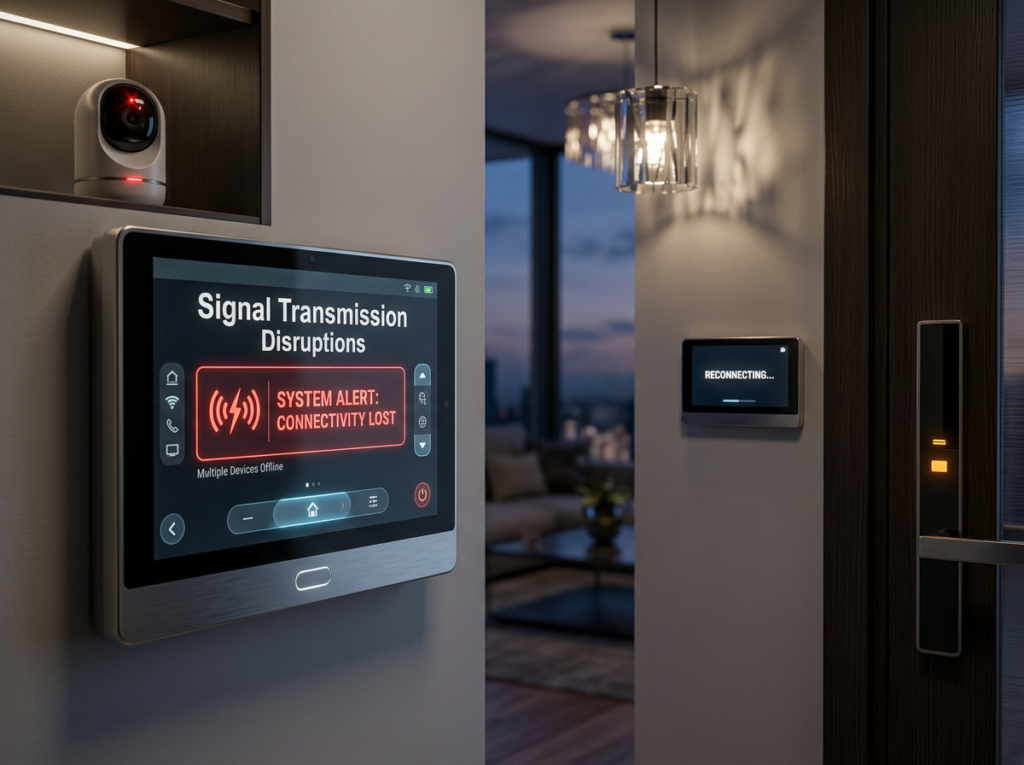
Signal Transmission Disruptions
Signal loss often happens during storms and electrical activity. Heavy rain, high winds, and lightning can weaken wireless links and cause short outages or degraded video quality.
Wireless Connectivity Performance in Storms
Rain and wind reduce the range and clarity of Wi‑Fi and cellular links used by many cameras. Water droplets scatter and absorb radio waves, lowering signal strength and increasing packet loss. Wind can move antennas slightly out of alignment or shake camera mounts, causing intermittent reconnects.
A practical checklist:
| Issue | Effect | Quick Fix |
|---|---|---|
| Heavy rain | Lower signal strength, choppy video | Move router closer or use higher-gain antenna |
| Wind sway | Intermittent dropouts | Secure mounts and align antennas |
| Distance | Reduced throughput in bad weather | Use repeaters or wired backhaul |
They should consider a wired Ethernet run or Power over Ethernet (PoE) to avoid wireless instability in areas prone to storms. If wireless must be used, dual-band radios and mesh systems help maintain a usable link during rain.
Interference from Lightning and Electrical Storms
Lightning itself rarely damages radio waves, but nearby strikes create electromagnetic pulses and wideband noise. This noise raises the error rate on wireless links and can corrupt video frames or force repeated retransmissions.
Equipment risks and protections:
- Surges: Lightning-induced surges can enter via power or coax and fry electronics.
- Grounding: Proper grounding and surge protectors reduce damage risk.
- Placement: Keep routers and NVRs in surge-protected enclosures and away from windows.
They should install surge protectors on power and network lines and use fiber where possible to break electrical continuity. Routine firmware updates and reboot schedules help recover equipment after transient interference.
Nighttime Weather Considerations
Nighttime rain, snow, and fog reduce visible detail and can scatter illumination from infrared or artificial lights. Wind-driven precipitation can also cause frequent false motion triggers and smear on the lens.
Effectiveness of Infrared in Rain or Snow
Infrared (IR) LEDs shine light that the camera sensor can detect in the dark, but raindrops and snowflakes reflect and scatter IR. This scattering creates bright spots or a foggy scene close to the camera, reducing contrast and hiding distant objects. Heavy precipitation can cut effective IR range by 30–70%, depending on intensity and beam angle.
Placement and lens choice help. Mount the camera under an overhang or use a sun/rain shield to keep precipitation out of the direct beam. Choosing cameras with adjustable IR power or smart IR helps avoid overexposure of nearby falling moisture. Wiping the dome or using hydrophobic coatings also keeps the lens clearer during extended storms.
Challenges with Low-Light Performance
Low-light sensors and wide-aperture lenses improve detail but amplify noise when light is scarce. Digital gain (ISO) lifts brightness but introduces grain that can obscure faces and license plates. Cameras with larger sensors, better low-light sensitivity (measured in lux), or built-in low-light modes generally produce cleaner images.
Artificial light sources like streetlights create glare and uneven exposure, especially when wet surfaces reflect light. Position cameras to minimize backlight and use wide dynamic range (WDR) features to balance bright and dark areas. Regular maintenance—cleaning lenses and checking housing seals—prevents moisture-related fogging that worsens low-light performance.
Wind and Physical Stability
Strong winds can cause blurred video and move cameras out of position. Secure mounts, vibration dampers, and regular checks reduce these problems and keep footage usable.
Camera Shake and Image Distortion
Wind makes cameras vibrate, which causes motion blur and shaky frames. This reduces the clarity of faces and license plates and can break object-tracking features. Cameras with higher shutter speeds and image stabilization handle motion better, while electronic stabilization can crop the field of view.
Mounts that flex transmit more vibration. Rigid metal mounts, short mounting arms, and rubber vibration isolators cut down shake. For pan-tilt-zoom units, wind can trigger constant motion; limiting PTZ sensitivity or setting park positions during storms keeps the camera steady. Technicians should test footage after storms to confirm settings and consider firmware that compensates for jitter.
Risk of Physical Displacement
Gusts can twist or loosen camera housings and brackets, changing the view or detaching units entirely. Corroded bolts, undersized anchors, and inadequate backplates make displacement more likely. Use stainless steel hardware and anchor bolts sized for the wall material, and follow manufacturer torque specs.
Windborne debris can crack lenses and housings. Protective housings, storm covers, and impact-rated cases help prevent damage. Regular inspections after severe weather spot loose fasteners early. For high-wind sites, engineers may recommend guy wires or reinforced poles and should document mounting details to meet local building codes and warranty requirements.
Seasonal Shifts in Surveillance Needs
Cameras and operators face different challenges as temperatures, daylight, and precipitation change. Adjustments to settings, placement, and maintenance keep footage useful and reduce false alerts.
Winter Versus Summer Performance
In winter, cold temperatures can slow electronics and reduce battery life for wireless cameras. Ice and snow can block lenses or cause condensation inside housings. Shorter daylight hours also force more reliance on infrared or low-light sensors, which may reduce detail at distance.
In summer, heat can overheat housings or cause image warping from hot air shimmer. Strong sunlight creates harsh shadows and glare that hide faces or plate numbers. Wind-driven vegetation and insects increase motion-triggered false alarms, and rain streaks can blur moving objects.
Practical steps include setting exposure to handle low light, ensuring heaters or vents work in cold seasons, and using sun shields or higher dynamic range (WDR) in bright conditions. They should also check detection zones seasonally to avoid plants or snowbanks.
Increased Maintenance in Certain Seasons
Spring and fall need focused cleaning and inspections after storms and pollen peaks. Lenses collect dust, pollen, and salt spray that lower contrast and trigger more false positives. Seals and gaskets should be checked to prevent moisture ingress during wet seasons.
Summer requires checking ventilation, fan operation, and UV damage to cables and housings. Winter maintenance emphasizes battery health, de-icing of housings, and ensuring heated enclosures activate. Create a seasonal checklist that covers:
- Lens cleaning and wipe tests
- Housing seal inspection
- Battery and power source checks
- Firmware and detection-zone updates
A short log after each visit helps track recurring issues and guides when to replace parts before a high-risk season.
Environmental Wear and Longevity
Weather shortens camera life by attacking metals, plastics, and seals. Humidity and sun cause rust, swollen housings, cracked cables, and faded labels that lead to leaks and failures.
Corrosion from Humidity
High humidity and salt in coastal air speed metal corrosion on housings, mounts, and connectors. Steel parts may show surface rust in months if paint chips; brass and copper contacts develop greenish patina that increases electrical resistance.
They should use stainless steel (316) or aluminum with hard anodizing to resist rust. Silicone or EPDM gaskets keep moisture out of enclosures; replace seals every 2–3 years in damp climates. Use dielectric grease on connectors and choose IP67 or higher ratings for long-term outdoor use.
Routine checks catch problems early. Inspect cable jackets, tightening hardware, and look for white salt residue near screw threads. Simple cleaning with fresh water and a soft brush removes salt before it causes pitting.
UV Exposure and Material Degradation
Direct sunlight breaks down many plastics and rubber, causing brittleness, cracking, and color loss. Polycarbonate domes yellow and lose clarity after prolonged UV, which reduces image contrast and increases glare.
UV-stabilized polymers, UV-blocking coatings, or hard-coated glass domes prevent rapid damage. Paints with UV-resistant pigments and clear coats slow fading on housings and mounts. For cable jackets, select UV-rated polyethylene or PVC to avoid splits.
Install cameras with shaded mounts or sun hoods where possible. Replace vulnerable parts like domes and gaskets at the first sign of crazing. A small investment in UV-rated materials extends service life and keeps images sharp.
Strategies for Reliable Operation
Focus on choosing cameras built for the climate and keeping them clean and inspected. Proper housing, correct mounting, and a simple maintenance plan keep footage clear and hardware working.
Selecting Weatherproof Models
They should pick cameras with an IP66 or IP67 rating for rain and dust protection. IP66 blocks powerful jets of water; IP67 survives immersion up to 1 meter for short periods. For cold climates, choose units with built‑in heaters or an operating temperature range below the local winter low. For hot climates, look for active cooling or components rated for 60°C (140°F) or higher.
Choose vandal-resistant housings (IK08 or higher) where impacts or windborne debris are risks. Prefer models with glass or polycarbonate domes that resist fogging. If lightning or power surges are possible, pick cameras with surge‑protected power inputs or add external surge protectors. Match lens type and IR range to expected distances to reduce overexposure from reflective surfaces like wet pavement.
Regular Inspection and Cleaning
They should inspect cameras every 1–3 months and after major storms. Check for cracked housings, loose mounts, and water or insect ingress. Tighten mounting screws and adjust aim if wind or ice shifted the unit.
For cleaning, use a soft microfiber cloth and a mild, non‑abrasive cleaner. Remove dust and salt deposits with fresh water first, then dry the glass to avoid streaks. Clear snow and ice with a plastic scraper or warm, low‑power heat if the camera supports it—never use open flames. Note any recurring condensation inside lenses; this often means the seal has failed and the camera needs resealing or replacement. Keep a log of inspections and findings to spot patterns and plan replacements before failures occur.
Technological Advancements for Weather Adaptation
Modern tools let cameras adjust to rain, fog, snow, and temperature swings. They focus on keeping images clear and equipment functional so security teams get usable footage and fewer false alerts.
Self-Regulating Camera Systems
Self-regulating cameras use sensors and software to change settings automatically. They adjust shutter speed, gain, and exposure when light levels drop at dusk or when glare spikes at midday. Some models include built-in thermal sensors that lower noise in cold conditions and prevent overexposure when sun reflects off wet surfaces.
AI-driven analytics help too. The system filters out rain streaks, snowflakes, and blowing debris so motion detection triggers only on humans or vehicles. Firmware can also switch to infrared or low-light modes when visibility falls below a set threshold. These features reduce false alarms and make recorded evidence clearer for review.
Heated and Ventilated Enclosures
Heated enclosures prevent lens fogging and ice buildup in freezing climates. A small thermostatic heater kicks in when internal temperature drops below the camera’s operating range, keeping electronics stable and the lens clear. This avoids sudden failures during cold snaps.
Ventilated enclosures manage heat and humidity in hot or humid environments. Fans and moisture-absorbing desiccants reduce condensation after storms. Some enclosures combine active cooling with filters to block dust and salt spray, extending camera life and maintaining consistent image quality in coastal, desert, and tropical locations.
FAQS
What weather damages cameras most?
They face the biggest problems from heavy rain, snow, and extreme temperatures. Moisture can fog lenses and corrode parts, while heat and cold can shorten electronic life.
How does rain affect image quality?
Raindrops on the lens blur images and trigger false motion alerts. Good mounts, lens hoods, and water-resistant housings help keep views clear.
Can cameras work in very cold or hot climates?
Some cameras are built for extreme temps, but many lose battery life or fail in severe cold. Heat can overheat electronics and distort images. Check the camera’s operating temperature range.
Do wind and debris cause issues?
Strong wind can shake mounts and blur footage. Debris can strike the housing or block the view. Secure mounting and protective covers reduce these risks.
How often should cameras be maintained?
They should get a quick check every month and a deeper inspection every six months. Wipe lenses, check seals, and test night vision and motion detection.
What outdoor rating matters most?
IP ratings show protection levels; higher numbers mean better dust and water resistance. An IP65 or higher is usually good for most outdoor spots.
Can software help in bad weather?
Yes. WDR, IR, and noise-reduction improve images in low light and harsh contrast. Firmware updates also fix bugs that affect performance in certain conditions.
Conclusion
Weather affects security cameras in clear, direct ways. Rain, snow, heat, cold, dust, and humidity each create problems that reduce image quality or shorten device life.
Choosing the right camera matters. Weatherproof models with proper IP ratings, temperature tolerance, and corrosion-resistant materials hold up better. Good placement and simple shields can cut down on rain, sun glare, and wind-driven debris.
Regular care keeps systems reliable. Cleaning lenses, checking seals, and testing power sources prevent failures. Firmware updates and occasional inspections help detect issues before they worsen.
Small upgrades give big benefits. Heated housings or insulated enclosures help in extreme cold. Sun shields and IR adjustments improve daytime and night images. Surge protectors and stable power reduce damage from storms.
A quick checklist helps owners act fast:
- Inspect seals and mounts every 6–12 months.
- Clean lenses after storms or dust events.
- Verify recording and alerts after severe weather.
- Replace worn cables and corroded connectors.
They can extend camera life with steady maintenance and smart equipment choices. Practical steps and the right gear keep surveillance working through most weather conditions.