

Quick Answer: The quietest keyboard switches are usually silent linear switches like Cherry MX Silent Red, Gateron Silent Red, and Kailh Deep Sea Silent Pro Islet. They use built-in dampening to reduce bottom-out and return noise, making them great for offices, calls, gaming rooms, and shared spaces.
I’m Daniel Brooks, and I’ve spent years testing tech tools, keyboard parts, and office accessories that people use every day. Quiet switches matter when your keyboard starts bothering coworkers, family, or people on calls. My friend James Walker learned this the hard way during late-night coding sessions. In this guide, I’ll show you what actually works.
What Are Quiet Keyboard Switches and Why Do They Matter?
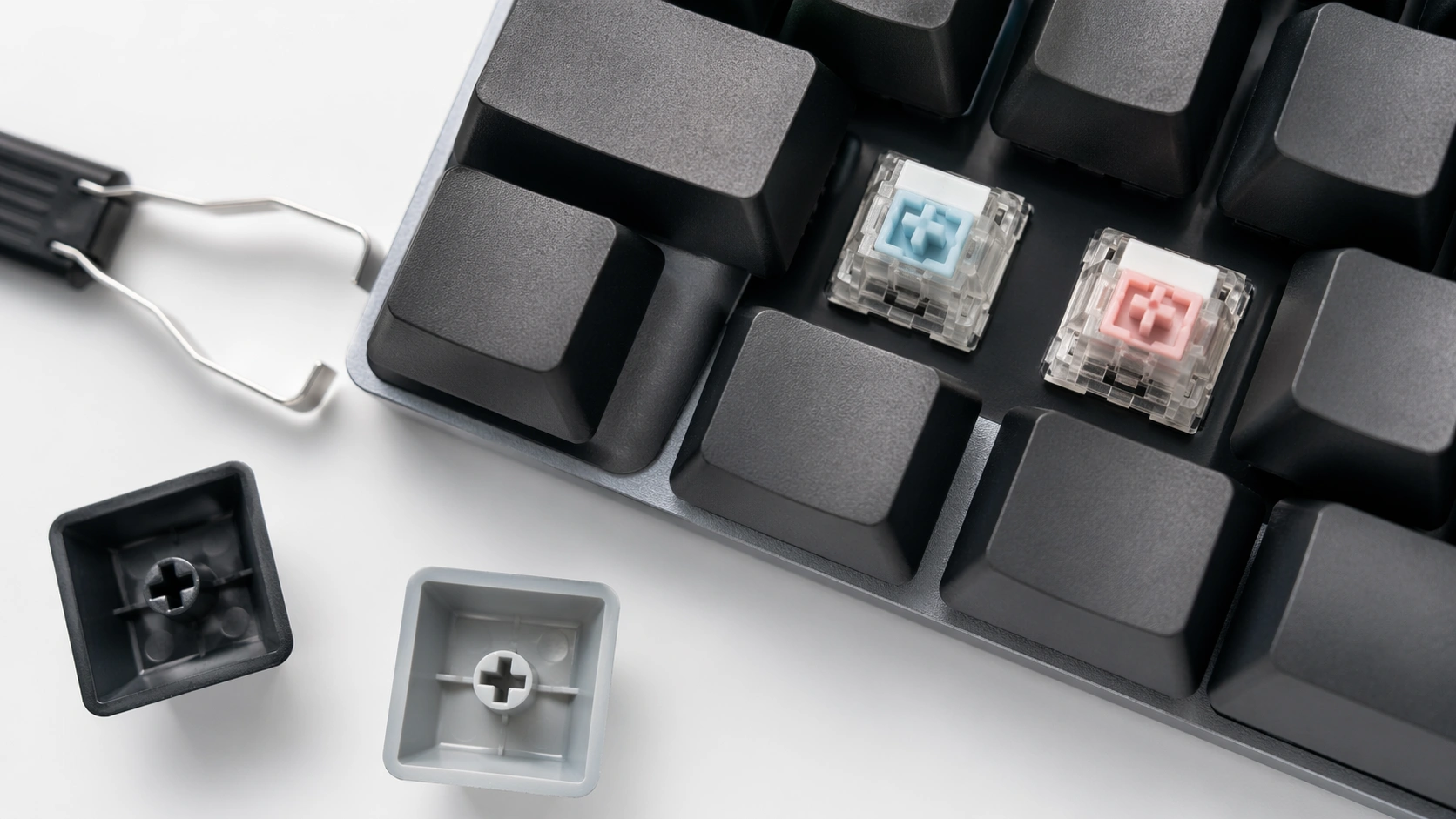
Quiet keyboard switches are mechanical switches made to reduce typing noise. They still feel mechanical, but they do not make the sharp click or hard clack you hear from many regular switches.
The main keyword here is what are the quietest keyboard switches, but the real question is simple: which switches let you type without annoying everyone around you?
For most people, the answer is a silent linear switch. These switches move straight down without a tactile bump or click. Many also use small dampening pads inside the switch to soften the sound when the key goes down and comes back up.
Cherry says its MX Silent Red switch uses patented damping to reduce operating noise and has a linear feel with low spring force. The current MX2A Silent Red listing shows 45 cN operating force, 1.9 mm pre-travel, 3.7 mm total travel, lubrication, and silent operation.
Why Quiet Switches Matter in Real Life
A loud keyboard can be a real problem in a shared workspace. It can leak into Zoom calls. It can wake someone in the next room. It can make a gaming setup sound busier than it needs to be.
Quiet switches help with:
- Home office typing
- Open office work
- Late-night gaming
- Streaming and voice chat
- Dorm rooms
- Shared bedrooms
- Writing, coding, and daily computer use
They are not magic. A keyboard can still make sound from the case, plate, stabilizers, desk, and keycaps. But silent switches are the best starting point if the switch itself is the loudest part of your setup.
How Quiet Keyboard Switches Work
Most mechanical switches make noise in two main places. The first sound happens when the stem hits the bottom of the switch. The second happens when the stem returns to the top.
Silent switches reduce these sounds with built-in dampeners. These are usually small rubber, silicone, or soft plastic parts placed on the stem or inside the switch housing.
Built-In Dampeners Explained
A normal switch has a firm plastic impact when you press it all the way down. A silent switch softens that impact. This lowers the clack sound.
Gateron says its KS-9 Silent 2.0 switches use silent pads above and below the shaft core to create a mute effect. The listing also shows POM stems, PC top housing, nylon bottom housing, SMD LED support, pre-lubing, and 5-pin design.
Linear vs Tactile Silent Switches
Silent linear switches are usually the quietest choice. They feel smooth from top to bottom. There is no bump and no click.
Silent tactile switches are still quiet, but they have a small bump. That bump helps some people type with better control. Writers and programmers often like this feel.
| Switch Type | Noise Level | Feel | Best For |
|---|---|---|---|
| Silent Linear | Very quiet | Smooth | Office work, gaming, fast typing |
| Silent Tactile | Quiet | Small bump | Writing, coding, accurate typing |
| Regular Linear | Medium | Smooth | Gaming and general use |
| Clicky | Loud | Click and bump | Private rooms only |
Best Quiet Keyboard Switch Types Explained
When someone asks me what the quietest keyboard switches are, I usually start with three groups: silent linear, silent tactile, and low-profile silent switches.
Silent Linear Switches
Silent linear switches are the safest choice for most quiet keyboard builds. They are smooth, simple, and easy to like.
They work well for:
- Typing during meetings
- Gaming with a microphone nearby
- Office desks near other people
- Fast typing with less finger fatigue
Silent Tactile Switches
Silent tactile switches are for people who want feedback without a loud click. They are not always as quiet as silent linear switches, but they can feel more controlled.
Kailh lists its Deep Sea Silent Pro Box line in both linear Islet and tactile Whale versions. Its technical data shows the Islet as a silent linear switch with 45±10 gf operation force and the Whale as a silent tactile switch with 40±10 gf operation force and 60±10 gf tactile force.
Low-Profile Silent Switches
Low-profile silent switches are thinner than normal MX-style switches. They can be good for slim keyboards. The downside is compatibility. Not every keyboard supports them.
For most beginners, I suggest standard MX-style silent switches first. They are easier to find, easier to replace, and work with more hot-swap keyboards.
Quietest Keyboard Switches Compared
Here is a simple comparison of popular quiet switch choices. Sound can change depending on your keyboard case, plate, desk mat, and keycaps, so treat this as a practical buying guide, not a lab promise.
| Switch | Type | Feel | Best Use | Beginner Rating |
|---|---|---|---|---|
| Cherry MX Silent Red | Silent linear | Light and smooth | Office, daily typing, gaming | Very beginner-friendly |
| Gateron Silent Red / KS-9 Silent | Silent linear | Smooth and soft | Budget quiet builds | Very beginner-friendly |
| Kailh Deep Sea Silent Pro Islet | Silent linear | Stable and quiet | Premium quiet typing | Beginner-friendly |
| Kailh Deep Sea Silent Pro Whale | Silent tactile | Quiet with bump | Writing and coding | Good for tactile fans |
| Silent Black Style Switches | Silent linear | Heavier press | Firm typing feel | Best for experienced users |
Cherry MX Silent Red
Cherry MX Silent Red is one of the most common answers to the question, what are the quietest keyboard switches. It is light, linear, and designed for lower noise.
I like it for beginners because it feels familiar if you already know regular red switches. It is also widely supported in MX-style keyboards.
Gateron Silent Red / KS-9 Silent
Gateron silent switches are popular with custom keyboard builders because they often feel smooth for the price. The KS-9 Silent line is available in several weights, which helps if you want a lighter or heavier press.
This is a strong choice if you are building a quiet keyboard on a budget.
Kailh Deep Sea Silent Pro
Kailh Deep Sea Silent Pro switches are good if you want a quieter build with a more premium feel. The line includes a linear Islet option and a tactile Whale option.
The linear version is better if your top goal is low noise. The tactile version is better if you want feedback while writing or coding.
Silent Linear vs Silent Tactile Switches: Full Comparison
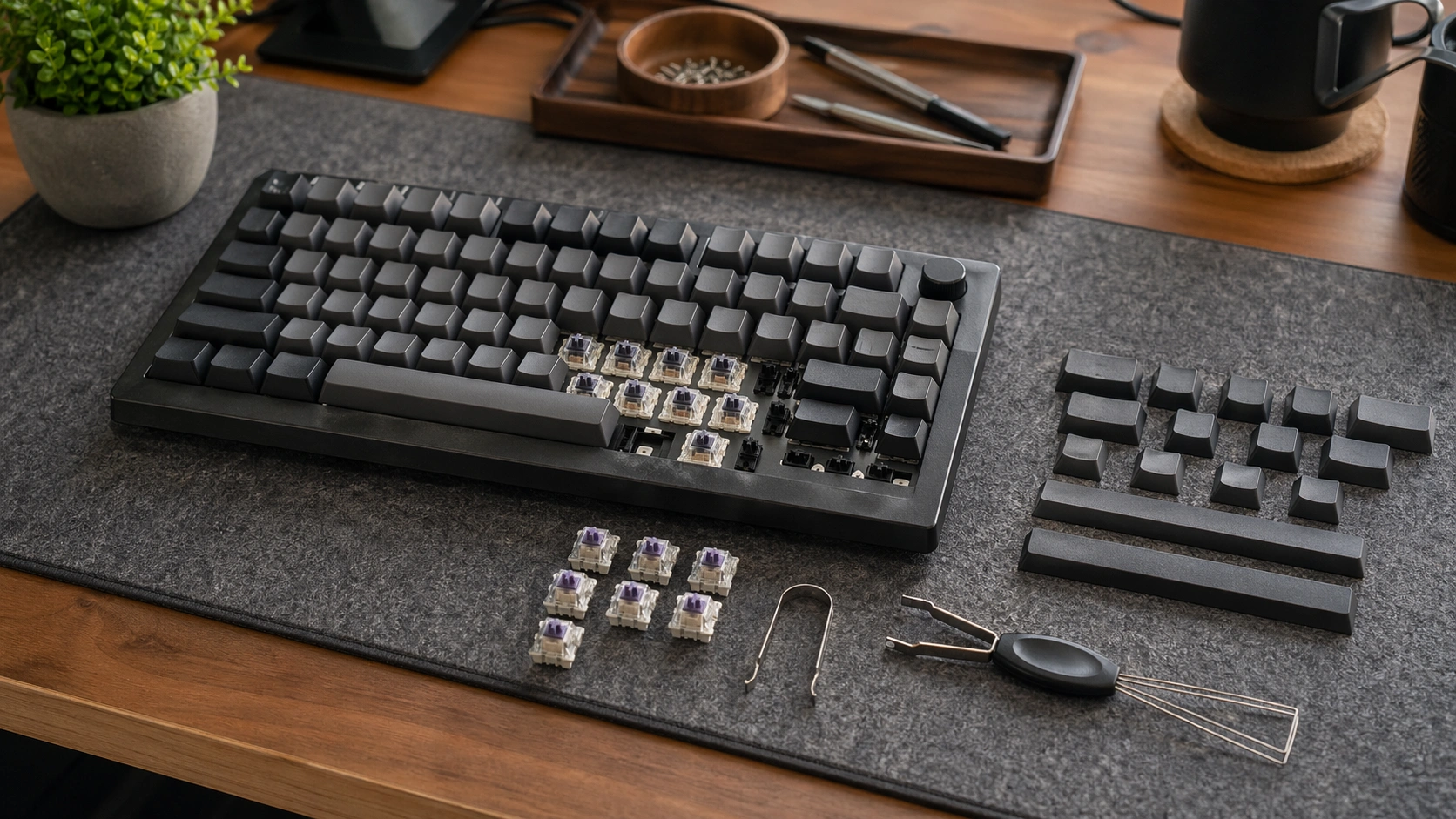
This is where many beginners get stuck. They know they want a quiet keyboard, but they do not know whether to buy linear or tactile switches.
| Feature | Silent Linear | Silent Tactile |
|---|---|---|
| Sound | Usually quieter | Quiet, but can have more stem feel |
| Typing Feel | Smooth from top to bottom | Small bump during press |
| Best For | Gaming, office work, fast typing | Writing, coding, careful typing |
| Learning Curve | Easy | Easy if you like feedback |
| Common Problem | Can feel too soft | Can feel less smooth |
My Simple Advice
Choose silent linear switches if you want the quietest result.
Choose silent tactile switches if you want quiet typing but still want to feel each keypress.
For shared offices, calls, and late-night use, I usually start with silent linear switches. For long writing sessions, I test silent tactile switches too.
How to Choose the Quietest Keyboard Switch for Your Setup
Before you buy switches, check your keyboard. This step saves money and prevents setup problems.
Check Your Keyboard Type First
You need to know if your keyboard is hot-swappable or soldered.
- Hot-swappable keyboard: You can pull switches out and push new ones in.
- Soldered keyboard: Switches are soldered to the PCB and need desoldering tools.
If you are a beginner, I strongly recommend using a hot-swappable keyboard. It makes testing quiet switches much easier.
3-Pin vs 5-Pin Switch Compatibility
Many MX-style switches come in 3-pin or 5-pin layouts. The extra plastic pins on 5-pin switches help with stability.
| Switch Pin Type | What It Means | Compatibility Tip |
|---|---|---|
| 3-pin | Two metal pins plus center stem post | Works in most 3-pin and 5-pin boards |
| 5-pin | Two metal pins, center stem post, two plastic legs | Works in 5-pin boards; plastic legs can be clipped for some 3-pin boards |
RGB and LED Compatibility
If your keyboard has RGB lighting, look for switches with clear tops or SMD LED support. Some opaque switches can block light.
This does not affect typing noise, but it affects how your keyboard looks after the switch swap.
Office, Gaming, Writing, and Daily Use
Here is how I match switches to real setups:
| Use Case | Best Switch Style | Why |
|---|---|---|
| Open office | Silent linear | Lowest everyday typing noise |
| Gaming | Silent linear | Smooth and quick keypresses |
| Writing | Silent tactile | Quiet with typing feedback |
| Home office calls | Silent linear | Less keyboard noise through microphone |
| Shared bedroom | Silent linear with desk mat | Reduces switch and desk noise |
Step-by-Step Guide: How to Install Silent Keyboard Switches
If your keyboard is hot-swappable, installing silent switches is simple. Go slowly and test as you go.
Tools You Need
- Keycap puller
- Switch puller
- Silent keyboard switches
- Small tray for keycaps
- Keyboard tester website or typing test app
- Optional desk mat
Step 1: Unplug the Keyboard
Always unplug the keyboard first. If it is wireless, turn it off too. This avoids accidental input and protects the board.
Step 2: Remove the Keycaps
Use a keycap puller. Pull straight up. Do not twist hard, because you can damage the keycap stem.
Step 3: Pull the Old Switches
Use a switch puller. Press the top and bottom tabs of the switch, then pull straight up.
If a switch does not move, do not force it. Check the tabs again. Forcing it can damage the hot-swap socket.
Step 4: Check the New Switch Pins
Look at the metal pins before installing each switch. If a pin is bent, straighten it gently before pushing the switch into the board.
Step 5: Install the Silent Switches
Line up the switch with the socket. Press straight down until it sits flat. A crooked switch can bend pins.
Step 6: Test Every Key
Open a keyboard tester and press each key. If one key does not work, remove that switch and check for a bent pin.
Common Keyboard Switch Problems and Fixes
Silent switches can solve a lot of noise problems, but they do not fix every keyboard issue. Here are the problems I see most often.
| Problem | Likely Cause | Fix |
|---|---|---|
| Key does not work after switch swap | Bent switch pin | Remove switch, straighten pin, reinstall carefully |
| Keyboard is still loud | Case echo, thin keycaps, or stabilizer rattle | Use desk mat, case foam, thicker keycaps, or tune stabilizers |
| Spacebar is loud | Stabilizer rattle | Lube or replace stabilizers |
| Switch feels mushy | Silent dampeners soften bottom-out | Try a firmer silent switch |
| RGB looks dim | Switch housing blocks light | Use clear-top or SMD-compatible switches |
| Switch will not fit | Wrong pin layout or low-profile mismatch | Check PCB support before buying |
| Keyboard disconnects | USB cable, Bluetooth, firmware, or battery issue | Test cable, update firmware, recharge, or reset pairing |
Why Your Keyboard Is Still Loud After Silent Switches
If your keyboard is still loud, the switches may not be the only problem. The case can echo. The plate can ping. The stabilizers can rattle. The desk can amplify sound.
This is why I test quiet switches with a desk mat first. It is cheap, simple, and often reduces the sharp desk sound right away.
Common Silent Switch Mistakes to Avoid
I see beginners make the same quiet keyboard mistakes again and again. Avoid these before spending money.
Buying Clicky Switches by Mistake
Clicky switches are not quiet. Blue, green, and many click-bar switches are made to click. They are fun in a private room, but poor for shared spaces.
Ignoring Hot-Swap Compatibility
Do not buy a pack of switches before checking if your keyboard is hot-swappable. If it is soldered, you will need extra tools and more skill.
Forgetting Stabilizer Noise
The spacebar, enter key, backspace, and shift keys use stabilizers. If those rattle, your keyboard can still sound loud even with silent switches.
Expecting Zero Sound
No mechanical switch is truly silent. Silent switches are quieter, not soundless. You will still hear some soft tapping from keycaps, stabilizers, and the desk.
Pro Tips for a Quieter Keyboard Setup
Quiet switches are only one part of a quiet keyboard. A full quiet setup needs a few small upgrades.
Use a Desk Mat
A desk mat absorbs vibration between the keyboard and desk. It is one of the easiest quiet keyboard upgrades.
Choose Thicker Keycaps
Thin keycaps often sound sharper. Thicker PBT keycaps can make typing sound deeper and softer.
Add Case Foam Carefully
Case foam can reduce empty case echo. Do not overpack the case. Too much foam can change the feel and create pressure inside the board.
Fix Stabilizers Before Blaming Switches
If only the large keys are loud, the problem is probably not your switches. It is likely the stabilizers.
Test a Switch Sample First
Do not buy 110 switches without testing the feel. A switch tester or small pack can save you from buying a full set you dislike.
Tool Recommendations for Quiet Keyboard Builds
You do not need a huge tool kit to build a quieter keyboard. But the right basic tools make the job safer and easier.
| Tool | What It Does | Why It Helps |
|---|---|---|
| Keycap puller | Removes keycaps | Prevents cracked stems and scratched caps |
| Switch puller | Removes hot-swap switches | Protects the switch and socket |
| Switch tester | Lets you test several switches | Helps you pick the right feel before buying a full set |
| Keyboard lube kit | Lubricates switches and stabilizers | Can reduce scratch, ping, and rattle |
| Desk mat | Sits under the keyboard | Reduces desk vibration and harsh sound |
For official switch details, I like checking manufacturer pages such as Cherry MX Silent Red specifications, Gateron Silent switch details, and Kailh Deep Sea Silent Pro switch information.
Best Product Picks for Quiet Keyboard Switches
These are practical starting points for people who want a quieter keyboard without turning the build into a complicated project.
Cherry MX Silent Red Switches
A reliable silent linear option for beginners, office workers, and anyone who wants a proven quiet switch feel.
Gateron Silent Red Switches
A smooth, budget-friendly silent switch choice for custom keyboards, home offices, and everyday typing.
Kailh Deep Sea Silent Pro Switches
A strong pick if you want a quieter premium switch with linear and tactile options for different typing styles.
Silent Switches vs Other Quiet Keyboard Fixes
Silent switches are powerful, but they are not the only fix. Sometimes you need more than one change.
| Quiet Keyboard Fix | Noise Reduction | Cost | Best For |
|---|---|---|---|
| Silent switches | High | Medium | Reducing switch clack |
| Desk mat | Medium | Low | Reducing desk vibration |
| Case foam | Medium | Low to medium | Reducing hollow case sound |
| Stabilizer tuning | High for large keys | Low | Fixing spacebar rattle |
| O-rings | Low to medium | Low | Softening bottom-out on some keyboards |
FAQ: What Are the Quietest Keyboard Switches?
What keyboard switches are the quietest?
The quietest keyboard switches are usually silent linear switches. Good examples include Cherry MX Silent Red, Gateron Silent Red, and Kailh Deep Sea Silent Pro Islet. They reduce bottom-out and return noise better than regular linear, tactile, or clicky switches.
Are silent switches good for gaming?
Yes. Silent linear switches are good for gaming because they feel smooth and do not create much noise. They are especially useful if you use a microphone, stream, or play at night.
Are silent switches worth it for office work?
Yes. Silent switches are worth it for office work if you type near other people or spend time on calls. They make a mechanical keyboard easier to use in shared spaces.
Can I put silent switches in any keyboard?
No. Your keyboard must support the switch type you buy. Check if it is hot-swappable, whether it supports 3-pin or 5-pin switches, and whether it uses standard MX-style switches.
Are linear switches quieter than tactile switches?
Silent linear switches are usually quieter than silent tactile switches because they do not have a tactile bump. But a good silent tactile switch can still be quiet enough for office and home use.
Why is my keyboard still loud after installing silent switches?
Your keyboard may still be loud because of stabilizer rattle, hollow case sound, thin keycaps, or desk vibration. Try a desk mat, stabilizer tuning, thicker keycaps, or case foam.
Do silent switches feel mushy?
Some silent switches feel slightly softer because the dampeners reduce impact. If they feel too mushy, try a firmer silent switch or a silent tactile switch with more feedback.
Final Thoughts
If you want the shortest answer to what are the quietest keyboard switches, start with silent linear switches. Cherry MX Silent Red, Gateron Silent Red, and Kailh Deep Sea Silent Pro Islet are all strong choices.
For most people, I recommend a simple path: confirm your keyboard compatibility, test a few silent switches, then add a desk mat if the board still sounds loud. That gives you a quieter setup without wasting money on random mods.