

You ask how long school security cameras keep footage, and the quick answer matters to your privacy and safety. Most schools keep footage for a set period—often 7 to 90 days—depending on district policy, state law, and storage limits. That window can be longer for incidents that require investigation or legal hold, and shorter when storage or privacy rules force earlier deletion.
Ethan Carter at Diggons.com notes that technical choices—like cloud vs. onsite storage—and budget limits shape how long video stays available. Check your local district policy or contact school officials to learn the exact retention period for your school and how to request footage when you need it.
Key Takeaways
- Retention periods usually range from days to a few months and vary by policy.
- Longer holds occur for incidents or legal requests, and storage type affects availability.
- Contact school officials for specific retention rules and footage requests.
Standard Retention Policies in Educational Settings
Retention rules usually specify how long video is kept, who can access it, and when it must be deleted. Many schools aim to balance safety, storage limits, and student privacy when they set these timeframes.
Typical Storage Durations
Most districts keep routine hallway and common-area footage between 7 and 90 days. Shorter windows (7–30 days) are common where storage costs are tight or cameras are used mainly for deterrence. Longer windows (60–90 days) appear when footage must support investigations or meet local rules.
Schools often tag and overwrite old files automatically. Important clips tied to incidents are moved to separate evidence storage and kept longer, often 1–3 years or until legal matters close. Retention may also vary by camera type — doorbell or classroom-mounted units sometimes follow different schedules.
| Footage Type | Common Retention | Notes |
|---|---|---|
| General hallways/common areas | 7–90 days | Auto-overwrite unless flagged |
| Incident evidence | 1–36 months | Archived separately, access restricted |
| Classroom recordings | Varies widely | Often subject to additional privacy rules |
Policy Differences by School District
Districts set policies based on budget, state law, and community expectations. Urban districts with more cameras may shorten retention to save storage costs. Rural districts with fewer cameras sometimes keep footage longer because capacity is less strained.
Local laws can force minimum retention for investigations or mandate rapid deletion for privacy. Some districts require parental or board approval for camera placement and retention rules. Access rules differ too: many districts limit who can view footage and require written requests or incident numbers to release clips.
Impact of School Level on Retention
Elementary, middle, and high schools handle footage differently because privacy and behavioral risks differ. Elementary schools often restrict access more tightly and may keep footage shorter to protect younger students’ privacy.
High schools may keep footage longer due to higher rates of incidents and use of footage in disciplinary cases. Middle schools fall between those two. Sports areas and off-campus event footage often follow distinct rules because events may involve non-students and outside investigators.
Legal and Regulatory Influences
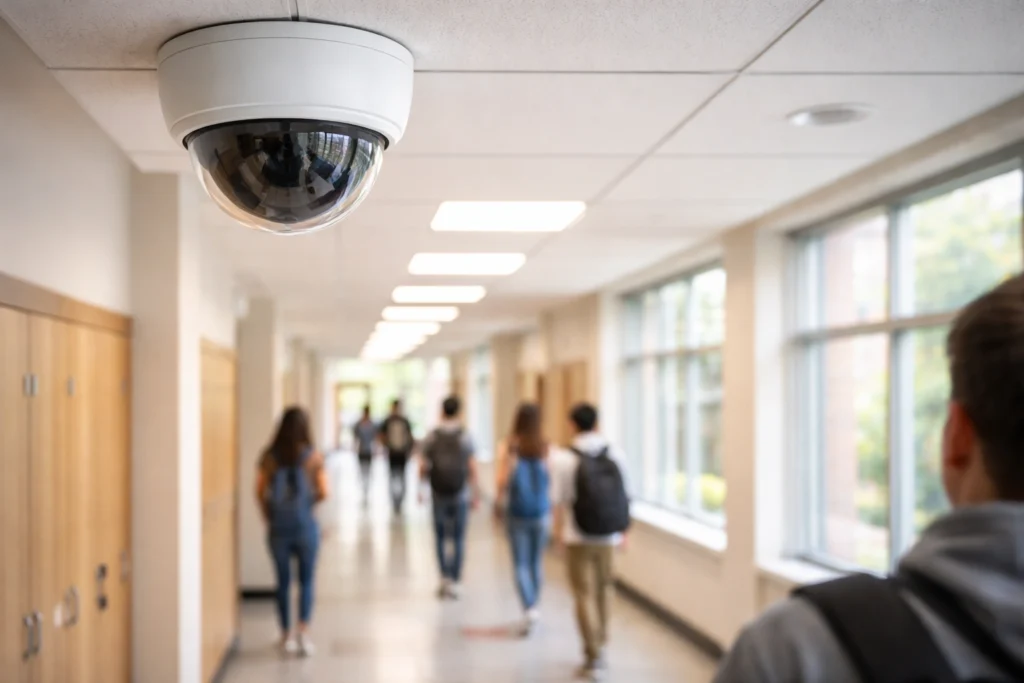
Laws and rules shape how long schools keep camera footage. They set retention limits, access rules, and conditions for sharing video with parents, law enforcement, or the public.
FERPA and Student Privacy Laws
FERPA protects students’ education records, and schools must treat video as potentially part of those records when it’s linked to a student. If footage is used to make a decision about a student — discipline, suspension, or special services — it becomes an education record under FERPA and parents gain rights to inspect it. Schools must follow FERPA’s access and amendment processes and cannot disclose identifiable student footage without parental consent, except for permitted exceptions like health and safety emergencies.
Districts should adopt written policies explaining when video counts as an education record and how long footage is retained. Staff should log requests and disclosures to show compliance.
State-Specific Legislation
Many states add rules beyond FERPA that affect retention times and disclosure. Some states require minimum retention periods for public school surveillance; others ban cameras in certain spaces like locker rooms or bathrooms. A few states explicitly define retention windows (for example, 30, 60, or 90 days) or require encryption and access controls.
Use the table below to compare common state approaches:
| State Rule Type | Example Requirements |
|---|---|
| Retention Window | Specifies days footage must be kept (e.g., 30–90 days) |
| Location Restrictions | Prohibits cameras in private areas (bathrooms, locker rooms) |
| Security Controls | Mandates encryption, access logs, and limited user roles |
School administrators should check state statutes and model policies from the state education agency to ensure local rules get followed.
Compliance with Local Regulations
Local school boards and districts often set the practical retention policy used day-to-day. They decide storage length based on law, budget, and whether footage needs to support investigations. District policies should spell out retention period, who may view footage, how requests are handled, and how long footage tied to incidents is archived.
Best practices include: keeping an access log, using role-based permissions, and regularly auditing storage. If footage is needed for litigation or law enforcement, districts must place holds to prevent automatic deletion. Districts should publish their policy so parents and staff know rules and appeal paths.
Technical Factors Affecting Storage
Storage duration depends on the camera type, available disk or cloud space, and the image quality set for recordings. These three choices directly change how many days of footage a school can keep before the system overwrites oldest files.
Camera System Types Used in Schools
Schools most often use three system types: DVR (analog), NVR (network/IP), and cloud-based systems. DVRs connect to analog cameras and record to a local hard drive. They are cheaper upfront but offer less flexibility for remote access and scaling.
NVRs work with IP cameras and write video to local or network storage. They support higher resolutions, advanced analytics, and easier expansion. Many districts choose NVRs for future-proofing and better image quality.
Cloud-based systems upload video to vendor servers. They reduce on-site hardware needs and make remote review simpler. Costs are usually monthly and scale with retention length and camera count.
| System Type | Typical Strength | Common Drawback |
|---|---|---|
| DVR (Analog) | Lower cost, simple | Lower image quality, less flexible |
| NVR (IP) | High quality, scalable | Higher initial cost |
| Cloud | Easy remote access, low on-site hardware | Ongoing fees, bandwidth needs |
Storage Capacity Considerations
Hard drive size and the number of drives set the baseline for on-site retention. A single 4 TB drive holds more days than a 1 TB drive, but redundancy (RAID) often reduces usable space.
Schools should weigh retention targets (for example, 30 or 90 days) against camera count and expected motion levels. More cameras or heavy motion increases required capacity quickly.
Cloud plans price retention per camera per month. Schools should compare total cost for desired days of storage and bandwidth. They may use hybrid setups: local short-term storage plus cloud backups for critical events.
Resolution and Video Quality Settings
Higher resolution and frame rate produce clearer images but use more storage. For example, switching from 720p at 15 fps to 1080p at 30 fps can roughly double storage needs.
Compression codecs (H.264, H.265) change file size significantly. H.265 reduces bandwidth and storage compared with H.264 but requires compatible hardware and slightly more processing power.
Schools often balance settings: keep higher resolution for entry points and lower settings for hallways. Adjusting motion detection and event-triggered recording can cut storage use while keeping important footage.
Administrative Decision-Making
District leaders balance safety, privacy, cost, and legal duties when setting how long school cameras keep footage. They decide retention periods, who can access recordings, and when to preserve clips for investigations.
Role of School Boards and Administrators
School boards set policy and approve budgets that shape camera retention limits. They often adopt written retention schedules — for example, 14, 30, or 90 days — based on legal advice and local risk assessments.
Administrators enforce those policies day to day. They assign who can request footage, authorize holds for incidents, and ensure automatic deletion runs on schedule. They also handle records requests under public records laws and decide when footage becomes evidence in discipline or criminal cases.
Boards and admins must weigh storage costs, the need for historical footage, and student privacy. They may require regular audits and training so staff follow chain-of-custody and access rules.
Influence of Security Consultations
Security consultants advise on technical limits and best practices for retention. They provide data on storage needs for different retention lengths and recommend retention tied to camera resolution and frame rate.
Consultants also suggest access controls and encryption to protect stored footage. They can run cost comparisons: cloud storage versus local servers, and predict how long archives will last before overwrite.
Their role includes helping translate safety goals into enforceable retention policies. Districts usually combine consultant recommendations with legal counsel to set a final retention period that fits budget and compliance.
Variations by Security Incident Type
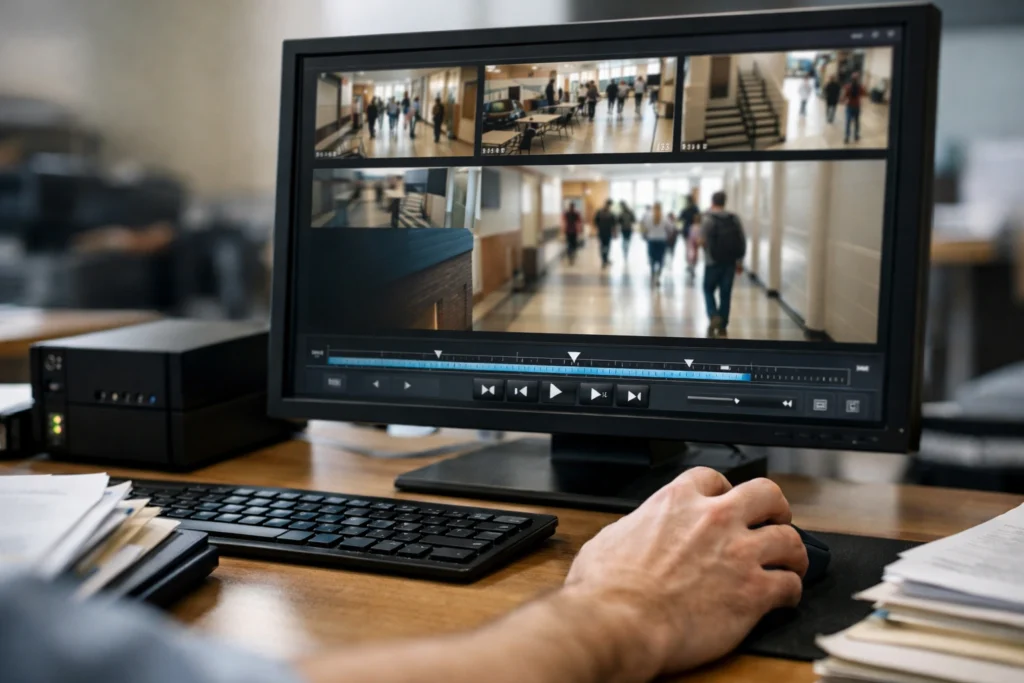
Schools usually keep routine footage for shorter times, often 7–30 days, unless policy says otherwise. This covers daily activities and minor incidents that don’t require follow-up.
When a disciplinary or criminal incident occurs, retention often extends. Administrators or law enforcement may flag footage, and the clip can be kept until investigations finish or legal holds end.
For serious events like assaults, threats, or suspicious packages, schools tend to treat recordings as evidence. They commonly store these videos longer—sometimes months—while the case proceeds and records are needed for court or review.
Data access and sharing rules change with the incident type. Privacy laws and district policies often limit who can view or copy footage, especially when minors are involved. Requests from police or parents usually follow formal procedures.
Examples of typical retention differences:
- Routine day-to-day: 7–30 days
- Discipline or misconduct under review: 30–90 days or until case closed
- Criminal investigations or legal holds: Months to indefinite, per legal requirements
Staff should document when footage is preserved and why. That record helps protect evidence and shows the school followed policy.
Cloud-Based vs. Onsite Storage Solutions
Schools must balance footage retention, access, cost, and privacy when choosing storage. Cloud options make remote access and off-site backup easy, while onsite recorders give direct control and lower ongoing fees.
Benefits and Drawbacks of Cloud Storage
Cloud storage stores video on a provider’s servers, so footage survives theft or damage to on-site equipment. It allows staff and authorized officials to view video from any internet-connected device, which speeds investigations and supports off-site review by police or district staff.
Cloud needs reliable upload bandwidth, especially for multiple high-resolution cameras, or schools will drop frames or need lower quality. It usually uses monthly or yearly subscriptions that add recurring cost for retention beyond basic limits. Schools should check encryption, data residency, and vendor access policies to protect student privacy and comply with laws.
| Advantage | Consideration |
|---|---|
| Off-site backup | Protects footage from onsite theft or damage |
| Remote access | Easy review by administrators and law enforcement |
| Scalable retention | Costs rise with longer or higher-resolution storage |
| Automatic updates | Depends on vendor security and policies |
Onsite Digital Video Recorders
Onsite storage uses NVRs, DVRs, or NAS devices housed at the school. Staff keep physical control of drives and rarely pay subscription fees, which can lower long-term costs for multi-year archives.
Local systems continue recording without internet, so short outages won’t stop capture. They require regular maintenance: drive replacement, software updates, and secure physical access. Capacity limits mean schools must choose resolution and retention carefully; larger drives and RAID setups increase resilience but add upfront cost. For many districts, a hybrid approach—onsite primary recording with periodic cloud backups—gives a practical balance of control and redundancy.
Access and Retrieval Protocols
This section explains who can view school camera footage and how people request it. It focuses on common roles, legal checks, and step-by-step request actions schools usually follow.
Who Can Access Footage
Access usually stays limited to specific staff and law enforcement. Typical authorized users include the principal, campus security officers, district safety directors, and IT staff who maintain the recording system. Each person gets access based on a job need and written authorization.
Parents, students, and teachers generally do not get direct access. They must request footage through an approved process. Law enforcement may request footage; schools often require a subpoena or written agreement before sharing video.
Schools log every access. The log records who viewed footage, the date and time, the camera ID, and the reason. Audit trails help protect privacy and show who handled the video.
Procedures for Footage Requests
Requests start with a formal written form or email to the school office or district records custodian. The form typically asks for the incident date, time range, camera location, requester name, and proof of identity or relation.
Staff review the request against policy and retention rules. If the footage still exists, staff either provide a redacted copy, a viewing appointment, or refer the requester to law enforcement. Schools may charge a small copying fee under local rules.
If footage has been purged due to retention limits, staff must document the attempt and notify the requester. Schools keep a copy of the final decision and the access log entry for records and possible audits.
Budgetary Constraints and Funding Sources
Schools often face tight budgets that limit how long camera footage can be kept. Storing video for long periods needs more server space and maintenance, which raises recurring costs.
Districts may prioritize essential retention windows, like 30 days, to balance cost and usefulness. They might also keep footage longer only for incidents under investigation.
Funding can come from several places. Federal and state safety grants sometimes cover surveillance projects, and districts can combine those with local bond measures or budget reallocations.
Some districts stretch funds by choosing cloud storage plans with tiered retention or by using AI-powered software to flag and keep only relevant clips. These cost-saving options can reduce storage needs and help stay within budgets.
Schools should document funding sources and retention policies for transparency. Grant applications and board reports usually require clear justification and projected costs.
For general grant guidance and policy examples, districts can look at federal program pages or neutral resources such as grant funding basics. For technical standards and best practices on camera systems, trusted industry resources can help districts choose cost-effective setups.
Footage Deletion and Data Security Practices
Schools should set clear retention periods and lock down access to prevent misuse. Proper deletion schedules, encrypted storage, and strict user controls help protect student privacy and meet legal rules.
Automatic Deletion Timelines
Many districts set cameras to overwrite old files automatically after 30 days, though some keep footage 60–90 days for investigations or legal needs. The schedule depends on storage type: DVR/NVR systems overwrite when disk space fills, while cloud plans use fixed retention windows tied to the subscription.
Administrators should document retention in policy and configure cameras and recorders to enforce it. They can exempt footage tagged for incidents so those clips are retained longer. Regular audits of storage capacity and retention settings reduce accidental long-term storage.
Useful checklist:
- Set default retention (e.g., 30 days)
- Configure incident hold rules
- Monitor storage free space weekly
- Log changes to retention policies
Safeguarding Against Unauthorized Viewing
Access controls must use role-based accounts so only authorized staff view footage. Passwords should be strong, unique, and changed regularly. Two-factor authentication is strongly recommended for remote access.
Encryption matters for stored and transmitted video. Use AES or similar encryption on recorders and TLS/HTTPS for cloud streams. Keep firmware updated and remove default accounts to close common attack paths. Maintain an access log showing who viewed or exported footage and require written requests for any release outside investigations.
Future Trends in School Camera Systems
Schools will likely move toward cloud storage and hybrid setups to handle more video without big on-site servers. Cloud options let districts keep footage longer when needed, but they also raise costs and privacy questions.
AI-based analytics will become common for flagging safety concerns and reducing review time. These tools can spot fights, trespassers, or abandoned objects, but they require careful tuning to avoid mistakes.
More districts will set clearer retention policies tied to incident needs. Many expect default retention windows like 7–90 days, with longer holds only for investigations or legal reasons.
Privacy safeguards will grow stronger as laws and community expectations change. Districts may add access logs, encryption, and stricter rules about who can view footage.
Budgeting and equity will shape adoption. Wealthier districts can upgrade faster, while others may rely on grants or phased rollouts. That gap could affect how long footage is stored and what features are available.
A simple comparison of likely storage approaches:
| Approach | Pros | Cons |
|---|---|---|
| On-site servers | Lower ongoing cloud fees | Limited capacity; maintenance |
| Cloud storage | Scales easily; remote access | Higher recurring costs; privacy concerns |
| Hybrid | Balance of both | More complex to manage |
Stakeholder engagement will guide choices. Parents, staff, and students who understand trade-offs help shape policies that balance safety and privacy.
FAQS
How long do school cameras usually keep footage?
They typically keep video between about 7 and 90 days. Many districts aim for around 30 days, but storage limits and local rules can change that.
What determines retention length?
Storage capacity, school policies, and state or local laws shape how long footage stays. Systems also overwrite old video when space runs low.
Can someone request footage?
Parents, students, and staff may request footage, but access rules vary. Schools often require a formal request and may refuse if privacy or safety are at risk.
Is footage kept longer after an incident?
Yes. If a crime or serious incident occurs, schools usually preserve relevant video longer for investigation or legal needs. They may move files to longer-term storage.
Who can view the recordings?
Authorized staff, campus safety, and law enforcement can view footage in most cases. Schools usually limit access to protect student privacy.
Do cameras record audio as well?
Some systems record audio, but many do not because of wiretap and privacy laws. Schools should disclose audio recording policies in their rules.
How are cameras and footage secured?
Schools should use password protection, encryption, and access logs. These steps reduce the risk of unauthorized viewing.
Conclusion
Schools usually keep security camera footage for a limited time, most commonly between 30 and 90 days. The exact length depends on district policy, state law, storage limits, and the reason for keeping the video.
They balance safety and privacy when setting retention rules. Shorter retention protects student privacy, while longer storage helps investigations and evidence needs.
Districts can use rules to guide when footage is reviewed or saved longer. For example, flagged incidents may be retained beyond the standard period.
Parents and staff can ask the school for its specific retention policy and any rules about access. Clear policies build trust and help the school act consistently.
Tip: If a concern or incident arises, report it quickly. Prompt reporting increases the chance useful footage still exists.